Mobile App v1.10.0 - Apple Health Recovery, Checkboxes & Reliability
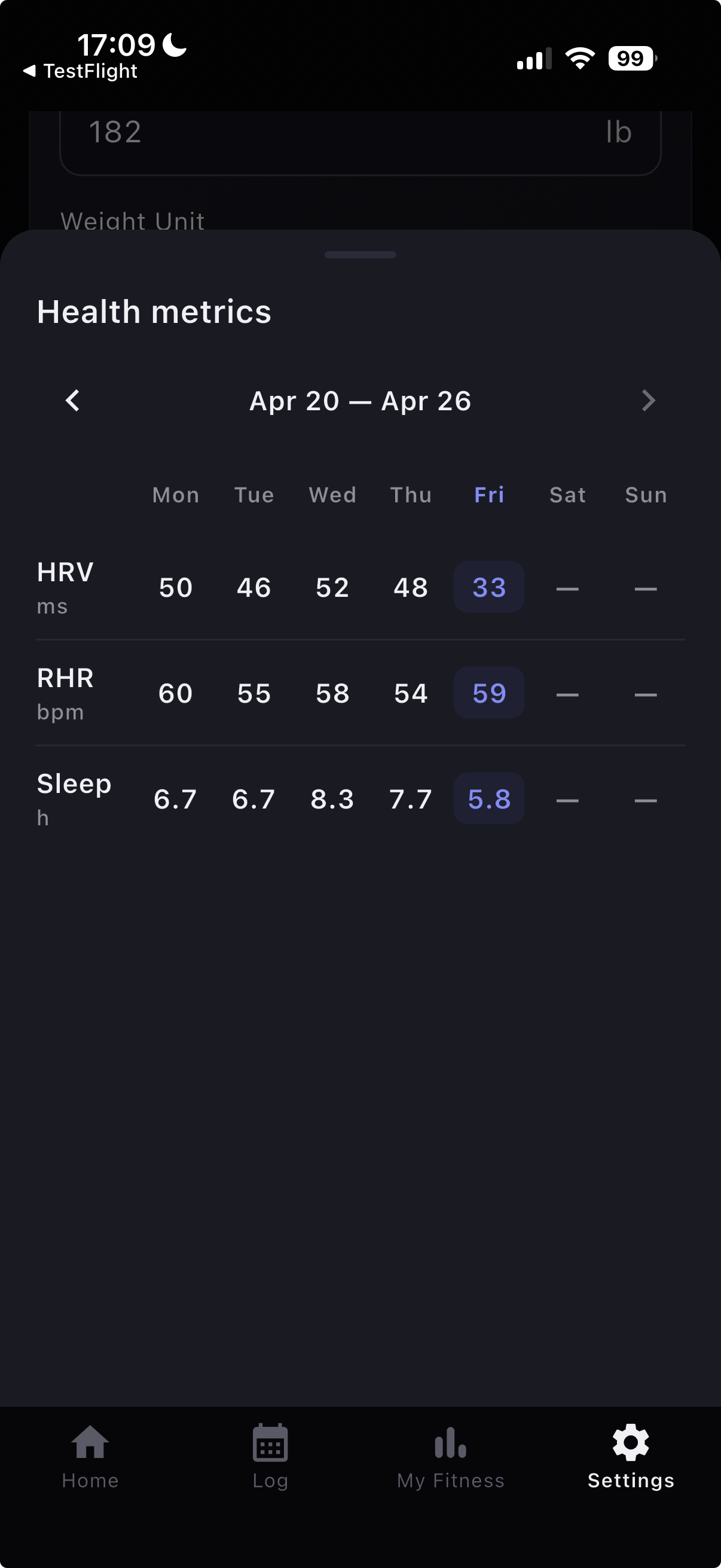
v1.10.0 consolidates all TestFlight-only updates since v1.9.0 into a public release focused on recovery context, workout completion flow, and end-to-end logging reliability.
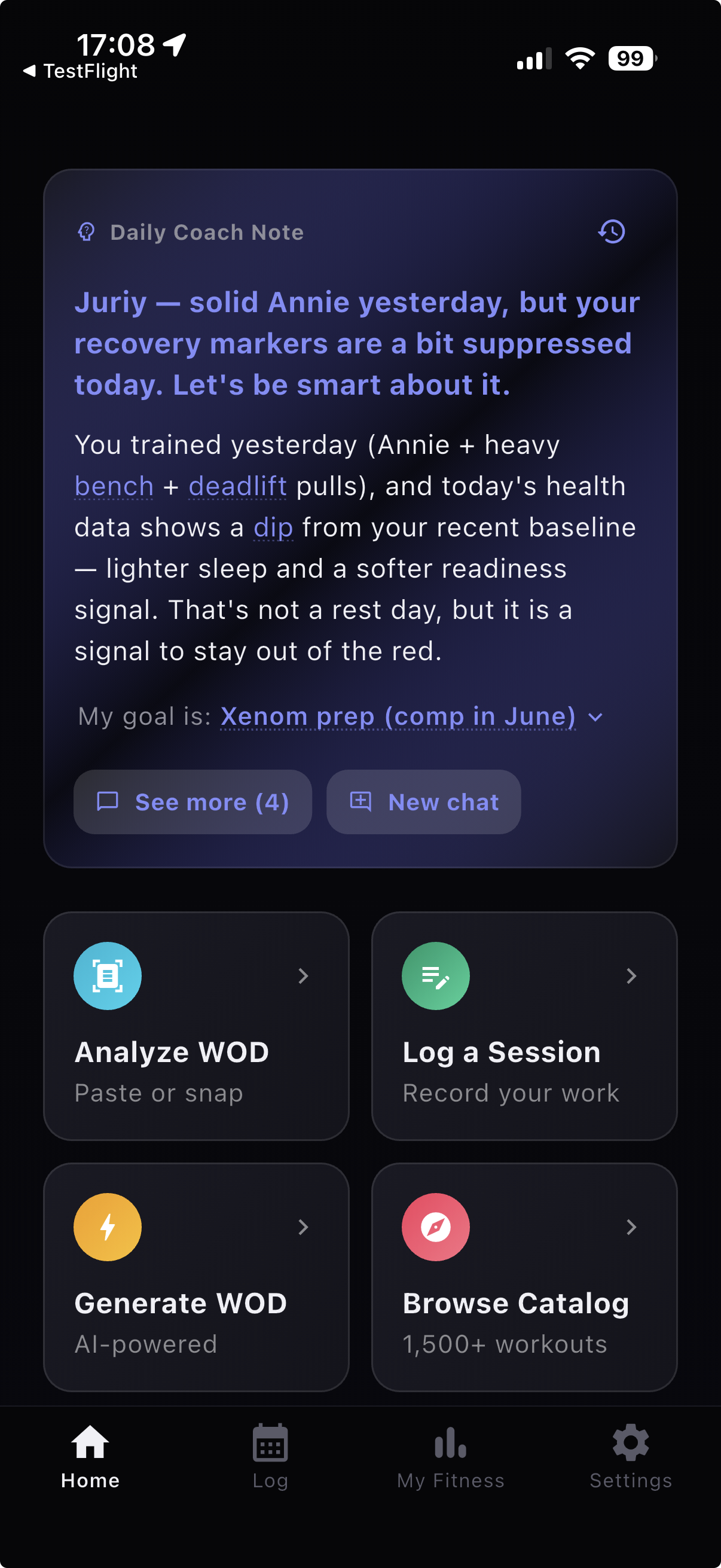
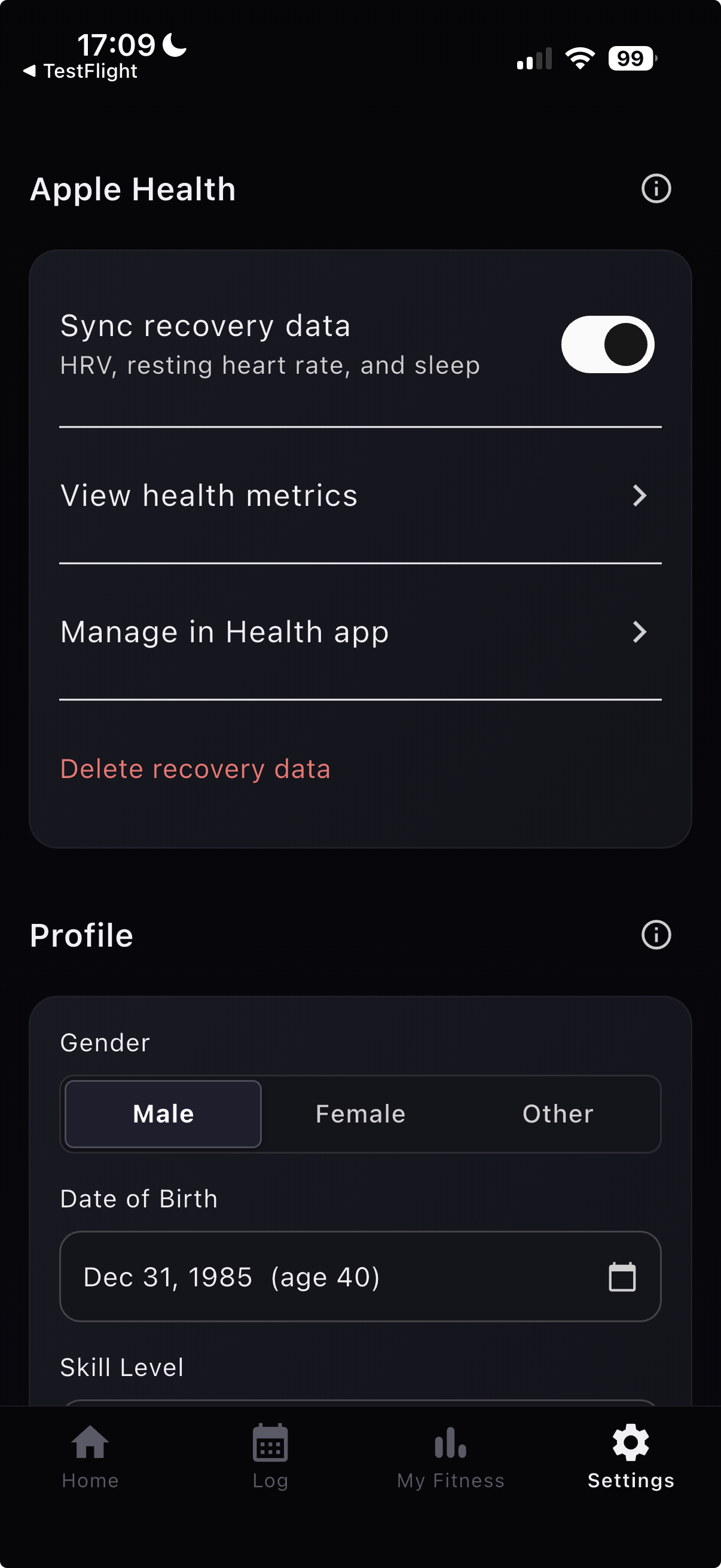
Apple Health recovery is now ready for broad use: opt in from Settings → Apple Health → Sync recovery data to import HRV, resting heart rate, and sleep. Those signals now feed in-app AI coach briefings.
Apple Health Recovery
- Apple Health recovery metrics now live in Settings under Apple Health.
- HRV, resting heart rate, and sleep can feed your in-app AI coach briefings after you opt in.
Set Completion Checkboxes
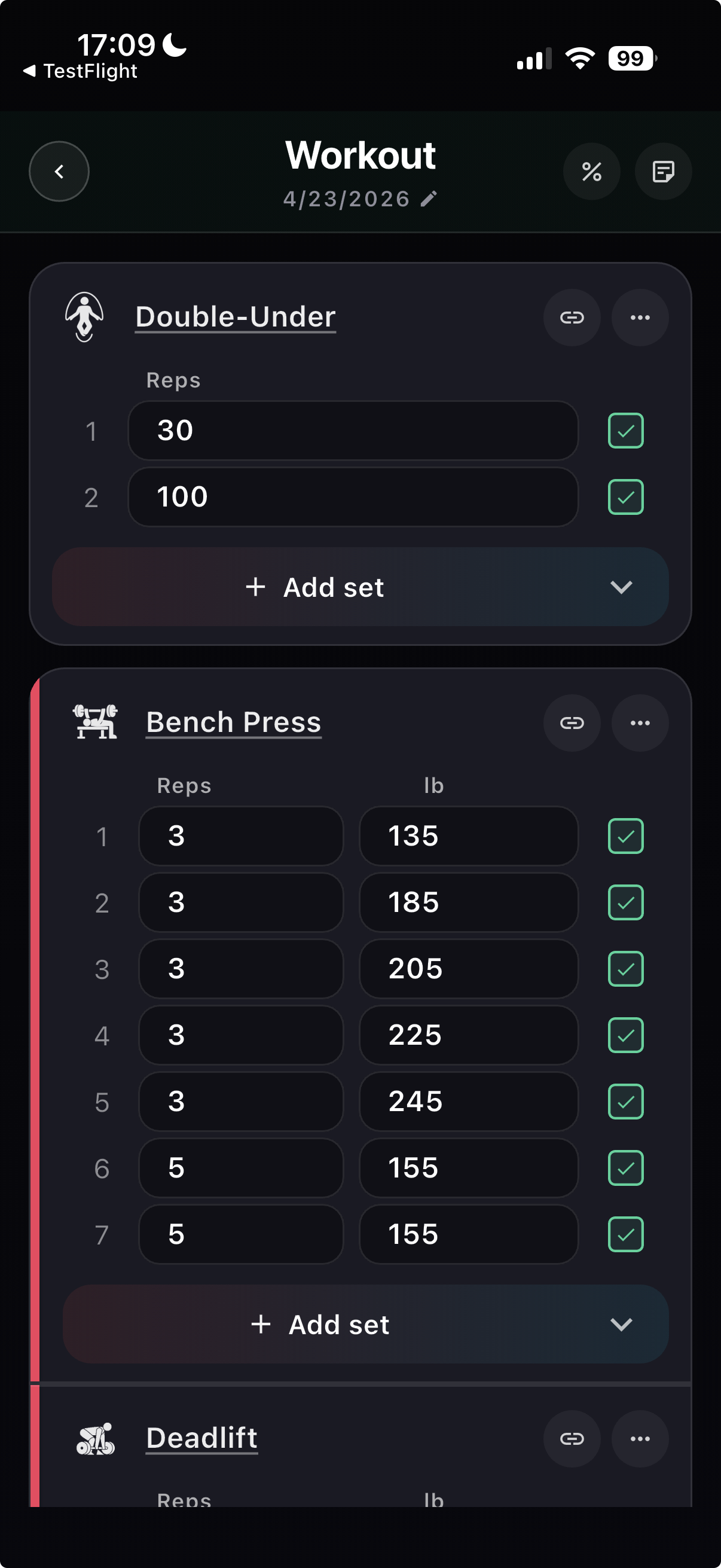
- Set completion checkboxes are now available in workout logging for web and Flutter.
- Logging flow is faster during active training blocks because completion state is visible at a glance.
Session Editing & Reliability
- Moving scored sessions across dates now handles ghost-session conflicts safely.
- Session lookup behavior is aligned with UTC-day uniqueness to avoid date-index mismatches.
- WOD-to-session score saves are more stable across savepoint and lookup paths.
Enrichment & Movement Catalog
- Live WOD enrichment is now more robust, with stronger retry/backfill handling.
- Movement aliases were expanded, including Pegboard support.
- The catalog naming update replaces "Body Over Box" with "Get-over".
Also Improved
- Score share cards received a full layout refresh for cleaner output.
- Anonymous WOD quota enforcement is now consistent across web and Flutter.
- Same-day coach awareness and next-day preview are rolling out gradually behind a feature flag.