Mobile App v1.12.0 - Log What You Actually Did for Scaled WODs
v1.12.0 makes scaled WOD logging more honest: PRzilla can now track the actual movement work you performed, not just the prescribed workout headline.
If you scaled Fran, modified Murph, changed loads, split up complex work, or logged component results inside a WOD, your history can now reflect that real work more clearly.
Log What You Actually Did for Scaled WODs
- Start from the WOD prescription, then log the compact headline score.
- Expand the WOD inside the session editor to track the actual movement work you performed.
- Session detail and Training Log keep the result readable: one WOD score, with the completed component work still available underneath.
- Movement history, coach context, charts, work output, and practice stats can use completed component work when it exists.
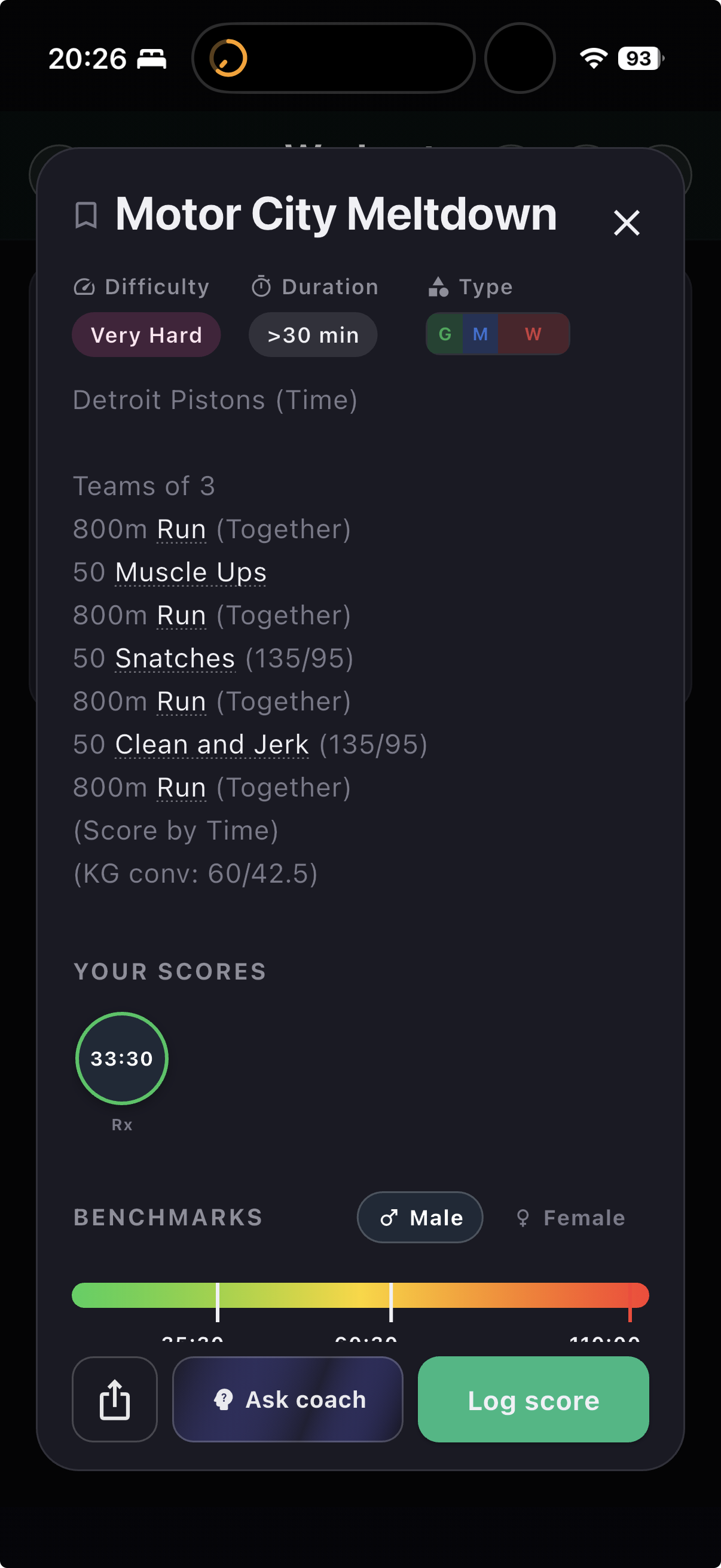
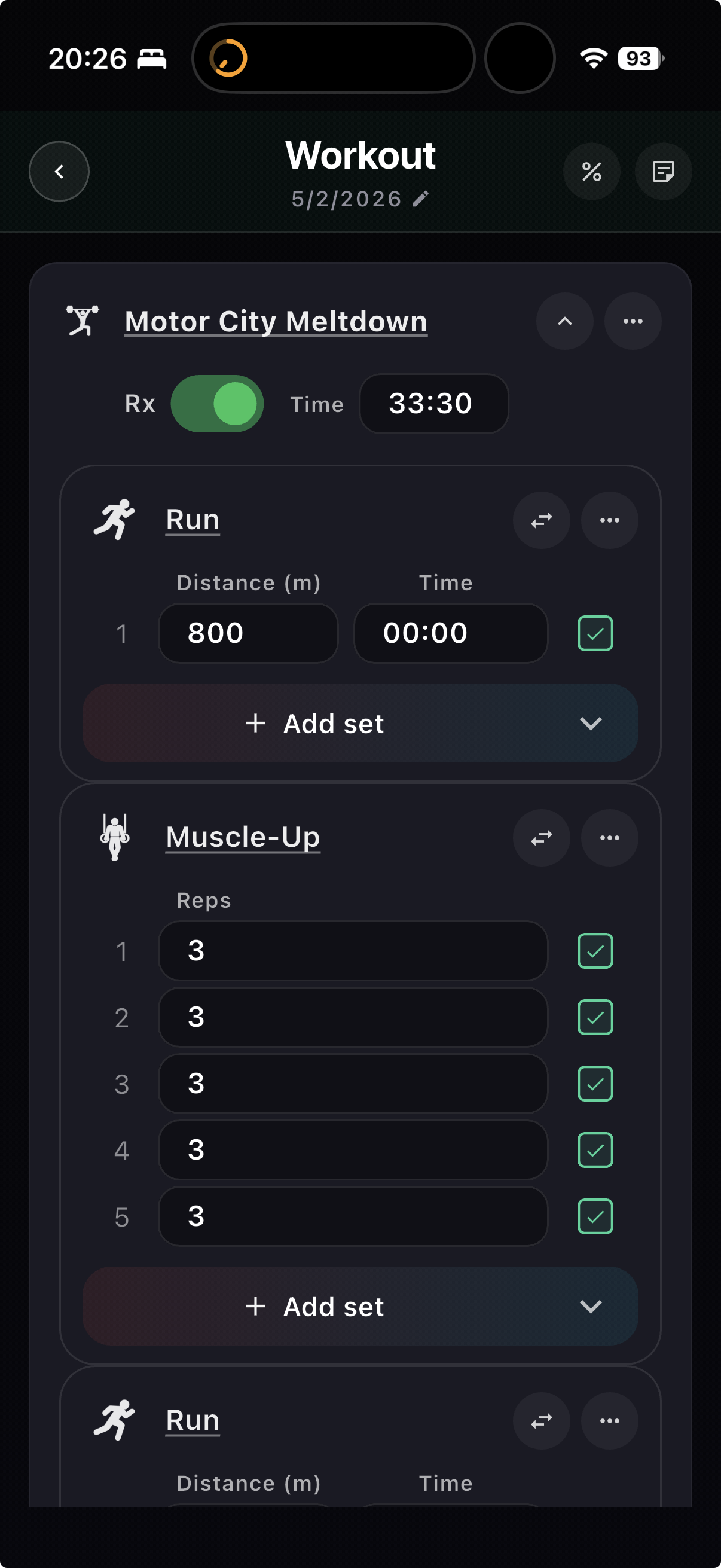
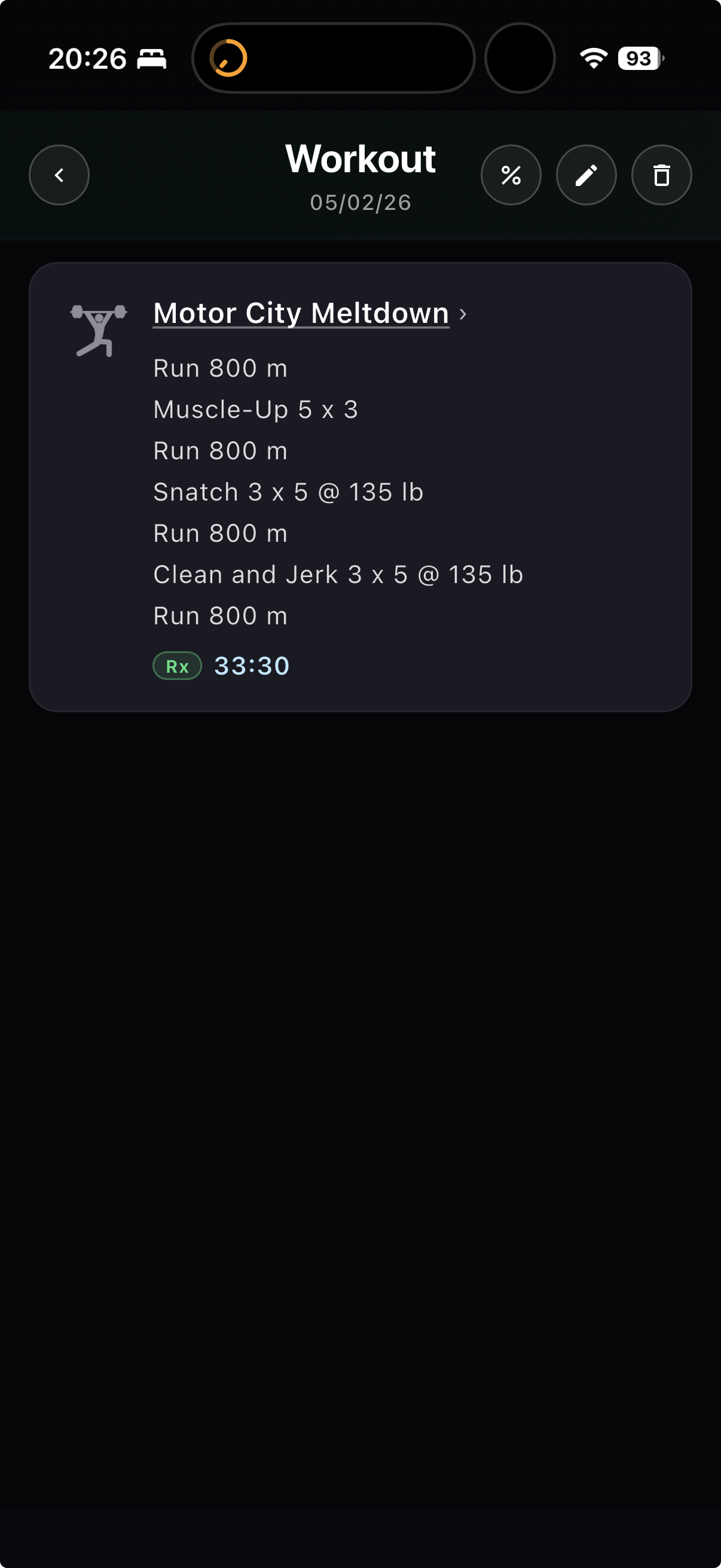
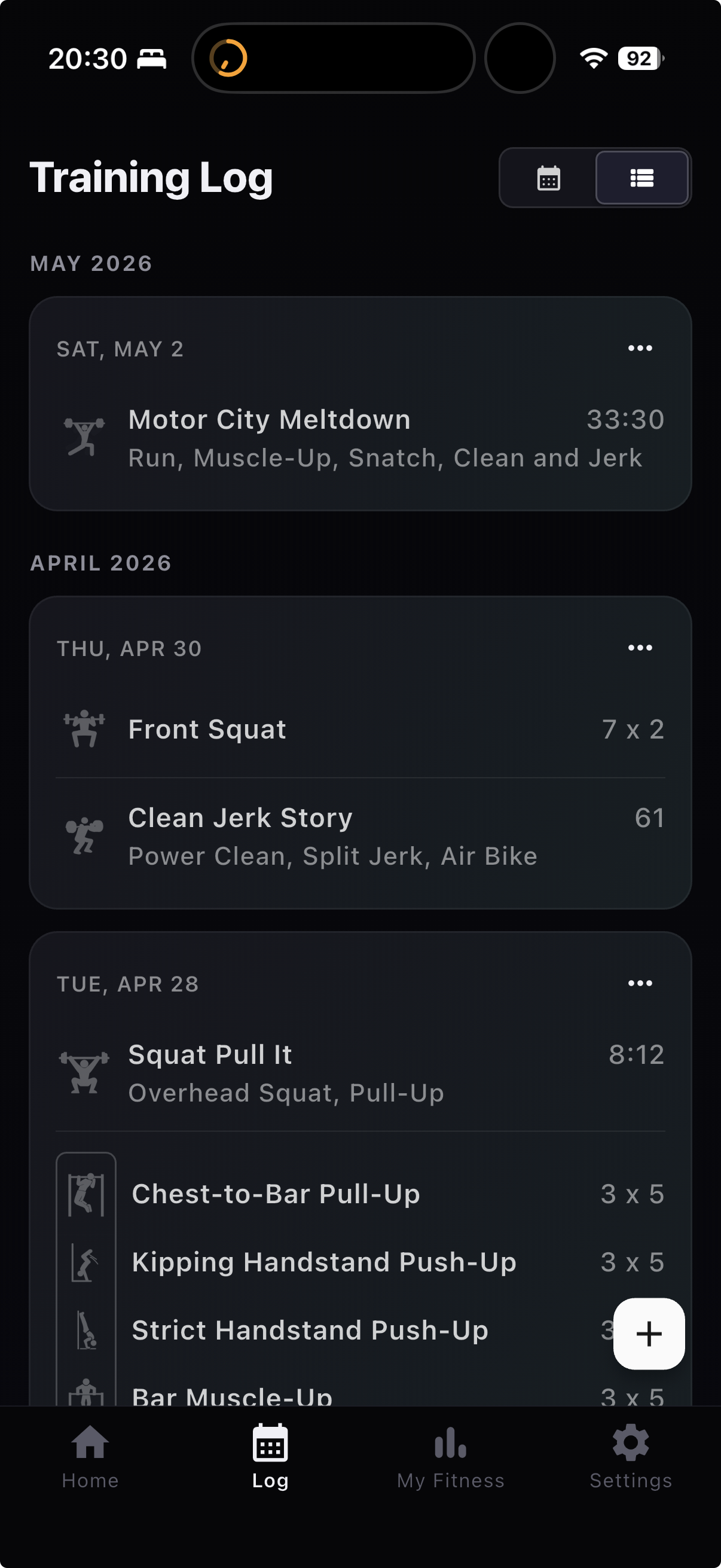
Screenshot-to-Workout Logging
- Magic Add now accepts typed text or image input.
- Quick Add and Analyze can parse workout screenshots and photos directly.
- Image parsing keeps the original workout source text available for custom WOD enrichment.
Faster Set Entry
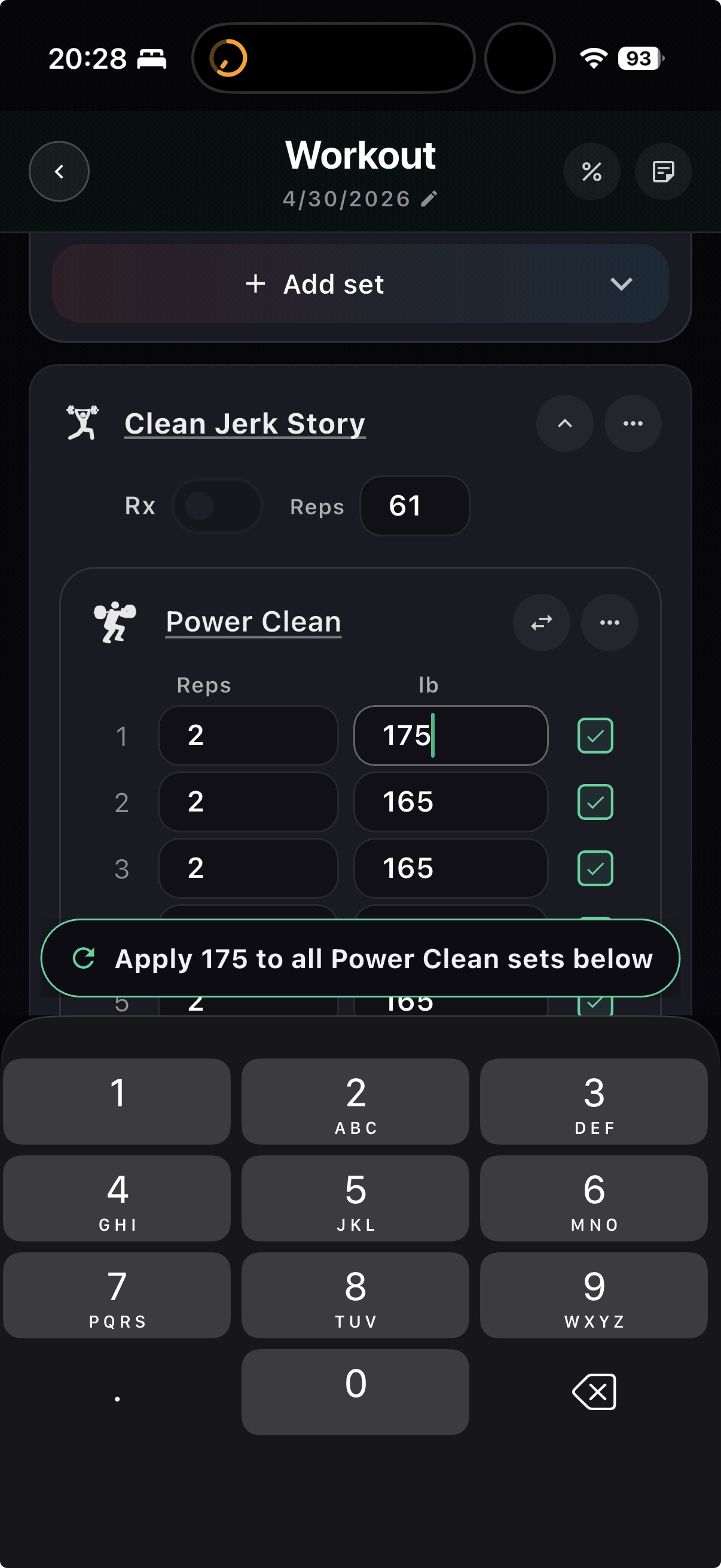
- The log workout screen now shows an apply-below chip above the keyboard for repeated values.
- Use it to copy weight, reps, distance, or calories into lower sets.
- Undo and row highlighting make the action easier to verify mid-workout.
Also Improved
- Coach chat supports tappable attachment chips and movement links.
- Custom WOD deep links now open in the native app with a server fallback when the bundled catalog does not have the slug.
- Cancelled WOD generations no longer look like parser failures.
- Missing benchmark score types now ask what kind of score you are logging.
- Magic Add image parsing, custom WOD component hydration, complex-lift Training Maxes, and mobile error reporting were tightened.