Mobile App v1.13.0 - See Training Intensity on Your Calendar
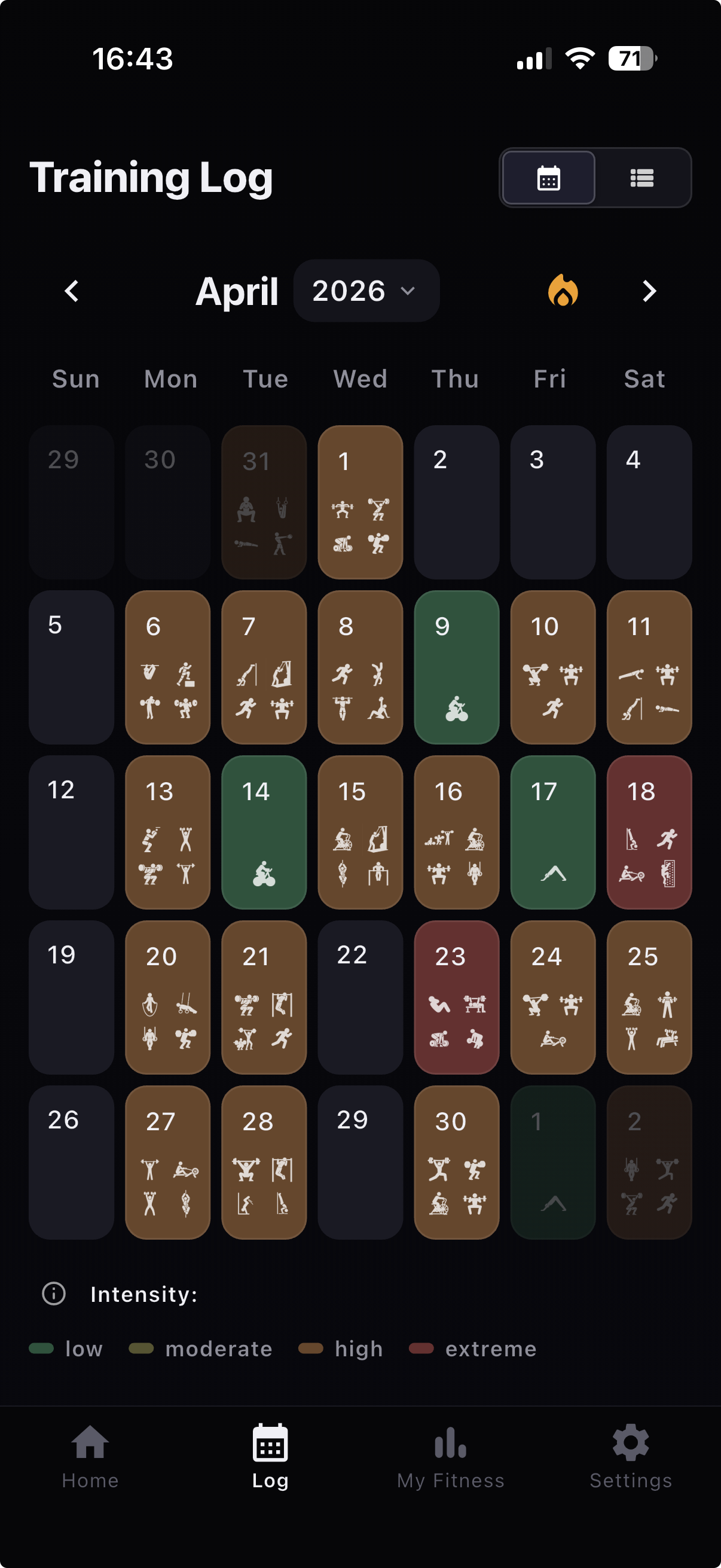
v1.13.0 makes your Training Log easier to read at a glance.
The calendar can now color days by workout intensity, so hard pushes, lighter days, and weekly load patterns stand out sooner. This release also gives Coach a clearer, profile-backed view of your focus and facts, and makes session cleanup faster with select-all movement completion.
See Training Intensity on Your Calendar
- Switch the Training Log calendar to intensity coloring.
- Spot hard weeks, lighter days, and load patterns without opening every session.
- Intensity classification was tuned before rollout so everyday training days and extreme days separate more clearly.
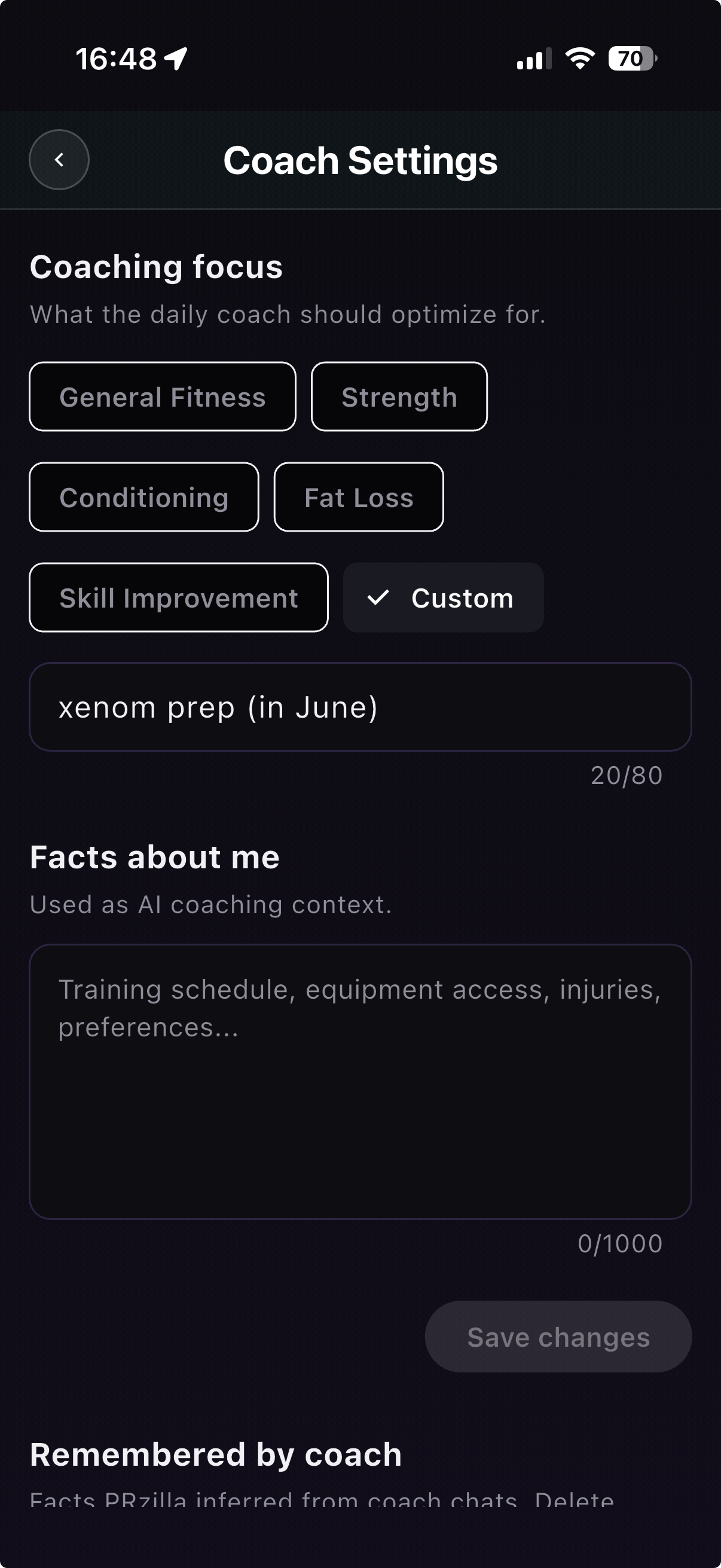
Better Coach Context Controls
- Coach Settings now live in Settings instead of the Home coach card.
- Your coaching focus is saved to your profile, so daily briefings and Coach chats use the same focus.
- The new Facts about me field lets you explicitly tell Coach about schedule, equipment access, injuries, and preferences.
- Remembered facts inferred from Coach chats are shown separately, with delete controls for anything wrong.
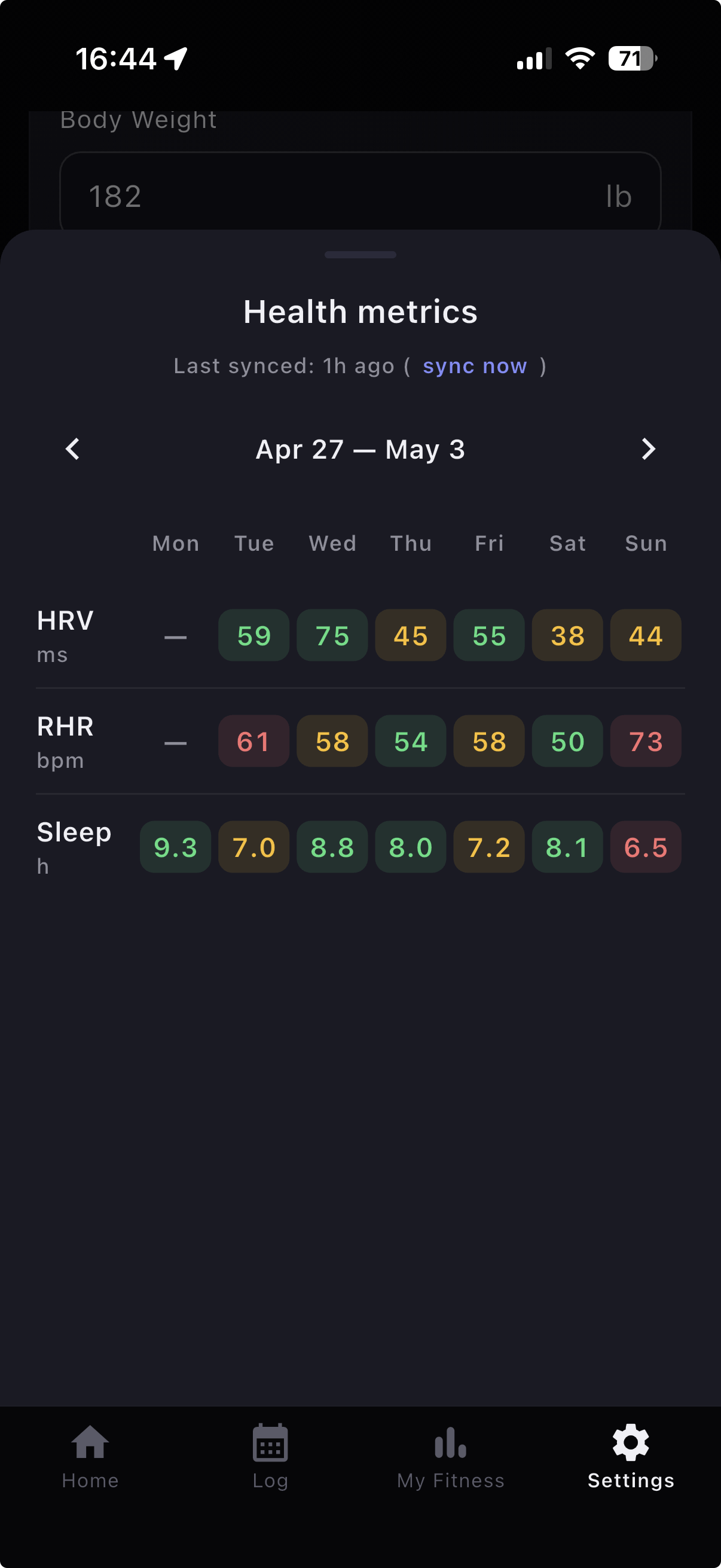
- HRV, resting heart rate, and sleep now include low, medium, and high quality signals.
- Apple Health recovery already powers Coach context; this release makes that context more structured for readiness-aware coaching.
Faster Workout Editing
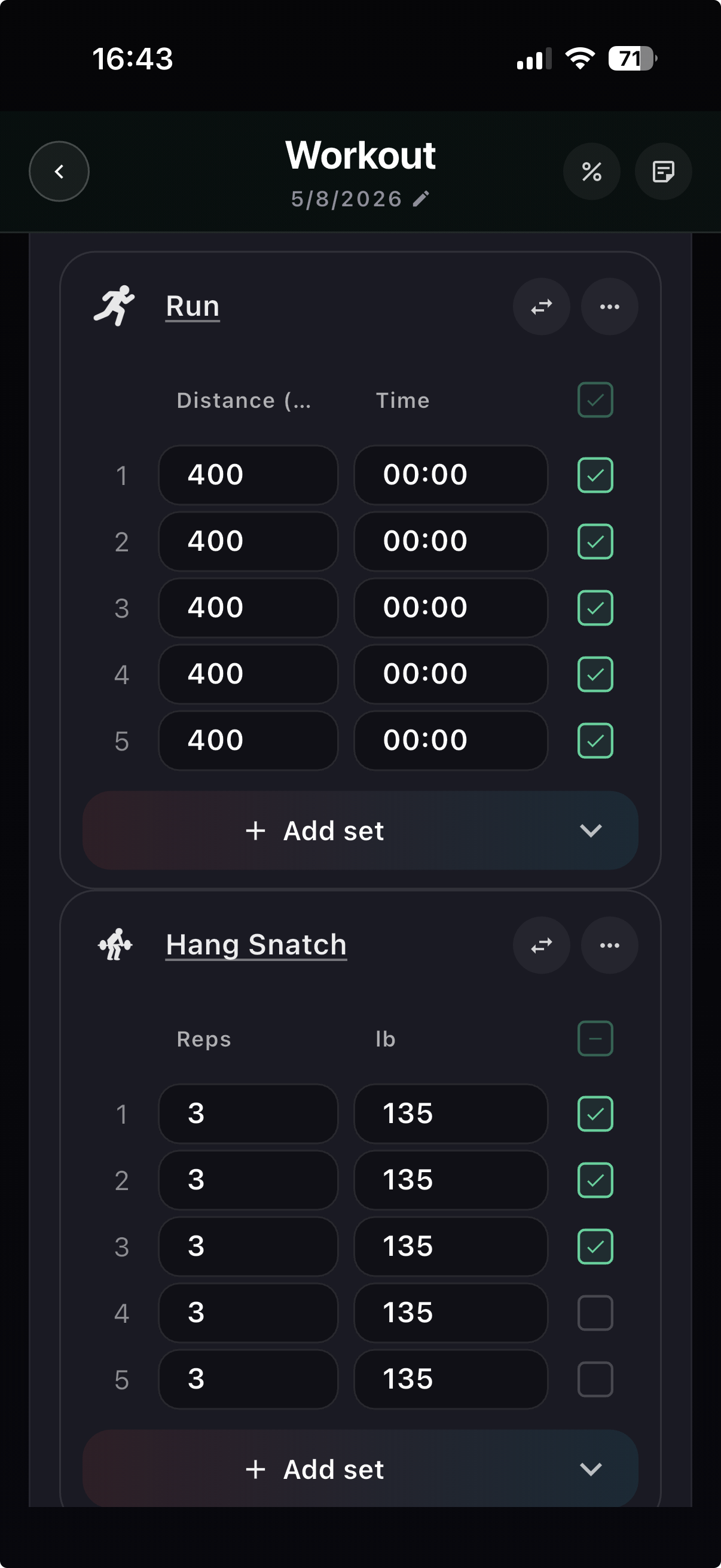
- Movement sections now support select-all completion.
- Repeated movement checkoffs are faster when cleaning up or editing a session.
- This pairs with the recent completed-work logging improvements for a smoother session editing flow.
Logging Polish
- Preserved original distance units when editing workouts.
- Preserved kg load precision in Magic Add.
- Improved inline score display and refresh behavior while editing WOD sessions.
- Fixed custom WOD name reuse in Quick Add.
- Corrected day labels in Coach notes.
- Updated XENOM event data and labels.
- Merged duplicate Tucked Planche movement data into Tuck Planche, while keeping the old spelling searchable.