Mobile App v1.15.0 - Smarter Movement Picker, Strava Import & Tutorials in Settings
v1.15.0 leans into how athletes actually use the app week to week. The movement picker gets the biggest redesign since launch. Two surfaces that used to live only at onboarding now live in Settings - Strava import and the tutorial videos - so they're discoverable after the first time you open the app. WOD coaching analysis is more reliable and opt-in. And new users get a personalized pre-signup setup that tunes the app to them from the first screen.
Smarter Movement Picker
Tap the filter icon in the picker and the new sheet opens up:
- Body Part and Muscles are mutually exclusive view modes - pick the abstraction you think in. Body Part is broad (Legs, Back, Shoulders); Muscles is granular (Biceps, Glutes, Lats).
- Equipment and Level compose as AND filters - "Foundations + Bodyweight + Legs" returns exactly what you'd expect.
- The search hint shows a live count - "Search 35 movements..." updates instantly as you toggle chips. No more typing into a void to find out the filter narrowed to nothing.
- An active-filter dot on the picker icon tells you when a filter is on, even when the sheet is closed.
All 871 catalog movements were classified by hand for body parts and primary / secondary muscles - no LLM guessing, no broken categories.
Strava Import, in Settings
Open Settings and tap Strava Import (BETA badge). It opens your mail composer with the request pre-filled:
- Export your Strava archive from Strava → Settings → My Account → Download or Delete Your Account.
- Attach the export ZIP (or the
activities.csvinside it) to the email. - We'll process the import and land your activity history in your PRzilla account.
- Free during beta.
Imported activities count toward the same charts and benchmarks as workouts logged natively.
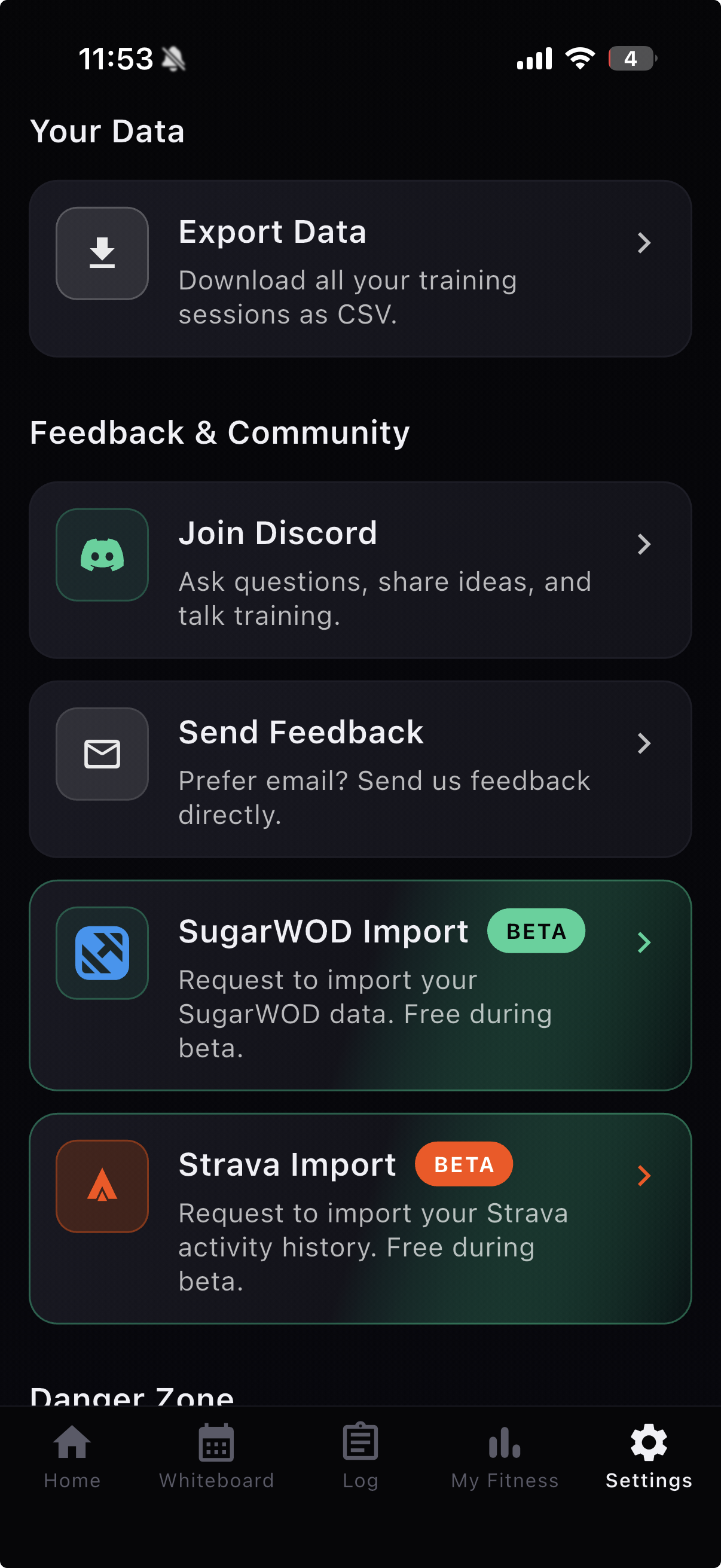
Tutorial Videos in Settings
The video tutorials we ship in the first-launch onboarding now have a permanent home under Settings, so you can revisit them whenever you want a refresher on quick add, custom WOD analysis, the session editor, or any of the core flows.
More Reliable WOD Coaching Analysis
Coaching commentary on a WOD analysis used to run automatically and could fail silently when the underlying model hiccupped. v1.15.0 changes that:
- The default analysis is faster - it skips coaching and gives you the workout breakdown immediately.
- Tap Get strategy on the Analyze view for tactical commentary; it loads on demand.
- The coaching pipeline auto-retries on transient errors, so a brief network blip no longer leaves you staring at a blank section.
Personalized Pre-Signup Setup
New users now pick their goals, experience level, and primary training style on screens BEFORE creating an account. The app starts tuned to them - workout suggestions, default unit, and onboarding flow all adapt to the answers. Existing users won't see these screens; they're targeted at the first-touch experience.
Polish and Fixes
- Equipment-qualified WOD prescriptions ("DB Snatch", "KB Swing") parse correctly without dropping the equipment qualifier.
- LLM movement parser stays inside the canonical movement list - no more hallucinated names that disappear at render time.
- Hold-type movements score correctly; benchmark drilldown for Holds works again.
- Stale workout sessions can be recovered instead of getting stuck.
- Capped (timed-out) plain-time scores no longer drag your fitness level down.
- WOD loads respect your kg unit preference everywhere they're displayed.
- Ladder rep-step prescriptions ("21-15-9") parse correctly.
- Custom WOD analysis no longer leaves you stuck on a "Pending" skeleton.
- Coach treats unstarted sessions as planned (not completed).
- Tap a session card body, not just the header, to open the editor; LLM-generated WOD names are tighter.
- Quick Add unscored items default to Rx.
- Exit affordance added to session error states so a red error screen does not trap you.
- Movement detail sheet opens on the tab you last viewed instead of always Info.
- Pistol movement icon resolves; decomposed WOD loads styled consistently; redundant inline WOD scores hidden.
Thanks
This release was shaped by your feedback:
- Brandon for the conversation that pushed the movement picker redesign with body part and muscle filters.
- Mark for asking us to make Strava import a thing.
- Mirko for the careful Discord bug reports that surfaced the training balance chip mismatches and the inverted hold-time scoring.
- Rafael for the suggestion to make the whole session card body a tap target into the editor, not just the header.
If you have ideas or hit a bug, keep them coming - the easiest way to reach us is in Discord or via Settings → Send Feedback.