Mobile App v1.22.0 - Apple Health & Google Health Connect
v1.22.0 is about meeting your health data where it already lives. On iPhone, your Apple Health workouts come straight into your log. On Android, recovery arrives for the first time through Google Health Connect. And the workout timer learns how to run station workouts, station by station.
Import your Apple Health workouts (iPhone)
Bring your Apple Health workouts straight into your training log. Open the Log tab, tap import, and pick the sessions you want - running, cycling, rowing, swimming, hiking, and yoga - and each one lands on the right movement with its heart rate, distance, and calories. It works with your Apple Watch and any other app that writes workouts to Apple Health, like Strava. Turn it on any time under Settings > Apple Health > Sync workouts.
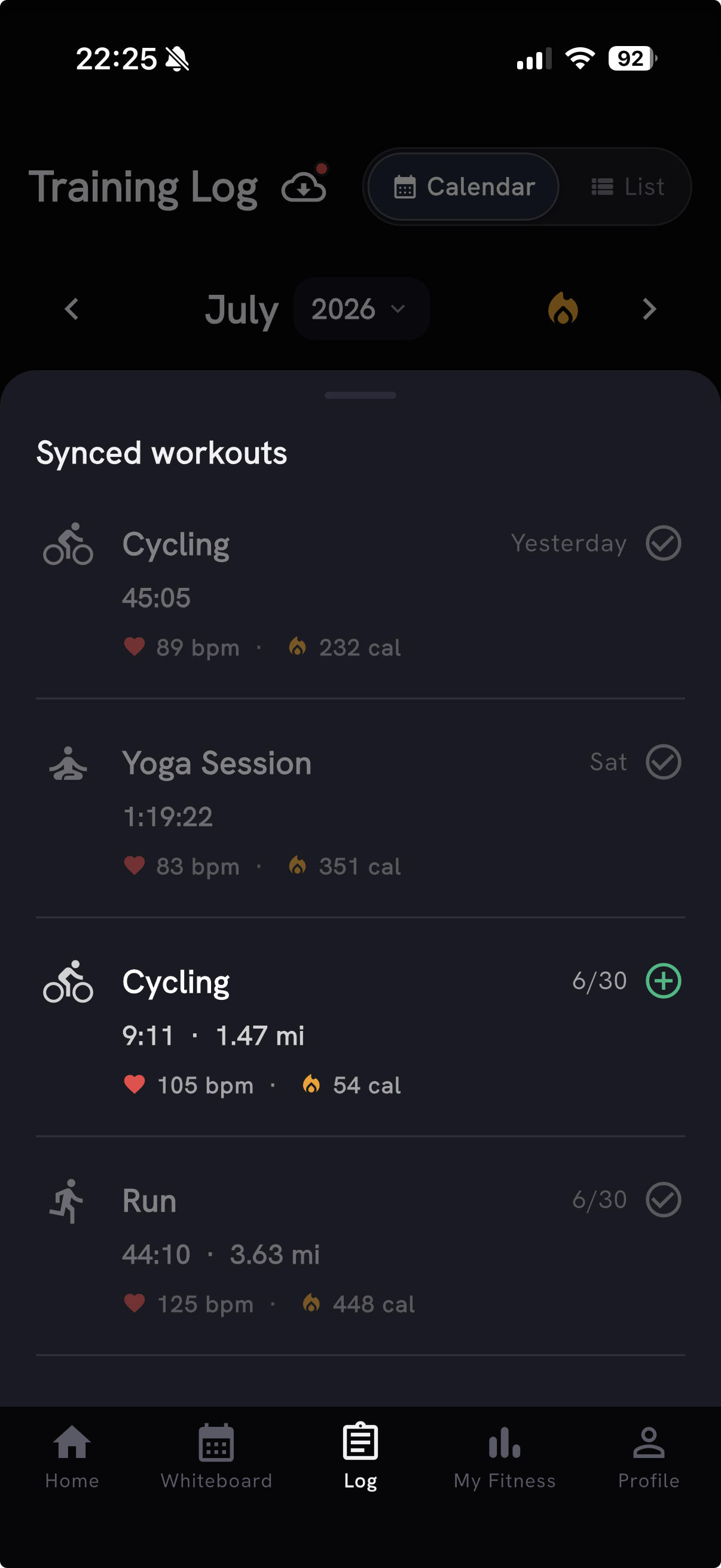
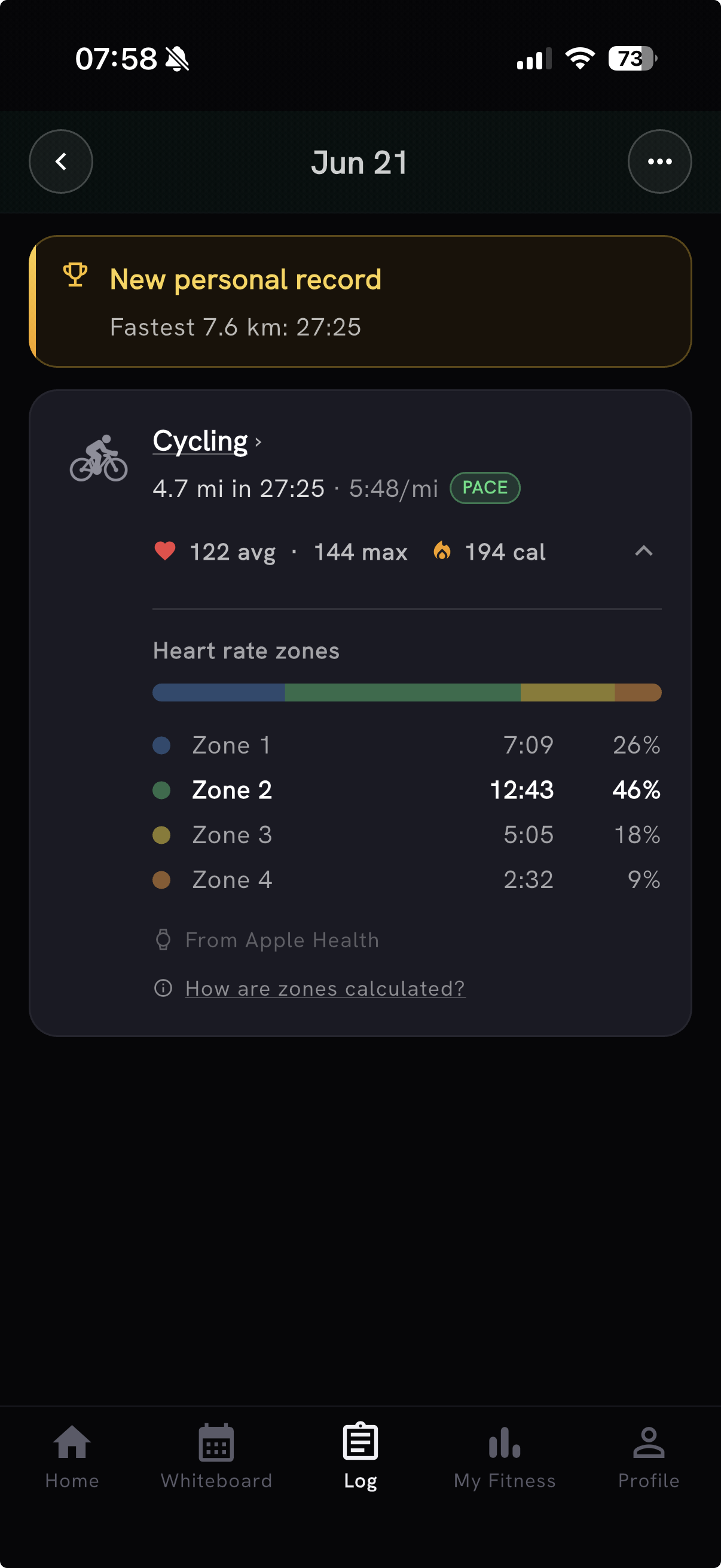
Cardio imports now go further. You'll see max heart rate next to average, plus a real five-zone heart-rate breakdown built from the heart rate actually recorded during the workout - so an imported ride or run reads like the effort it was, not just a duration.
Recovery now works on Android (Health Connect)
Recovery is no longer iPhone-only. On Android, connect Google Health Connect and PRzilla reads your sleep and resting heart rate to build your weekly recovery view, now on Android for the first time. It works with the wearables that write to Health Connect, including Garmin, Samsung, Oura, and more. You can open Health Connect and manage PRzilla's access at any time straight from Settings.
The timer walks you through station workouts
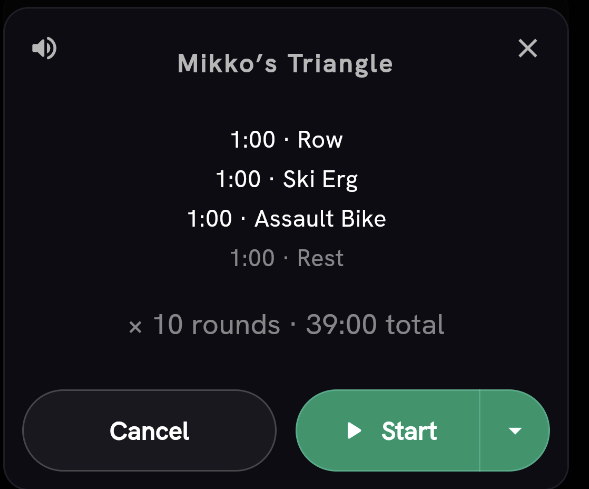
Open the timer on Fight Gone Bad - or any WOD built from timed stations - and instead of a flat countdown you get the workout's actual timeline. Before you start, the preview lays out every station and rest:
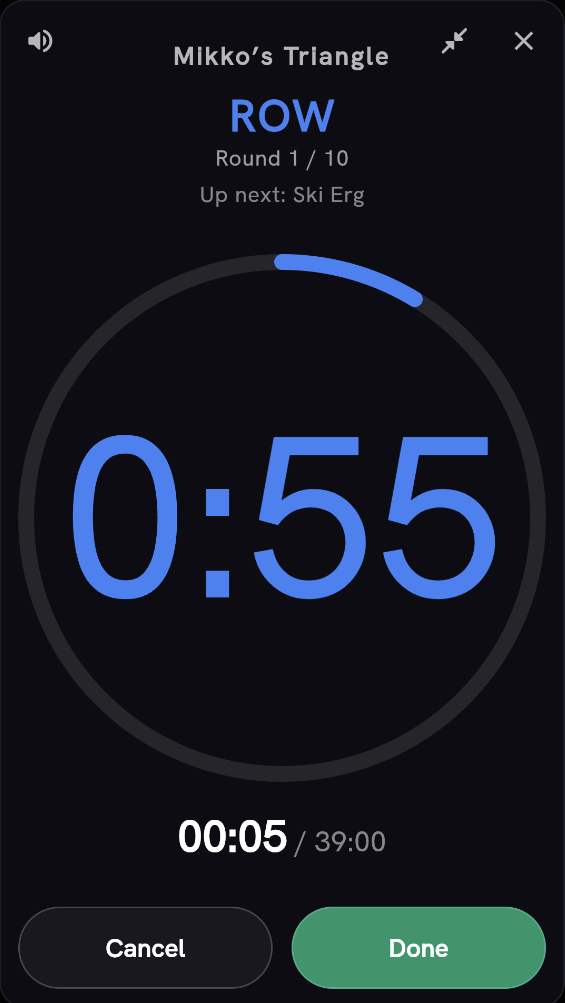
Once you're going, the clock walks you through it - the current station front and center, your round, and what's up next, with each station announced out loud as you hit it:
- Works for classic station benchmarks (Fight Gone Bad, Hope, The Ghost), rotating EMOMs ("odd minutes X / even minutes Y"), multi-station Tabatas (Tabata This), and your own WODs written with timed stations and rest lines. Thanks to Mirko for the nudge.
- Same beeps and voice cues as EMOM and Tabata - one interval engine drives them all now, and it keeps working with the screen locked.
- Fight Gone Bad-style station WODs also let you enter reps for each timed station, and the score headline updates from those station totals automatically.
Scoring and logging
A batch of scoring fixes make logged work read more accurately:
- Benchmark levels have been recalibrated for 30 more classic WODs - including DT, Diane, Isabel, Jackie, Kelly, Bert, Candy, and Zachary Tellier - to realistic community standards. This corrects ladders that graded a solid effort too harshly or too leniently, fixes a few men's/women's ladders that were inverted, and repairs benchmarks that had unreachable levels. Thanks to Antonio, whose JT report kicked off the audit.
- Capped time-cap benchmark attempts now pick your best progress score as your default best effort, instead of treating every capped time as tied. Thanks to cubic for flagging it.
- Logging a rep total for benchmarks like Nicole or Moore no longer invents a per-movement breakdown (a "63 m run" that never happened) or drops the movement you were scored on - such scores stay headline-only.
- Logging a WOD by sets and reps and entering your run split times no longer flips it to Scaled: the time you log is your result, not a scaling signal, so it stays Rx as long as the prescribed work matches. Thanks to Mirko for the detailed report.
- Distance-scored workouts re-total the headline live as you edit per-set distances, and your weighted vest is remembered on inline edits - "Reset to Rx" no longer overwrites whether you actually wore one.
- Switching weight units in Settings no longer nudges your saved body weight (182 lb -> kg -> lb stays 182, not 182.1).
Also in this release
- Feature-request roadmap: suggest and vote on ideas at /roadmap, with public browsing and admin moderation. Request owners and admins can edit titles and details. Thanks to Juriy for flagging the editing gap.
- A clearer day on Home: tap any day on the week strip for two concise, separate answers - how intense your training was and why, and how recovered you were and which morning signals drove it. Outdoor rides now count as real cardio in a day's intensity, graded by time and distance like Row or Run. And training "Strain" is now called Intensity throughout.
- New movements: the catalog now covers outdoor and court sports - skiing, snowboarding, tennis, squash, pickleball, badminton, rock climbing, martial arts, boxing, soccer, volleyball, and more - each with its own icon and with Strava / Apple Health activity aliases so imported sessions land on the right movement. Plus new cable incline and decline rotation movements.
- Whiteboard Prepare now opens the full workout preparation sheet when one or more catalog WODs are ready, treating multi-part sections as one workout.
- Snappier My Fitness and Training Log: the XENOM EPI card loads alongside the rest of My Fitness with a clear placeholder, and Training Log intensity colors appear instantly when you return from a workout.
- AI Coach now has a daily chat limit of 15 messages so a runaway day can't drive surprise costs, and limit messages match your plan instead of always pushing an upsell.
- Fewer unrelated rate limits when you're on a shared network like your gym's Wi-Fi, so syncing and browsing don't trip over each other.
If you have ideas or hit a bug, the easiest way to reach us is in Discord or via Send Feedback in the app.