Mobile App v1.23 - Standalone Timer, Failed Reps & PRzilla Pro
v1.23 gives the workout timer a home of its own, teaches your log the difference between a made and a missed rep, and opens PRzilla Pro.
The timer is now its own tab
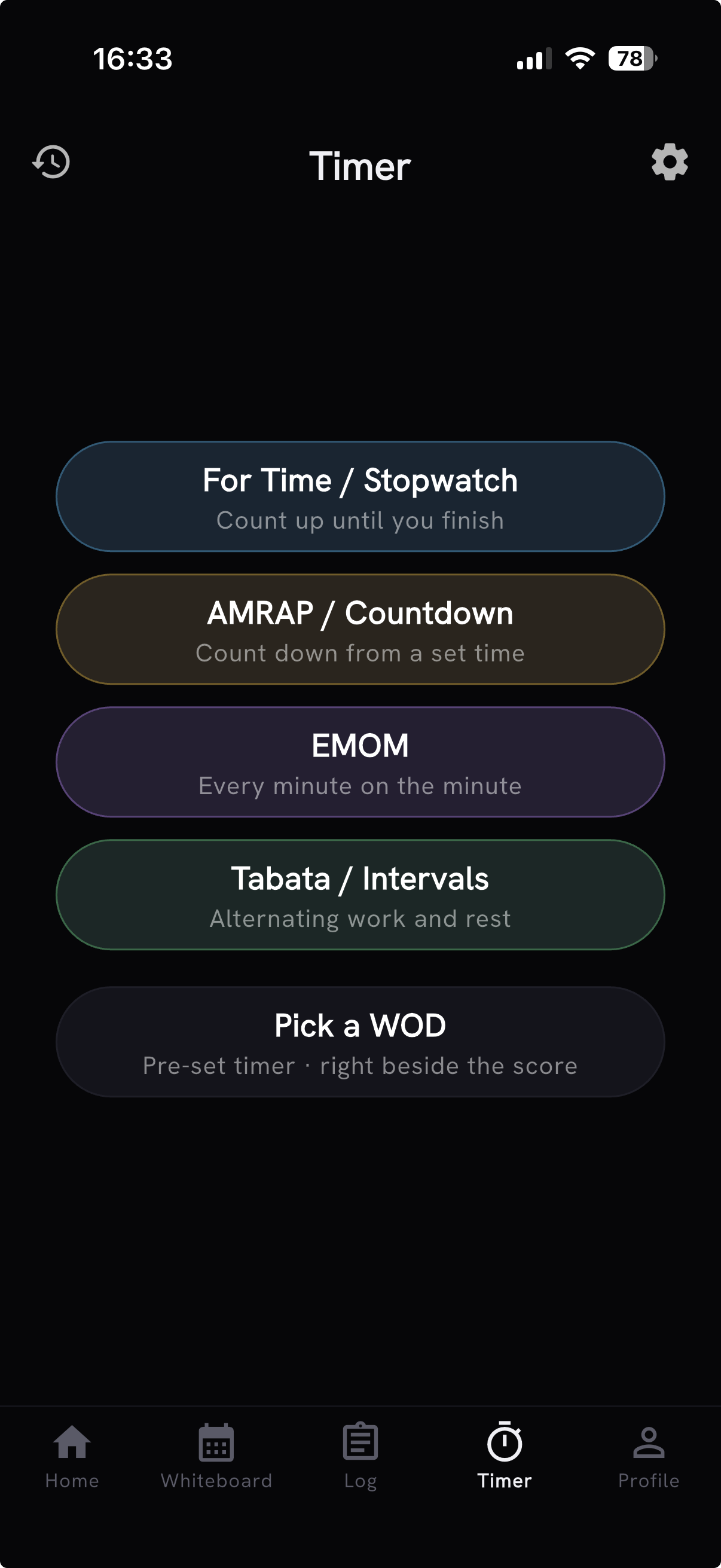
The workout timer graduated to a top-level destination in the bottom nav. For Time, AMRAP, EMOM, and interval setup are always a tap away - even while signed out or offline - so the clock is ready before your workout is.
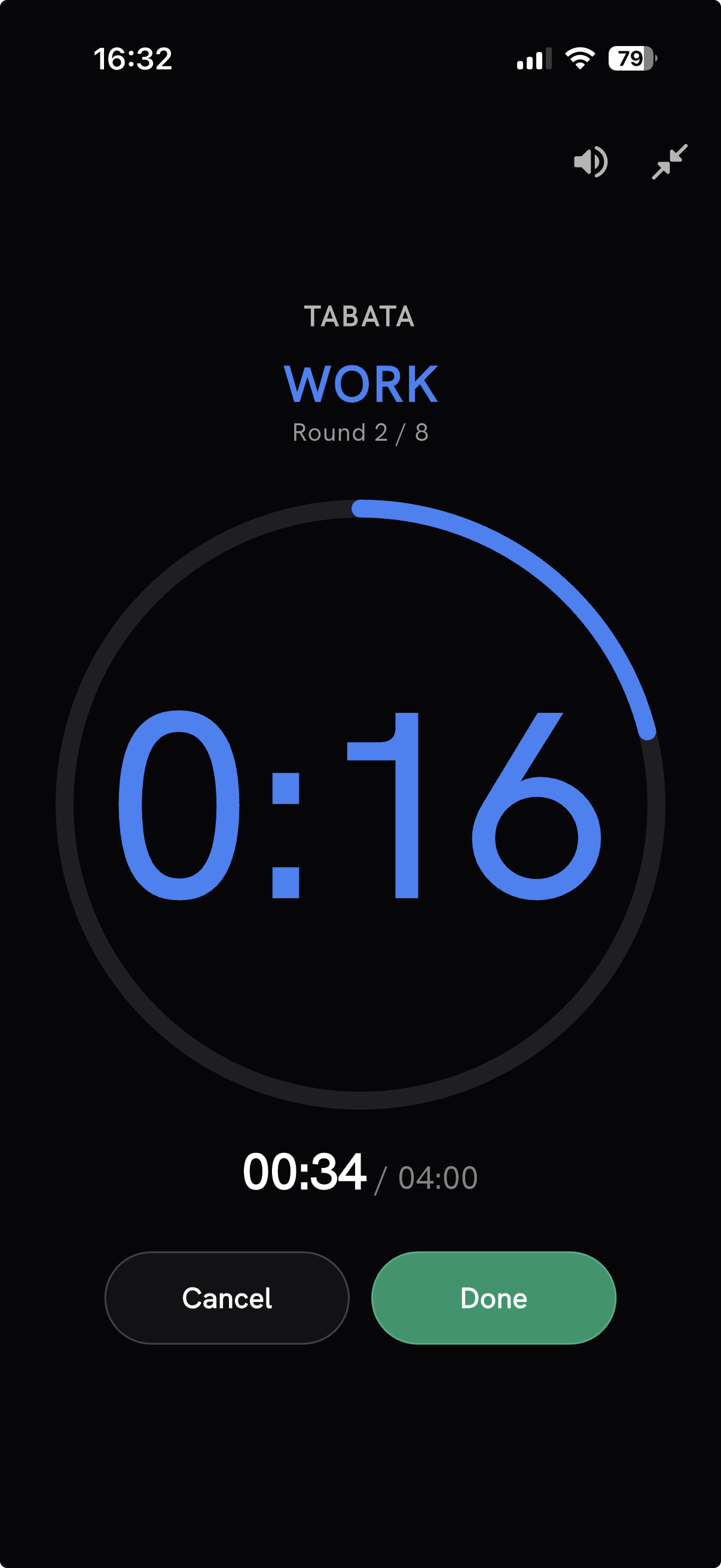
It also stopped going quiet when you look away. Beeps and spoken cues continue when you switch apps or lock your phone, and Timer settings now offer seven natural offline coach voices - including British, Russian, Australian, and Irish characters - with varied kickoff and halfway encouragement. Finishing a workout - hitting the time cap, completing the last interval, or tapping Done - lands with a celebratory ta-daa.
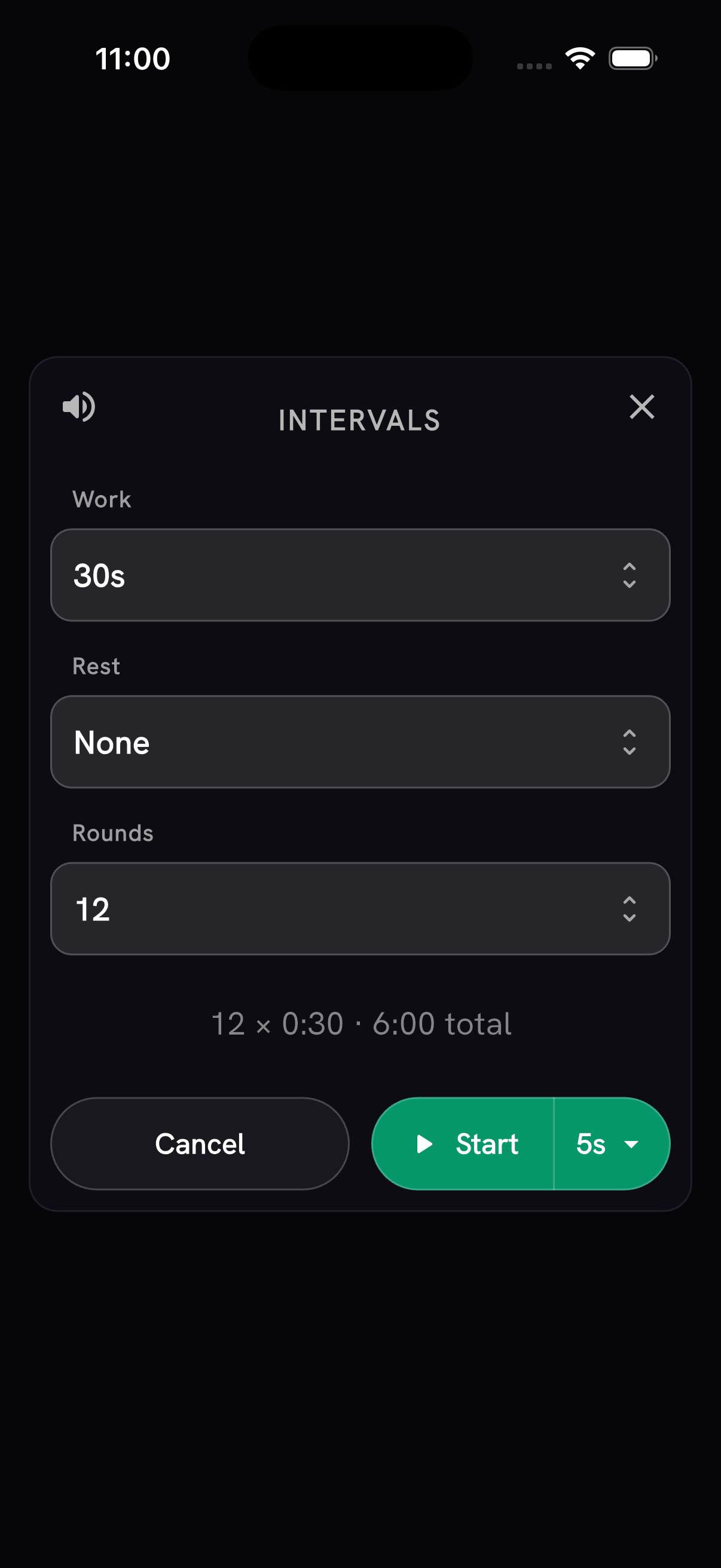
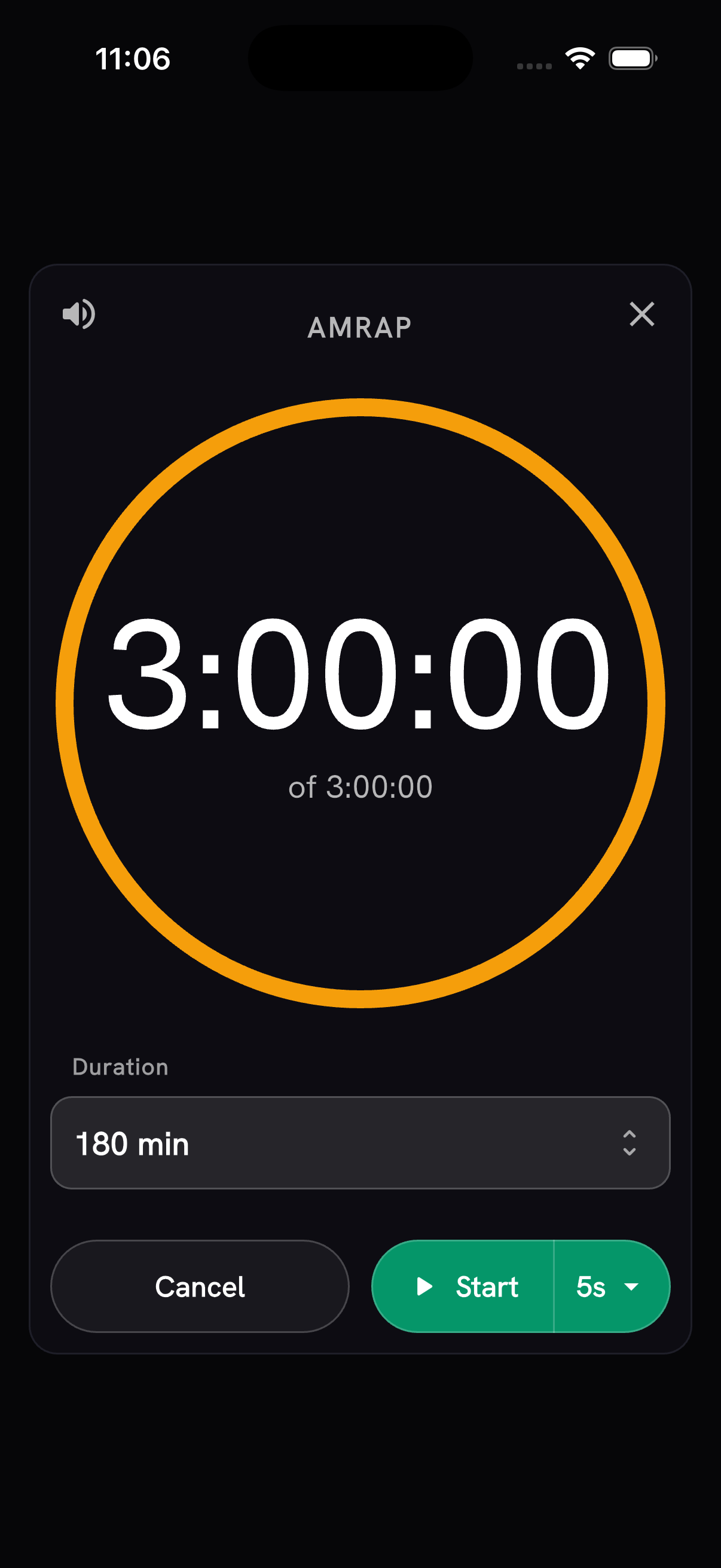
The timer also remembers your work: up to 500 standalone completions stay on-device with their exact setup, so a recent timer can be reopened or repeated without rebuilding it. Need to time a specific workout instead? Tap "Pick a WOD" to jump into the library, and the clock beside its score opens pre-configured. Timers can now also run plain repeating intervals with no forced rest, and standalone AMRAPs go up to three hours.
With Timer taking the center slot, My Fitness now lives in Profile, where Fitness Level and Balance give a quick preview without crowding the primary navigation.
Track the reps you missed
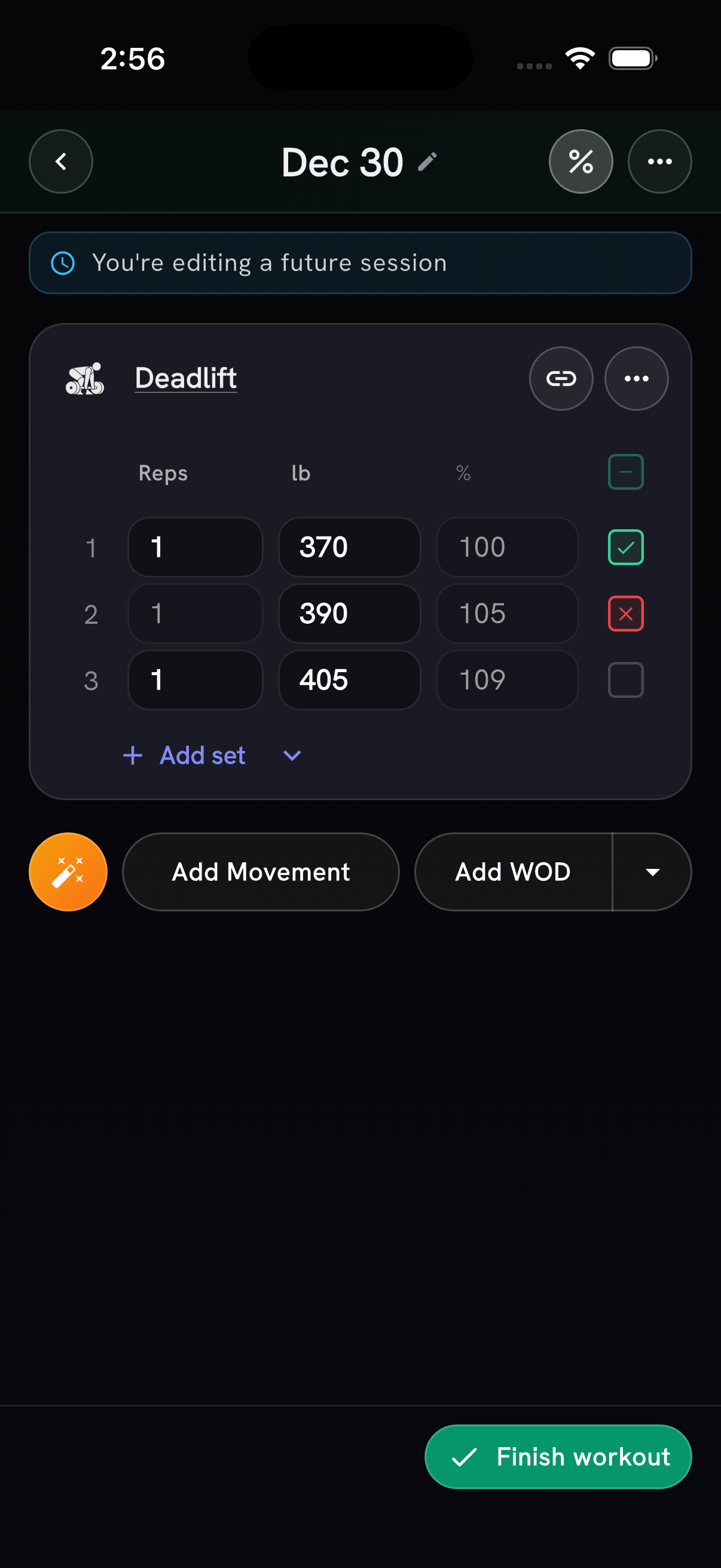
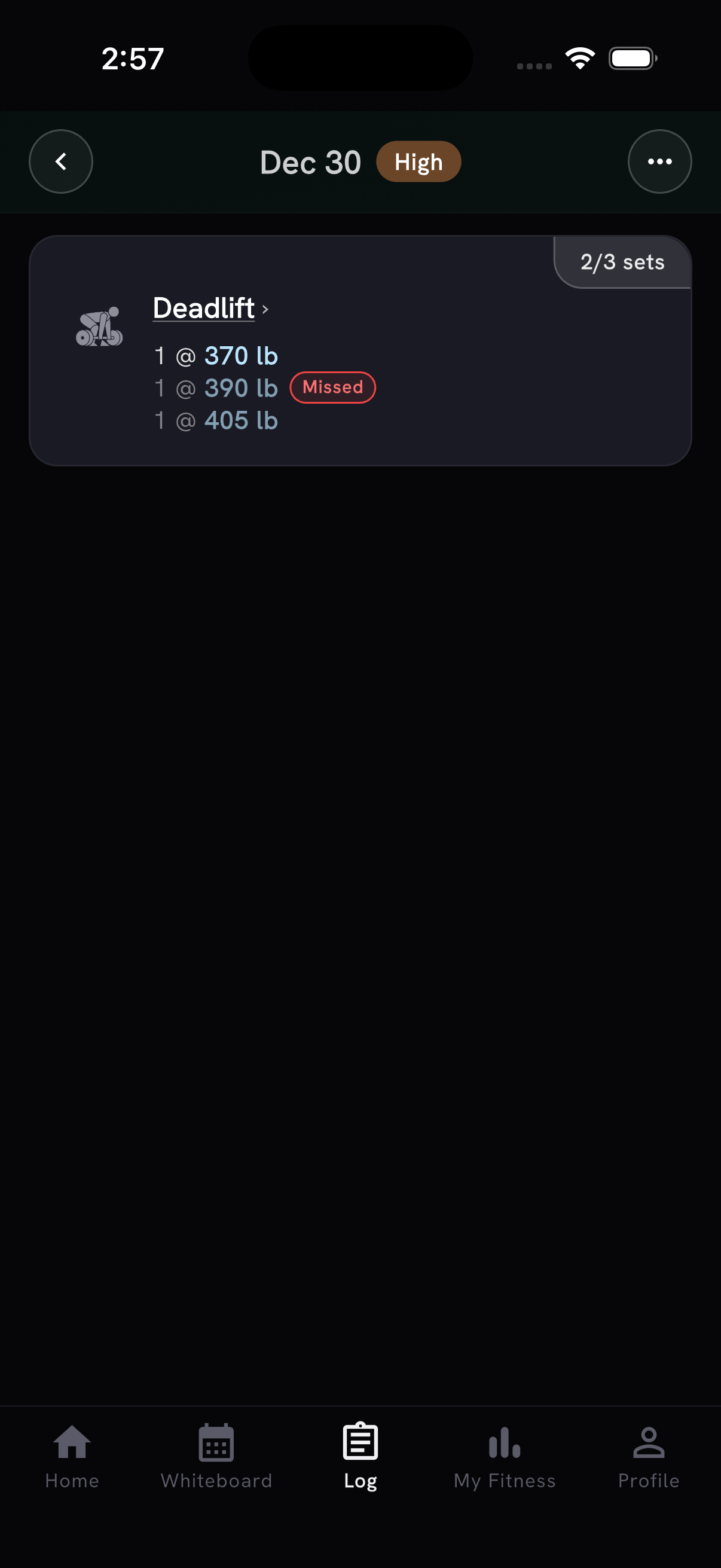
Long-press a set's completion check to record a missed attempt in red. Misses stay visible in history, coaching context, and workout exports, and missed loads appear as red chart markers - but no miss ever affects your PRs, headline loads, completed reps, distance, time, calories, or tonnage. Your log finally knows the difference between "did it" and "went for it".
Your week of recovery, now on Android
A reminder for Android athletes: your week of recovery lives on Home - connect Google Health Connect (Garmin, Samsung, Oura, and more) and PRzilla builds a daily recovery read from your sleep and resting heart rate. On iPhone, Apple Health.
Rest, exactly where the WOD says
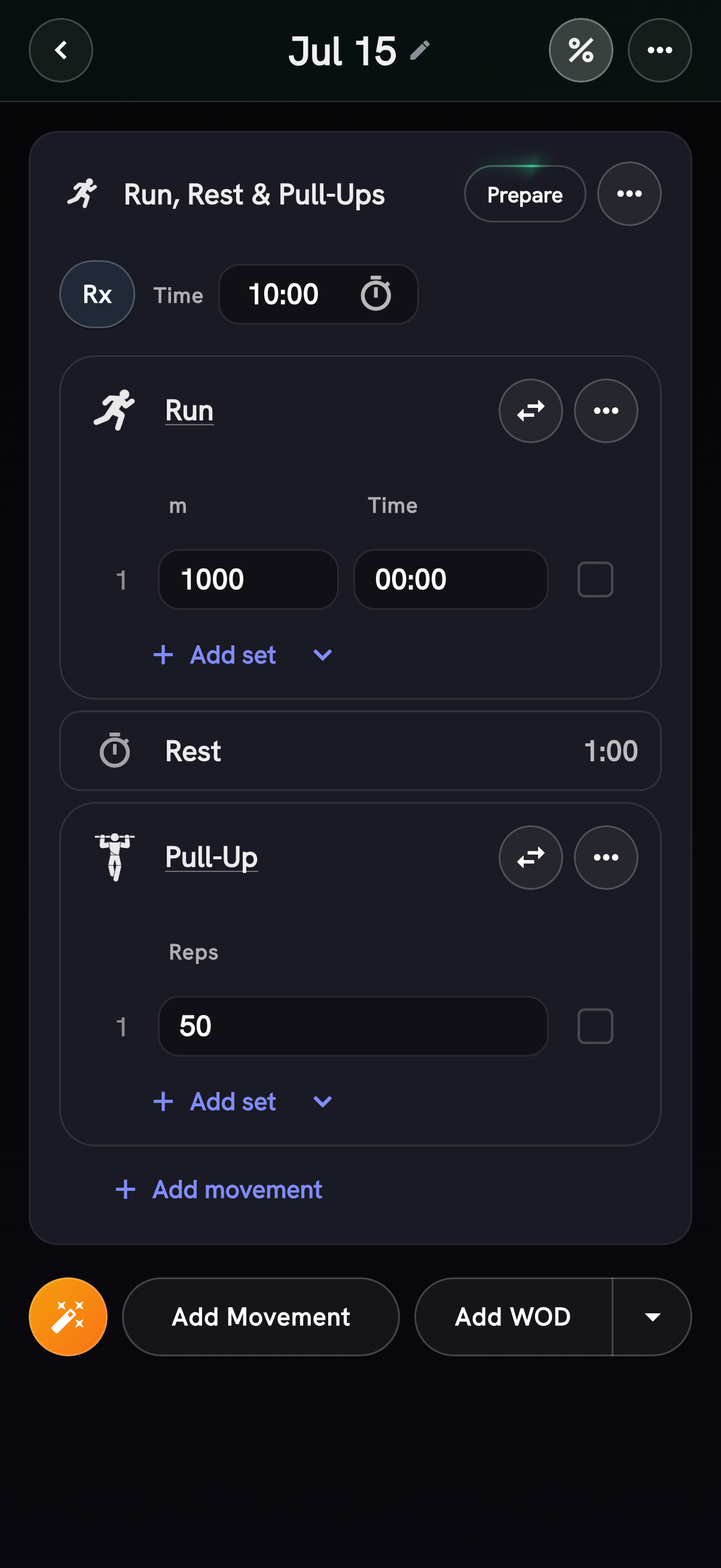
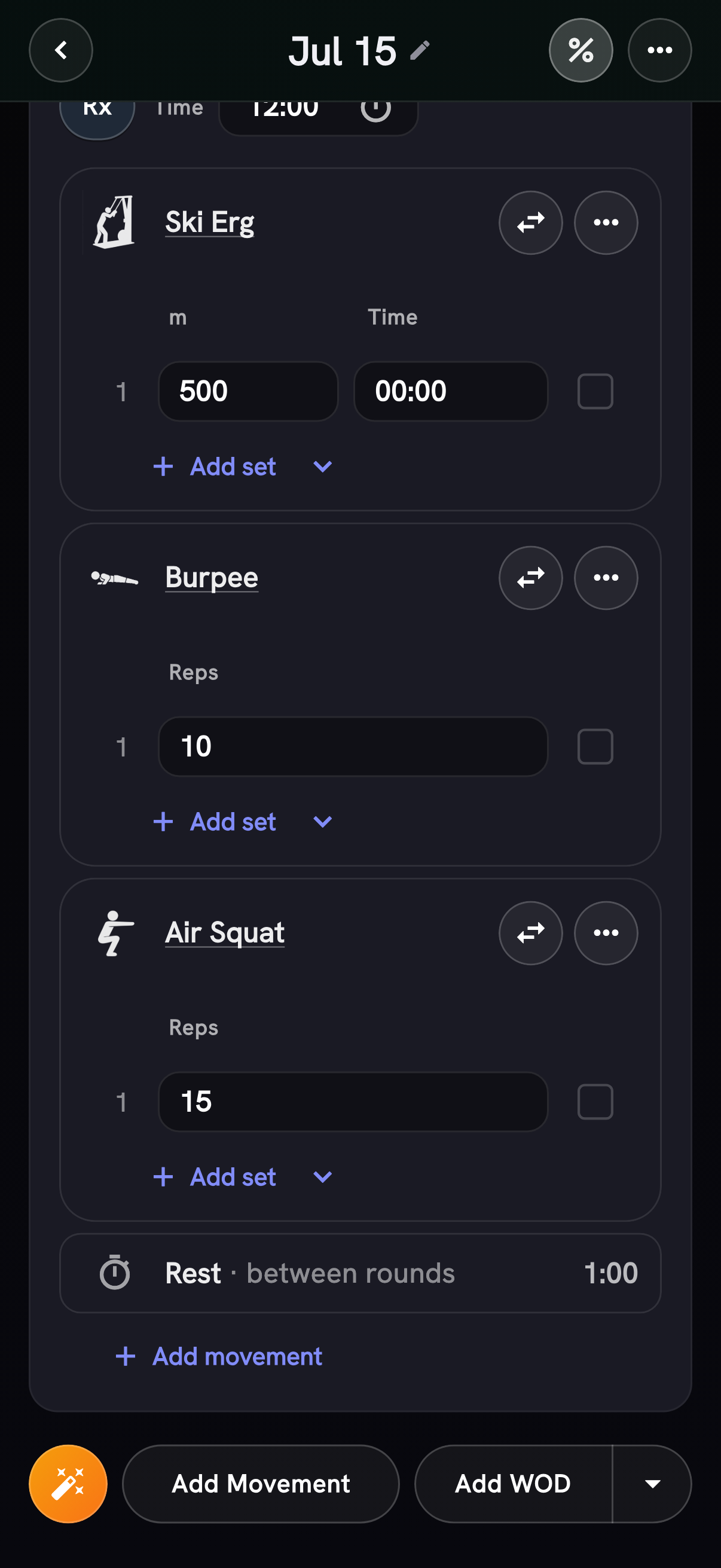
Prescribed rest now stays in its exact WOD sequence, including recovery between rounds - the tracker shows "Run, Rest 1:00, Pull-Ups" in the order the workout means it, not rest bolted on at the end. Thanks to Julien for suggesting it.
Scores you can trust
- Logging a physically impossible score - a 0-second time, a negative rep count, a 3-second "DT" - is now rejected at save with a message explaining what looked off, instead of silently polluting your history and AI coach context. The impossible-time check compares against each benchmark's own curated difficulty curve and applies only to canonical WODs, so short custom workouts (sprint repeats, for example) are never blocked.
- Recalibrated Angie's women's difficulty ladder. It was compressed - harder than the men's ladder at entry levels while easier at the elite end, contradicting its own explanation. Women's Angie times now grade consistently ~12% slower than men's at every level (elite stays 18:00), continuing the benchmark ladder audit from v1.22. Existing scores re-grade automatically - no re-logging needed.
- WODs added to a future session now stay unchecked and visibly planned until
work is logged, and Coach no longer treats those plans as completed
workouts. Thanks to Mirko (
salarismirko) for flagging both issues. - Kilogram weights entered in WOD sets now stay exact after completing sets and revisiting the workout, including in history and personal bests. Thanks to Julien for flagging the conversion drift.
- Loaded carries now label per-hand weight entry, chart load and total work correctly across kg/lb history, and show consistent distance units plus farthest/heaviest records.
PRzilla Pro
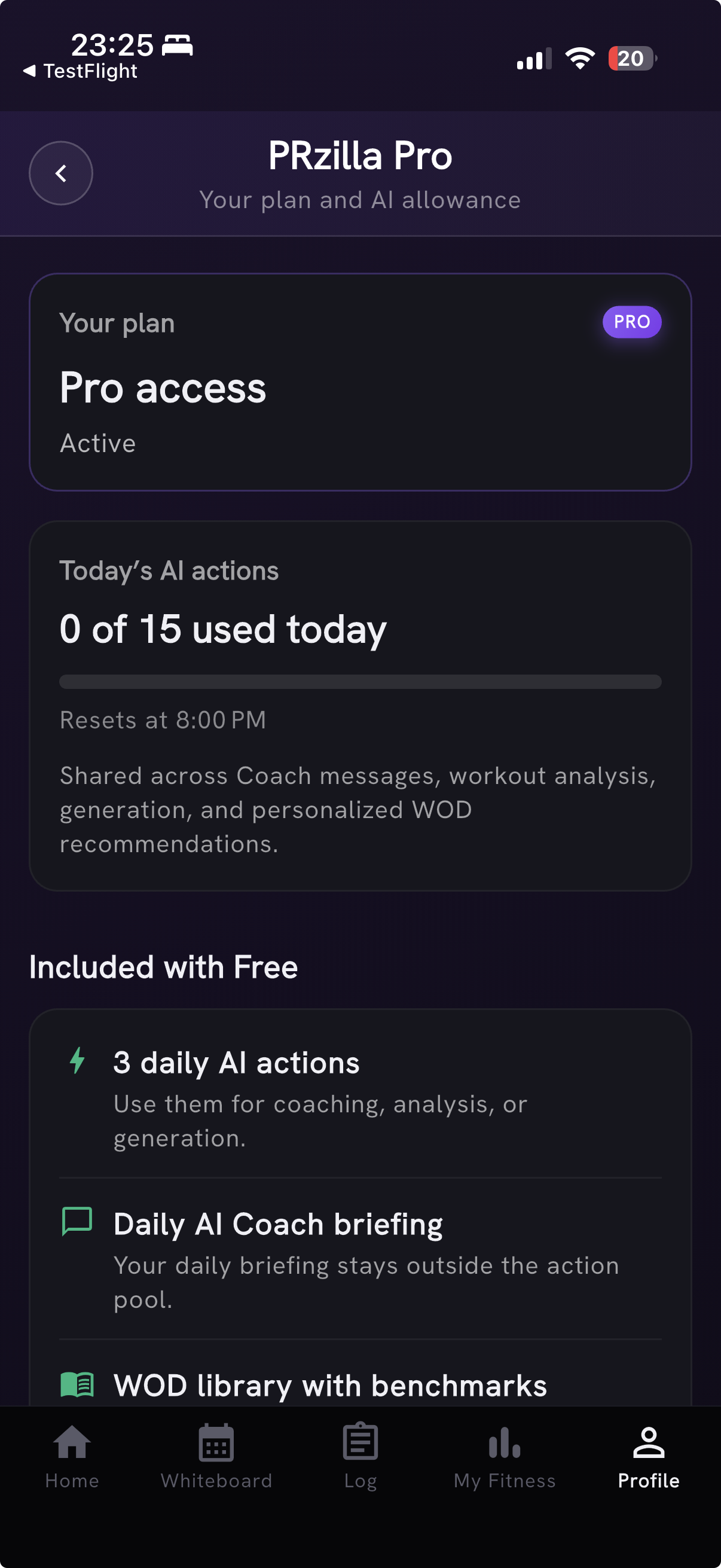
PRzilla Pro can now be purchased and restored from the mobile app, with subscription status and management available in Settings. Pro includes 15 flexible daily AI actions shared across coaching, workout analysis, generation, and personalized WOD recommendations; Free includes 3 shared daily AI actions while the daily briefing and core workout tracking stay free.
Coach speaks your language
Coach voice now defaults to concise, everyday language across chat, daily briefings, and WOD recommendations. Choose Advanced in Coach Settings for the fuller coaching style. Thanks to Antonio for flagging the walls of text.
Also new on every workout's Prepare sheet: a personalized WOD recommendation - readiness guidance, scaling or targets, and pacing for the workout in front of you. Each new recommendation uses one daily AI action, and it stays put when you reopen the same workout and date instead of spending another.
Quality of life
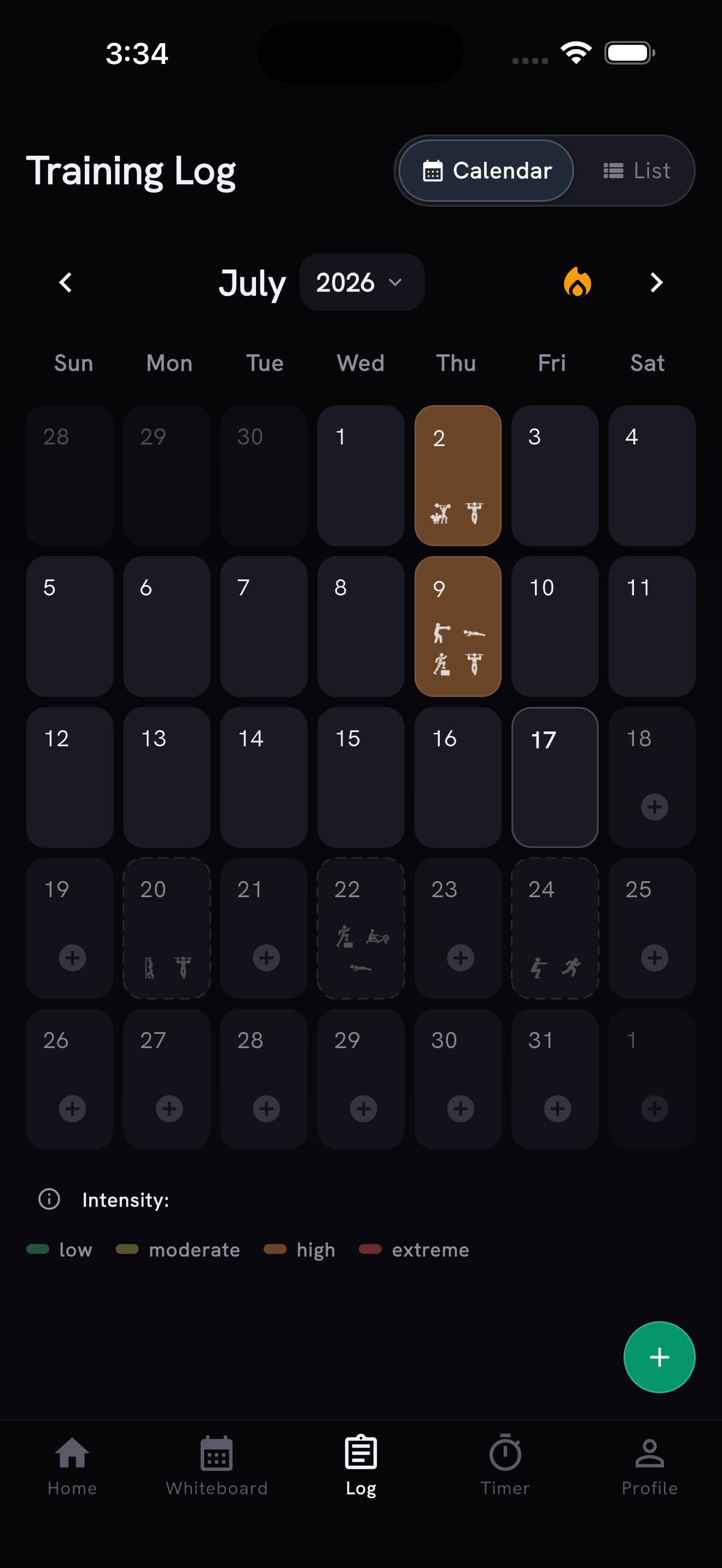
- Planned workouts now preview their queued movement icons faintly in the Training Log calendar.
- Session detail now shows a day intensity chip next to the date; tap it for the estimate rationale when available.
- Empty workout logs now rotate through quick tips for discovering shortcuts like supersets, failed reps, Magic Add, and workout timers.
- Apple Health workout imports now offer a tappable View session confirmation without interrupting batch imports, and the Training Log calendar stays compact with the extra intensity badge below its legend removed.
- The Prepare sheet and WOD details no longer offer "Calculate levels" on unscored workouts (like Z2 recovery circuits) - there is no level curve to calculate. Unscored workouts show your logged history there instead.
- The web navigation now shows A Murph of Crows as a compact crow icon, leaving more room for the rest of the header.
Fixes
- Tapping one of your logged scores on a WOD's detail page no longer freezes the app.
- Movement search and workout-analysis polling now do less background work to reduce the risk of Android freezes, and the My Fitness refresh indicator stays clearly visible against the dark interface. Thanks to Mirko Salaris for flagging both.
- Analyze WOD now uses its structured prescription for movement links and the workout's evidence-backed scoring mode, so workouts remain reviewable when a movement cannot be matched, open the right score tracker, and keep that scoring mode when calculating performance levels. Thanks to @salarismirko for flagging it.
- Importing an Apple Health workout no longer fails when your device reports an occasional bad heart-rate reading - junk samples are dropped and the rest of the workout imports with its heart-rate zones intact.
- Workout analysis now retries truncated benchmark responses and recovers near-complete ones, preventing benchmark sections from staying empty.
- Empty or incomplete scored WOD entries no longer appear as tappable completion badges (which could crash score details), and calendar intensity loading avoids database-connection bursts.
- Restored the Home Recovery | Intensity explainer sheet.