Mobile App v1.25 - Notifications, Movement History & Competition WODs
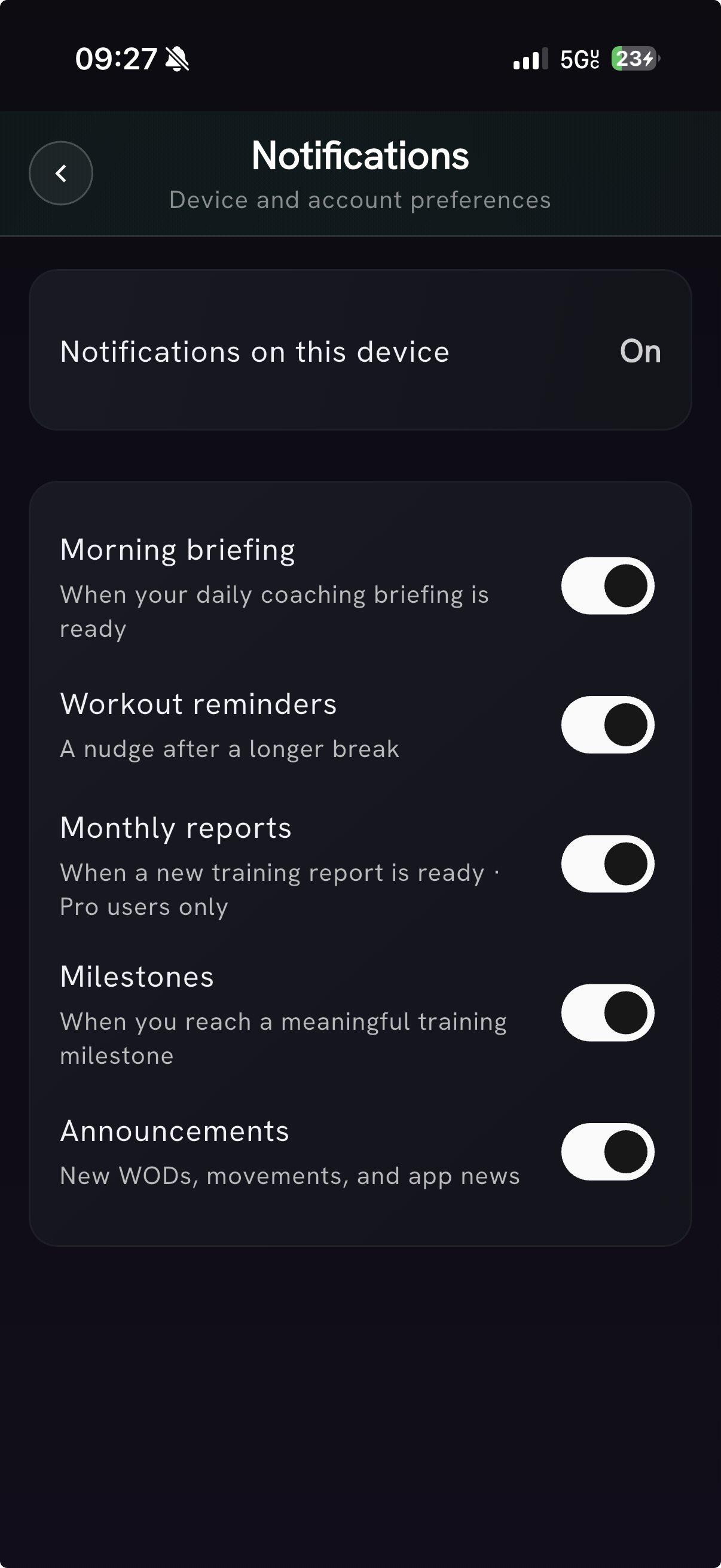
Notifications, your way
Push notifications now have a dedicated Notifications settings page. Device access stays separate from your account preferences, and you can choose morning briefings, workout reminders, monthly reports, milestones, and announcements independently. Monthly-report notifications remain a PRzilla Pro benefit; the other categories follow the preferences you set.
PRzilla shows its own consent sheet before the operating-system permission prompt, and your category choices stay saved if notifications are off on one device.
Movement chart and History, synced
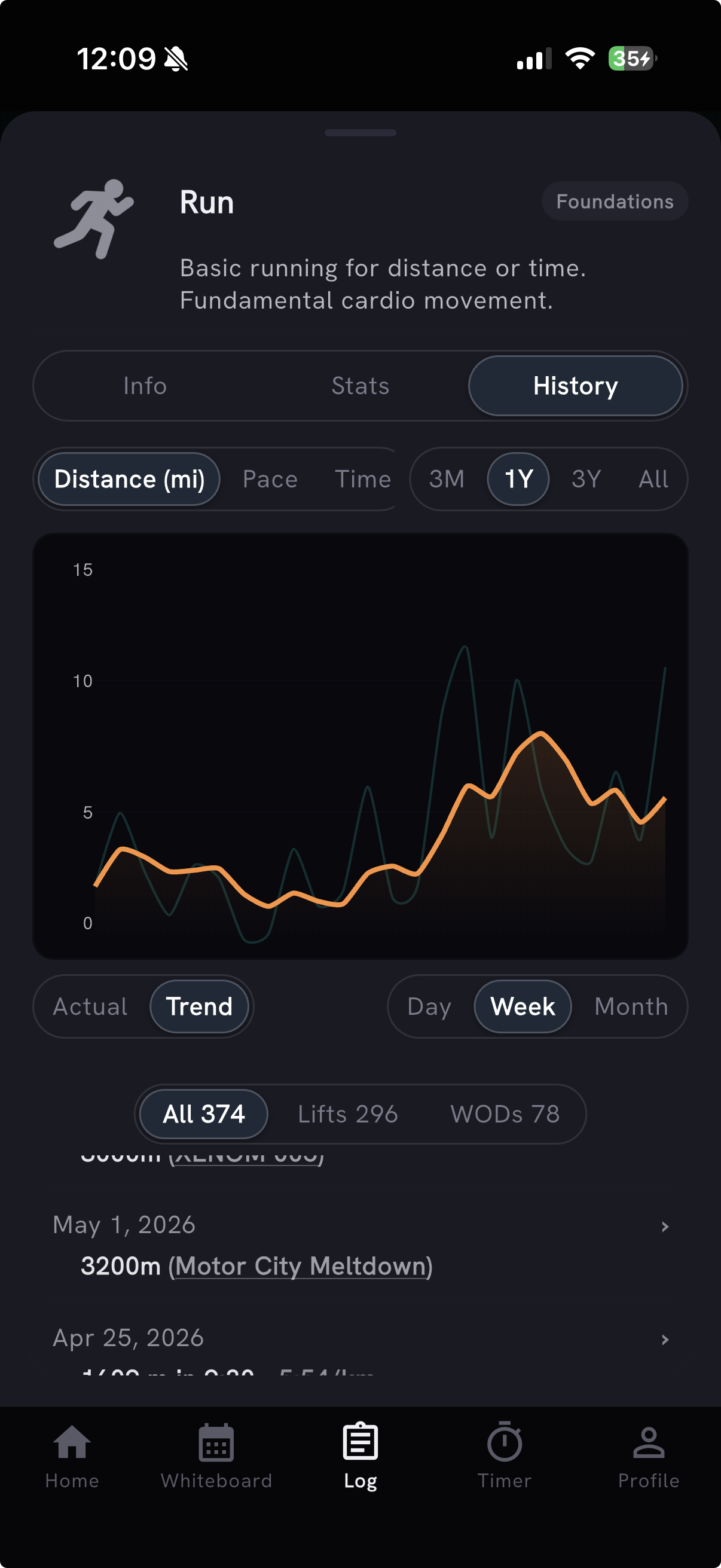
Movement details now keep the Actual / Trend chart and History in sync. Select a point on the chart and its matching History entry highlights below; open that workout and you return to the same movement view with scores and Training Max refreshed in the background.
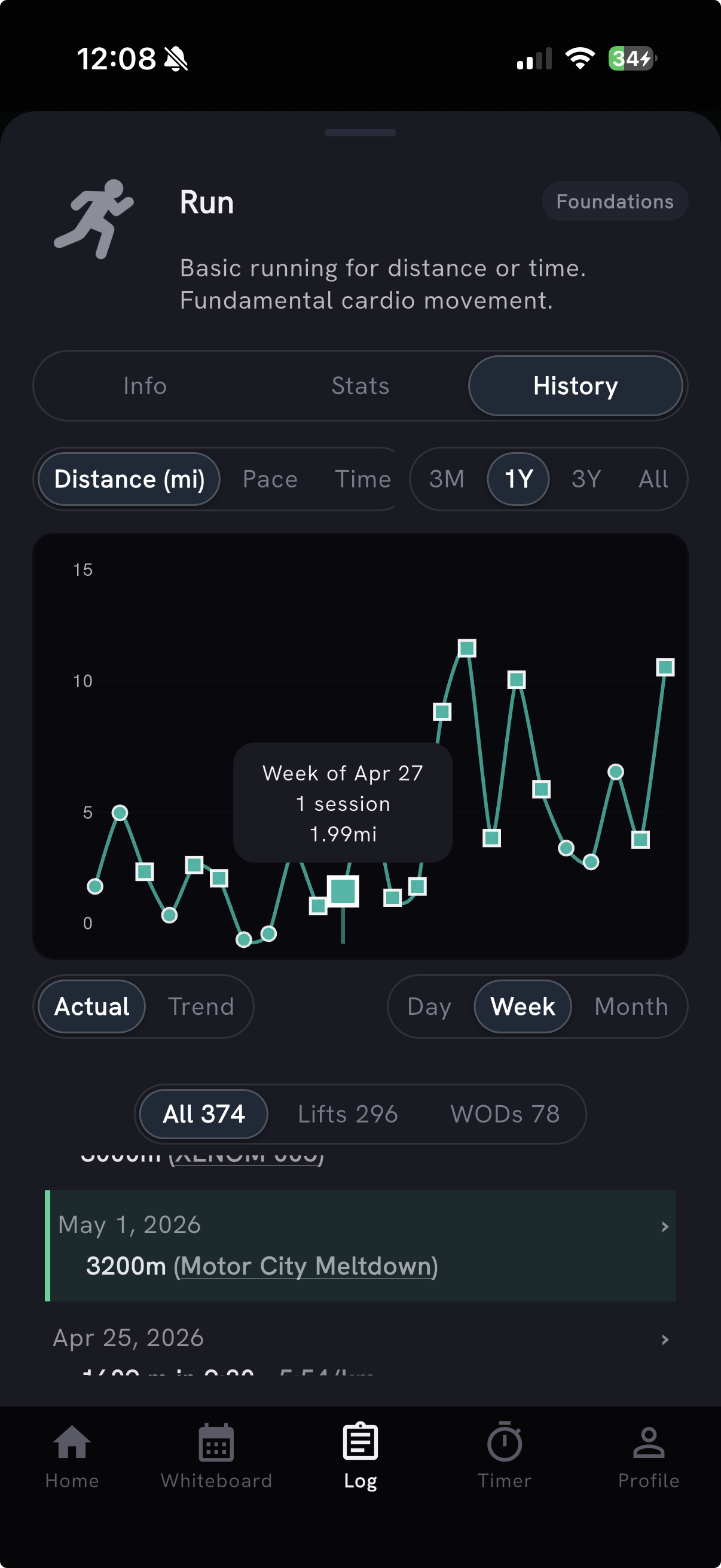
- Missed attempts are dimmed and labeled Missed in History, matching the red X in the chart, instead of looking like successful lifts.
- Replacing a movement re-anchors percent-prescribed loads to the new movement's Training Max; already-logged sets keep their weight without showing a stale percentage.
- Rowing, running, biking, and carry history preserves the real logged distance scale and unit.
- Every logged WOD score remains reachable in score history, pace PRs retain their logged distance unit, and the Training Max Why? explanation opens reliably.
Sleep quality & recovery depth
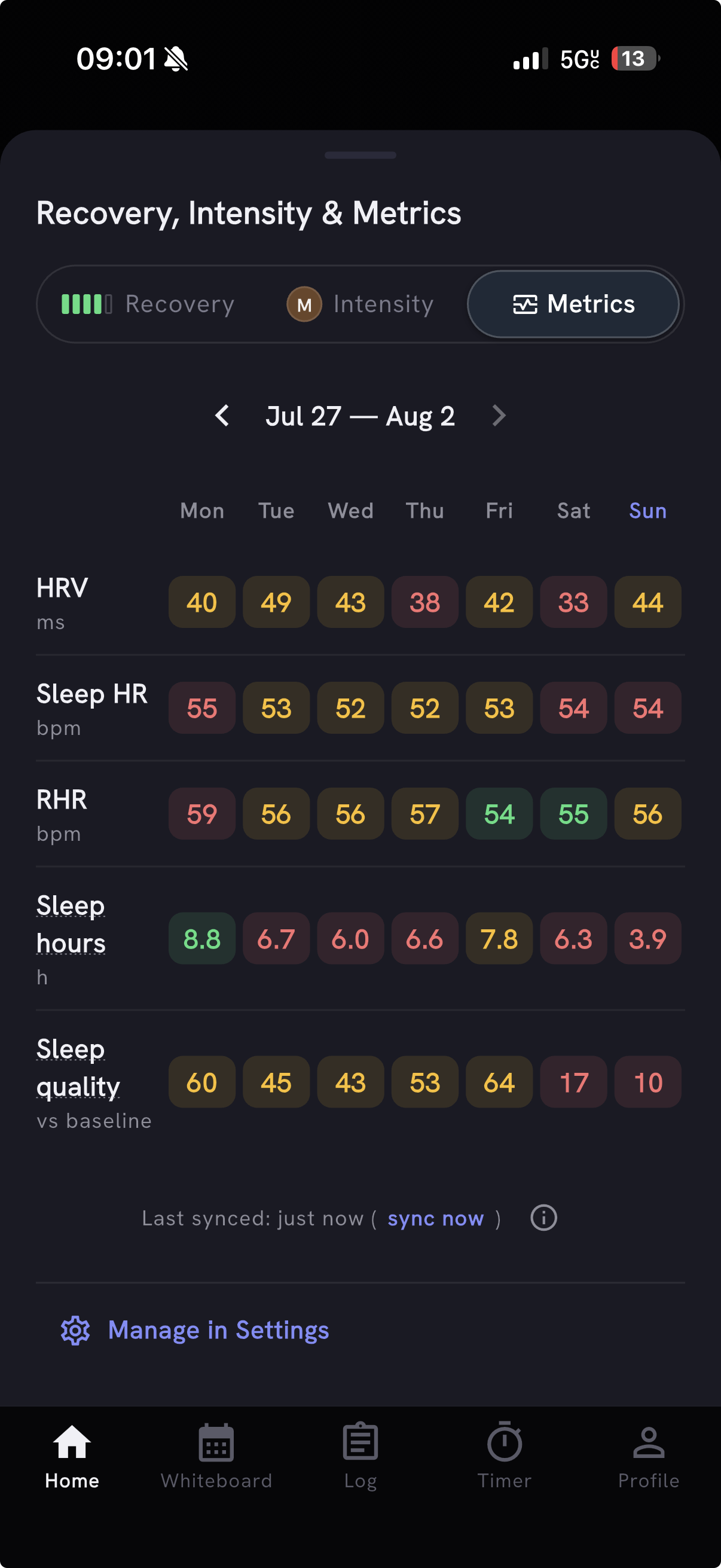
Recovery now includes naps in total sleep and can use bedtime consistency and available interruptions for a more complete personal-baseline Sleep quality score. The weekly metrics view keeps the signals separate; tap a day to see Main sleep and Naps, or inspect Bedtime delta and Interruptions behind its sleep-quality result. Missing signals are left out instead of being treated as zero.
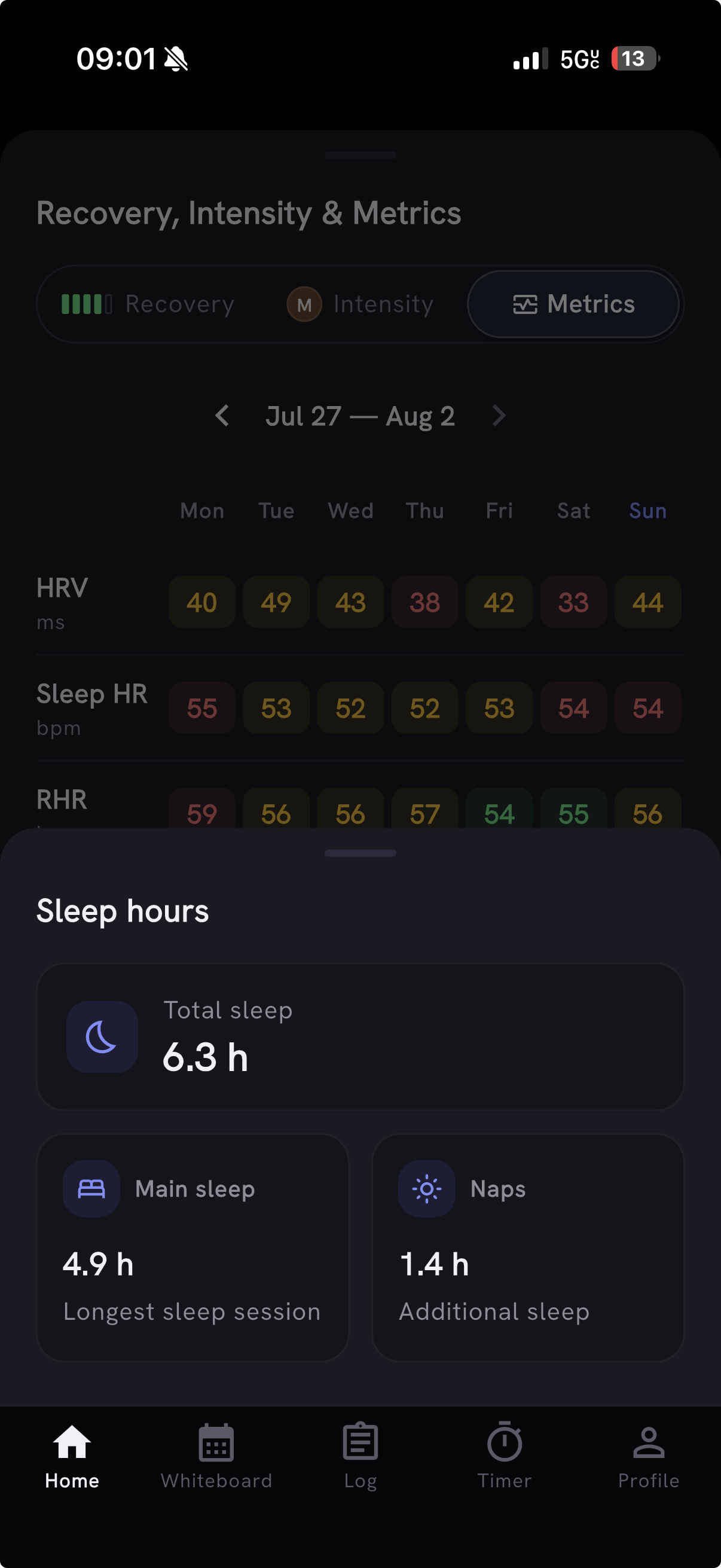
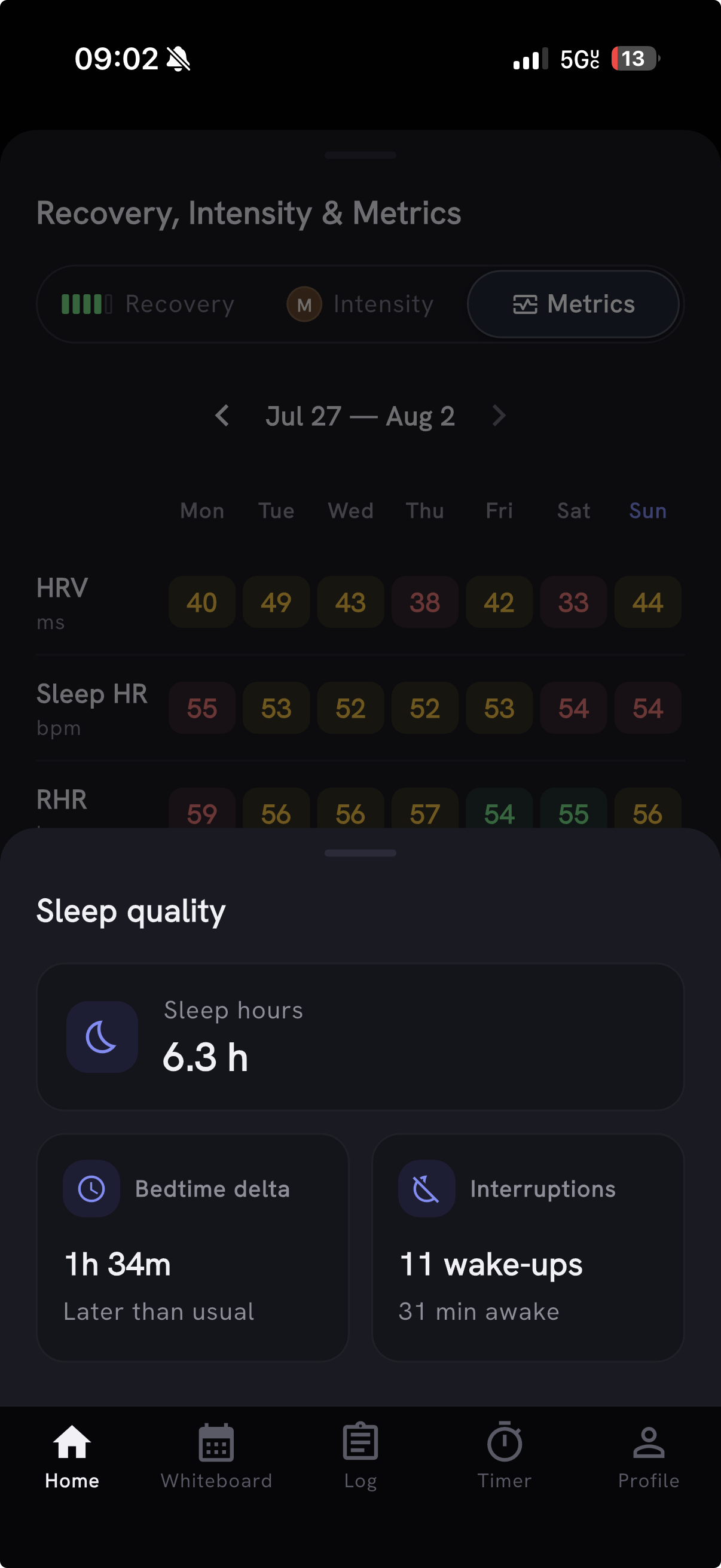
iPhone users can set or clear a maximum heart rate in Settings for more accurate zones on imported Apple Health workouts. The Apple Health import dot also clears after you view synced workouts without hiding anything that is still available to import. Thanks to Antonio for reporting the persistent red dot and asking for Mark all as seen.
Competition WOD & movement expansion
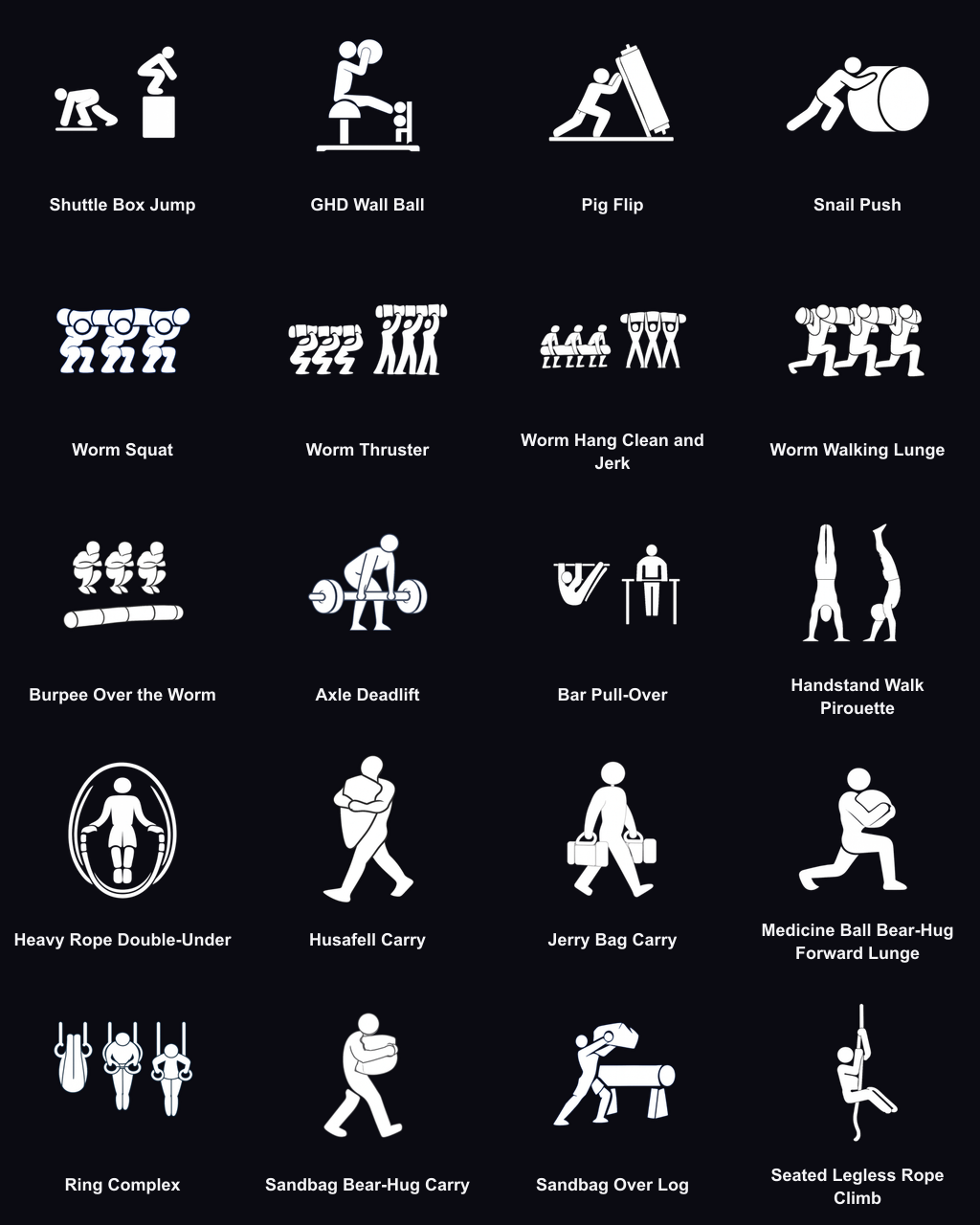
The catalog now holds 1,803 WODs, with dedicated Games, Regionals, Semifinals, Team Series, Masters, Sanctionals, and Last Chance Qualifier categories. This release adds 170+ official Games, Semifinals, and Regionals workouts from 2013-2026, plus 20 newly tracked competition movements, custom icons, and 15 movement demos. Duplicate benchmark workouts were consolidated without discarding existing scores.
Preview: custom WODs from Timer
We're testing a faster way to bring your own WOD into Timer: open Pick a WOD, browse or search your saved custom workouts, or paste a new one, then return to the clock with it ready beside the score. The rollout remains limited while we validate the flow. Thanks to Julien for asking for custom WODs in Timer.
Logging & session polish
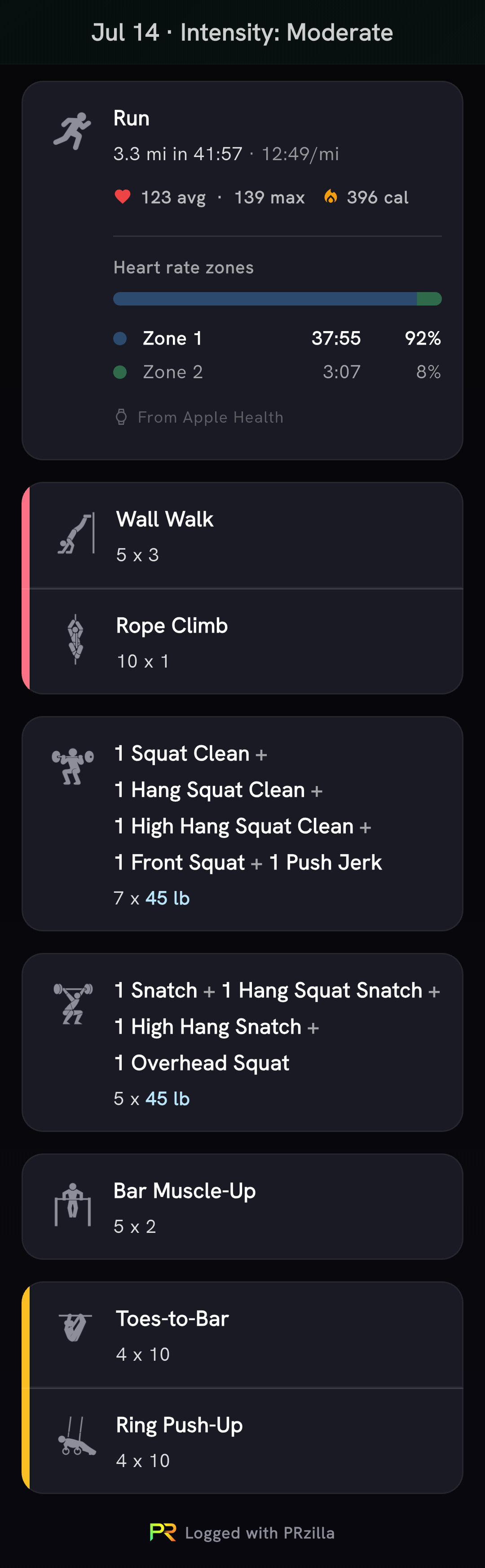
- Share a complete workout-session recap as one natural-height image from the completion modal or session menus, with every activity and your session notes included.
- Add editable Rest cards between movements without changing scoring, volume, intensity, or timers. Thanks to Julien for the report.
- Move one WOD to another date without moving the rest of its session. Thanks to Julien Duvanel for flagging it.
- Saving a future workout now says Save workout and skips the completion celebration. Thanks to Julien for the report.
- Profile's My Fitness cards wait for Fitness Level and Balance data instead of flashing empty-state prompts.
- Daily Coach keeps future plans in context without adding an unexplained tomorrow paragraph. Thanks to Mirko for flagging it.
Also on the web
Every workout category is now reachable from the web filters, with Other near the top and niche categories grouped under More.