Mobile App v1.27 - Your training week, up front
Your training week, up front
The top of Home is now your training week instead of seven recovery rings. Each day shows what you actually did - the movement icons from your log - coloured by how hard the day was, with a dashed outline on days you have work queued ahead.
Tap any day to open that session.

Today's recovery score moved into the daily coach note, where the note that explains it already lives. Tap it for the Recovery, Intensity & Metrics breakdown.

Notifications you can go back to
Notifications now have an in-app inbox from the Profile bell, with unread badges and direct links to the relevant screen.

Every push opens where it should: a WOD, a movement, or the logging screen when you tap a training reminder. Morning briefings arrive between 7 and 8 a.m. local time when you have training planned or recovery signals outside your usual range, and milestone notifications celebrate cumulative movement totals and training consistency, with movement achievements opening the relevant stats page.
Community Scores (limited beta)
Community Scores are rolling out in limited beta on benchmark WODs.
Leaderboard privacy controls are available under Privacy & Data: your first name and last initial are shared by default, or you can switch to an anonymous handle. Add or remove a country flag independently; a selected flag stays visible when your name is hidden.


Corrected fitness levels
Fitness levels for Beana, CrossFit Total, and other affected WODs were inflated. They are now corrected, and existing scores update automatically. Thanks to Julien and Antonio for flagging it.
Time-capped workouts also no longer treat the cap clock as proof that the full prescription was completed.
Movement records that read honestly
Handstand Hold charts now add up hold time across completed sets, while PRs still use the longest unbroken hold. Generic cardio keeps calories and distance in separate charts, so calories no longer appear as miles.


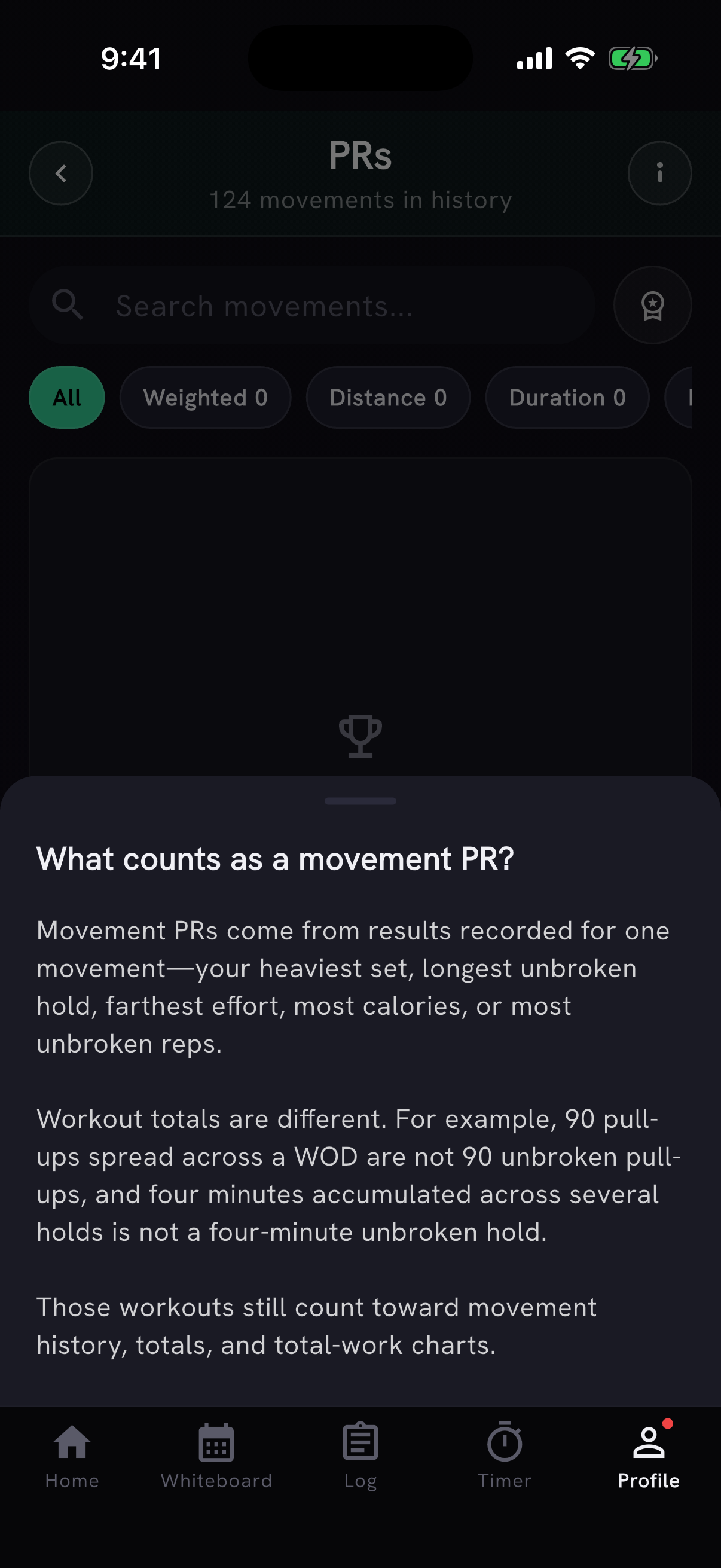
The PRs screen now shows how many movements are in your history and explains why that history may not contain a PR. WOD totals still count toward history and total-work charts. They are not treated as unbroken movement results unless that result was recorded.

The movement progression chart now labels the estimated one-rep-max series "Est 1RM" instead of "Estimated 1RM (kg/lb)". The weight unit comes from your profile, so every number on the screen already uses it.
Ownership that keeps up with your log
Finishing a workout now calls out when a logged set unlocks Proficiency, Mastery, or Ownership, shows where that movement sits across all three levels, and links straight to its Ownership card.

Ownership also recognizes stronger unbroken sets logged after a manual value, shows where the winning result came from, and uses cleaner metric distance labels without changing any thresholds.
A clearer workout tracker
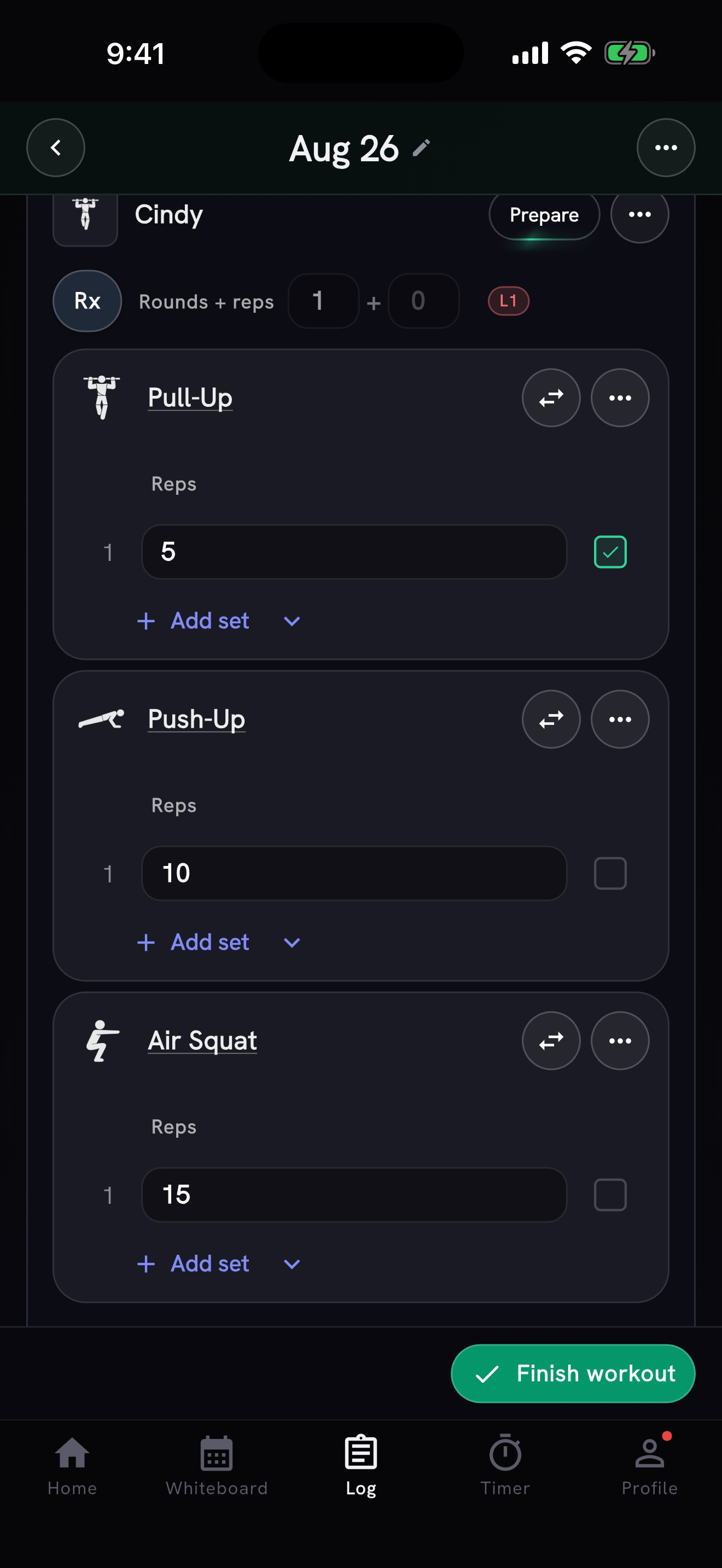
WODs in the workout tracker now read as containers for their movements, while How logging works explains prescribed versus completed sets, checkbox gestures, and every session item. The % of 1RM toggle now lives in the session menu. Thanks to Julien for flagging it.
AI Coach
The AI Coach now sets pace targets from your own logged times. Ask what pace to hold for a run, row, or ski and it answers with your fastest effort at that distance instead of general advice. When you have timed cardio but nothing at a benchmark distance, it uses your closest real effort and says which distance it came from.
Daily conversations now resume throughout the day. You can copy replies, and earlier Add actions stay available without adding the same workout twice. Workout suggestions save AI Coach warm-ups and guidance in session notes. Thanks to Antonio for reporting these issues.

Planning and logging
Move a single movement, or a whole superset, to another date from its menu without moving the rest of the session. Thanks to Antonio for suggesting it.
Browse, search, and start timers from your own custom WODs, or paste a new workout straight into the timer. Your custom WODs are also available from Add WOD. Thanks to Julien for flagging it.
You can now log all seven CrossFit Community Cup workouts from 2025 and 2026, with timers that follow each work and rest interval.
Plan ahead from the Whiteboard: Choose date now accepts future days, not just today and earlier. Adding a section to a day other than the one on the card now names that day in the confirmation.
The Log calendar starts each week on Monday and no longer duplicates days around daylight-saving time changes.
Fixes
- Scores no longer disappear when you move between rounds and reps, and custom WODs with compound movements now add to your session correctly. Failed saves keep what you typed. Thanks to Sabina for flagging both problems.
- WOD notes retry automatically on a slow or flaky connection instead of silently failing to save. If a note truly cannot be saved you will see a "Couldn't save your note" prompt to try again, rather than the app pretending it was saved.
- Temporary server problems no longer sign you out of the mobile app. Thanks to Mirko Salaris and Julien Duvanel for flagging it.
- Daily coaching notes refresh when you reopen the app on a new day, so yesterday's workouts are no longer described as happening today.
- Workout countdown numbers and beeps stay evenly spaced, even when the app is briefly busy.
- Scaled WOD recaps and shared cards keep weights visible when another logged movement explains the scaling. Thanks to Julien for flagging it.
- Strict ring dips log separately from regular ring dips, so each gets the right movement history.
- Strong workout imports preserve the real distance for short efforts such as handstand walks, shuttle runs, sled pushes, and loaded carries.
- Single-dumbbell hang snatches now have their own movement history, including XENOM 006 and Last Chance Qualifiers 21.1.
- Movement lifetime totals use the same info button as the rest of the app.
Also on the web
The PRzilla Blog launches with a founder-written look at how one JT score led to a broader benchmark-ladder audit, plus:
- How Fitness Level is calculated, and why time-capped workouts grade finished and capped athletes differently
- What 1,811 benchmark workouts reveal about scoring - which score types dominate, the five workouts where a longer time is a better result, and why men's and women's level ladders are not one ladder times a constant
- A guide to all four 2026 Community Cup workouts, and why multi-rep WOD blocks do not inflate your Training Max
- An honest comparison with Beyond the Whiteboard, covering benchmark targets for workouts nobody has logged before, coaching that accounts for your recent training load, and what it means to build for one athlete rather than a whole gym
- Why testing a workout parser on famous benchmarks measures name recognition rather than parsing, and how PRzilla compares with SugarWOD for athletes who train across more than one context
Search-result previews for WOD pages now lead with the workout name and avoid repeated category labels such as "Community Cup". Tables in blog posts render as proper tables instead of rows of pipe characters, and scroll sideways on a phone rather than stretching the page. Desktop navigation links have more space between them at every desktop width.