Mobile App v1.29 - The timer shows the workout
Movements and rounds under the clock
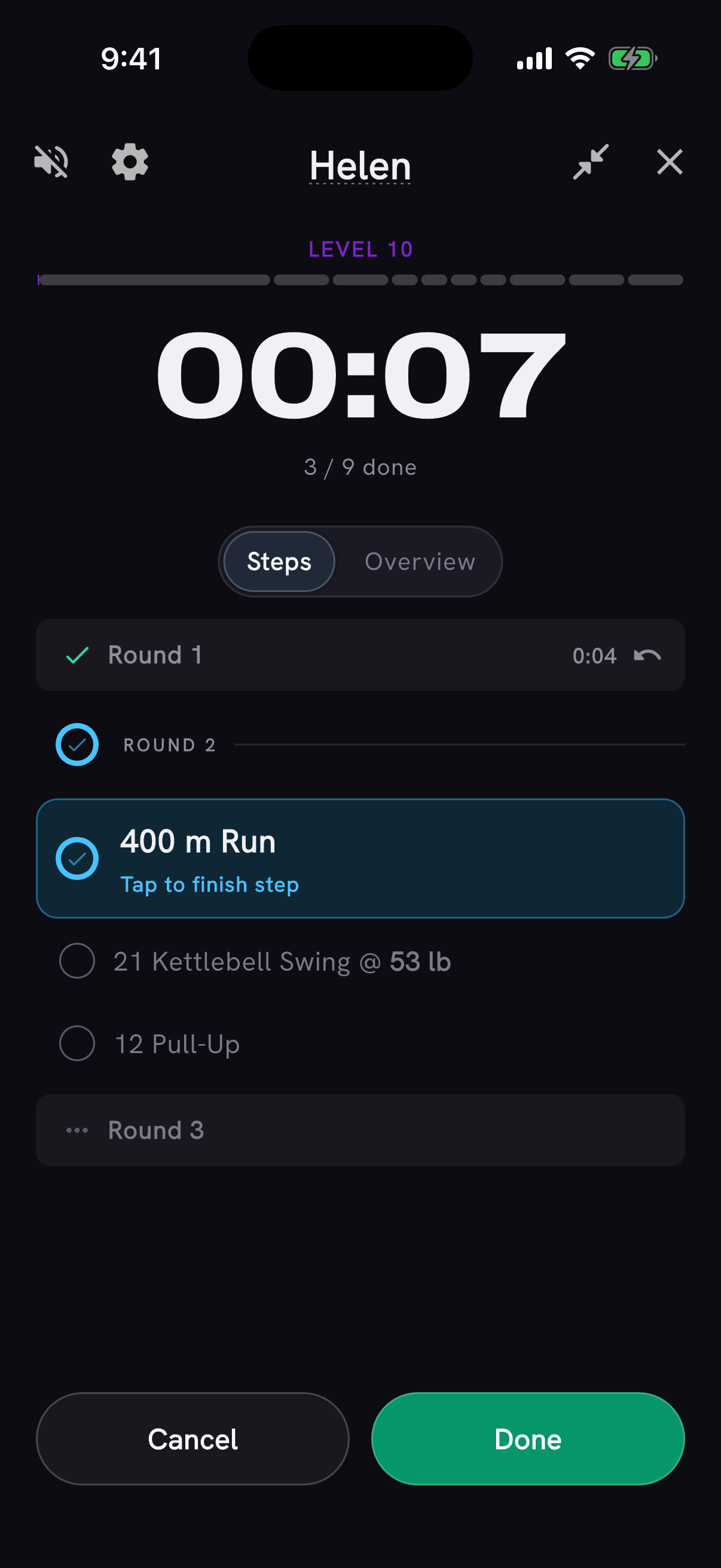
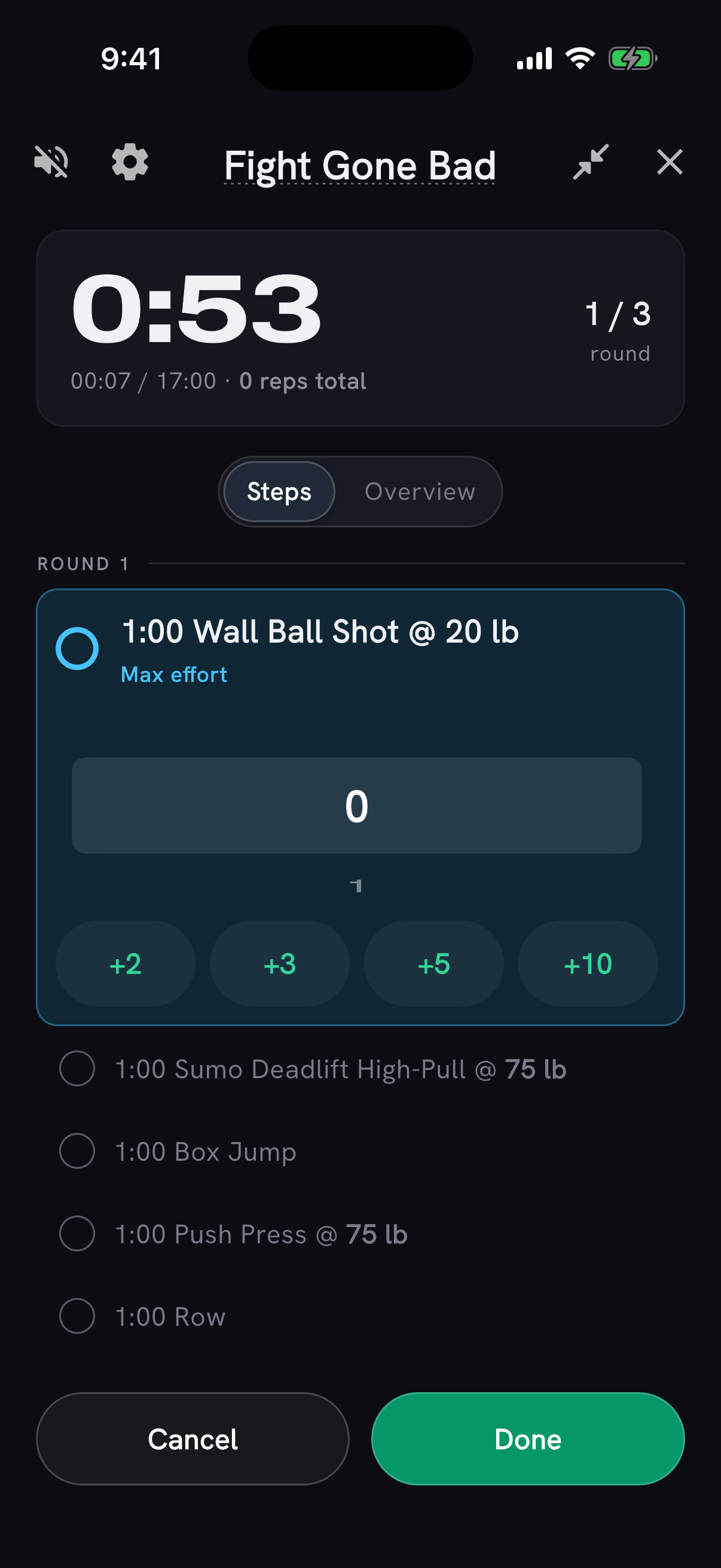
Start a timer from a WOD and its movements and rounds are now listed under the clock, so you can see what is coming instead of watching a bare countdown. Every timer format stays free - For Time, AMRAP, EMOM and intervals.
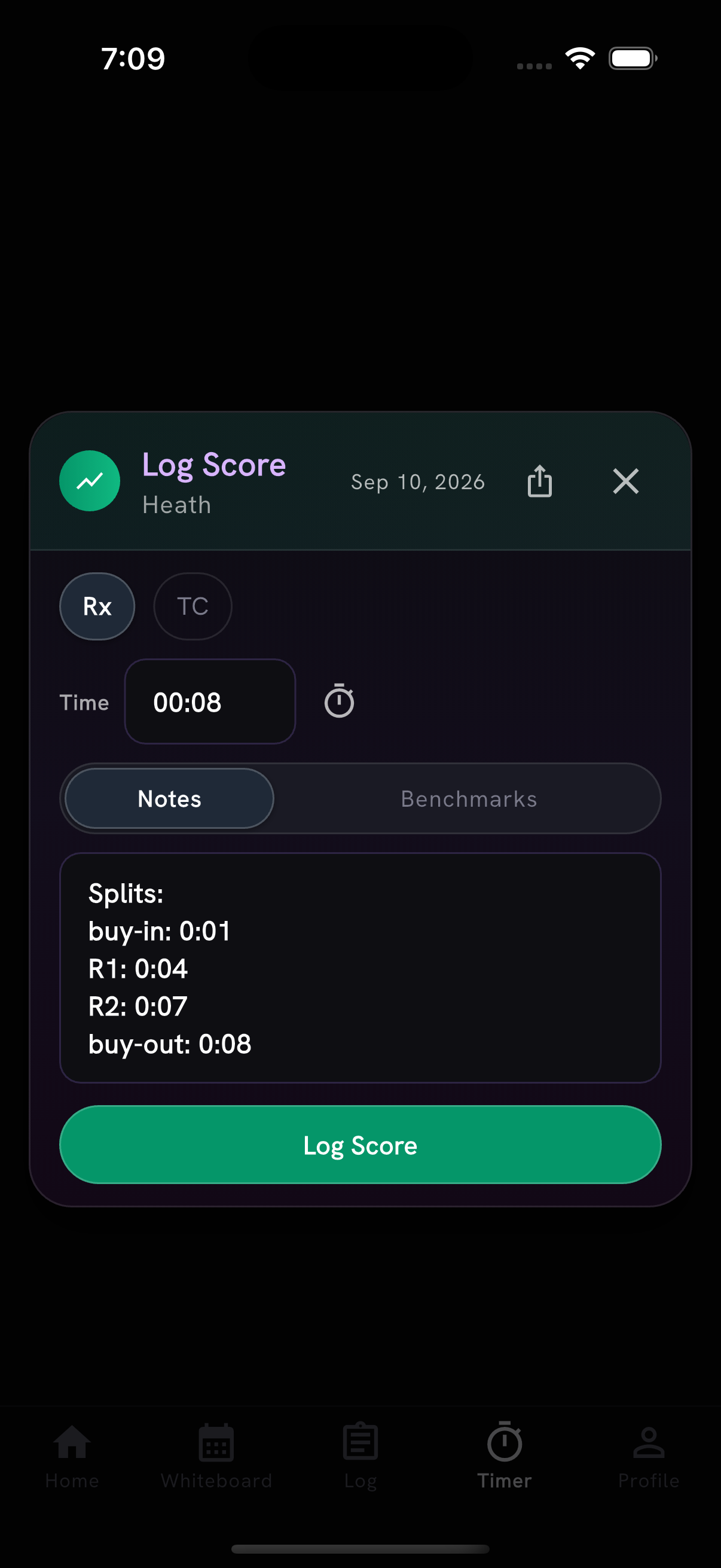
Following along is part of Pro. The timer calls each movement out loud as you reach it, and the one after it, so you can leave the phone on the floor. Tap each movement off as you finish it, enter your reps, watch the live round and rep counters, and see the level you are holding while the clock runs. Your round splits are saved into the score notes when you log.
If your subscription ends part-way through a workout, the timer keeps working until you finish.
The timer also opens full-screen from the clocks beside WOD scores, matching rounds appear once in the preview with their repeat count, and you can switch between Steps and Overview while the clock runs. Tap the circle beside the current round to finish its remaining movements together; Undo restores your previous progress. Timed workouts with rep counts keep the current station centered, with completed and upcoming work dimmed. Announcements use English pronunciation on phones set to another language, and read abbreviations like DB or T2B as full movement names. Resuming a recovered timer keeps the clock and current step updating. Thanks to Julien for the feedback.
Timer splits in score notes now show when the buy-in and the buy-out finished, apart from the rounds, with one labeled split per line. Notes expand to six lines so more of your splits are visible at once.
Explore has its own place
Explore now has its own spot in the bottom navigation, where Timer used to sit. Home's "Help me find a WOD" section is gone: browsing is the Explore tab, and Generate moved inside it alongside WODs and Movements.
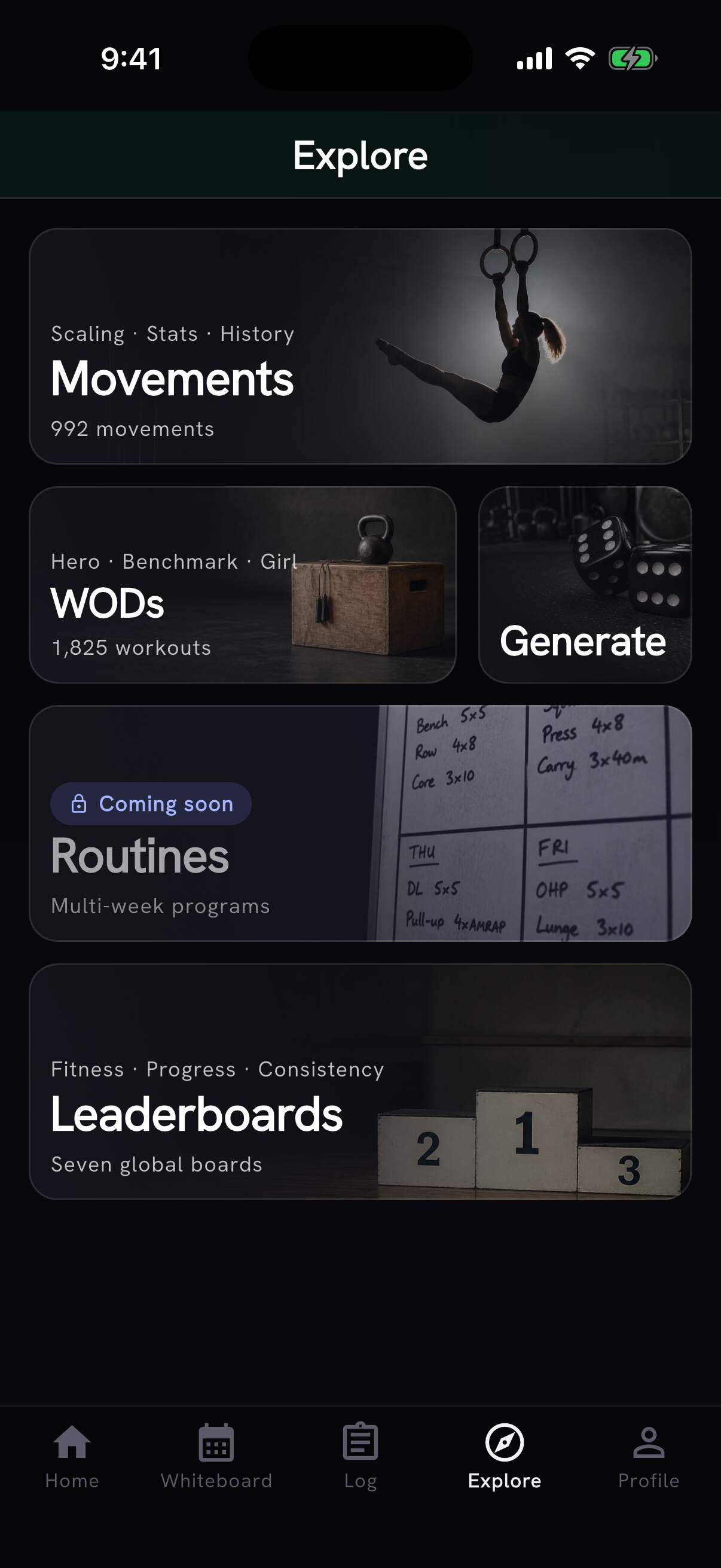
The timer moved to Home, under "I have a WOD" next to Paste / Snap. Starting one from the Log screen, resuming a running timer, and opening a timer from a notification all work as before.
The coach note on Home now runs to nine lines before "See more", filling the space that section left.
Leaderboards, out of beta
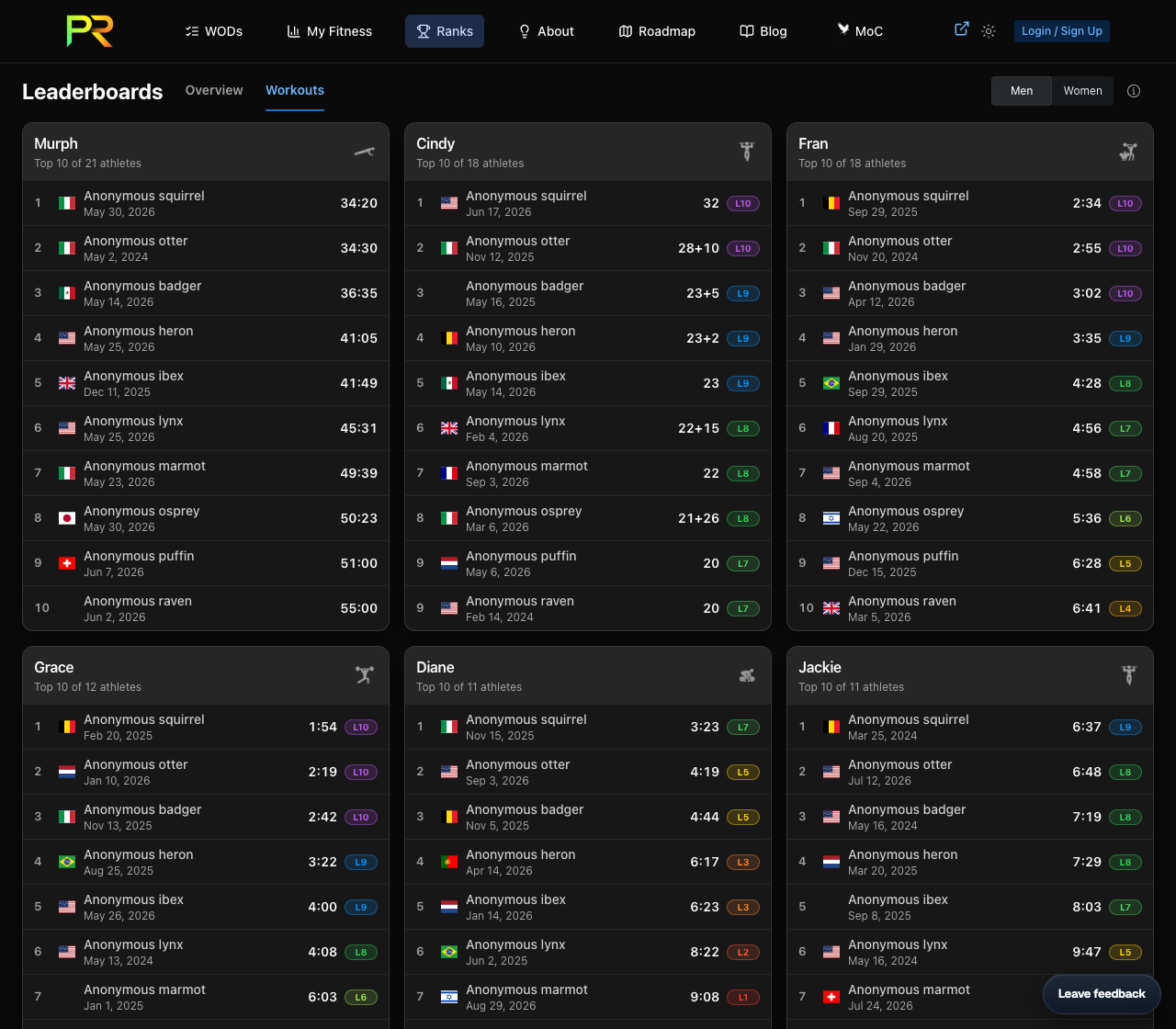
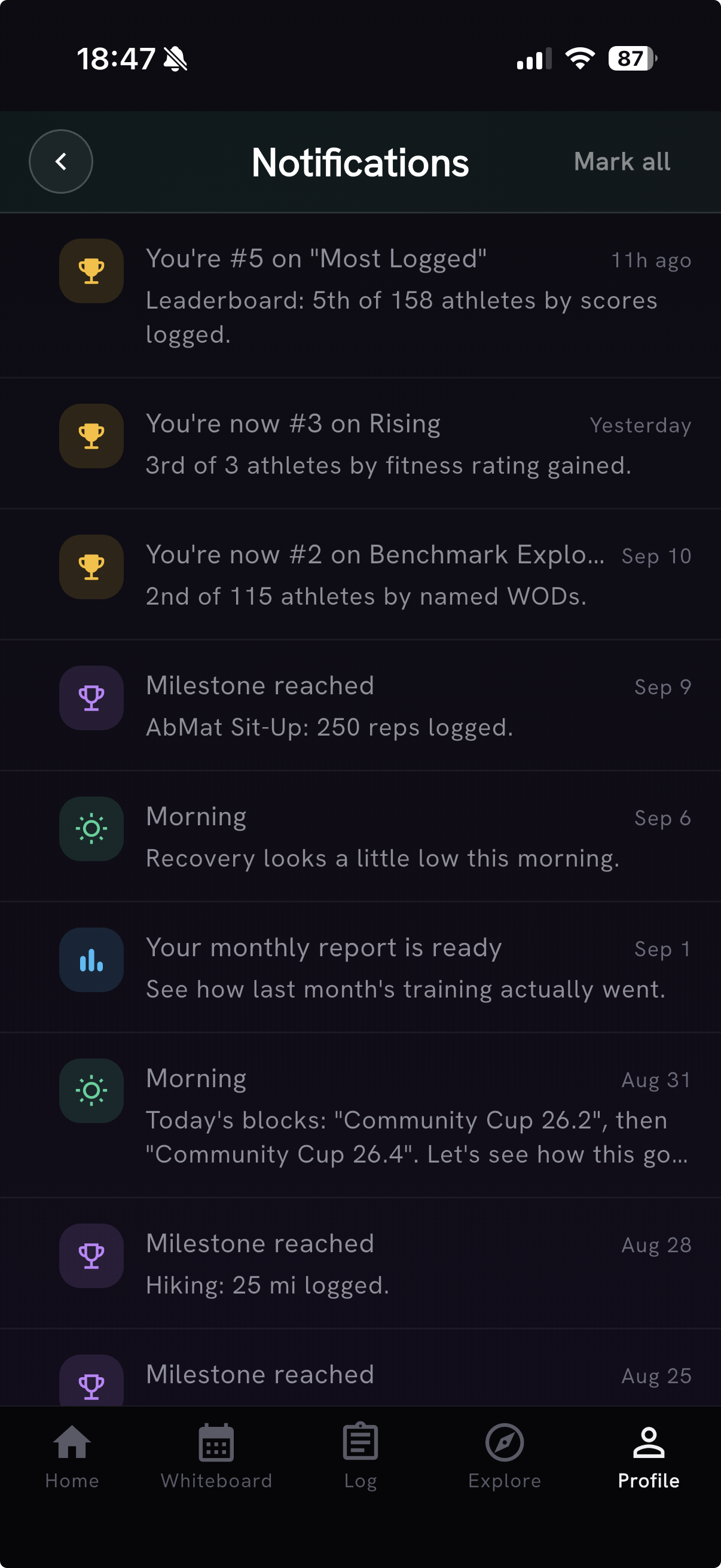
Leaderboard notifications let you know when you reach a new best rank in the top 10. Tap one to open that board, and manage them with the Leaderboards toggle in notification settings. Notification settings now show an icon for each kind of update.
Workout pages show anonymous community scores without signing in. Sign in to see where your best score ranks. Capped results and uncertain finishes no longer receive a community rank.
Daily guidance that adapts, in limited beta
Daily AI Coach guidance now adapts as you change plans and log workouts, rather than being written once in the morning. This is a Pro feature, and it is rolling out to a small group first while we see how it behaves. Free members still get one included briefing each day without using an AI action.
More to log
- The 2025 and 2026 Service Cup workouts, with separate scores for the two-part events, level bands, and navigation between workouts from the same year
- 42 partner and team workouts - Trevor, Wildfire, Yvonne, the Hyrox team formats and more - now show their movement breakdown in the tracker instead of an empty card. Shared team volume starts unchecked, so you confirm what you actually did
- Four new benchmarks in Explore: log and grade one-rep maxes for Snatch, Clean and Jerk, Bench Press, and Power Clean
- Movement search handles equipment abbreviations such as DB and extra words such as "strict", and labels near results "Closest match".
- Newly analyzed workouts recognize "Synchro Burpees" as Burpee with a synchro note. Thanks to David Best for flagging both
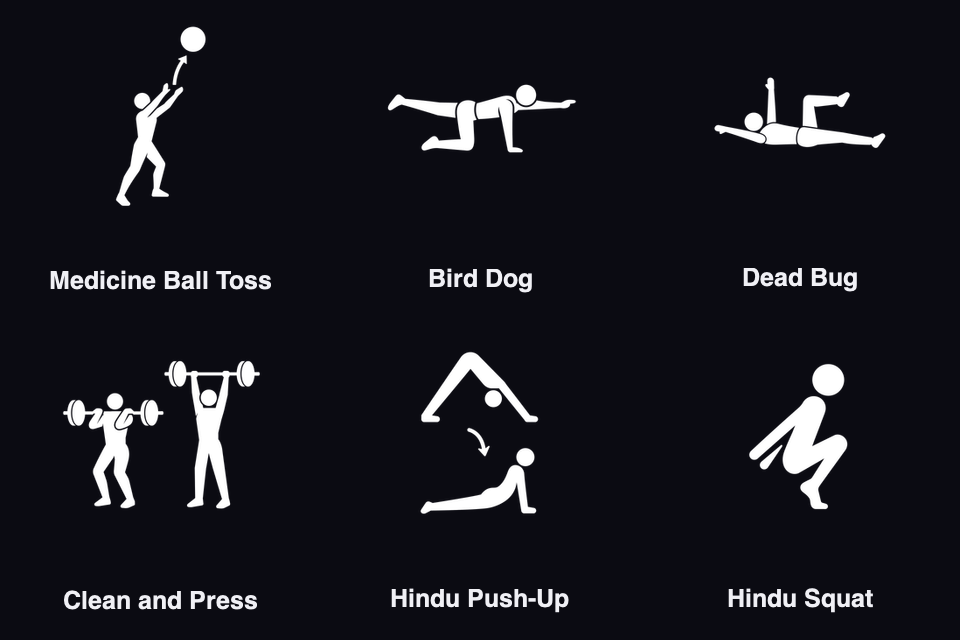
- Six new movements: Medicine Ball Toss, Bird Dog, Dead Bug, Clean and Press, Hindu Push-Up, and Hindu Squat. Partner medicine ball tosses now link to Medicine Ball Toss
Your numbers, explained
- The Strength screen's "How it works" explains which lifts count toward your strength level and why WOD movement history can grow without adding a 1RM. Thanks to Julien Duvanel for flagging the gap
- Sleep scores give full duration credit at eight hours, with no extra credit for sleeping longer. Longer recorded awakenings lower your score, with full interruption credit through 20 awake minutes
- Calculated workout levels stay saved when you refresh or reopen a workout, and you can retry from the workout screen if calculation fails. Thanks to António for reporting this
- Pro subscription options make billing periods and annual savings easier to compare, and the Pro page and purchase screen now list benefits in the same order
- Percentage-based prescribed weights round to practical 2.5 kg plate increments for athletes who use kilograms. Thanks to António for flagging it
Fixes
Fixed scrolling getting stuck at the top of movement Info, Stats and History and when picking a WOD in Coach or Timer; bulk-edit confirmations sitting under the keyboard's Done button; replacing a movement losing its sets and round count; Apple Health imports failing when workouts synced at the same time; sharing a newly analyzed WOD producing a broken link; notifications whose destination your app version doesn't support dead-ending instead of opening Home; delayed Whiteboard workouts and missing "Prepare" buttons; and AI Coach's copy button jumping while suggested actions scroll. Thanks to Julien, António and Mirko Salaris for the reports.
Also on the web
Six new blog guides cover importing workout history, tracking movements within WODs, finding past sessions, understanding movement PRs, reading monthly reports, and comparing Murph scores.
The Leaderboards page shows up to 10 results for up to 30 classic workouts, ordered by how many athletes have qualifying scores, and you can switch between men's and women's boards. Signed-in athletes can see their average place across the displayed workouts, including places below the top 10.