Mobile App v1.31 - Athlete profiles, and follow a track
Athlete profiles
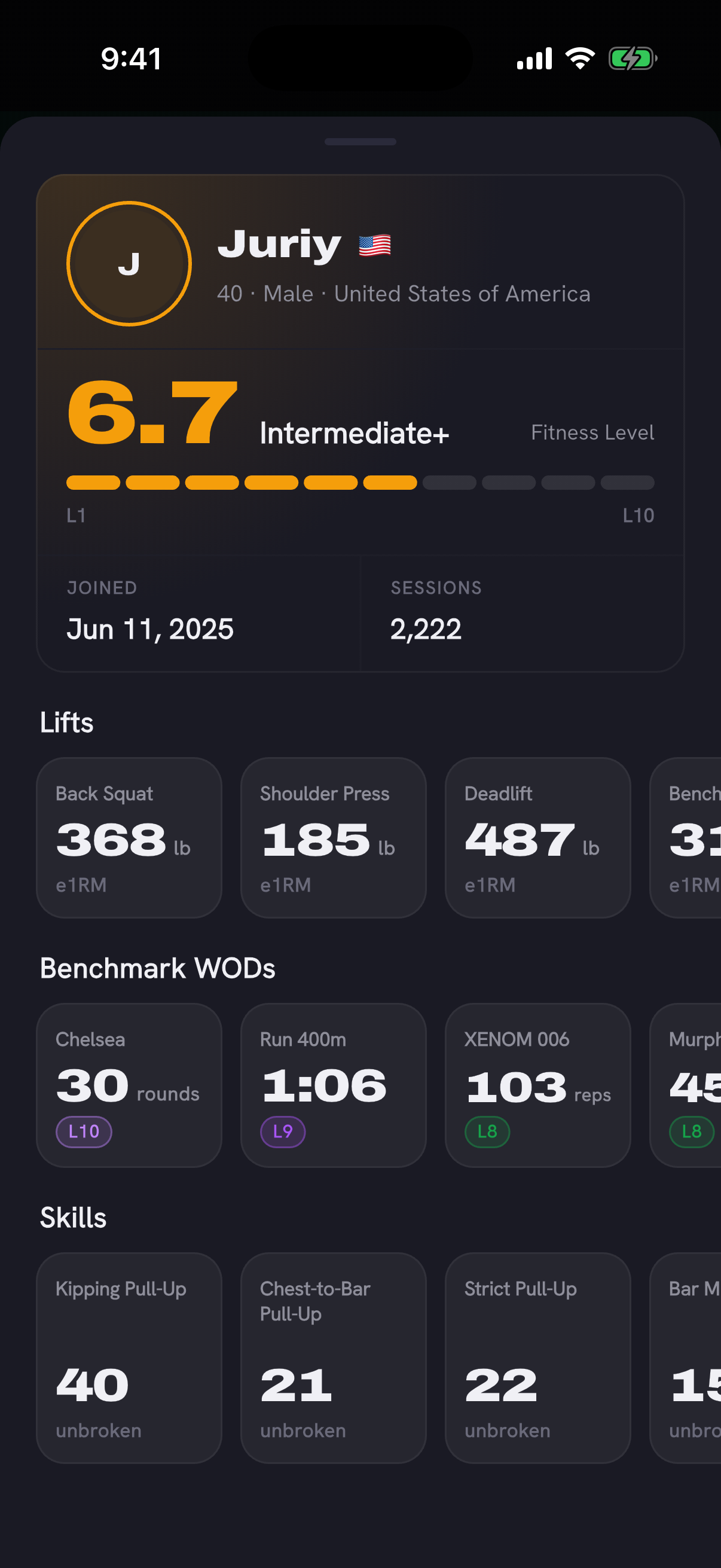
In the app, tap an underlined name on the leaderboards or on a WOD's Community Scores to open that athlete's profile: their Fitness Level, estimated lifts, best Rx benchmarks and skill records, plus their age, gender, country, join date and session count.
A profile stays private until its athlete shares it, only signed-in athletes can open one, and hiding your name on leaderboards hides your profile too. If your name is on the leaderboards, the update shows you your own profile the way others would see it and asks whether to share it. You can change your answer any time in Settings under Privacy & Data.
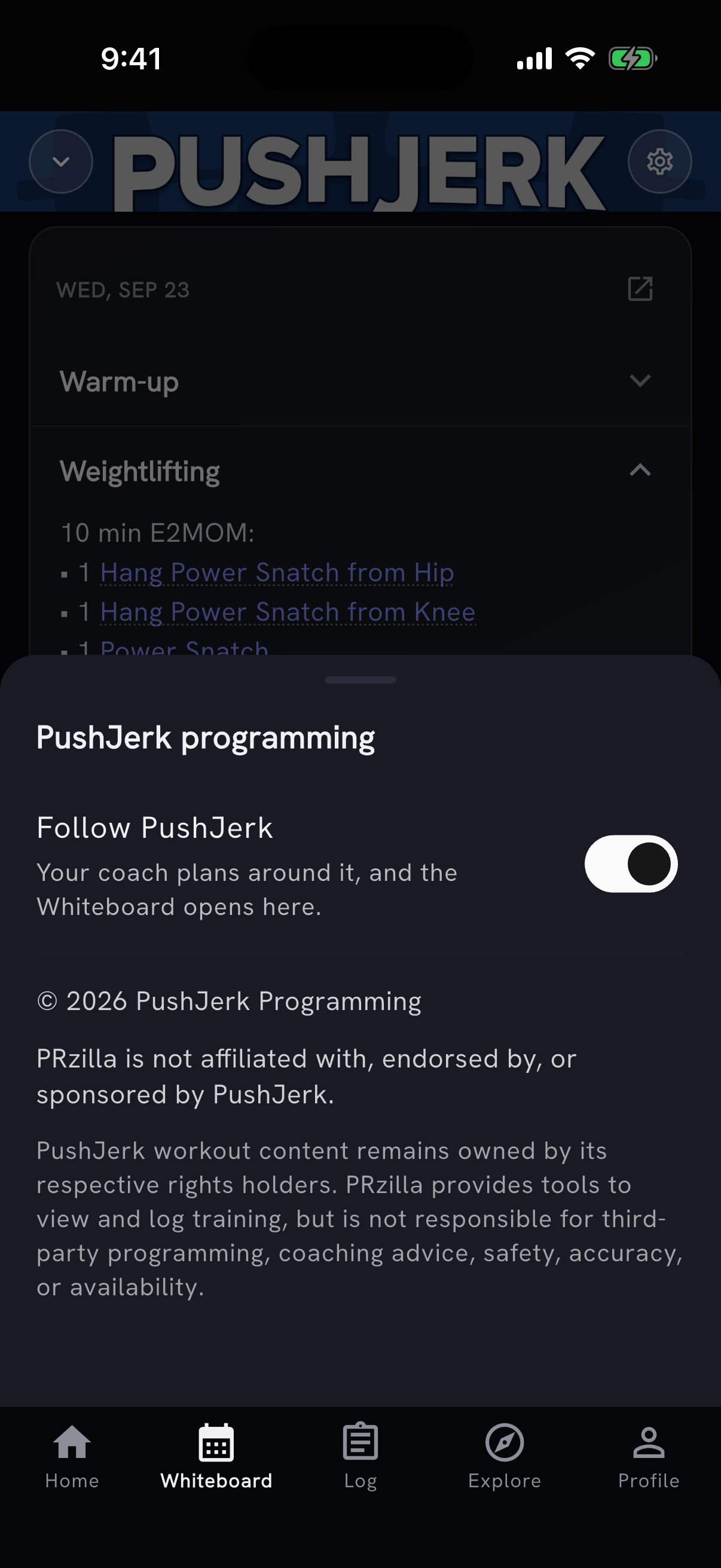
Follow a Whiteboard track
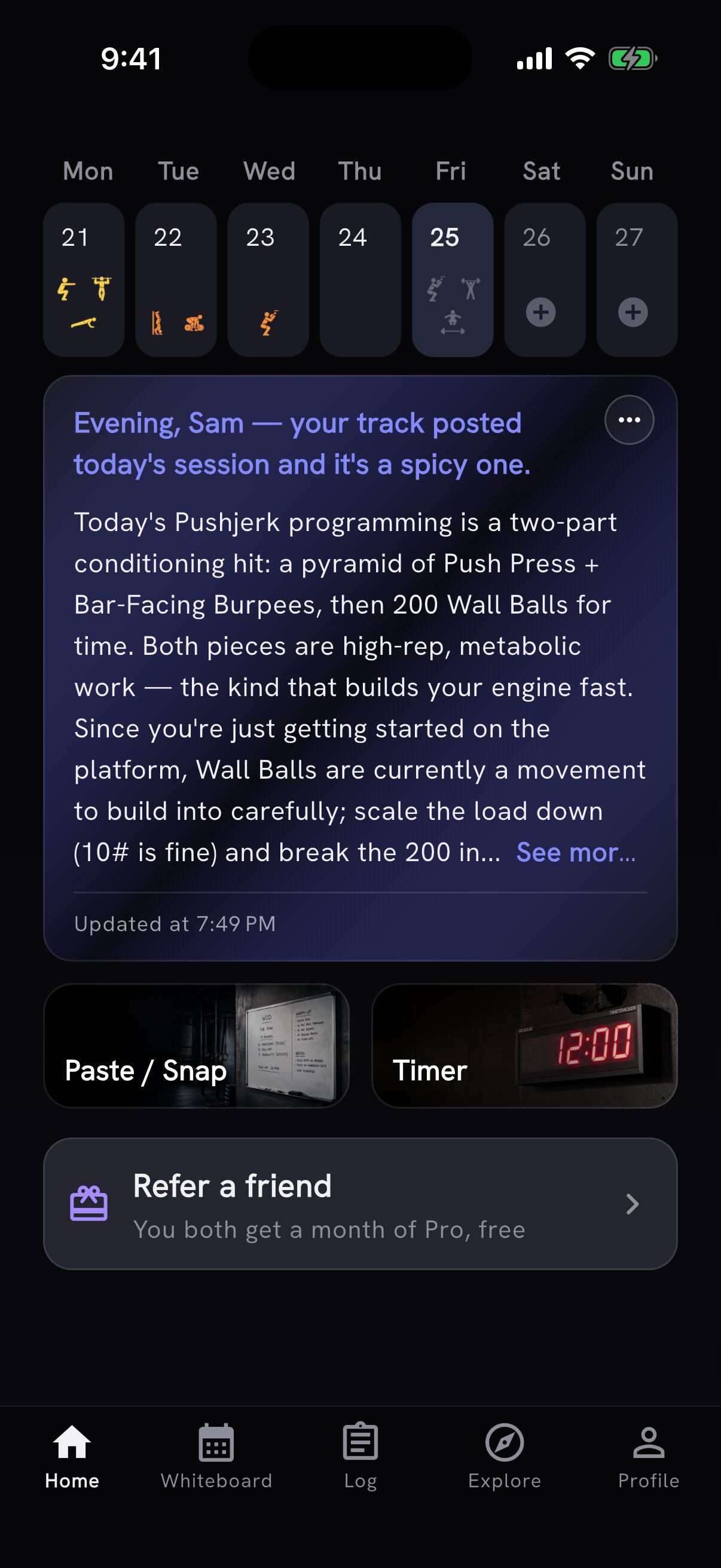
Follow a Whiteboard track and your coach plans around it. Tap the new gear on the Whiteboard and turn on Follow. The Home note and coach chat then read that track's workouts for today and the next two days, and tell a posted rest day apart from a workout that hasn't posted yet. The Whiteboard also opens on the track you follow, and when today's workout posts late, Pro athletes get an updated note.
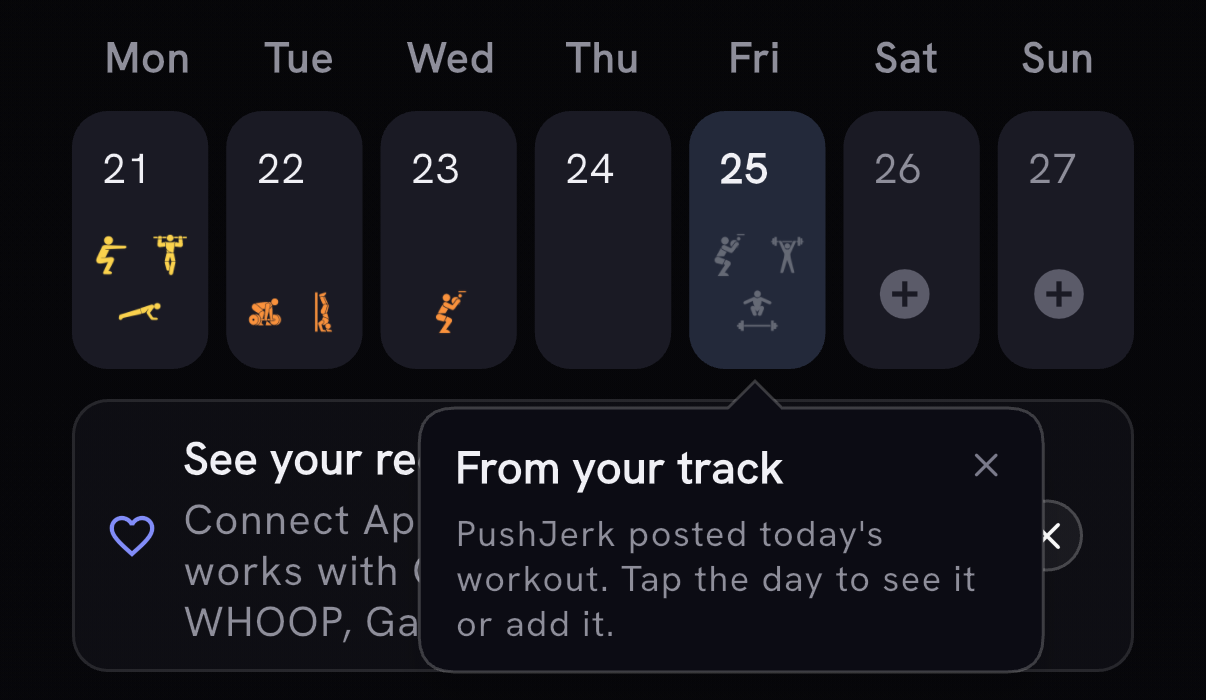
When the track you follow posts today's workout, today's tile on Home shows it as faint icons, and so does the Log calendar's Intensity view. Tap the day to see what the track posted, with the same movement links and Prepare as on the Whiteboard, then add it to your day or choose Not today. Not today tells the coach as well: coach chat stops planning around the track's workout, and Pro athletes get an updated Home note.
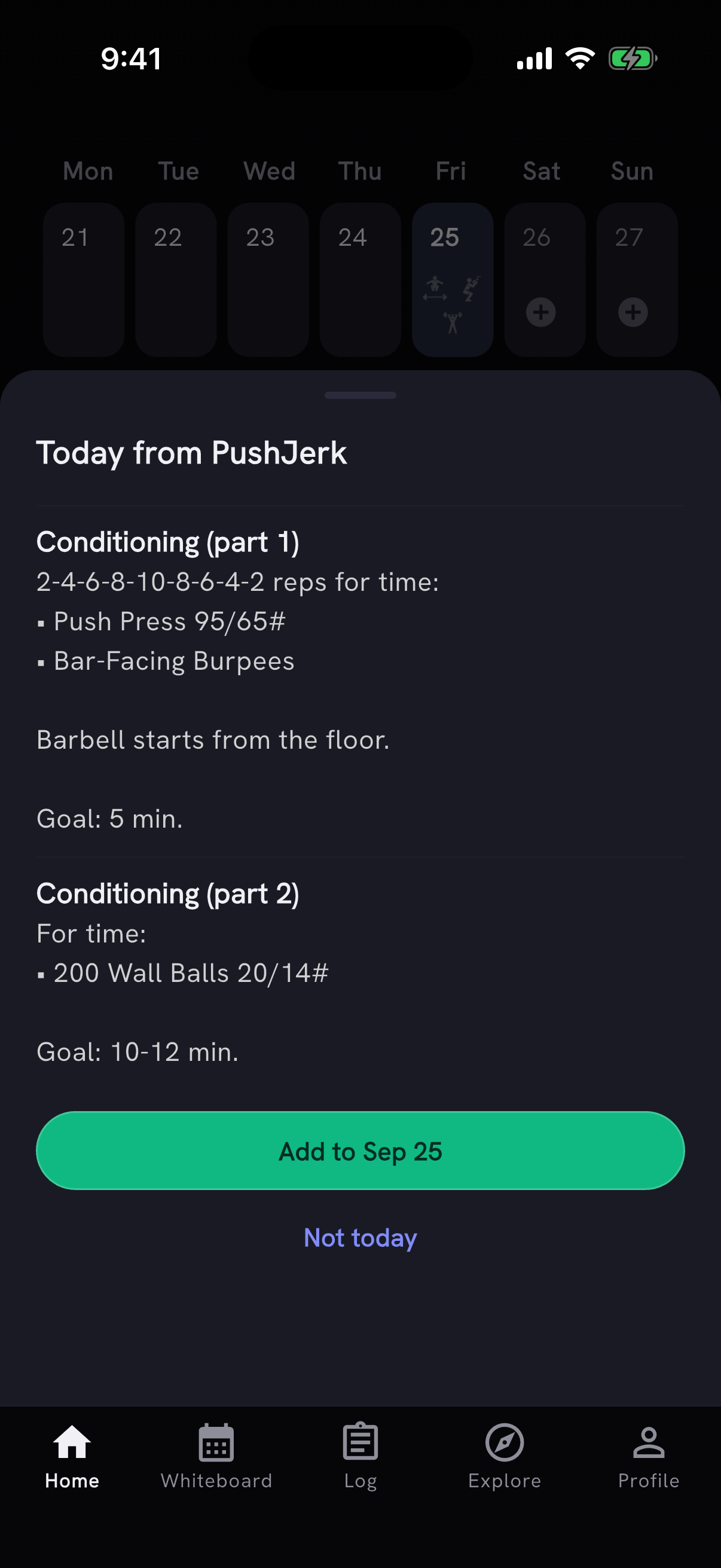
On PushJerk days with a two-part conditioning piece, the Whiteboard now shows both parts under their full names, "Conditioning (part 1)" and "Conditioning (part 2)", with the button to add them to your log. The cool-down no longer shows up as "down".
Workout leaderboards in the app
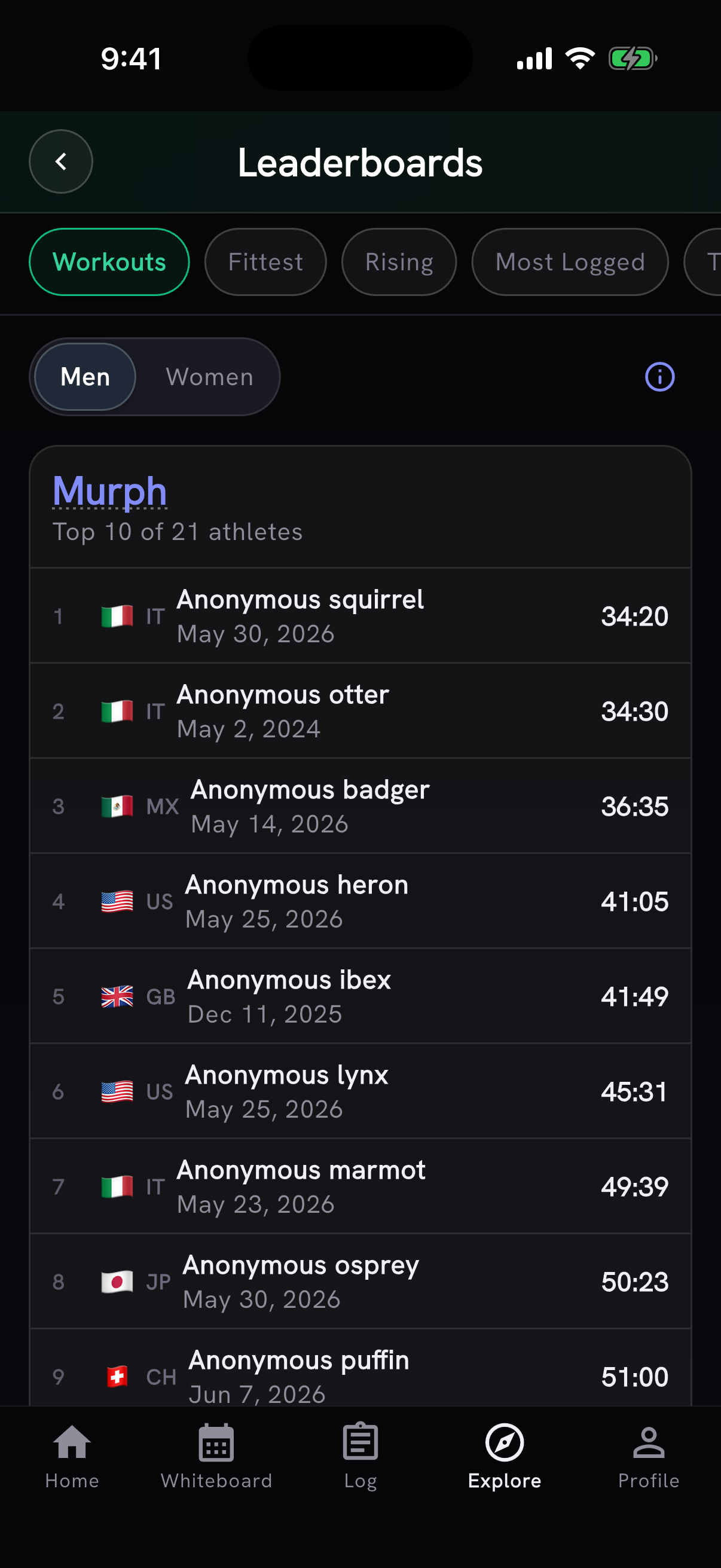
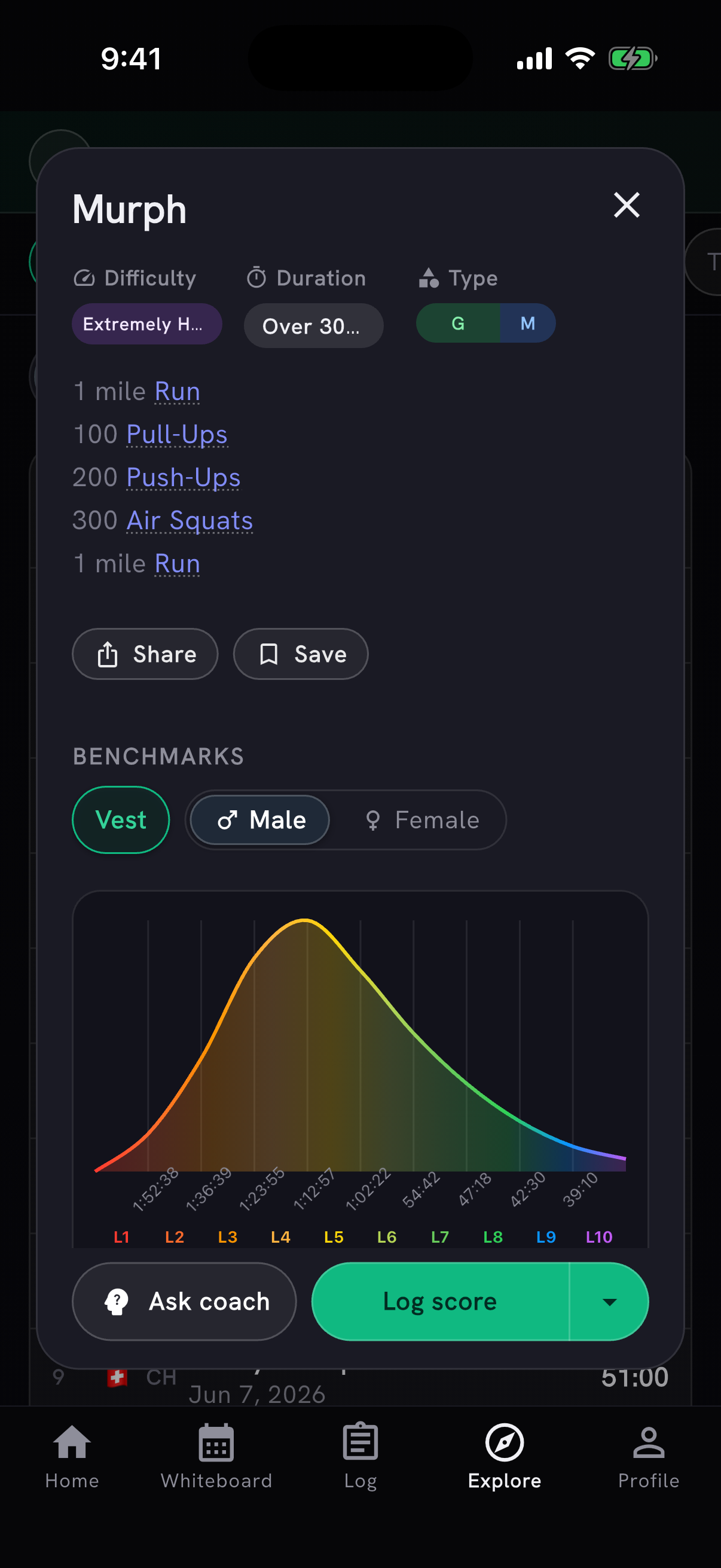
Workout leaderboards are in the app. On Leaderboards, pick Workouts to see the all-time top ten for classic workouts such as Murph, Cindy and Fran, for men or women. Tap a workout's name to open it.
Your standing on the workout boards, on the web and in the app, is now an average percentile instead of an average place, so a place in a big field counts for more than the same place in a small one.
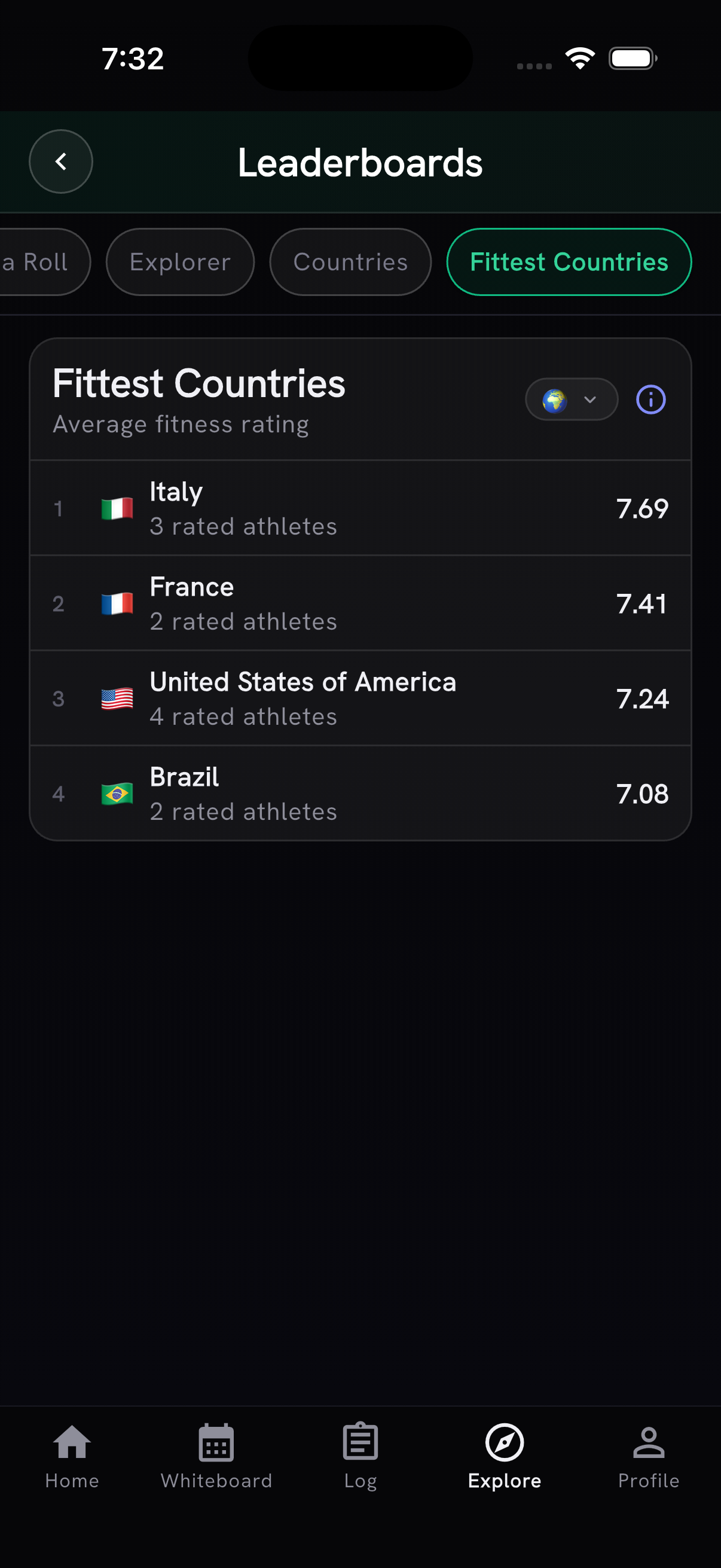
A new Fittest Countries board ranks countries by the average fitness rating of their rated athletes, alongside the existing Countries board that ranks by scores logged. An athlete is rated after three different gradable Rx named WODs, and a country needs two rated athletes to appear.
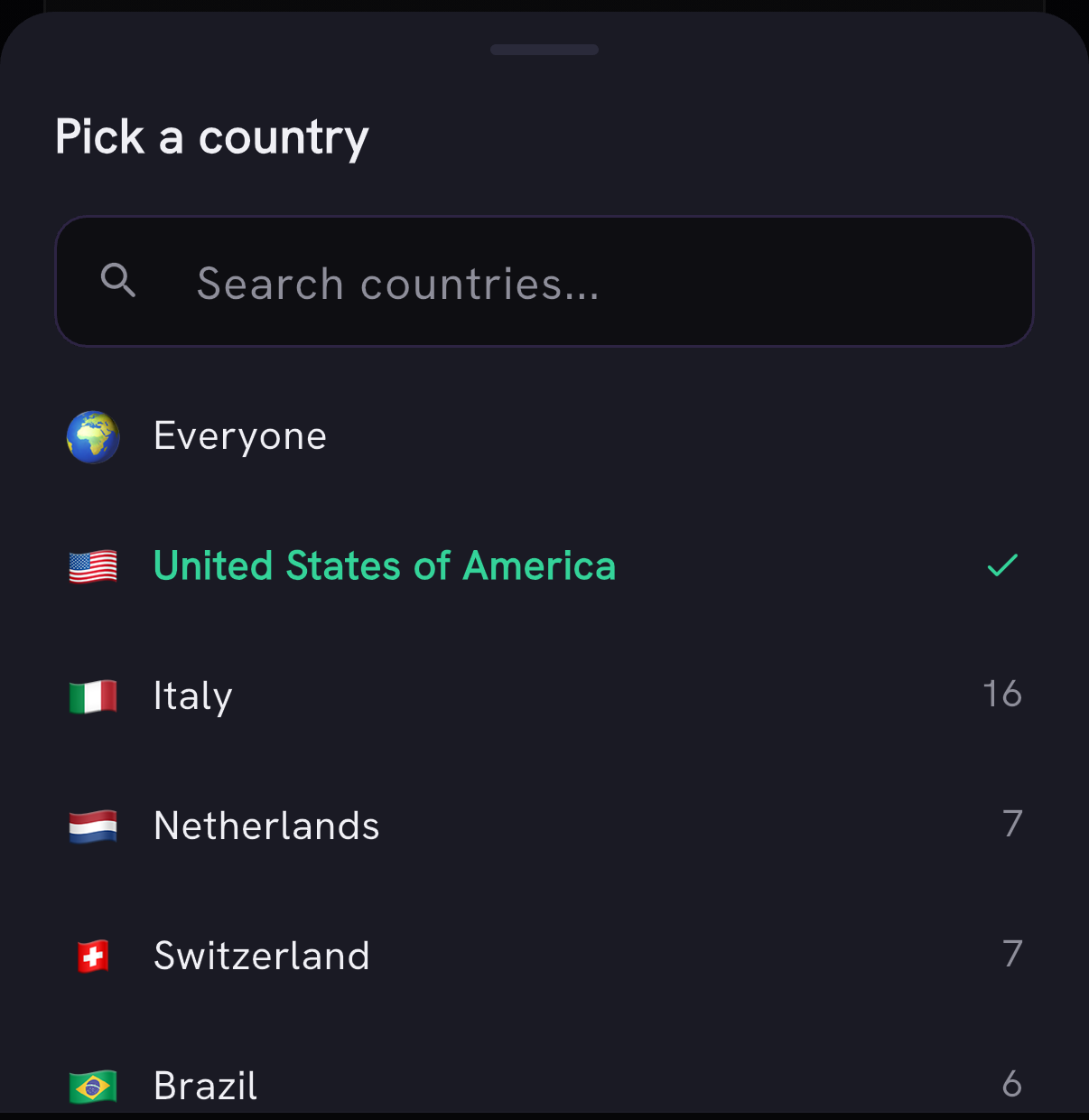
Leaderboards can also be ranked inside a single country. Pick one and all six athlete boards re-rank among that country's athletes, while the Countries and Fittest Countries boards drop out until you clear it. Any country with at least two scoring athletes is available, not just your own.
Weights on the leaderboards and on a WOD's Community Scores now round to whole pounds, so a 520 kg CrossFit Total reads 1146 lb instead of 1146.4038 lb. On the app's workout boards, weights show in your unit, so that total reads 520 kg if you use kilograms. The Fitness Level badge on the Fittest and Rising boards shows one decimal, so a 7.9 no longer reads as 7, and My Fitness colors your Fitness Level the same way the leaderboard badge does. On distance workouts, the Community Scores dots now line up with the benchmark levels, including inch and meter ladders.
Levels on 36 benchmarks, recalibrated
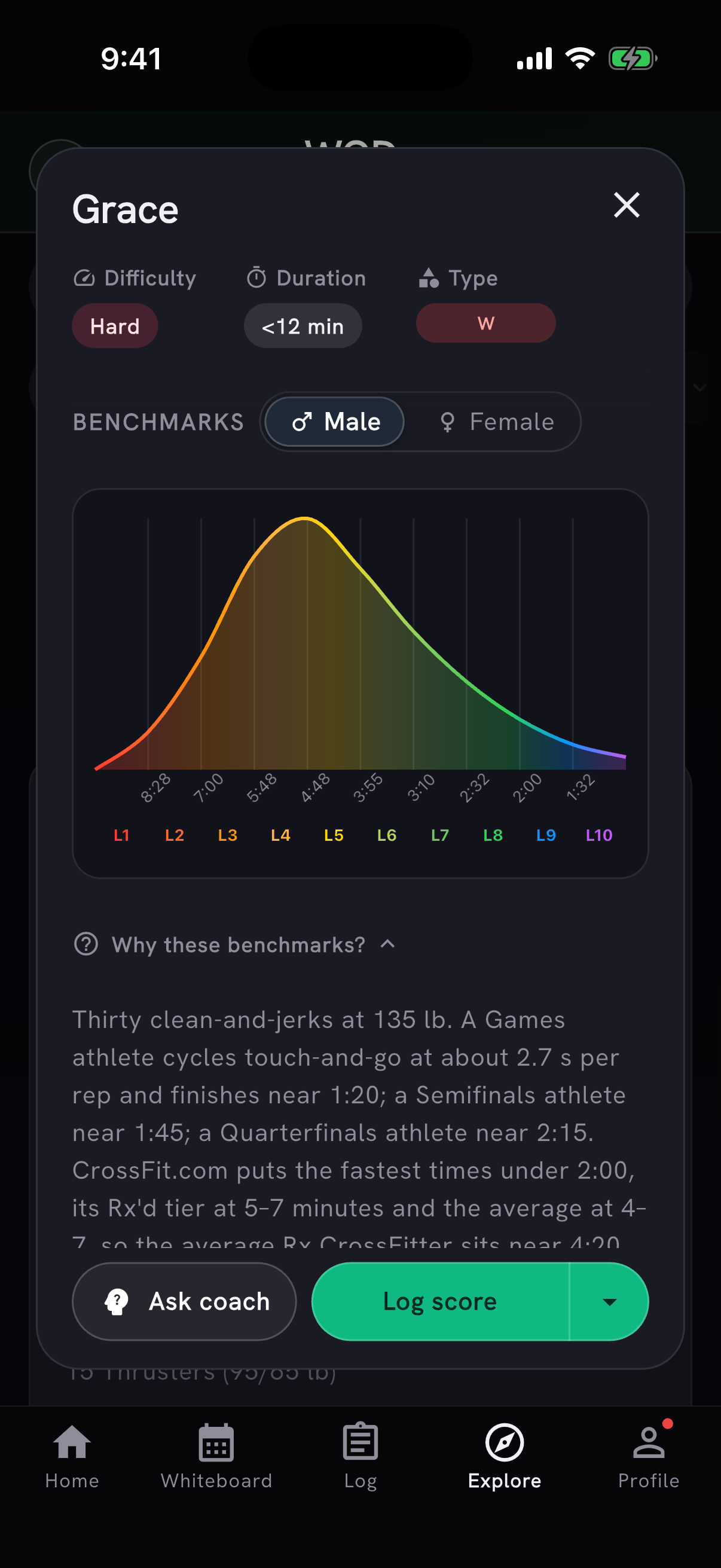
Fitness levels for 36 benchmark WODs were recalibrated, including Grace, Fran, Angie, The Seven, Barbara, Ellen, Jerry and Row 500m. Every level now uses the same standard: L1 a beginner, L5 the average CrossFitter doing it Rx, L8 Quarterfinals level, L9 Semifinals level and L10 a Games athlete. Existing scores regrade automatically, so your Fitness Level on these workouts may move.
Public rankings no longer count reviewed imports that were corrupt, capped or matched to the wrong workout as completed results. Partner and team scores still appear, but without an individual L1–L10 badge.
For time workouts with a reps benchmark now grade by completed reps, so their levels match the benchmark ladder, and score history rings grade each result using its own vest setting and the selected ladder. Open 23.3 uses its final 12-minute cap, so completed scores after the 9-minute checkpoint count correctly. Fitness profiles now count benchmark workouts that were previously missed because their names did not match the workout catalog. Fitness Level shows consistent Top X% results, says which months each trend compares and explains that benchmark gaps vary by workout, and low-level Rx badges use red for L1–L2 and orange for L3–L4 on browse cards and score history, the same colors as on the web. Score and Fitness Level names follow the same ladder: L1 is Beginner, L8 Quarterfinal and L10 Elite. Time-capped scores use the benchmark's cap for grading when the workout has no cap of its own, and round totals count distance and time from the fields you logged them in.
Workout templates, in limited beta
Save a workout session as a private template from its three-dot menu, then find it in Profile → Workout templates and start it as today's workout. If today already has activities, you'll be asked before they're replaced. Free accounts can save three templates, and Pro accounts can save more.
Workout templates are in limited beta, going out to a small group first. Want in early? Ask in our Discord.
Also in this release
Sessions you haven't started now show their planned reps, weights, calories and times on the session screen and in the shared session image, instead of only the movement names. Custom EMOMs with no score field now show their timer on the workout card and name it an EMOM, and in a Pro follow-along AMRAP you can still tap off the rounds you finished after the buzzer, before you press Done. Thanks to Julien Duvanel for flagging all three.
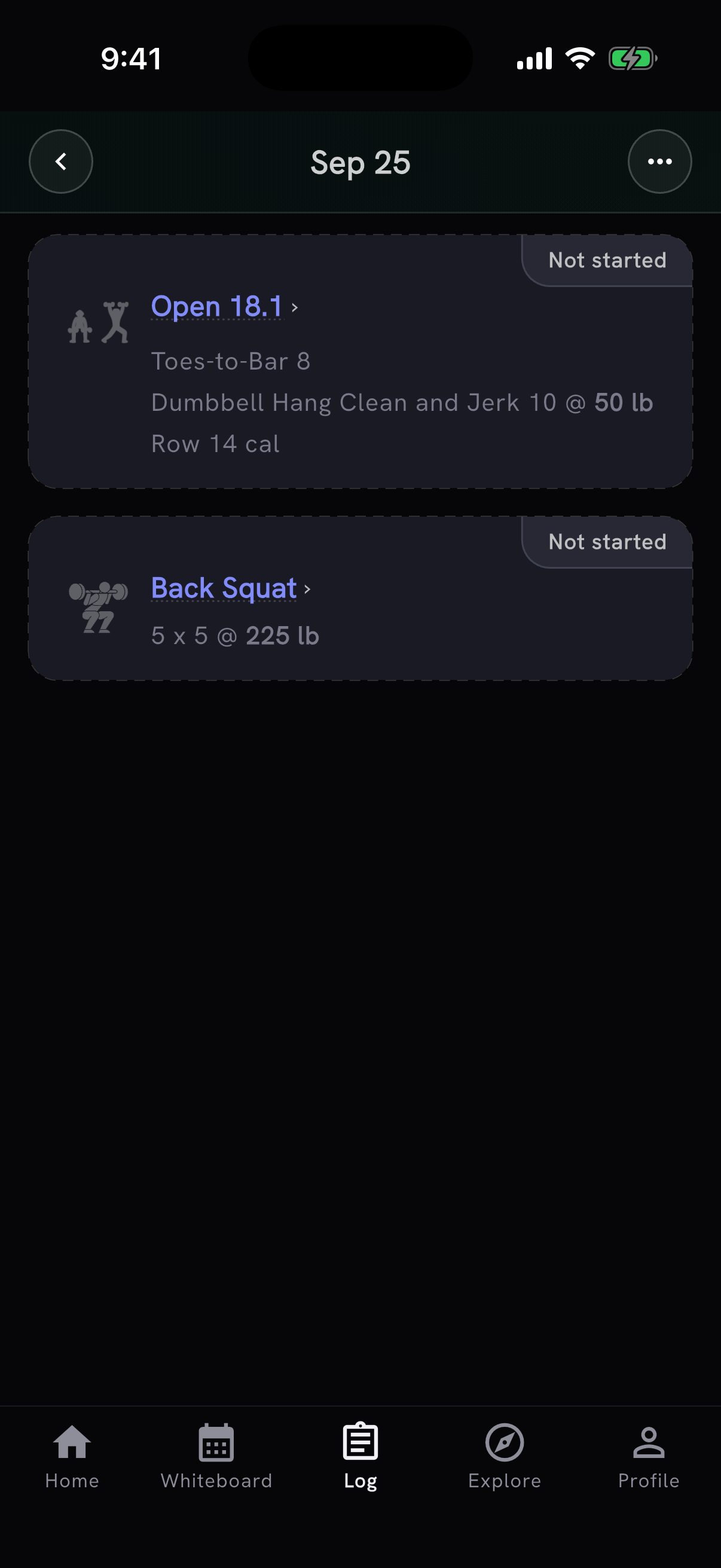
Partner Kelly, Partner Weston and Partner Monti are now separate WODs, so their scores no longer get mixed with the individual versions or affect individual fitness levels. Team workout results also keep the team size from the workout instead of being saved as solo results. Thanks to Sabrina for flagging the missing workouts.
You can now log Burpee Shuttle Run directly, and Burpee Ring Muscle-Up and Burpee RMU are recognized as the existing ring movement.
Reps and weight now stay in their own fields when you log a movement. Distance scores show in the unit you logged them in, on workout cards, score history, share images and leaderboards, so a 28 m handstand walk no longer reads as 91.86. The first time you log a movement now sets your baseline instead of counting as a personal record, and for kg lifters a weight PR needs a gain of about 1 kg. Morning briefings that name a planned workout open that workout when tapped. And you can request a missing movement even when search shows close matches. Thanks to António Silva for flagging all five.
- You can backfill missed workout days directly from the Intensity calendar.
- After you log workouts on several past dates, Log Workout can point you to our beta workout history import. Your saved workout stays in place, and you can keep adding workouts as usual.
- The coach on Home now introduces itself to new athletes and says what it will tell them once they start logging, instead of opening with an unexplained question. It also offers to build your first workout, and to take your training goal if you have not set one. The Home coach card no longer shows a bare greeting with no note when the day's note could not be written.
- Workout highlights show loads and total weight moved in your chosen unit.
- Movement records use your actual load for singles and leave high-rep sets out of estimated one-rep max results.
- On My Fitness, the Strength tab's bodyweight reminder is now an Add bodyweight button that opens Settings at your body weight, and your strength levels update when you come back with it saved.
- The Cardio equipment filter includes catalog cardio movements such as running, even when they need no machine.
- The PRzilla Pro page leads with what Pro unlocks, with Free benefits, plan details and AI usage below. It and the Pro plans screen now show the same benefit list, in the same words, and Coach limit messages show your current daily AI allowance.
- You can opt in to a monthly PRzilla newsletter when creating an account or after catching up on What's New. It covers notable product changes and announcements, every issue has a one-click unsubscribe link, and unsubscribing stops the newsletter only, not account email such as password resets. The privacy policy describes this under "How We Use Your Information".
- Camera and photo permission prompts explain their use for AI Coach attachments.
- Workout details no longer show an inactive score-tracking prompt before you sign in.
- Before a workout timer starts, you can pick a 20- or 30-second countdown.
- A WOD's Community Scores now rank Rx results only. On workouts that grade capped attempts, capped results appear alongside finishers, labeled like "128 reps @ 15:00 (capped)", and chart dots land where the result belongs.
- The workout timer tip appears beside the clock again instead of taking up space inside the workout.
- Logging load for four movements that are loaded per hand now works the same way on the web and in the app.
- Workout library descriptions read the same in the app and on the web.
Also on the web
- przilla.app/changelog now lists each release as a card with an image or clip, its version, and what changed, laid out like the About page's release timeline. The About page keeps the latest three releases and links to the changelog for the rest.
- My Fitness tab switches work for people using browser translation, and page titles no longer repeat the PRzilla suffix.