Mobile App v1.32 - Check in from Home, and light mode for everyone
Check in from Home
Home has a new row under your week: Mood, Soreness and Recovery. Tap Mood or Soreness to say how you're doing today, with a note if you like. Your coach reads it in its next note.
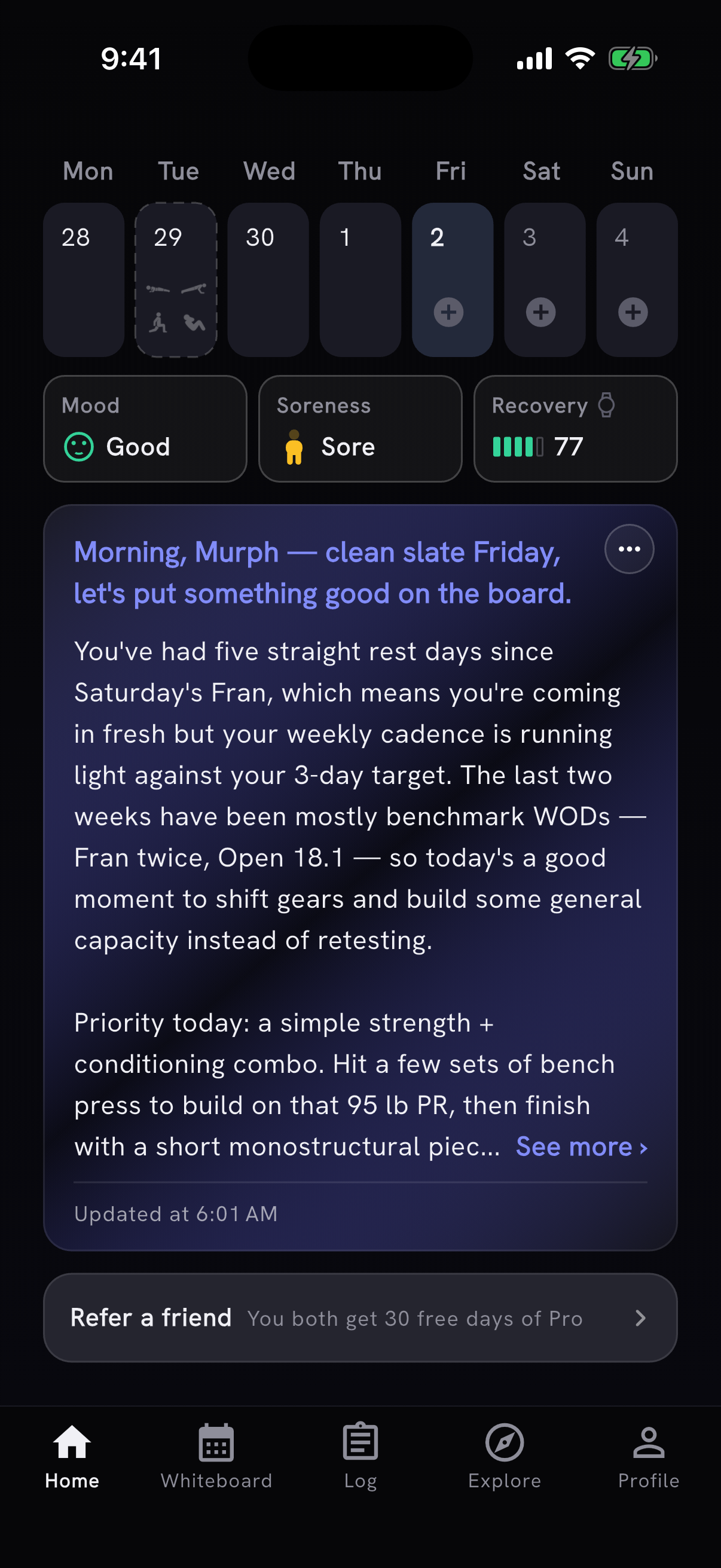
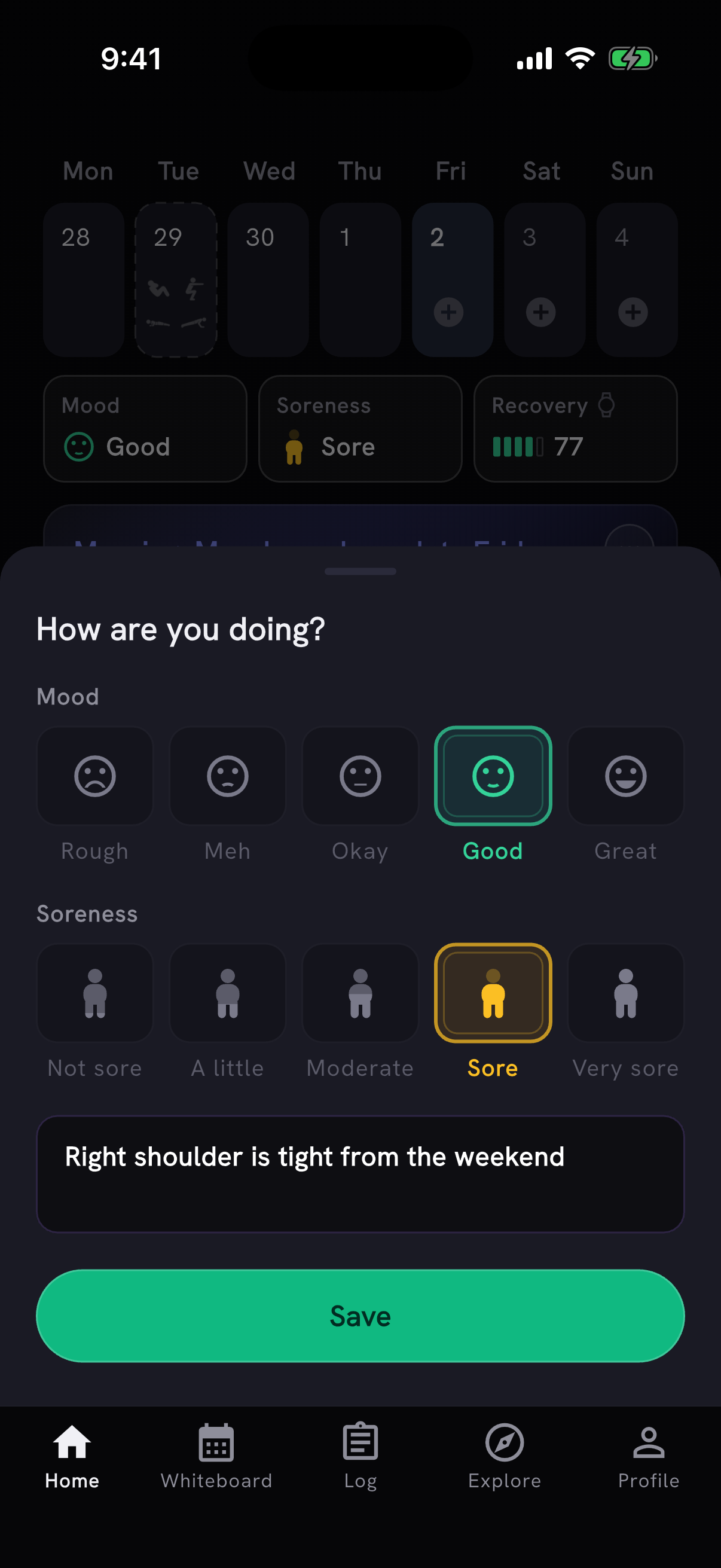
Nothing is picked for you. A check-in used to open with Okay and Not sore already selected. Now you answer only what you want to, and mood or soreness can be saved on its own.
Recovery moved off the coach note and into the same row. If you haven't connected Apple Health, or Health Connect on Android, Recovery offers to connect it there. That replaces the card that used to sit under your week.
The coach note now takes all the room your phone has, so you see more of it before See more.
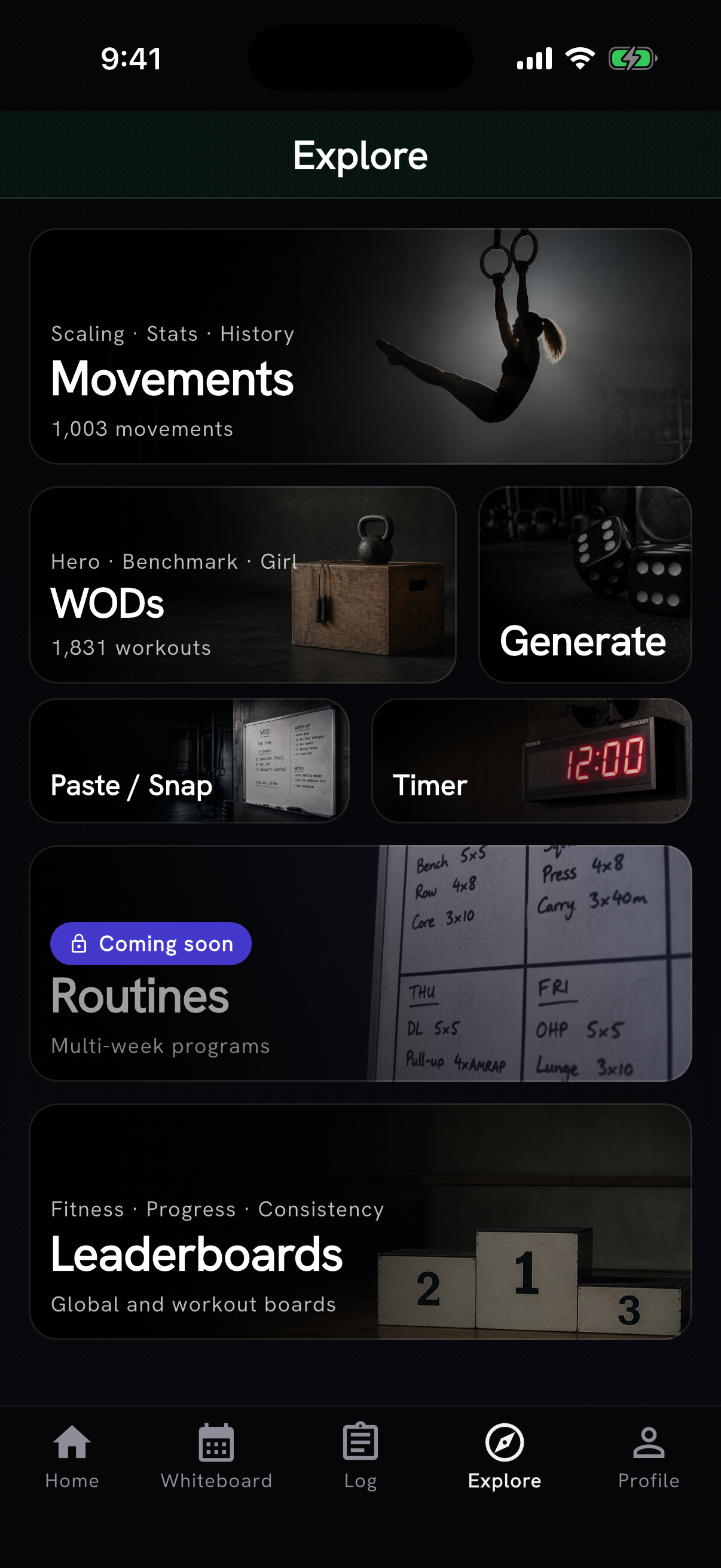
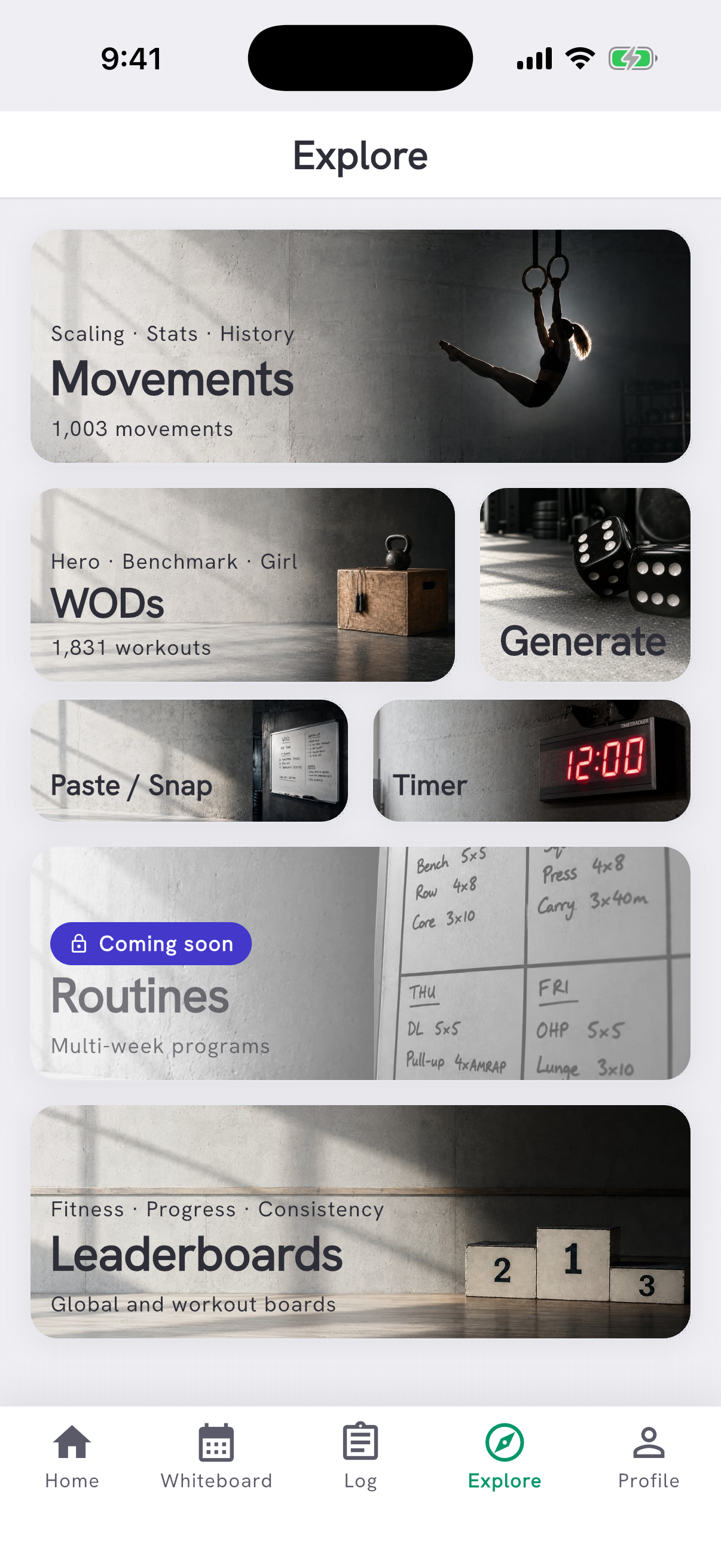
Paste / Snap and Timer moved to Explore, right under WODs.
Light mode for everyone
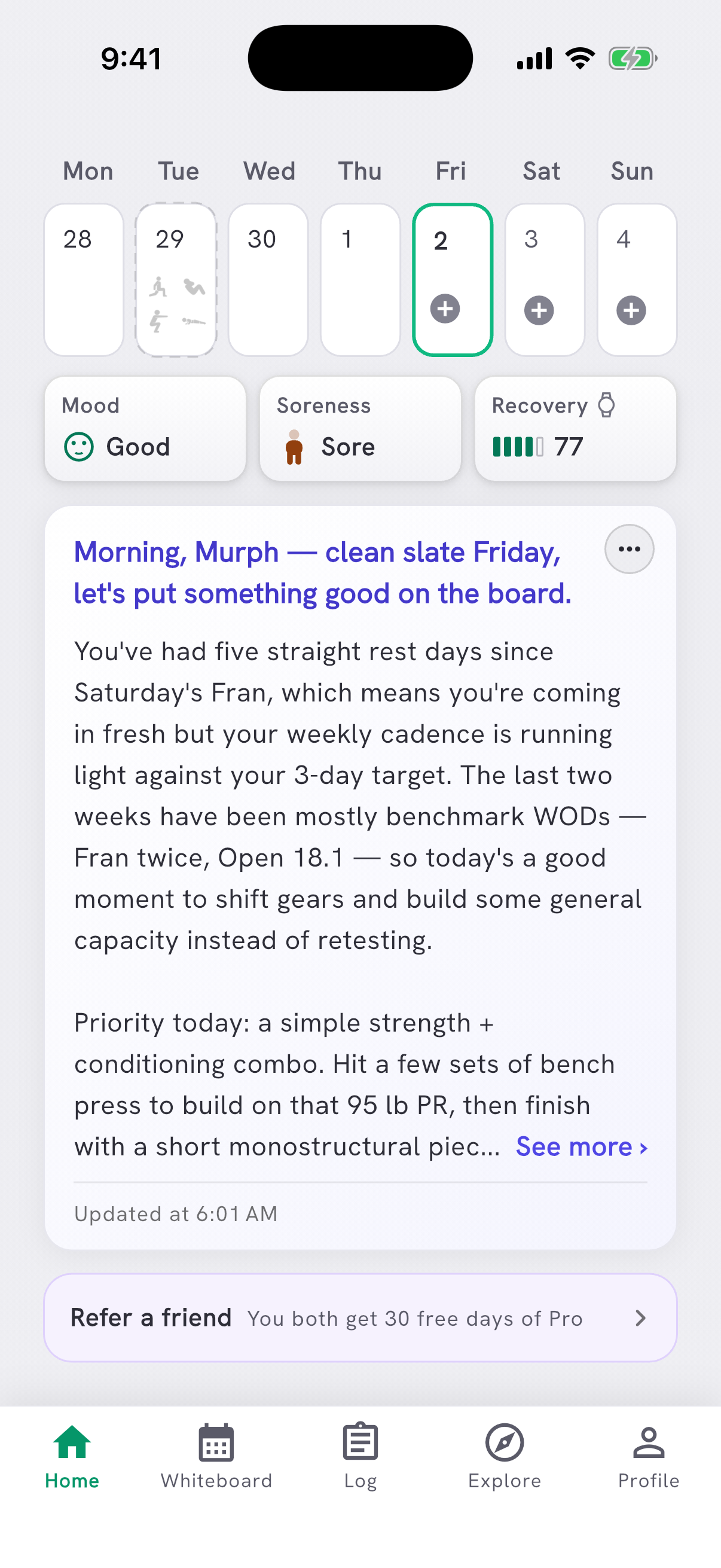
Light mode is out of beta. PRzilla now follows your phone's appearance, so if your phone is set to light, the app is light the first time you open this version: white cards on a light grey page, buttons that look pressable, text fields that look like somewhere to type, and Explore photos in daylight instead of under a dark overlay.
To choose for yourself, open Settings, find Appearance, and set Theme to System, Light or Dark. System follows your phone.
Jump to any day on the Whiteboard
The Whiteboard used to be one long list: every posted date with its sections underneath, and you scrolled to find the day you wanted. Now a week strip sits above the day's workout. Tap a day to open it, swipe to move between days, and swipe the strip to reach earlier weeks.
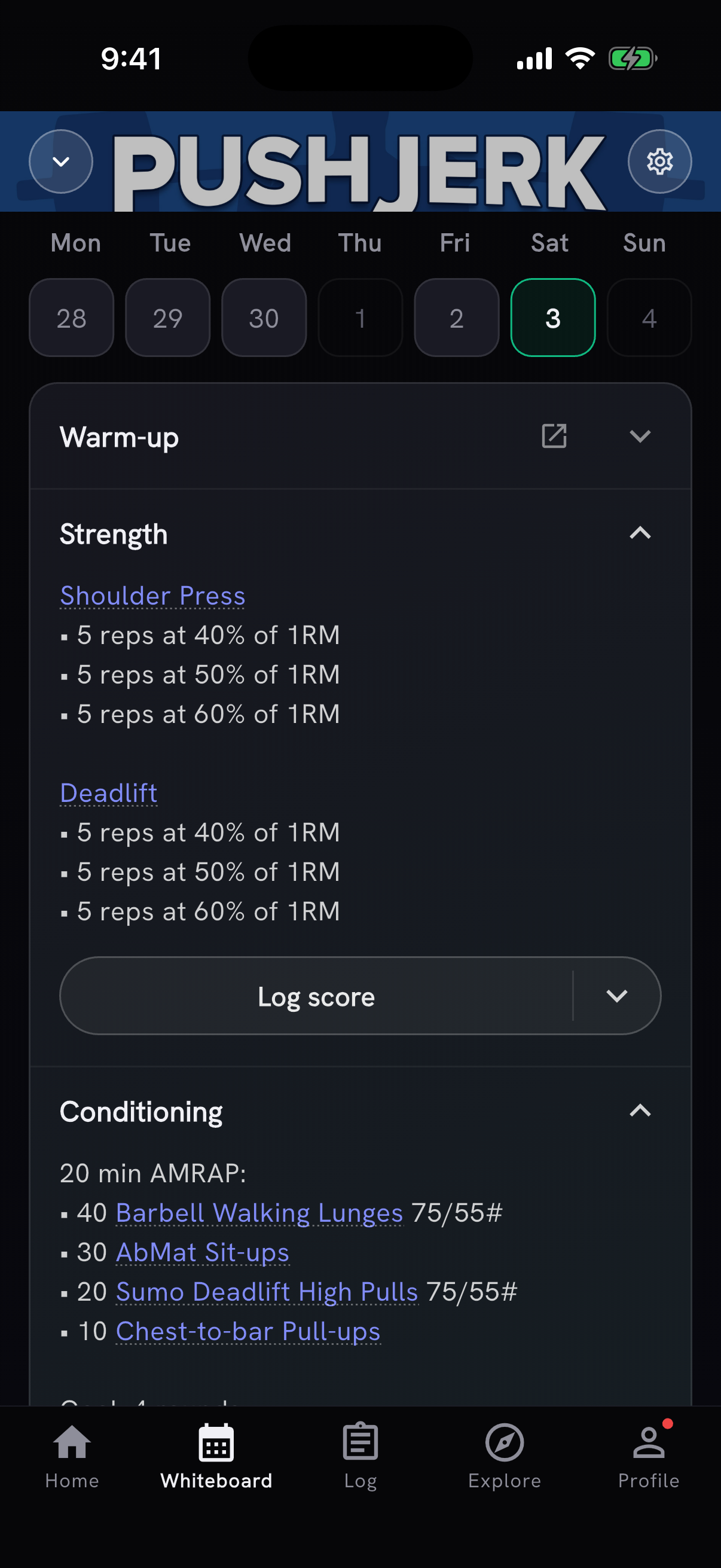
Log score on a Whiteboard section now opens that day's workout right away. Movement names on the section are links, Prepare leaves the workout text on the card, and a workout with no movement breakdown keeps its description. The Whiteboard also recognizes more movement spellings, and links workout lines even when a day's stored movement list is empty.
Offline support
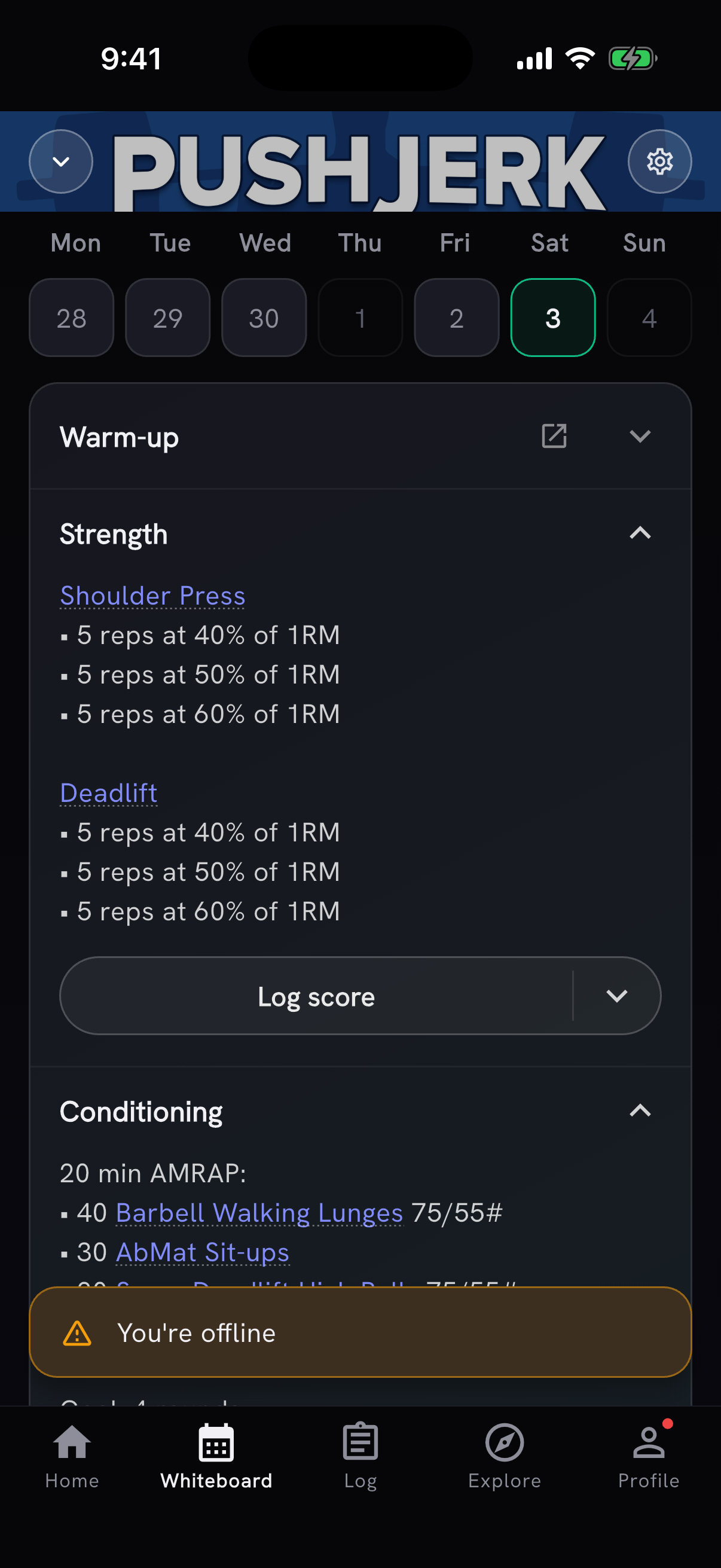
Offline support is here, and many of you asked for it. With no signal, PRzilla keeps you signed in and shows the Home week, training calendar, session and Whiteboard you already opened. Screens with no saved copy say they need a connection, and a toast tells you when you're offline and when you're back. Saving a workout still needs a connection.
Athlete profiles: a photo, a bio and a handle
Athlete profiles can now show your photo, a short bio and one social handle. Add a bio and a handle in Settings under Profile, and use Share profile photo to choose separately whether your photo is shown.
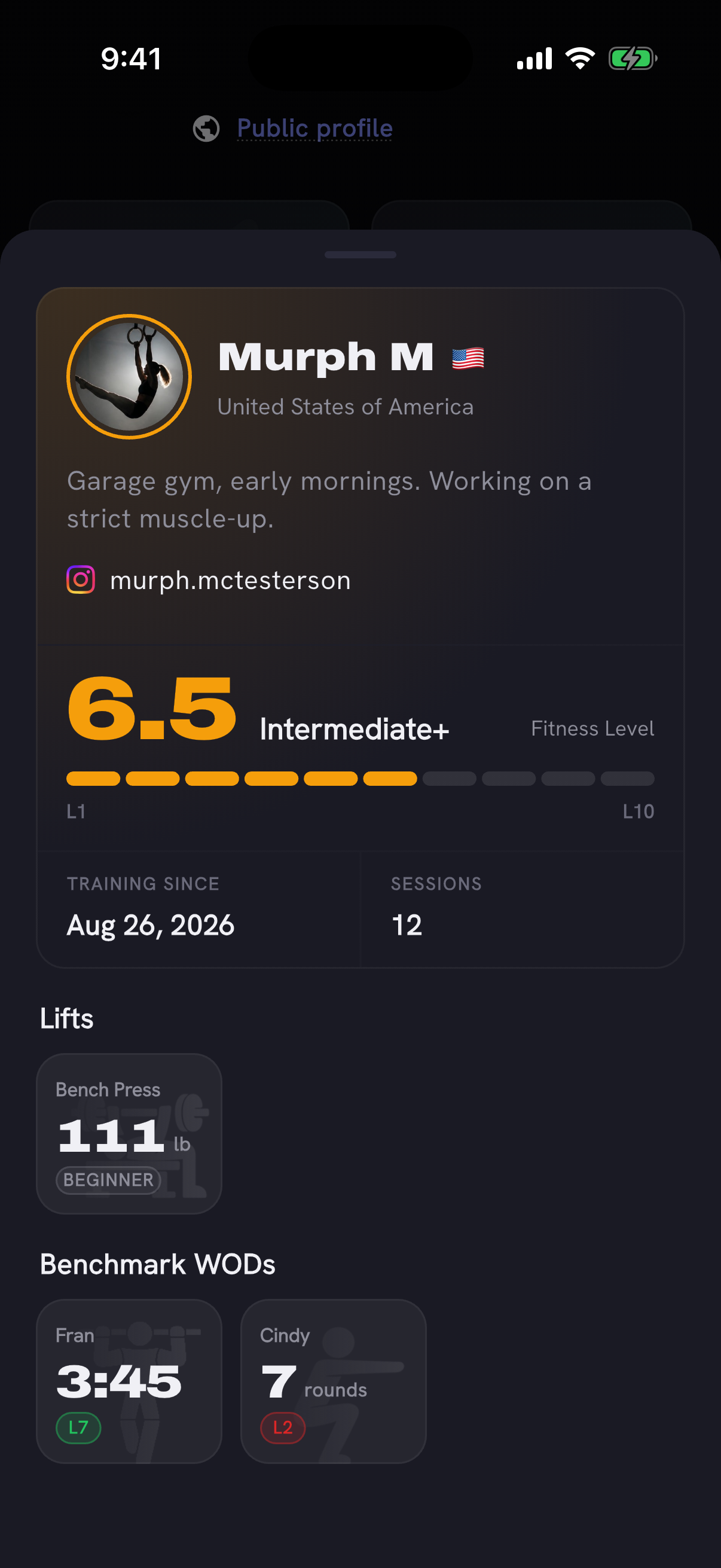
Tap a benchmark on an athlete profile to open that workout. Names on the workout leaderboards open athlete profiles too, your Profile tab shows whether your own profile is public and opens it in one tap, and you can report a profile from its menu. With "Always show my preferred unit" on, profiles show other athletes' lifts and loads in your unit instead of theirs.
Workout templates are out of beta
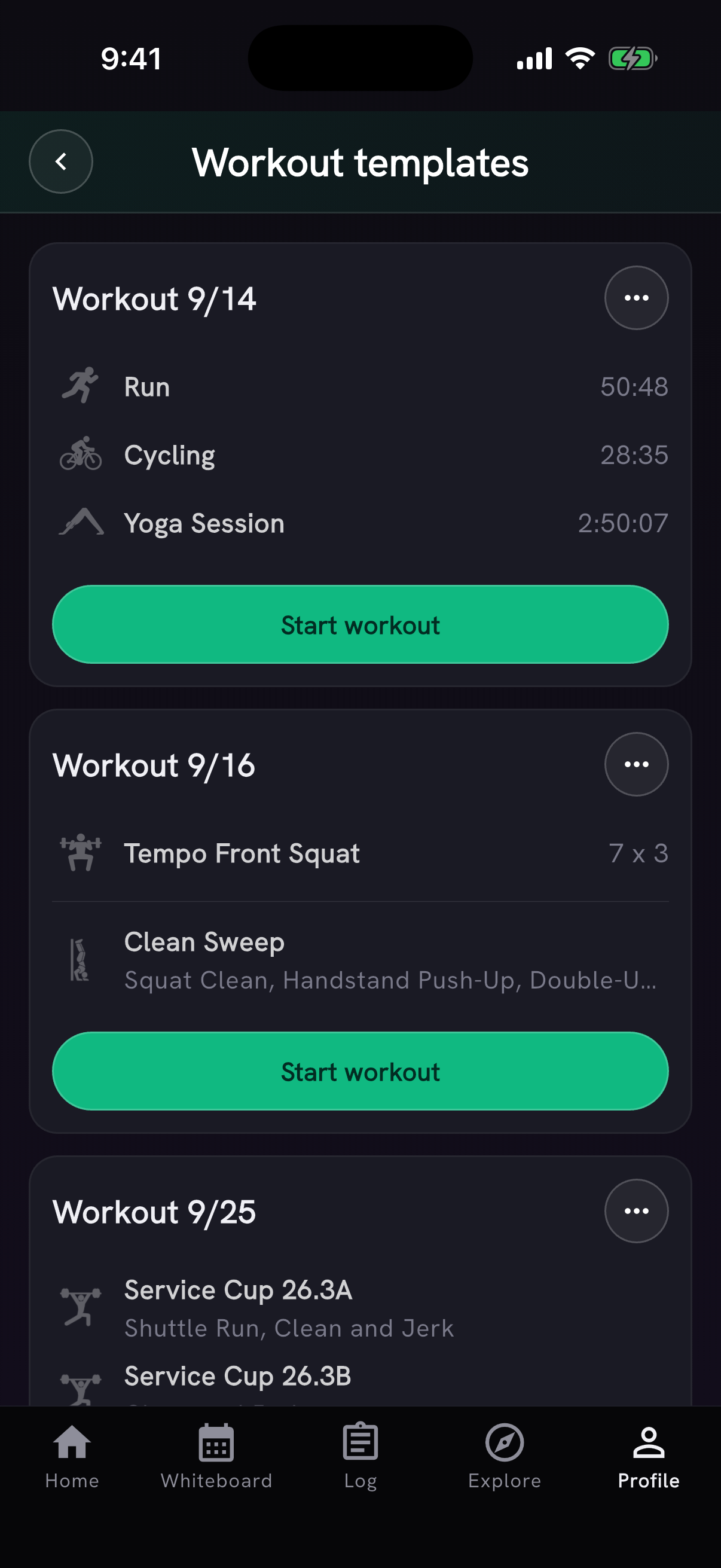
Workout templates are open to everyone now. Save a workout session as a template from its three-dot menu, then find it in Profile → Workout templates and start it as today's workout. If today already has activities, you'll be asked before they're replaced. Free accounts can save three templates, and Pro accounts can save more.
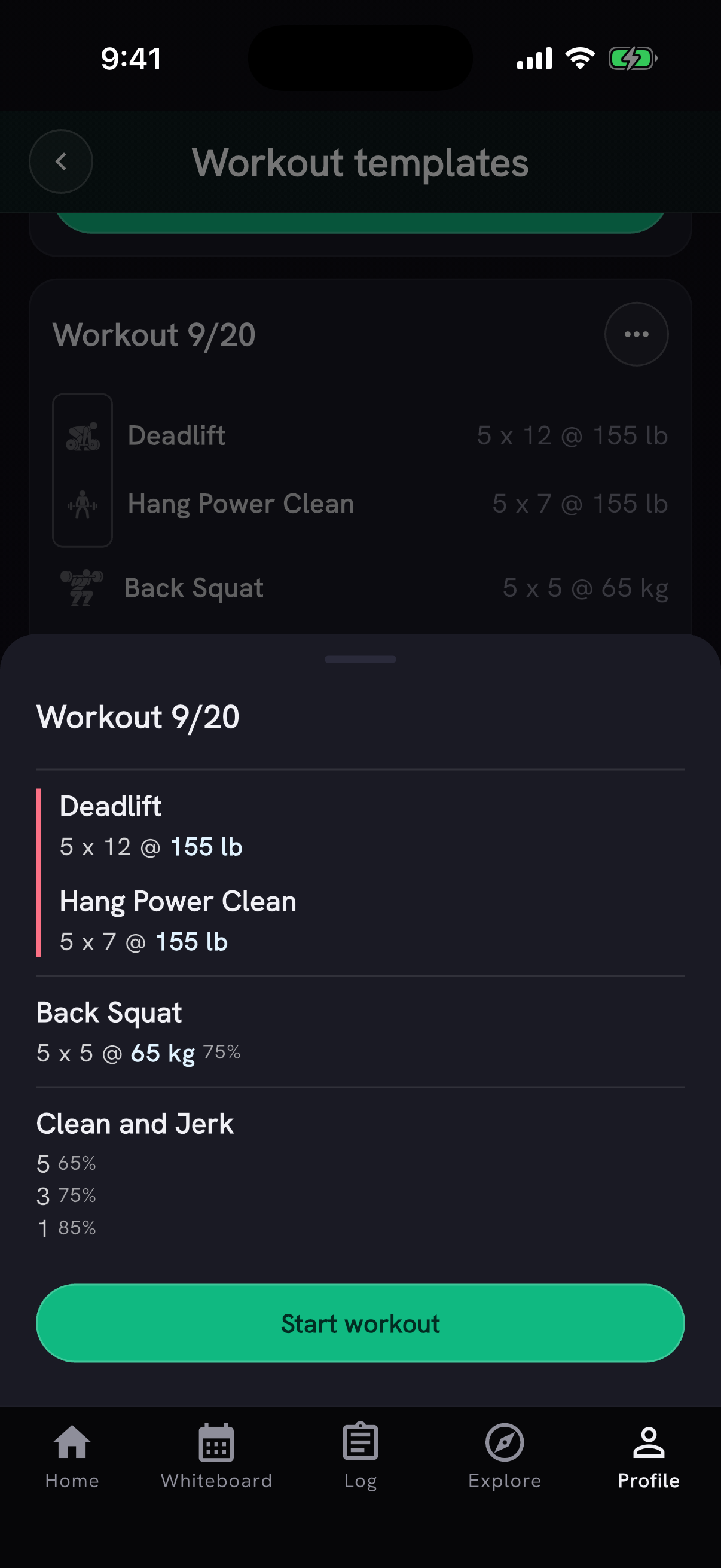
Each template now shows what's inside before you start it: its movements and WODs, with a short summary. Tap one to open the full workout, with every set and weight and each WOD's movements, and Start workout pinned at the bottom.
AI Coach can look things up, in limited beta
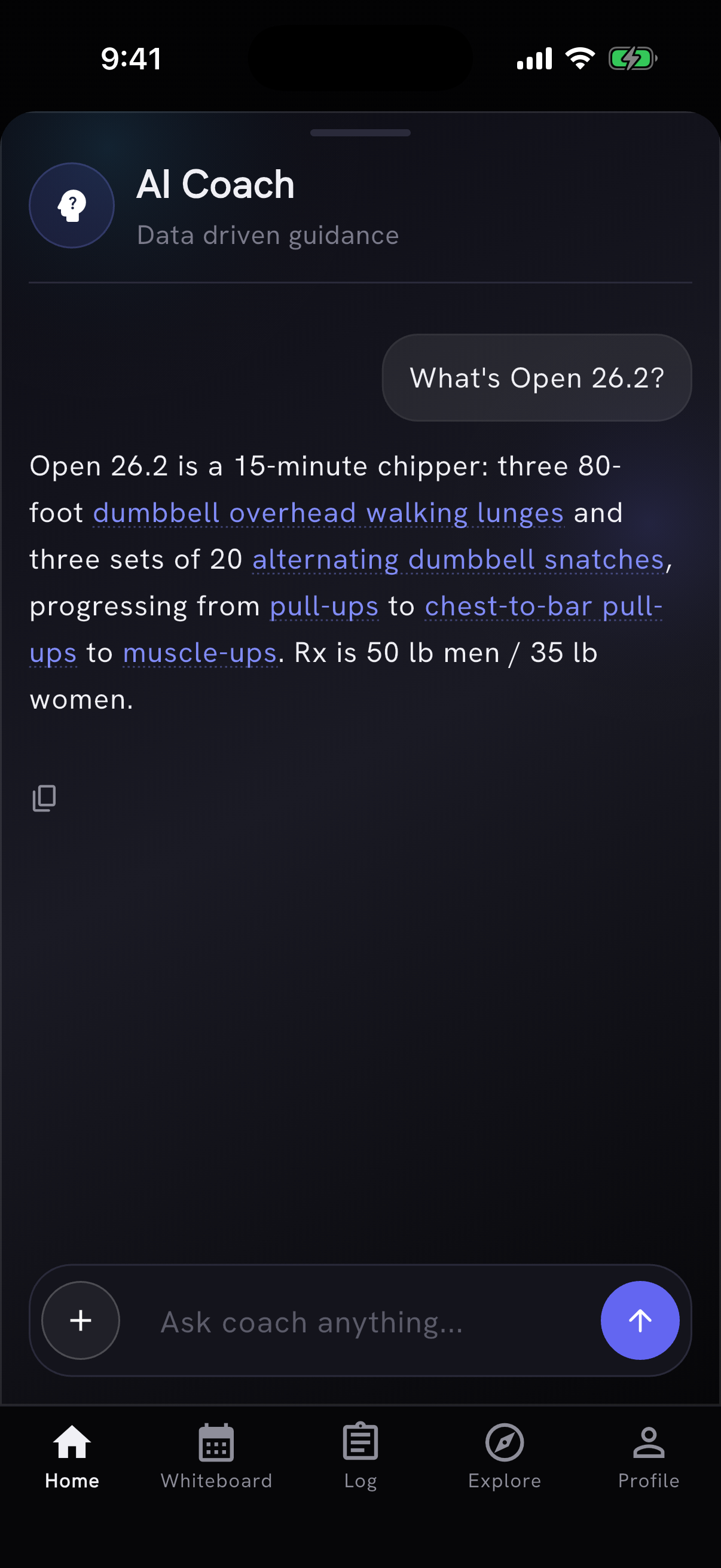
Until now the coach worked only from what was loaded into each conversation. In this beta it looks things up. Ask about a named workout and it pulls that workout from PRzilla's catalog: the prescription, the scaling options and the benchmark targets.
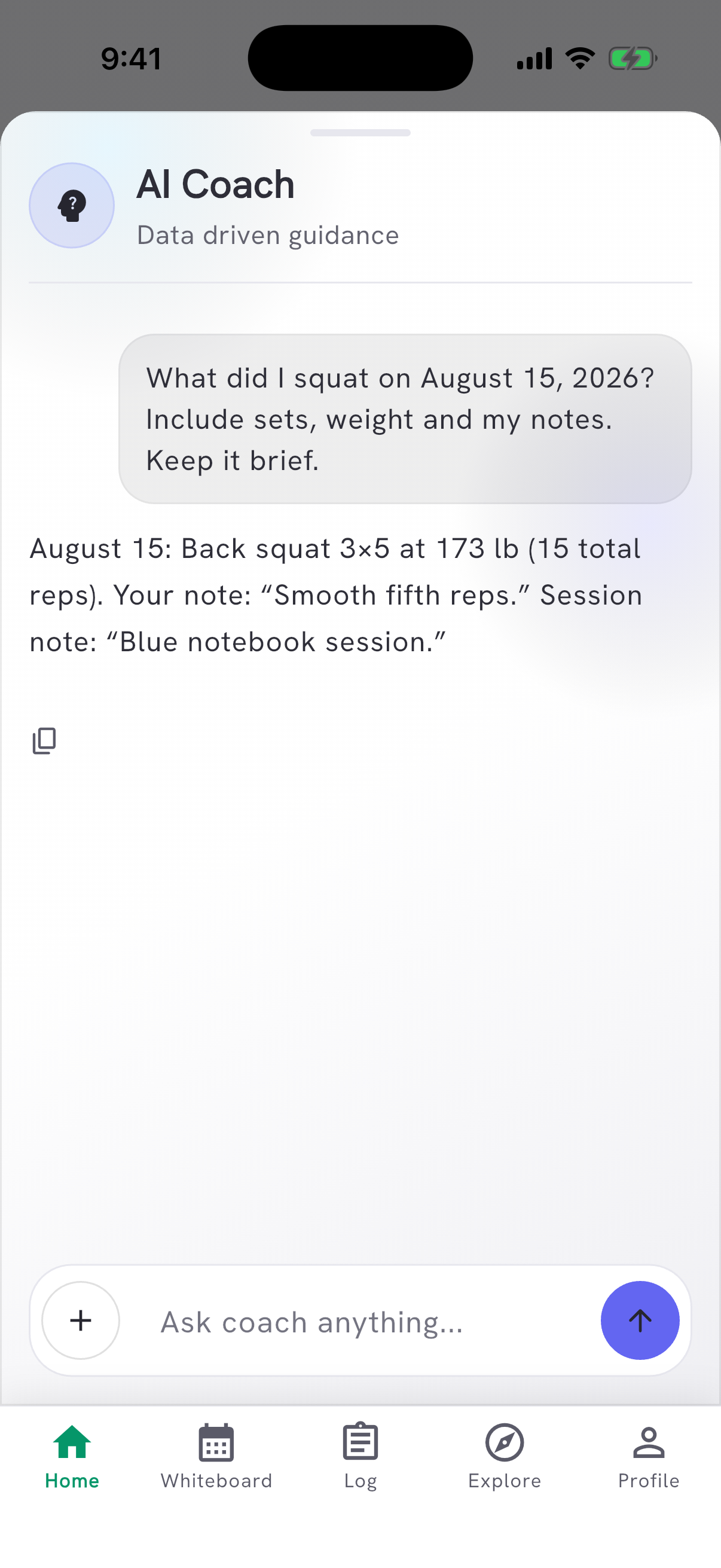
It can also fetch what a question about your own training needs: an older session with its sets, weights and notes, your saved recovery data, the programming on the track you follow, scaling options for a movement, and workout leaderboards.
The lookups are in limited beta, going out to a small group first. Want in early? Ask in our Discord.
Also in this release
Most Logged, This Month, Countries and On a Roll now count workout days with completed WOD or movement work. Several entries on one day count once, and importing older history no longer boosts This Month.
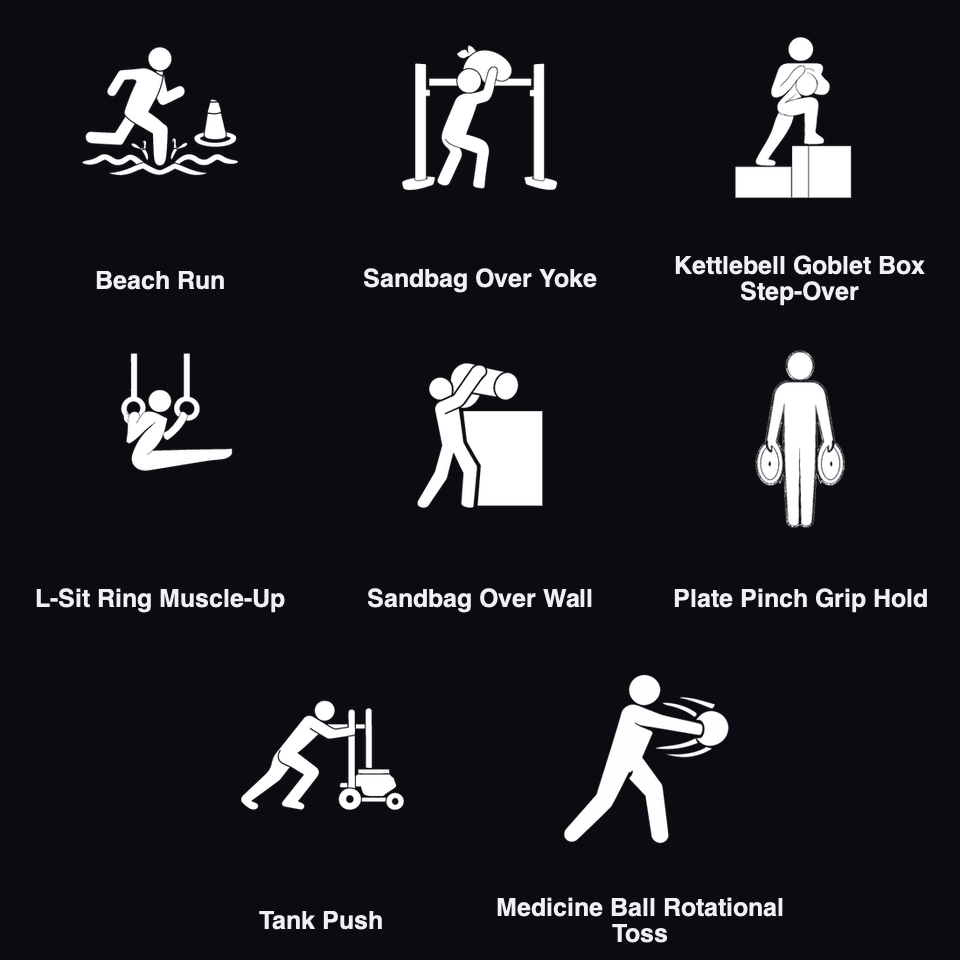
Beach Run and seven other movements from Battle of the Camps, CrossFit.com and other programming joined the catalog, so they can be found and logged by name.
- WOD score history shows the month and year of each logged result beneath its score badge.
- A load logged in a different unit stays Rx when it matches the prescribed weight after normal rounding.
- Round rep schemes apply when a movement's distance or time target is zero, and athlete-specific fixed stations stay as they are.
- Workouts with a parsed headline score type use it for the log field, even when an older benchmark label disagrees.
- The coach's add-workout popup keeps a written prescription together, so a sentence is no longer split into cut-off bullets.
- Card titles on Explore no longer break mid-word on smaller phones or at larger text sizes, where Generate split into "Generat" and "e". A title that doesn't fit shrinks just enough to keep each word whole.
- On Home, a day's number steps back when that day's pictograms already show how hard the session was.
- Referral invitations show the exact 30-day Pro reward, and earned referrals are labeled as rewards.
- People who missed the newsletter invitation see it once on Home. Subscribing is optional; closing or unchecking the form does not subscribe you.
- PRzilla is now for people 16 and older. Email signup asks for a name after your account is created, and you can add it then or later in Settings.
Thanks to Mirko Salaris for flagging light mode's inverted look, the missing movement days on the leaderboards and the cut-off coach prescriptions, and to António Silva for the profile units.