Mobile App v1.33 - Share workouts, see the climb, and keep AI Coach's memory current
Send a friend a workout
Open a session's three-dot menu or its Training Log card and tap Share workout. Check the preview, choose whether to include your note, then send the link. Your lift weights stay private; percentages remain so a friend can use their own max. The picture-sharing option is still there under Share as image.
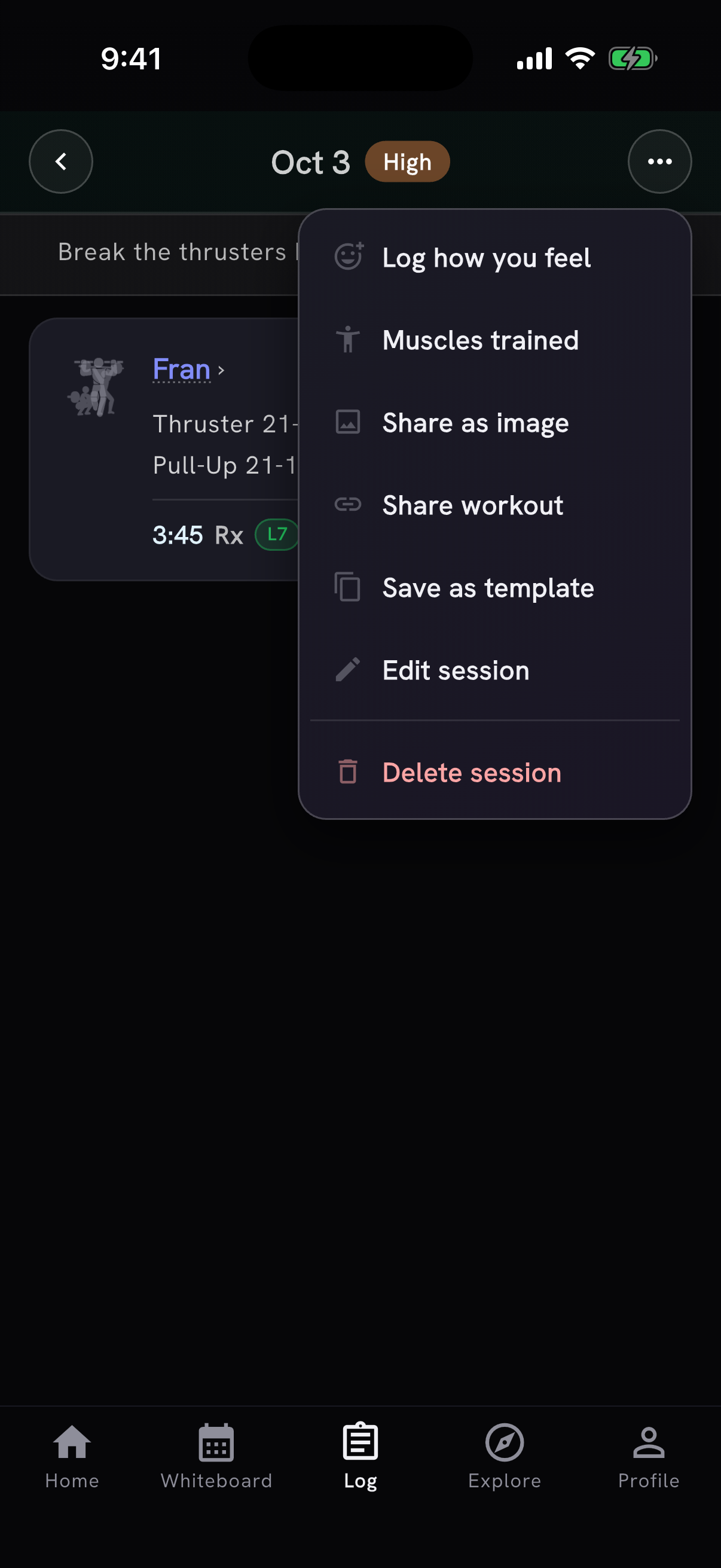
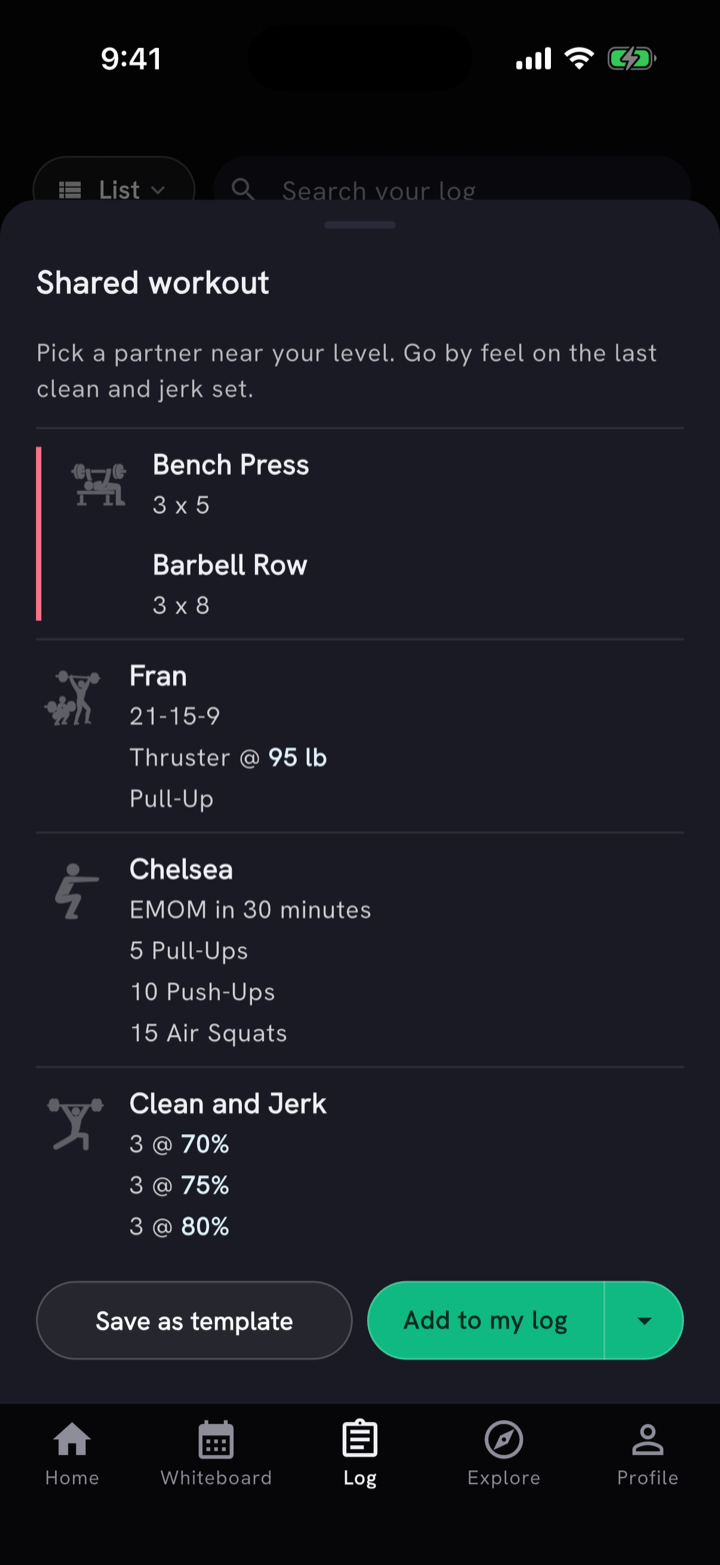
Anyone with the link can read the workout. In PRzilla, your friend can add it to today, tomorrow or another day without replacing work already there, or save it as a template. Edits you made to a WOD's movements go into the shared version. On a phone with the current app, the link opens straight in PRzilla; otherwise it opens a page with the right store link.
See the climb behind the effort
Imported Apple Health workouts with a route now show ascent. Open the heart-rate detail to see the elevation graph, coloured by the zone you were in along the way. It works for route-based activities such as walks, runs and hikes, including workouts imported in the last 30 days. PRzilla keeps altitude, not the route's coordinates. The graph is on iPhone; Android route imports are not part of this release.
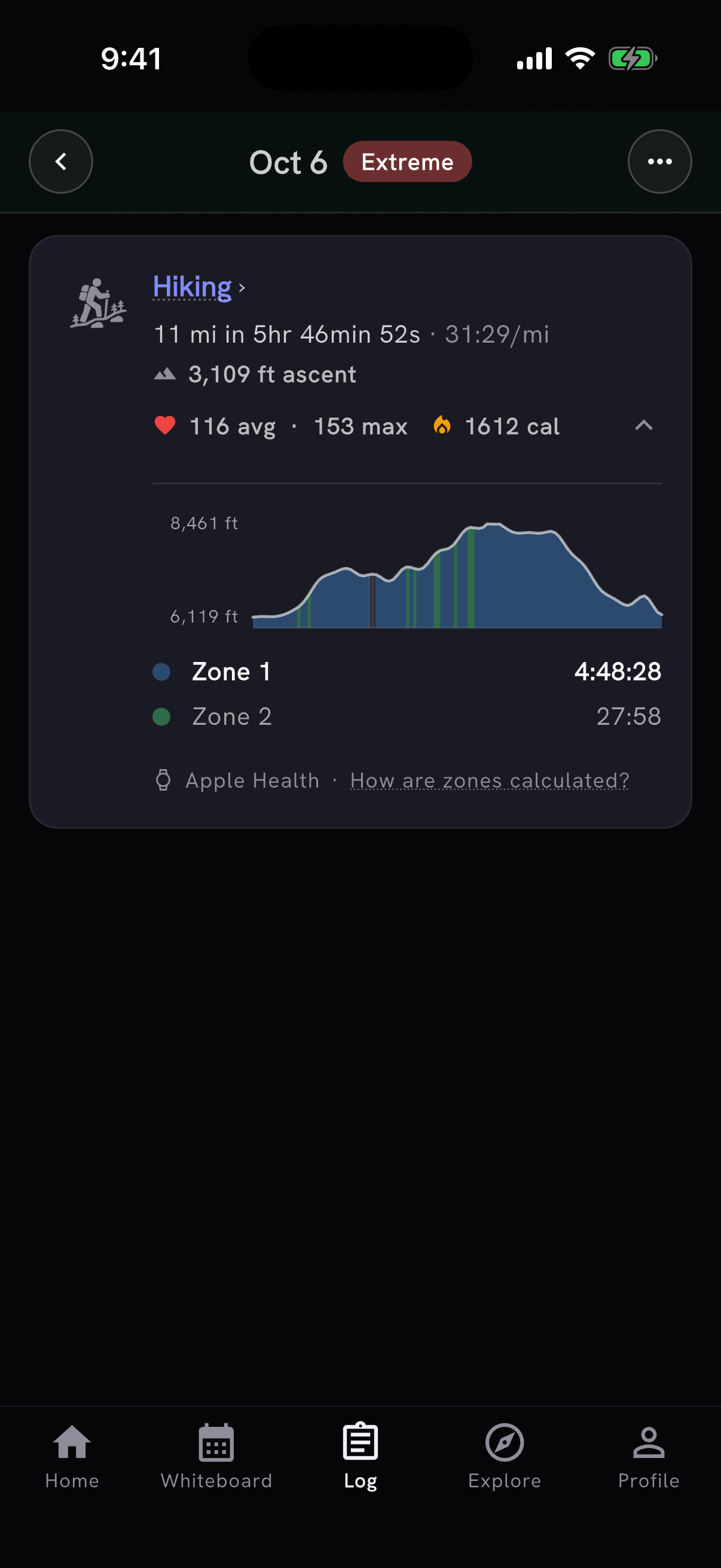
The climb gives AI Coach more context, and the intensity read now counts a long effort even when your heart rate stayed easy: a single activity lasting at least three hours is at least High, and one lasting five hours is Extreme. Recovery work such as yoga and mobility keeps its existing treatment. The detail also shows zone time as hours, minutes and seconds, and How are zones calculated? lists the heart-rate range for each zone.
Keep AI Coach's memory current
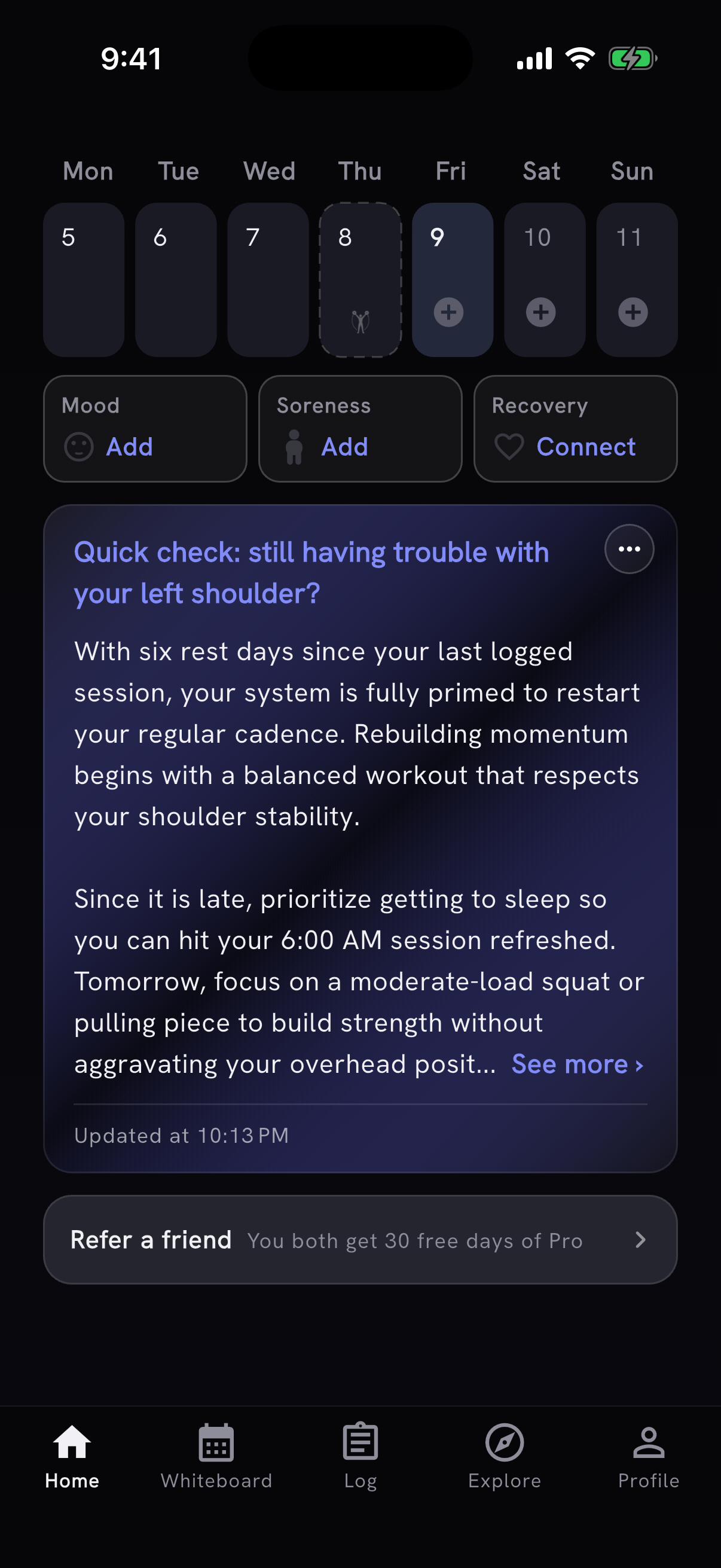
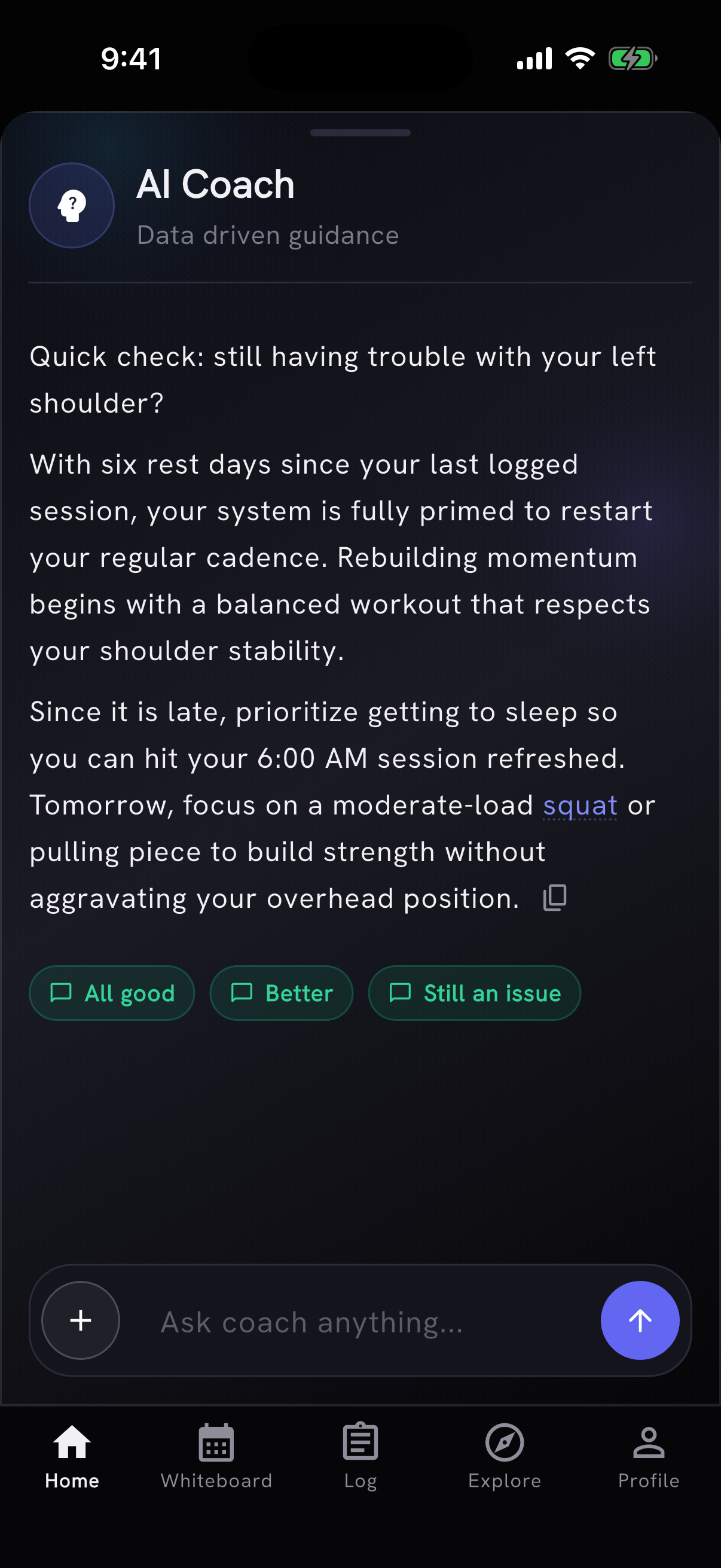
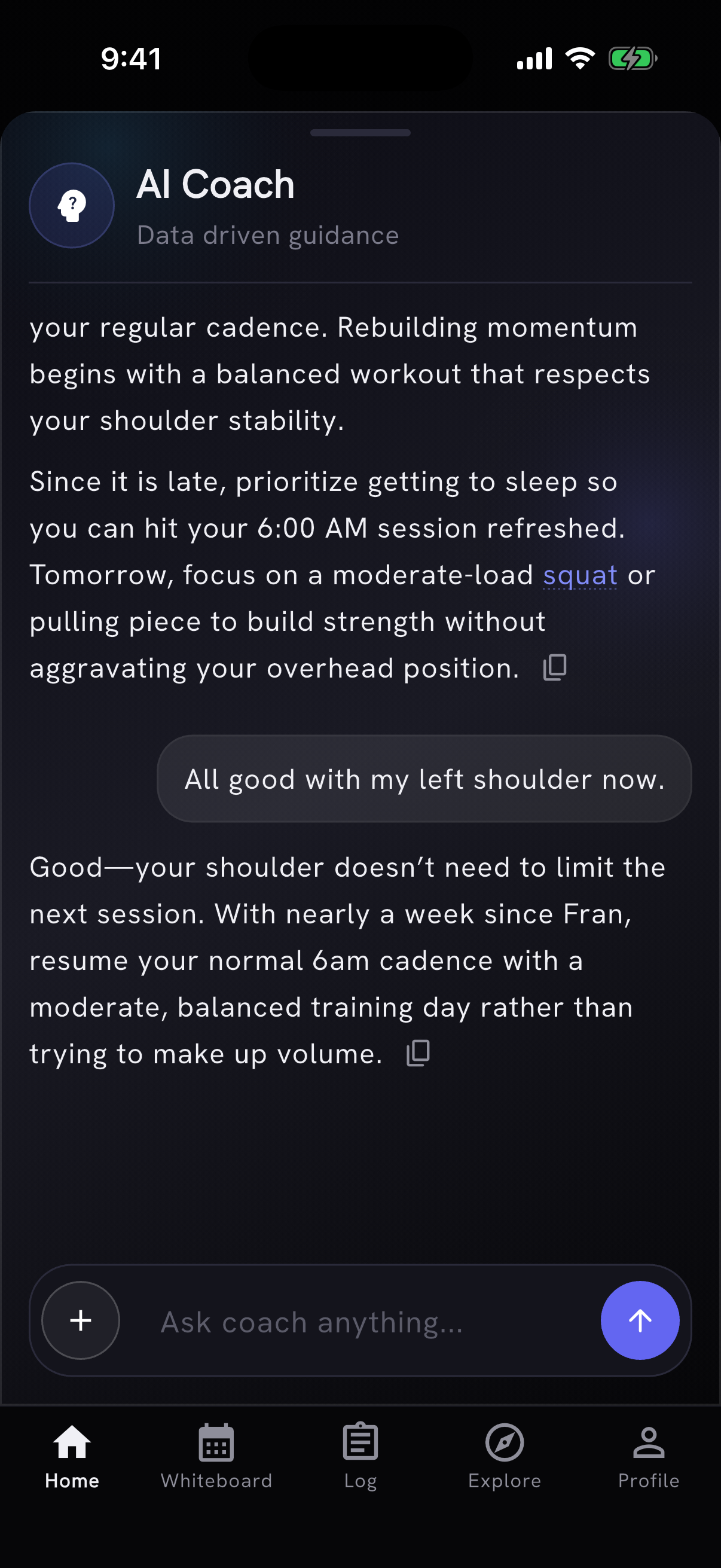
AI Coach now revisits old injury memories so its advice keeps up with your recovery. If an injury on your Remembered by coach list is more than a month old, your Home note may ask whether it is still an issue. Open the coach and answer All good, Better or Still an issue. All good removes that limitation from memory. Better records that you are building back up. Still an issue keeps it. The coach asks at most once a week, and answering does not use a daily AI action.
Personal programs, in limited beta
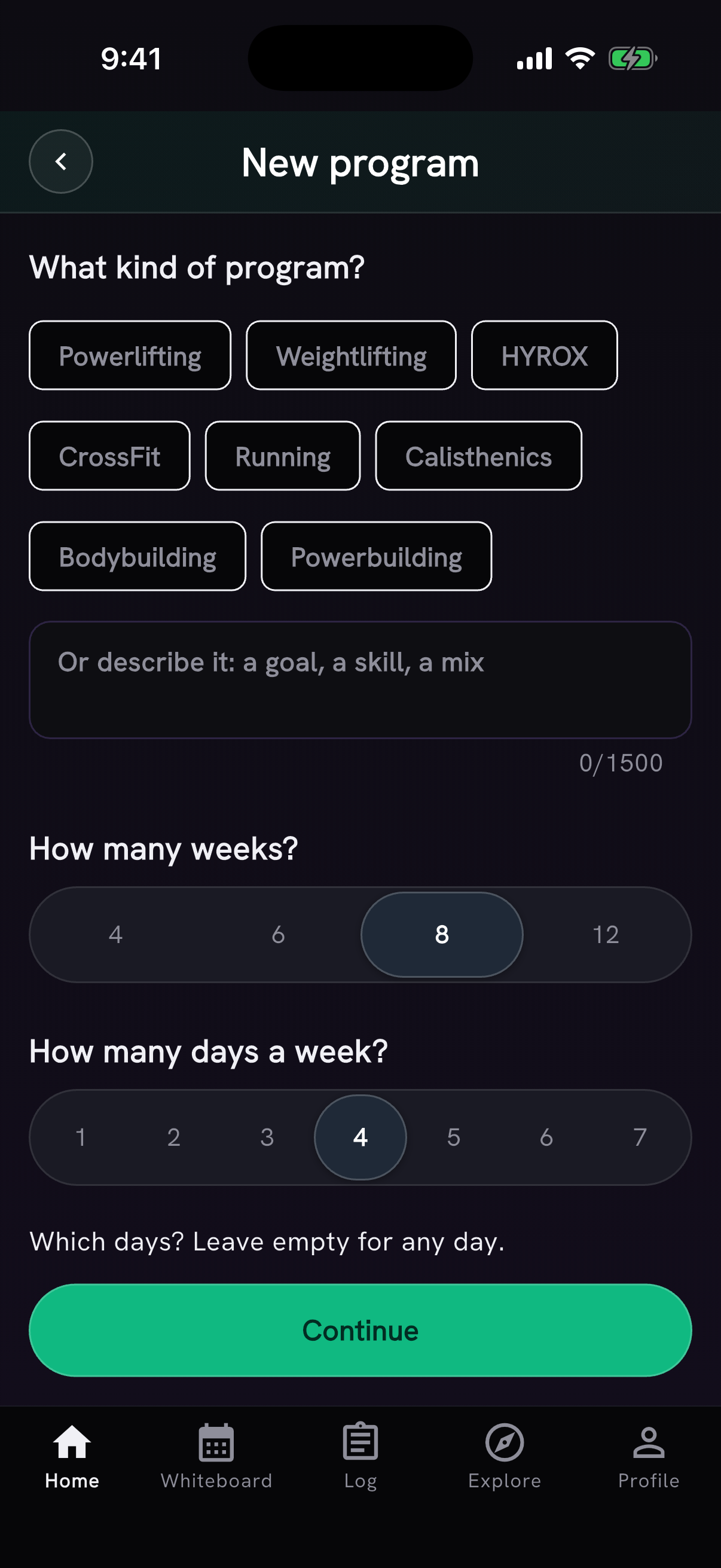
Programs is a Pro feature in limited beta. Start by choosing a type of training, or describe your goal in your own words. Pick four, six, eight or twelve weeks, then choose how many days you want to train and which days work for you. AI Coach can ask optional follow-up questions before it writes the plan.
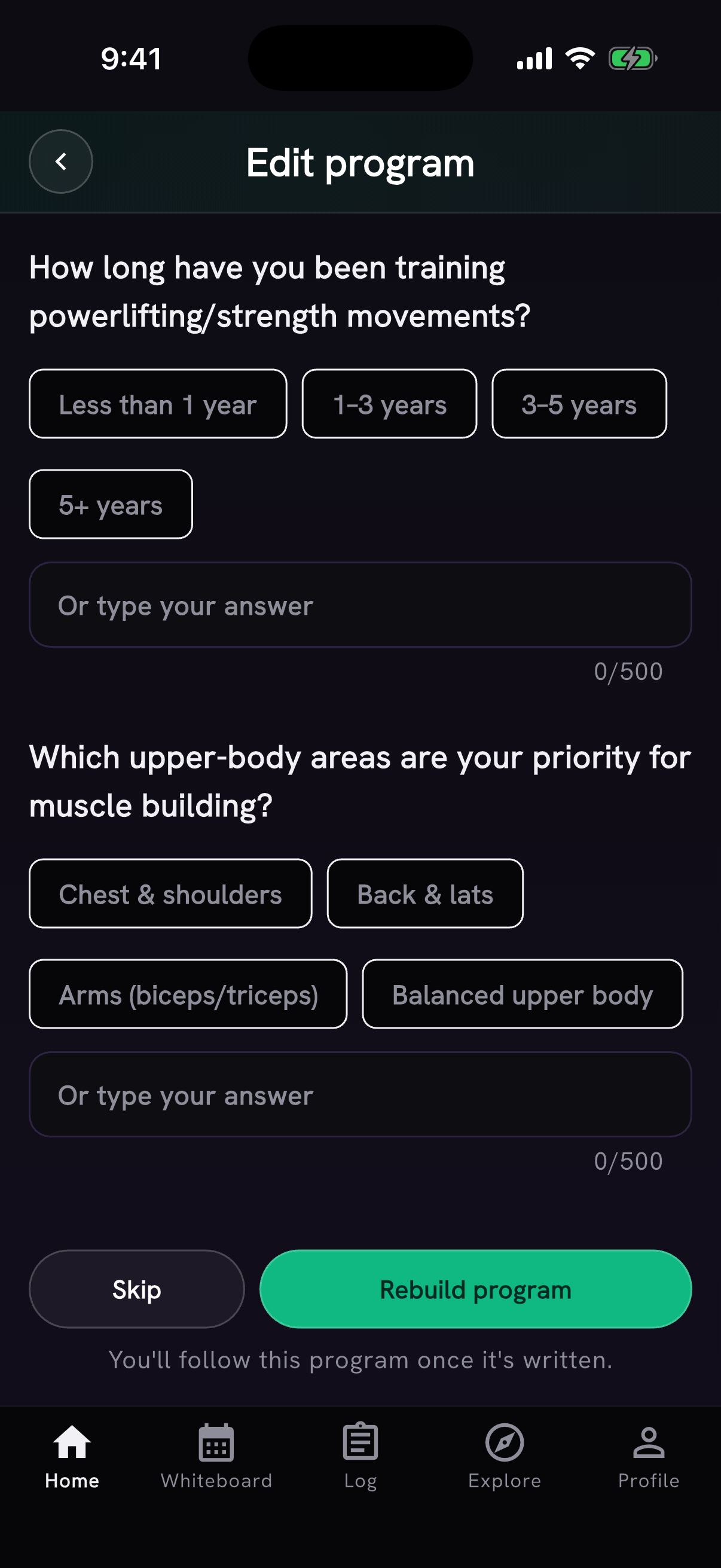
The finished program appears on your Whiteboard as the track you follow. Add a whole day to your log, choose individual parts and a date, or rename, rebuild or delete the program. Workouts already logged stay in the log.
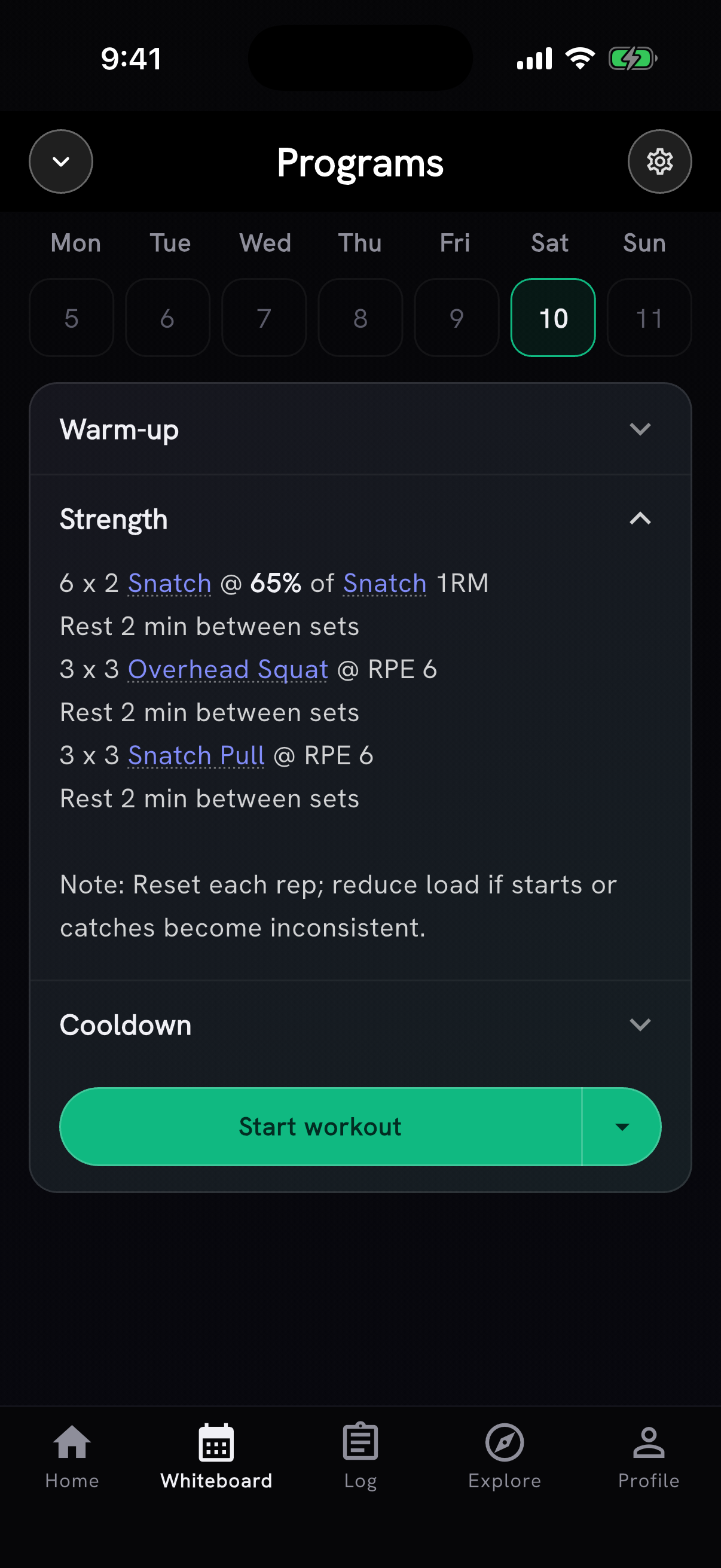
Want to try Programs early? Ask in our Discord.
Calendar sharing with AI Coach, in limited beta
A small group can pick which phone calendars AI Coach may read in Coach settings. Event titles and times give it context for a late dinner, an early class, travel or a packed day. Turning sharing off deletes the stored event list.
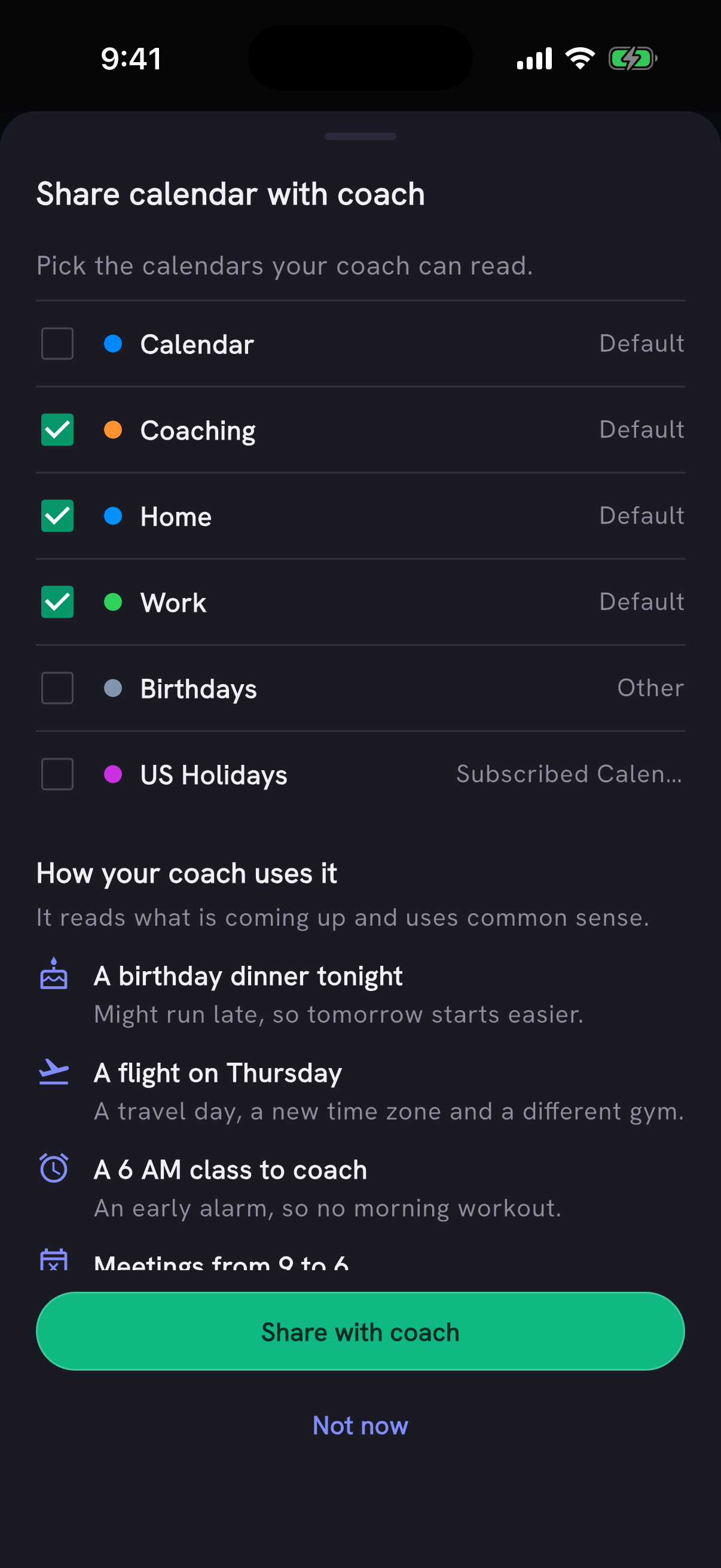
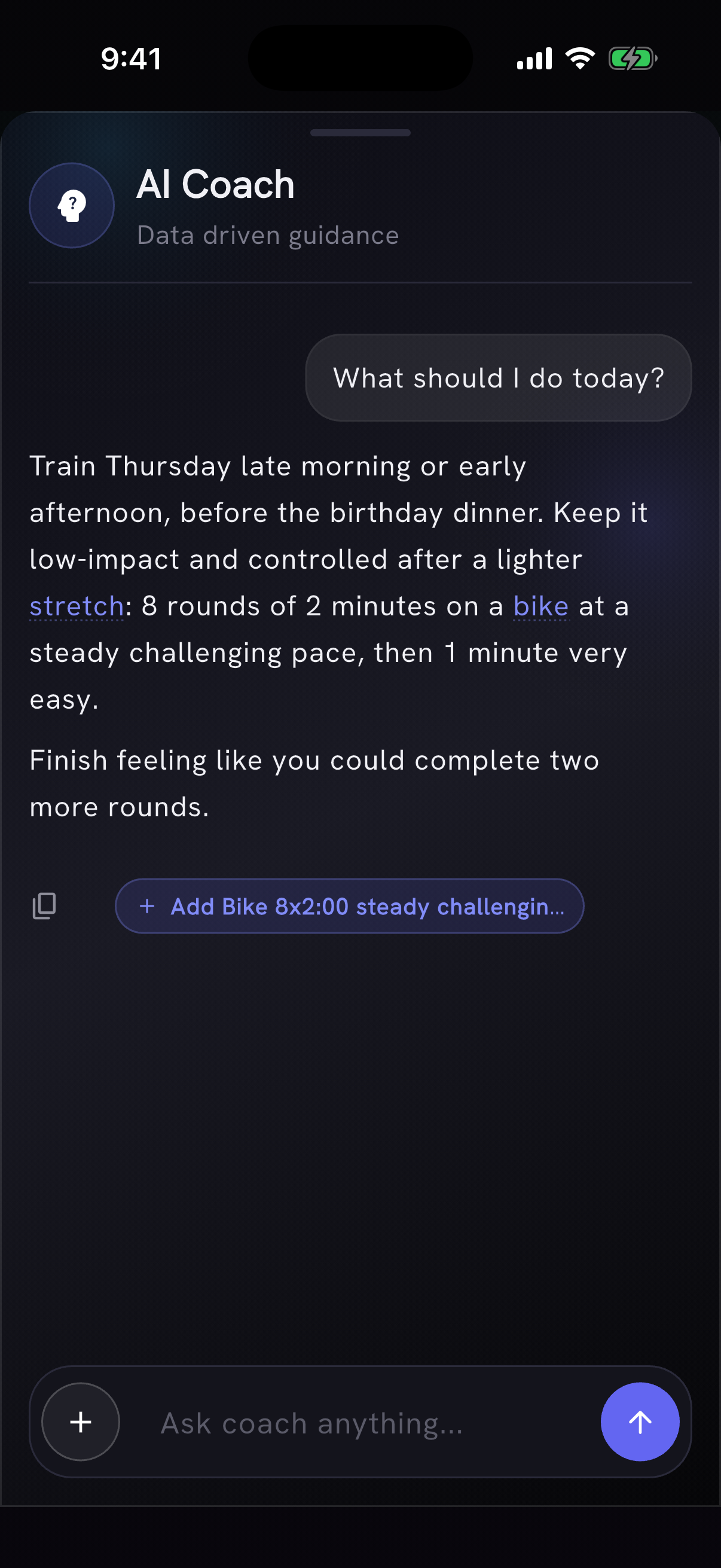
The coach reads only calendars an athlete chooses to share. Want to try calendar sharing early? Ask in our Discord.
Also in this release
- Ask AI Coach about a named workout and it checks PRzilla's catalog for the prescription, scaling and benchmark targets before searching the web. Workout catalog lookups are on for everyone; lookups of your own training data remain in limited beta.
- AI Coach now reads all the facts it remembers about you. New saved facts no longer get cut off, and it saves updates from longer conversations. It stops storing workout results and PRs as memories. Tell it that a limitation is over and it removes that fact. It also uses the right distance when discussing runs logged in miles or kilometres.
- Starting a workout template can add its activities to today, tomorrow or another date without deleting work already there. If the same workout appears twice, each entry keeps its name.
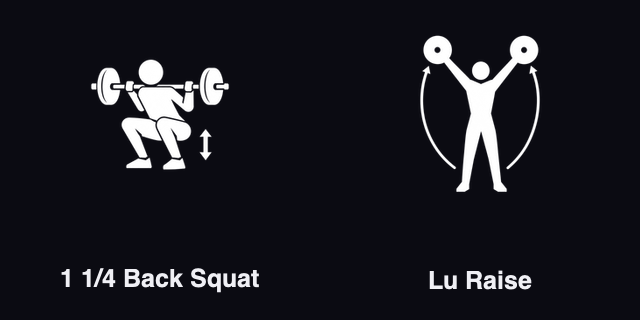
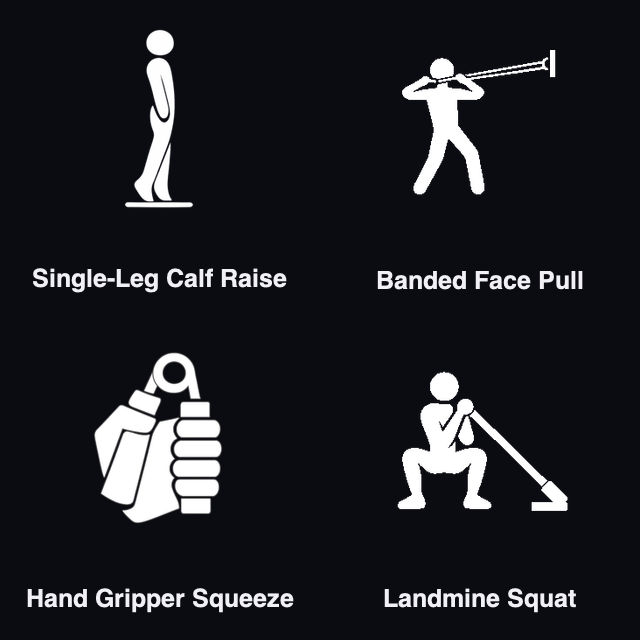
- Lu Raise and 1 1/4 Back Squat are in the movement catalog. Single-Leg Calf Raise, Banded Face Pull, Hand Gripper Squeeze and Landmine Squat have their own movement histories. Kettlebell Armor Complex and Bear Complex histories show their component movements, and several unloaded movements can be logged without a weight.
- Round taps from a WOD timer now appear as Splits in logged notes, including when the timer starts from the workout tracker. Your own notes stay intact. Pick a WOD now says that it sets up a timer for that workout.
- Action toasts disappear after a few seconds. Athlete profiles leave more room for the card, let you enlarge a shared photo, and put Report profile in the card menu. Movement charts correct several distance and AMRAP histories, and ten movement icons read more clearly at small sizes.
Thanks to Julien Duvanel for asking for Share workout and reporting the missing timer splits, Mirko Salaris for spotting cut-off coach memories, António Silva for Lu Raise and the template date choice, and David Best for 1 1/4 Back Squat.