Mobile App v1.34 - Calendar sharing with AI Coach, and each day's check-in on its workout
Calendar sharing with AI Coach, now for everyone
Calendar sharing is out of limited beta. In Settings → Coach settings, turn on Share calendar with coach and pick which calendars on your phone the coach can read. Event titles and times give it context for a late dinner, an early class, travel or a packed day, so it can plan training around them.
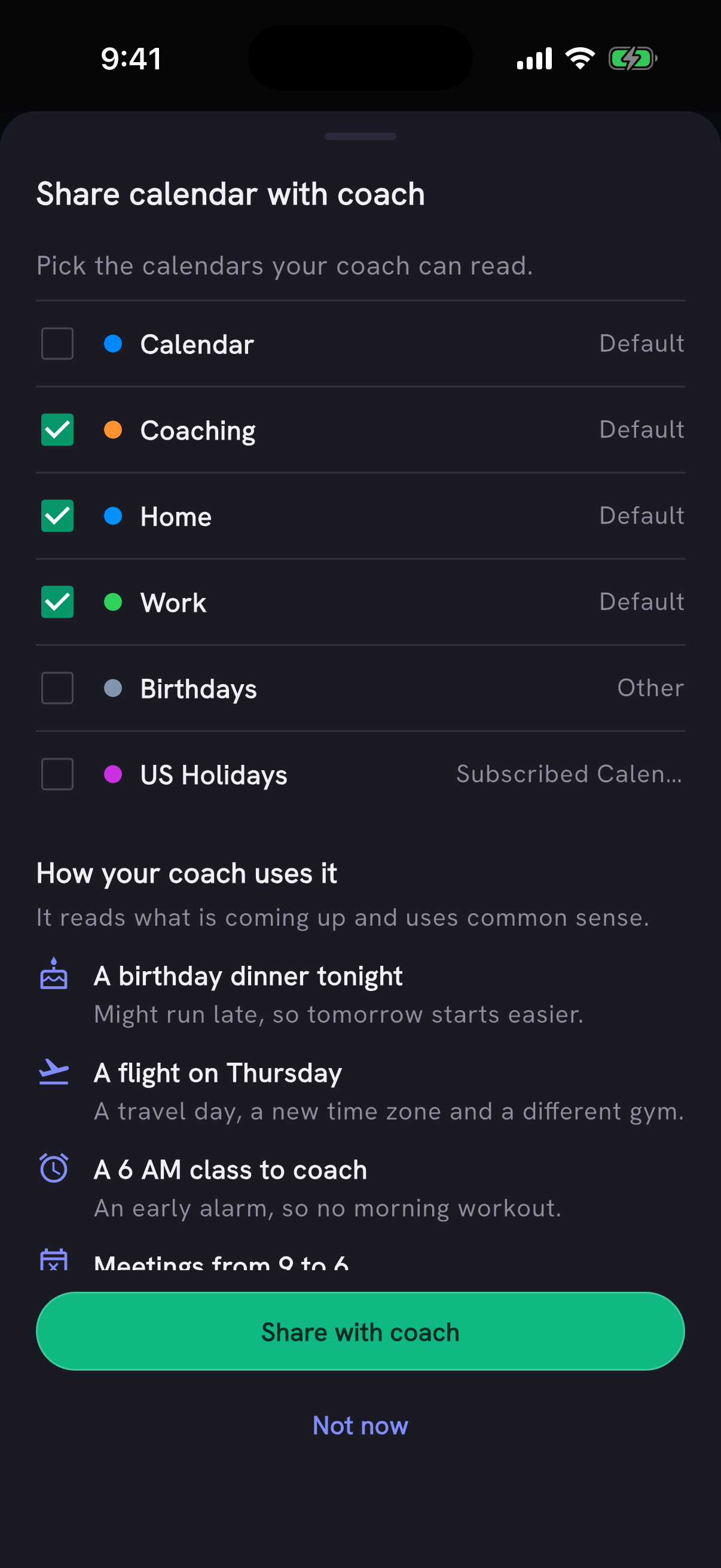
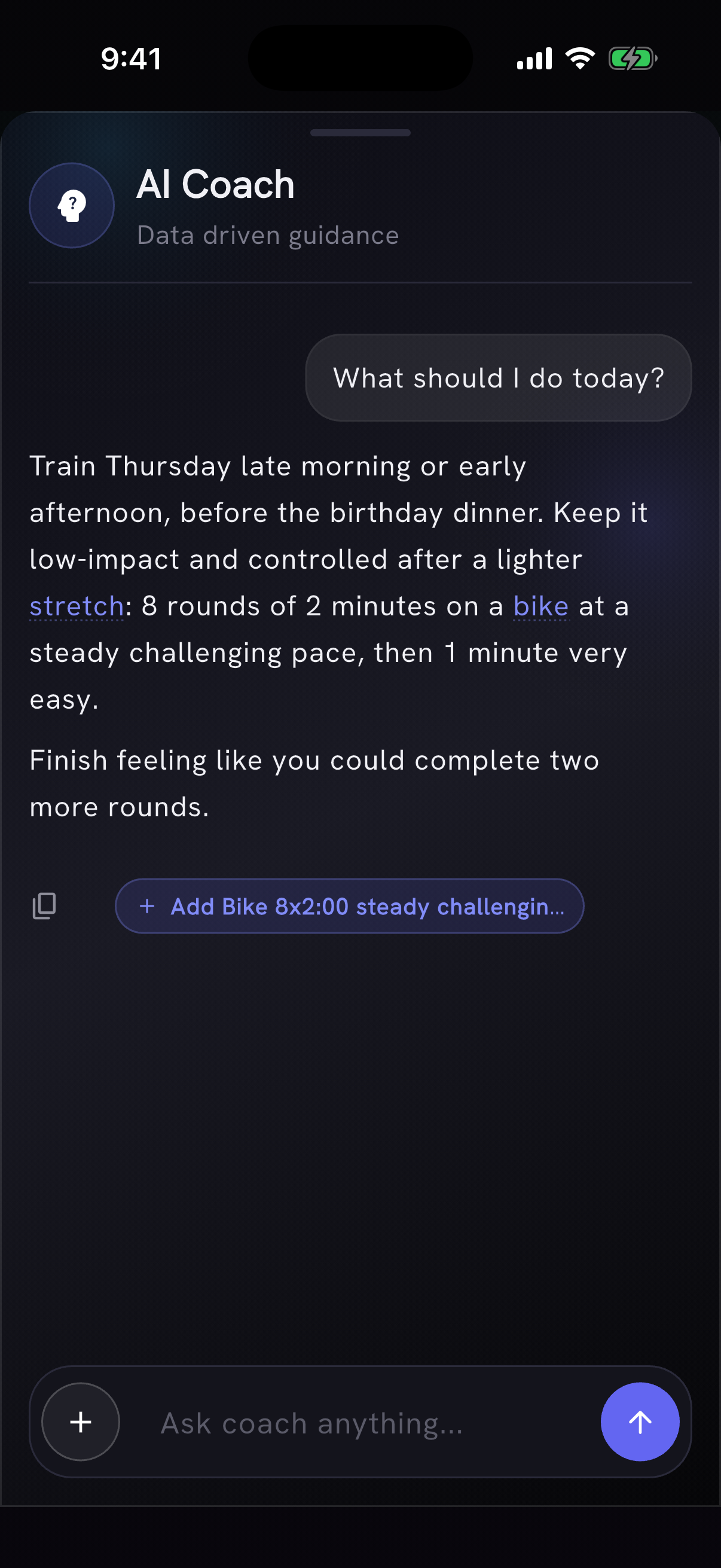
When two of your workouts land on the same day, such as a CrossFit WOD and a run on your calendar, or a run on the day of a workout you planned in PRzilla, AI Coach gives advice for each and asks which you're doing.
Only coach chat reads your events; the daily briefing doesn't. Turning sharing off deletes the stored event list. The coach can read the calendars set up on your phone, so on iPhone a Google calendar shows up once its Google account is added to the phone.
See how each day went
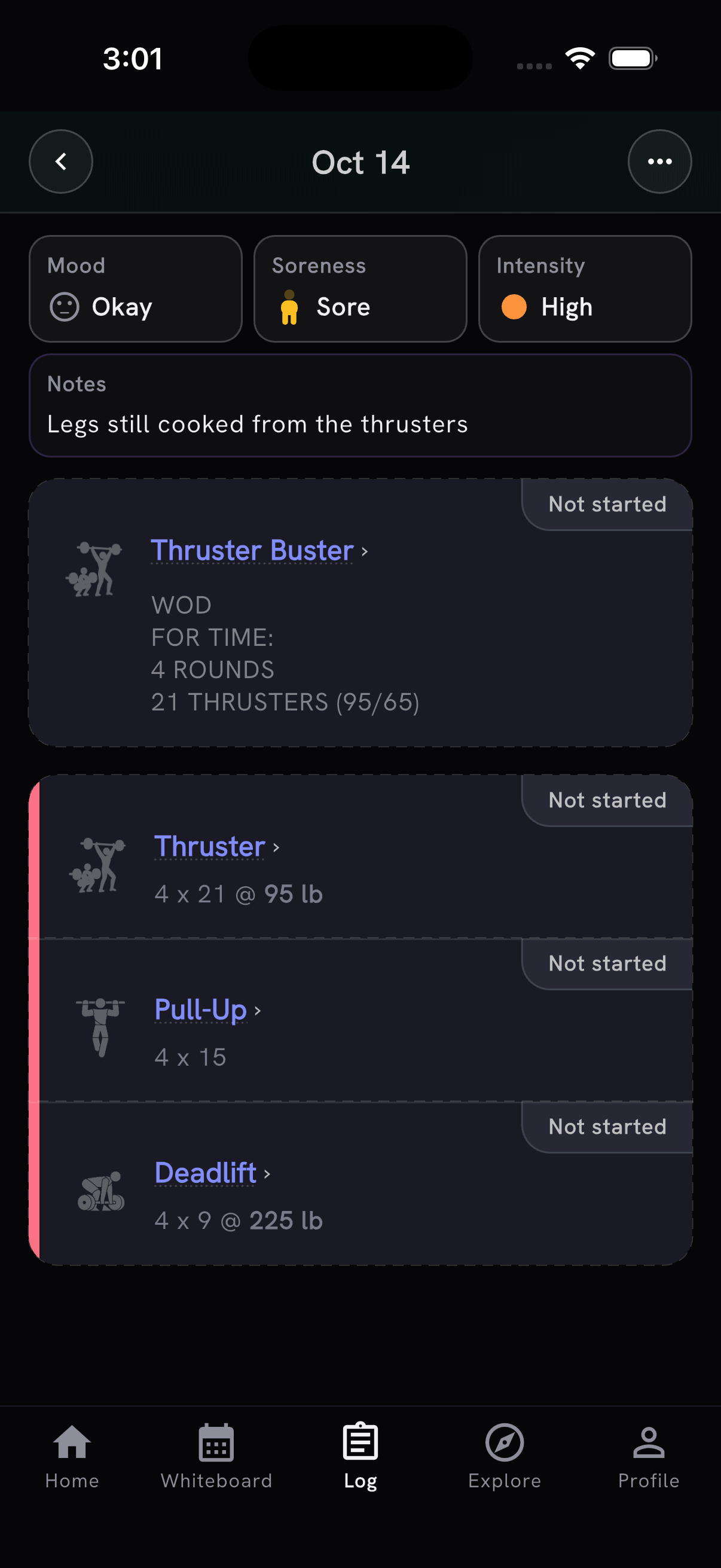
A day's workout screen now opens with how the day went: Mood, Soreness and Intensity chips, like on Home, and the day's note under them if it has one. Tap Mood or Soreness to check in for that day, Intensity to see what set it when a reason is available, or the note to edit it in place. A note written in the check-in sheet shows there when the workout has no note of its own.
Programs, in limited beta
Programs is a Pro feature in limited beta, and it now keeps every program your coach writes. Explore, then Programs, lists them with the one you follow first. Follow, rename, rebuild or delete each from its menu, and tap + to start another.
A new program takes four steps with a way back between them: what, when, your coach's questions and the write. Coach suggests a schedule from your goal and how often you train now, explains the suggestion, and shows the first and last workout dates. It uses your logged training and saved answers, asks about what's missing, and lets you change a saved answer or add a note before building.
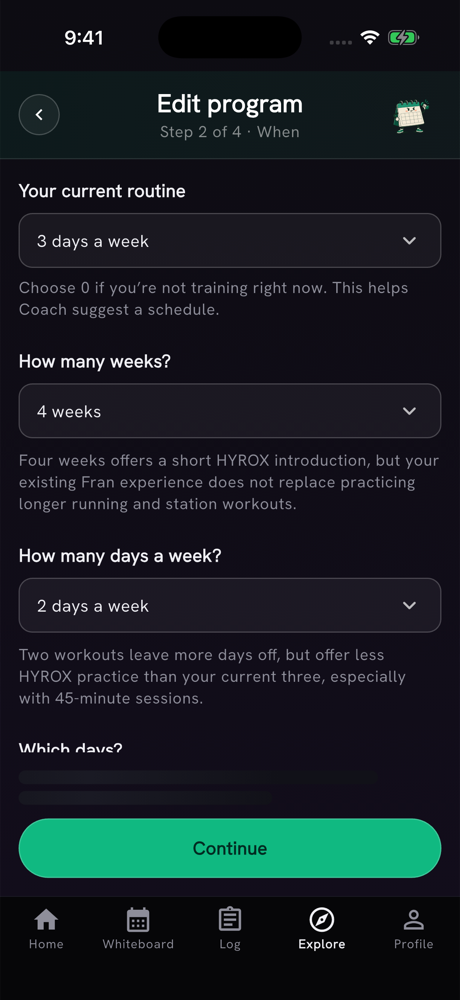
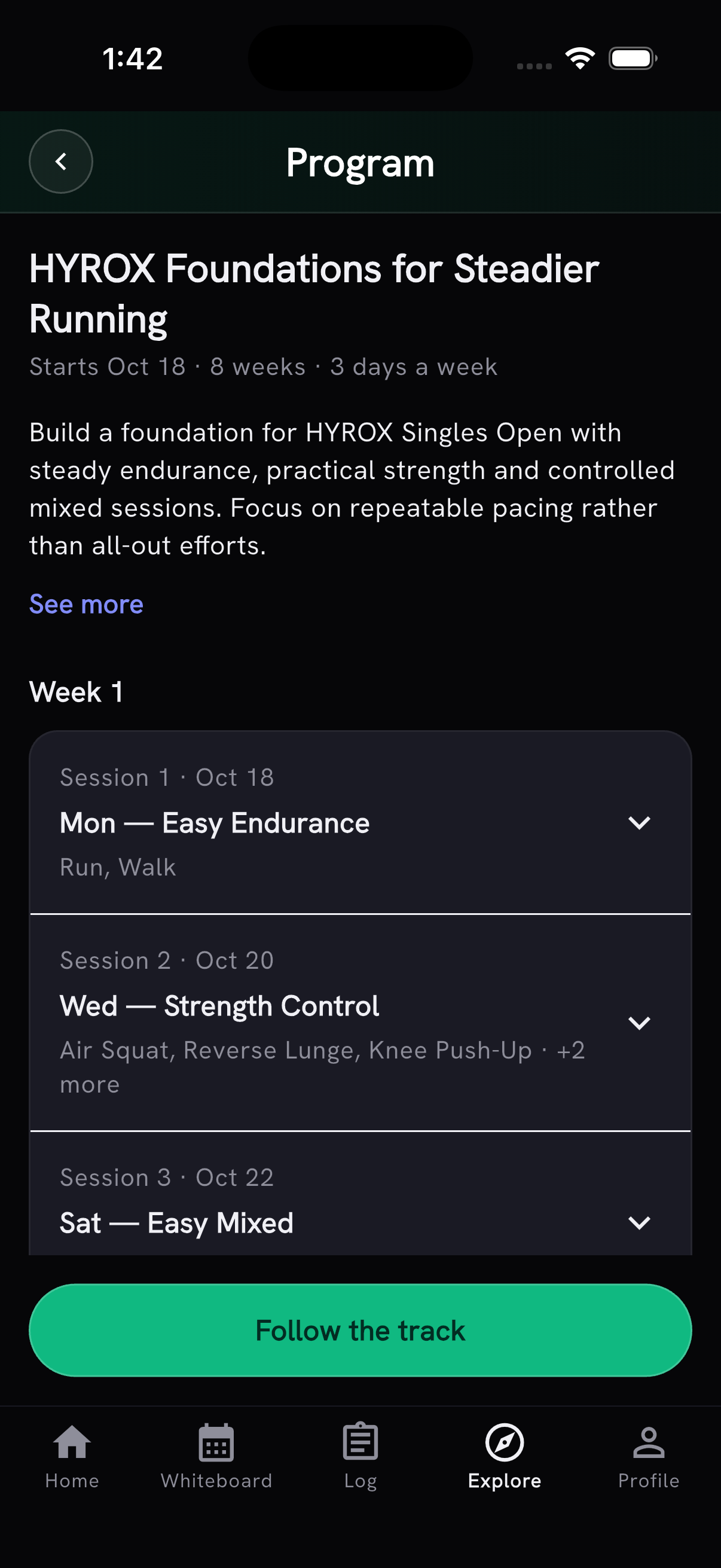
Each new program comes with a short overview, more detail under See more, and icons for its movements. Open it to browse the workouts, and choose Follow the track when you want it on your Whiteboard. Writing saves each finished week, so an interrupted program picks up where it stopped, and turning on Programs notifications tells you when it's ready. Your coach writes at most five programs a day per account.
Today's briefing when you ask, in limited beta
A small group can now choose when to get the daily AI Coach briefing. The coach card on Home greets you with context from recent conversations and training, and today's analysis waits until you tap Get today's briefing. Log or review yesterday's session first if you have anything to add; mood and soreness stay optional.
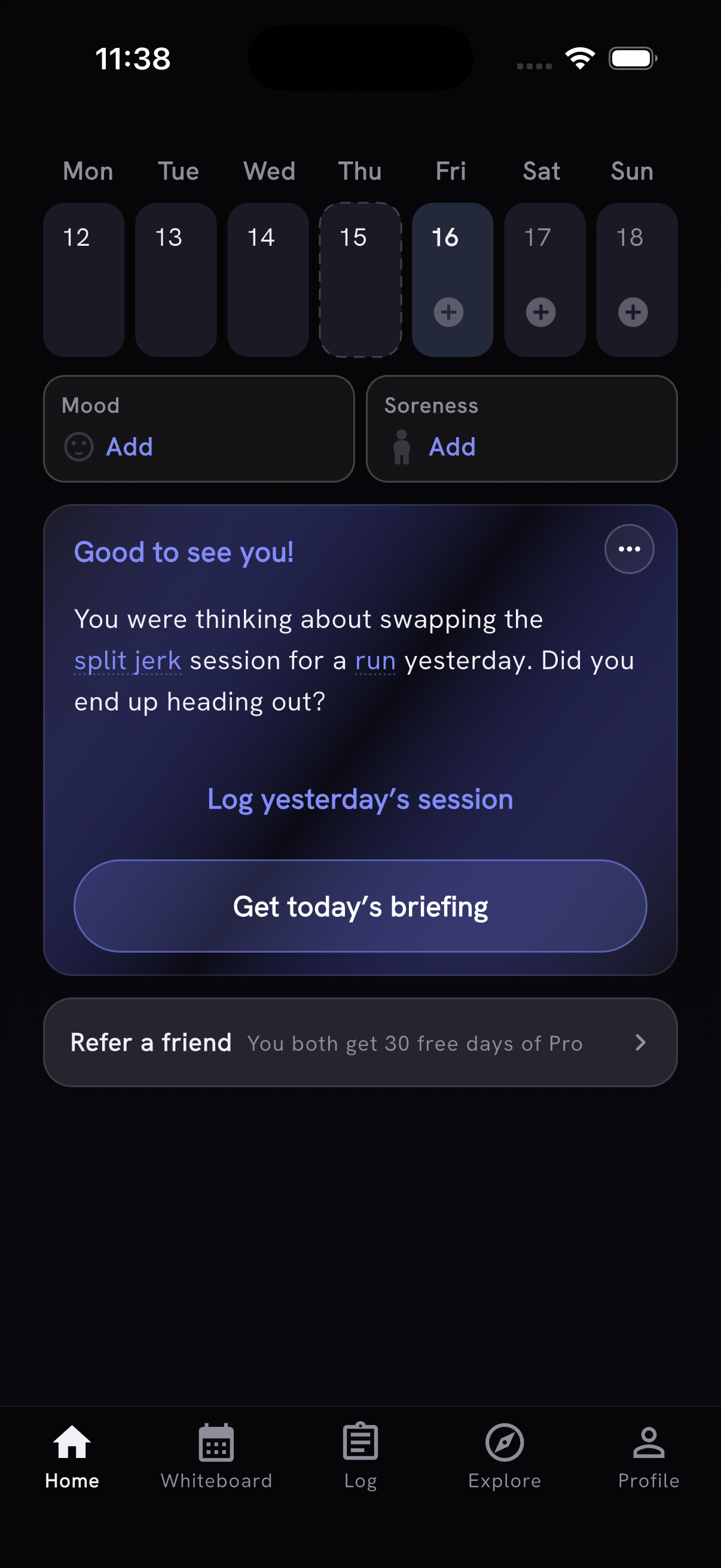
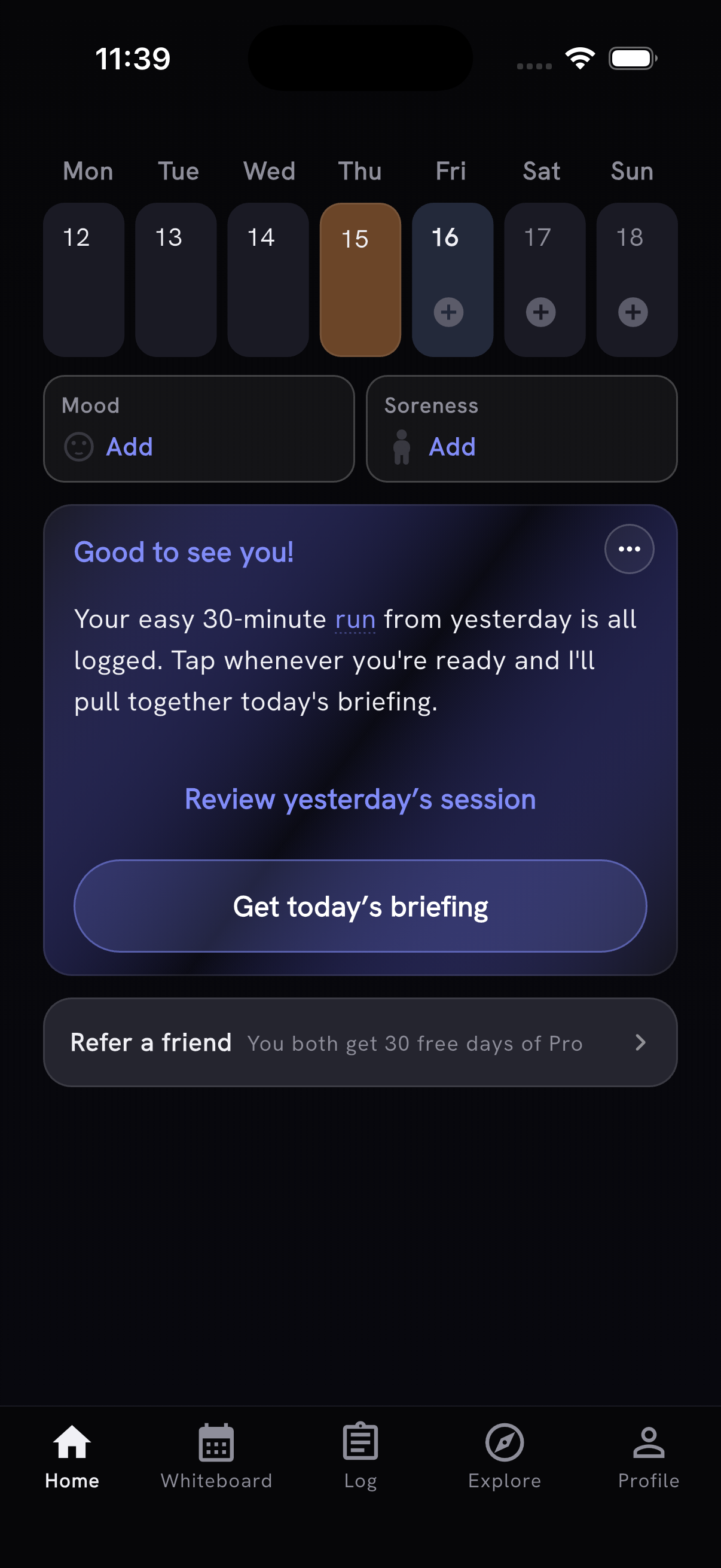
Want to try Programs or the on-demand briefing early? Ask in our Discord.
Also in this release
- Planche can be logged by hold time, with Advanced Tuck and Single-Leg Planche holds as separate movements. Straddle Planche searches under Planche.

- First-time tips dim the rest of the screen so they stand out, and you can still tap what a tip points at. When a screen has more than one tip ready, they come one at a time, numbered "1 of 2" with Next. Tapping outside closes them, and any tip you haven't seen comes back on your next visit.
- Heart-rate charts use colours suited to light and dark mode, with clearer green intervals and fine separators between zones. Legends and zone bars use matching colours.
- An edited WOD shared with a friend keeps its original WOD identity when that WOD has not changed. The share preview shows the written prescription alongside session edits, including prescribed weights. Edited plans start as Scaled, and saved templates preview the edited plan they will start. New imports no longer add "(shared workout)" to the WOD name.
- AI Coach's injury check-in puts its question right above the three answers, after the day's note.
- Tap a Pro benefit to see an example of what it does, including six things Quick Add can log. Workout Tracker Quick Add is part of Pro; Add Movement and Add WOD stay free.
Thanks to António Silva for asking for Planche holds, Julien Duvanel for spotting the shared WOD that lost its identity, and Mirko Salaris for nudging us toward an on-demand briefing.