Mobile App v1.36 - Try beta features from Settings
Settings has a new Beta features page. It lists the features we're still testing, each with its own switch. Turn one on to try it before everyone gets it, or off if you'd rather wait. Your choice stays until the feature leaves beta.
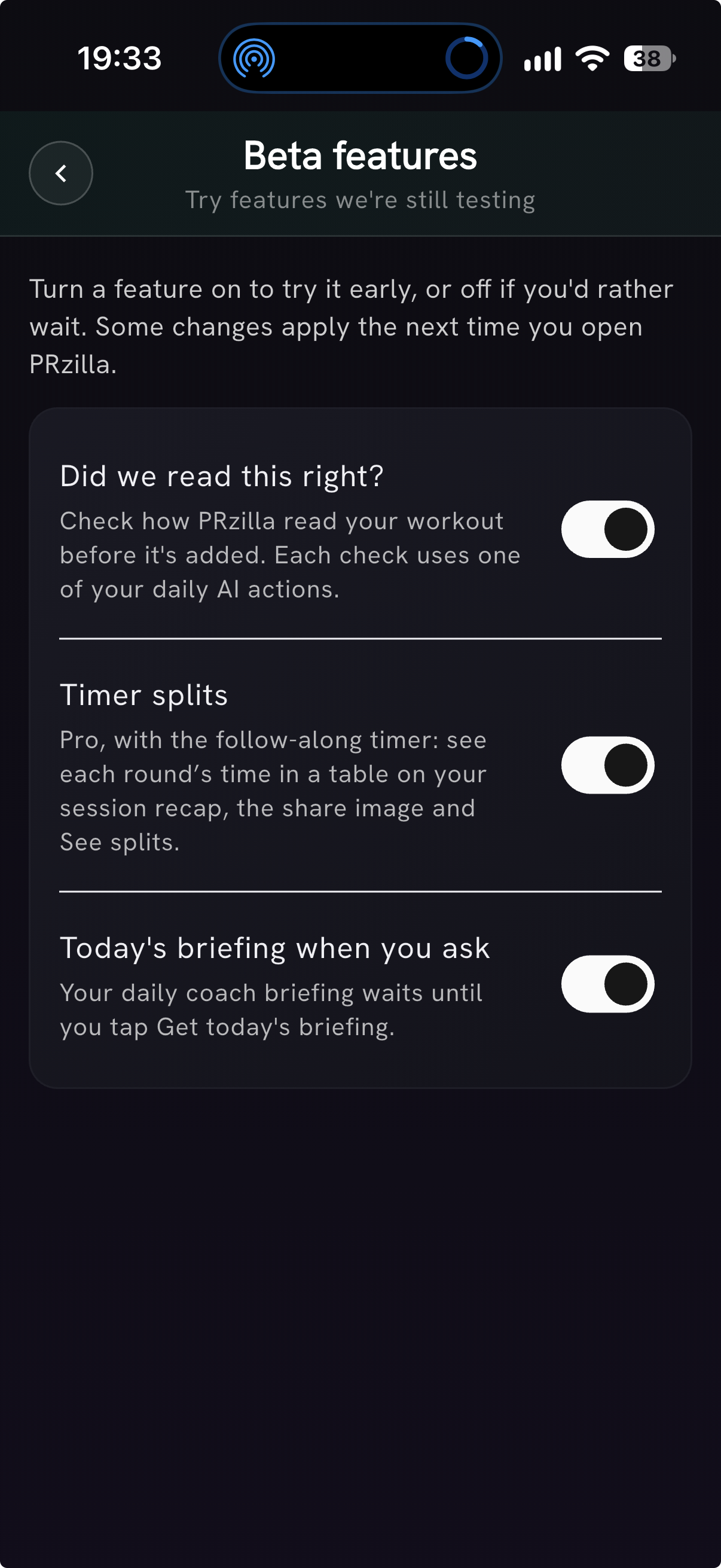
Three features are there today:
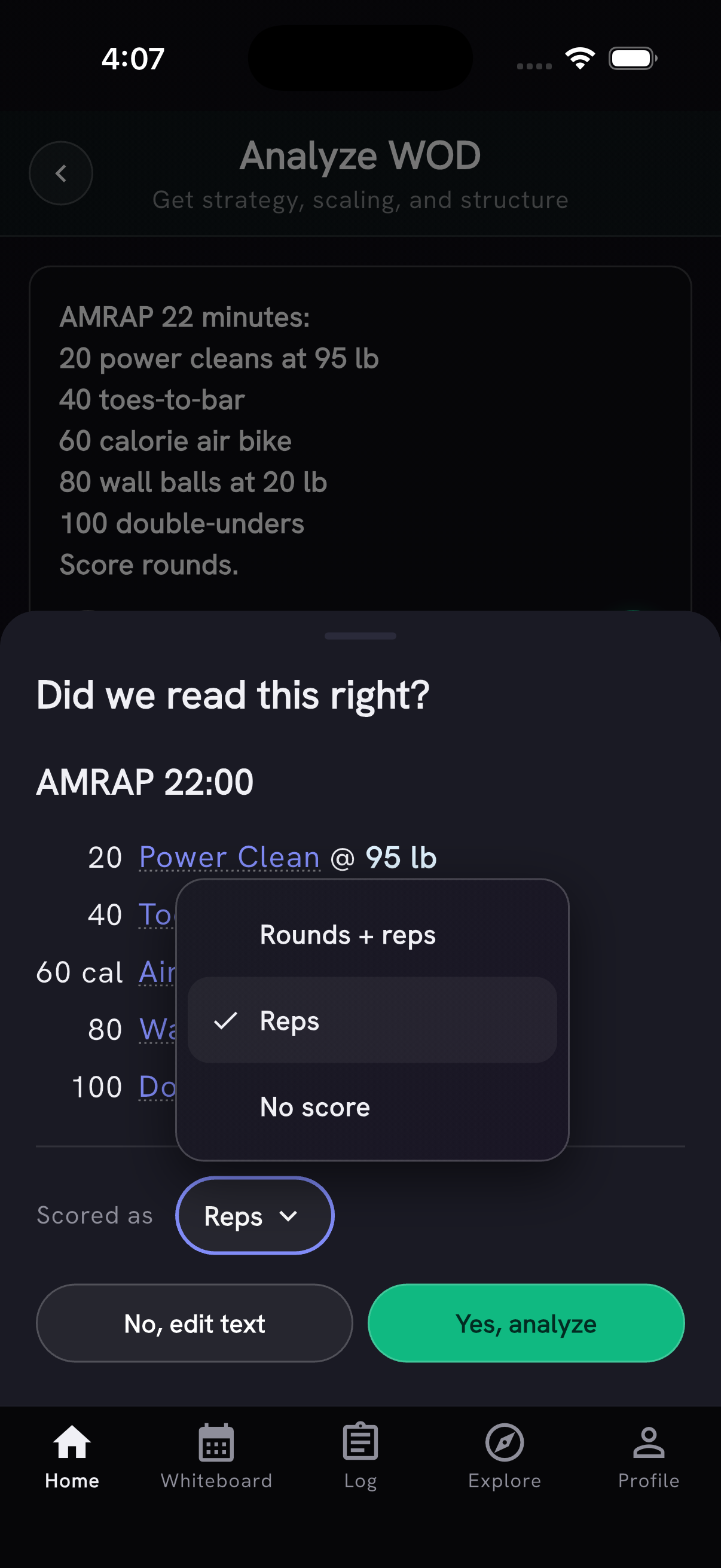
- Did we read this right? Before a typed workout is added, PRzilla shows how it read it, so you can catch a wrong movement, round or rep count. The check now also covers Paste / Snap, the timer and new custom WODs from Quick Add, and asks you to pick a supported score type before you continue. Each check uses one of your daily AI actions.
- Today's briefing when you ask. Your daily coach briefing waits until you tap Get today's briefing, so you can log or review yesterday's session first.
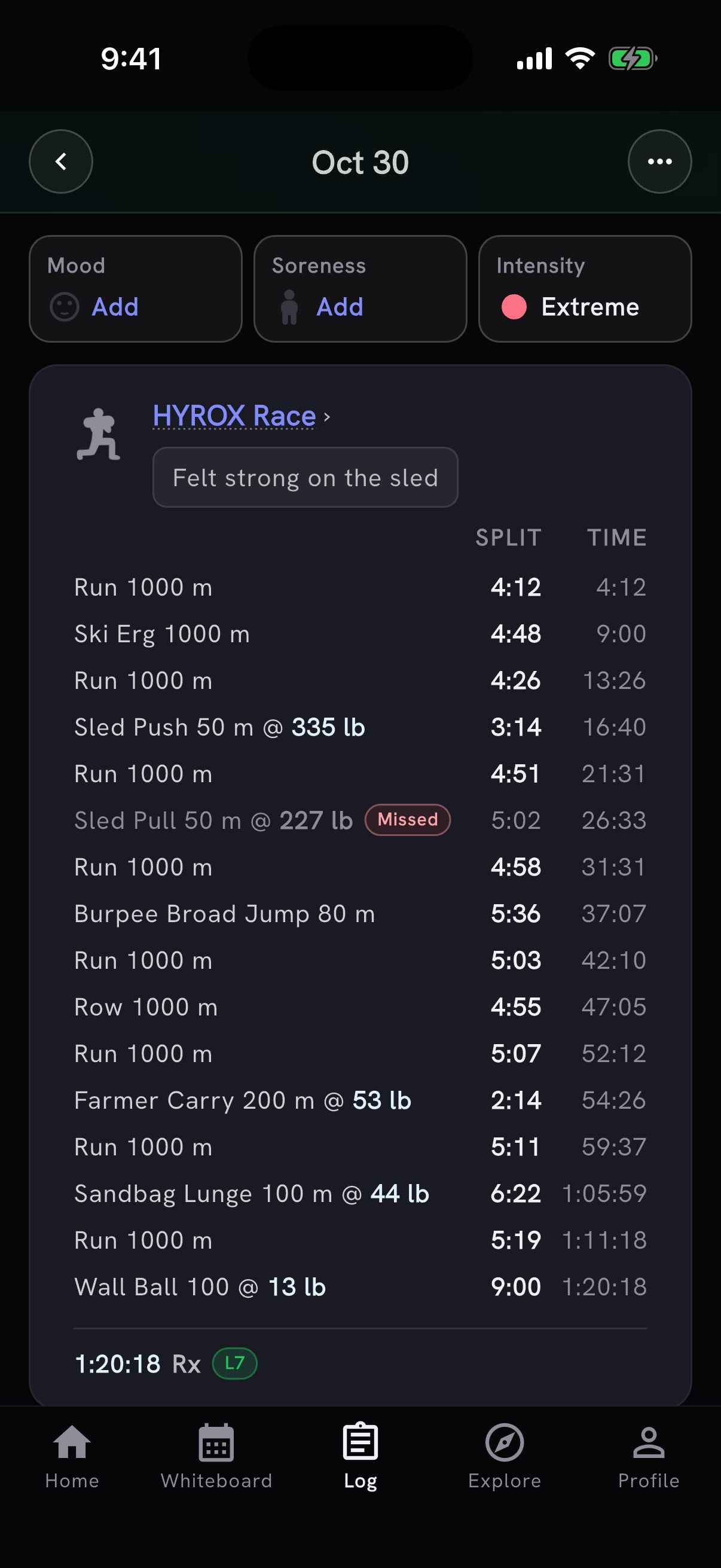
- Timer splits. For Pro members using the follow-along timer: a table of each round's or station's own time next to the running clock, on the session recap and the shared image, and under See splits in the workout tracker. Your splits still go into the WOD's notes as well.
Tell us how they work for you from Settings → Feedback & Community → Send Feedback, or join us on Discord.
Your fitness, together on Profile
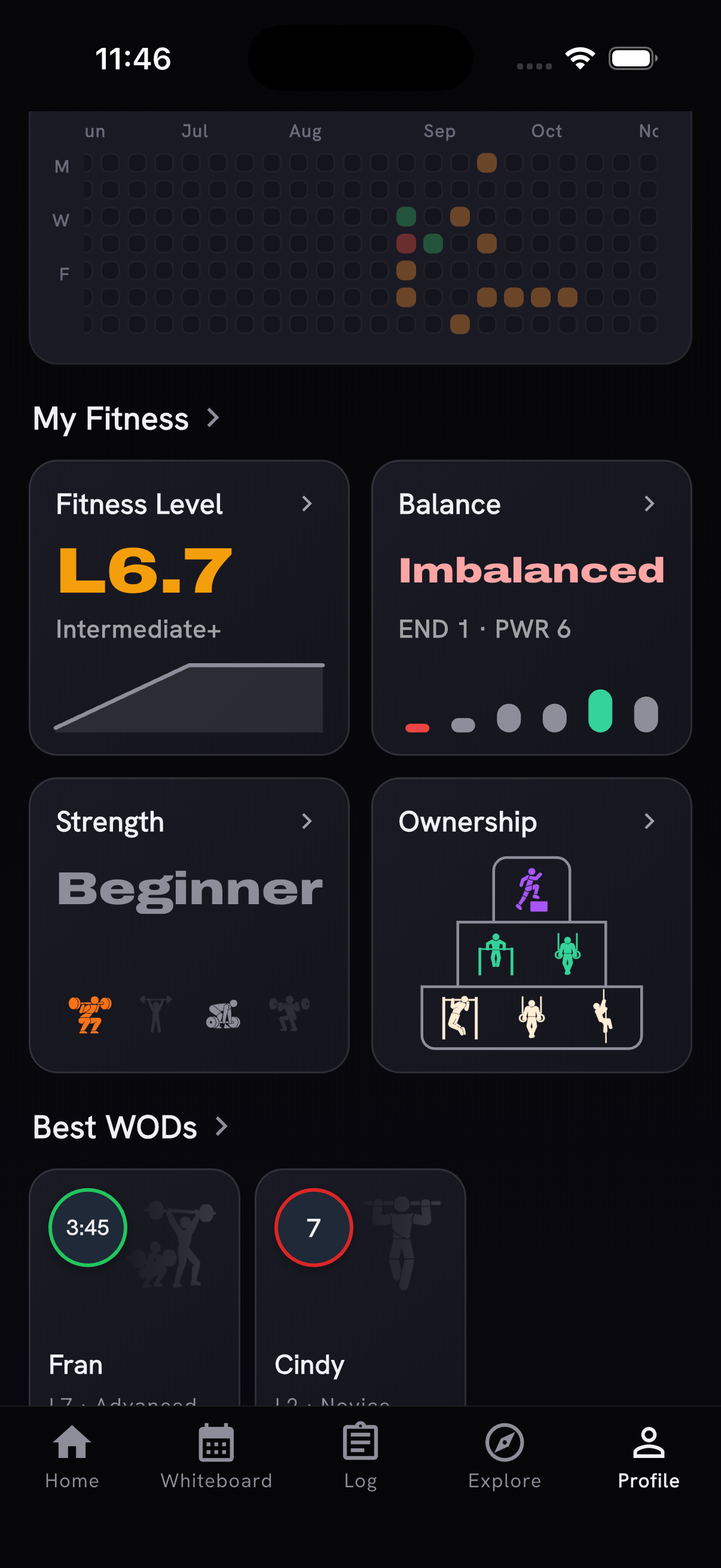
Profile now shows Fitness Level, Balance, Strength and Ownership together, as matching cards. The Ownership pyramid shows the movements you've earned at each level; when a tier has more movements than fit, its icons cycle through them once. Tap a card for the details.
Ownership level-ups you earn by finishing a recent workout are also saved in your notification inbox. Tap one to go back to that movement's progress.
Start a WOD from its card
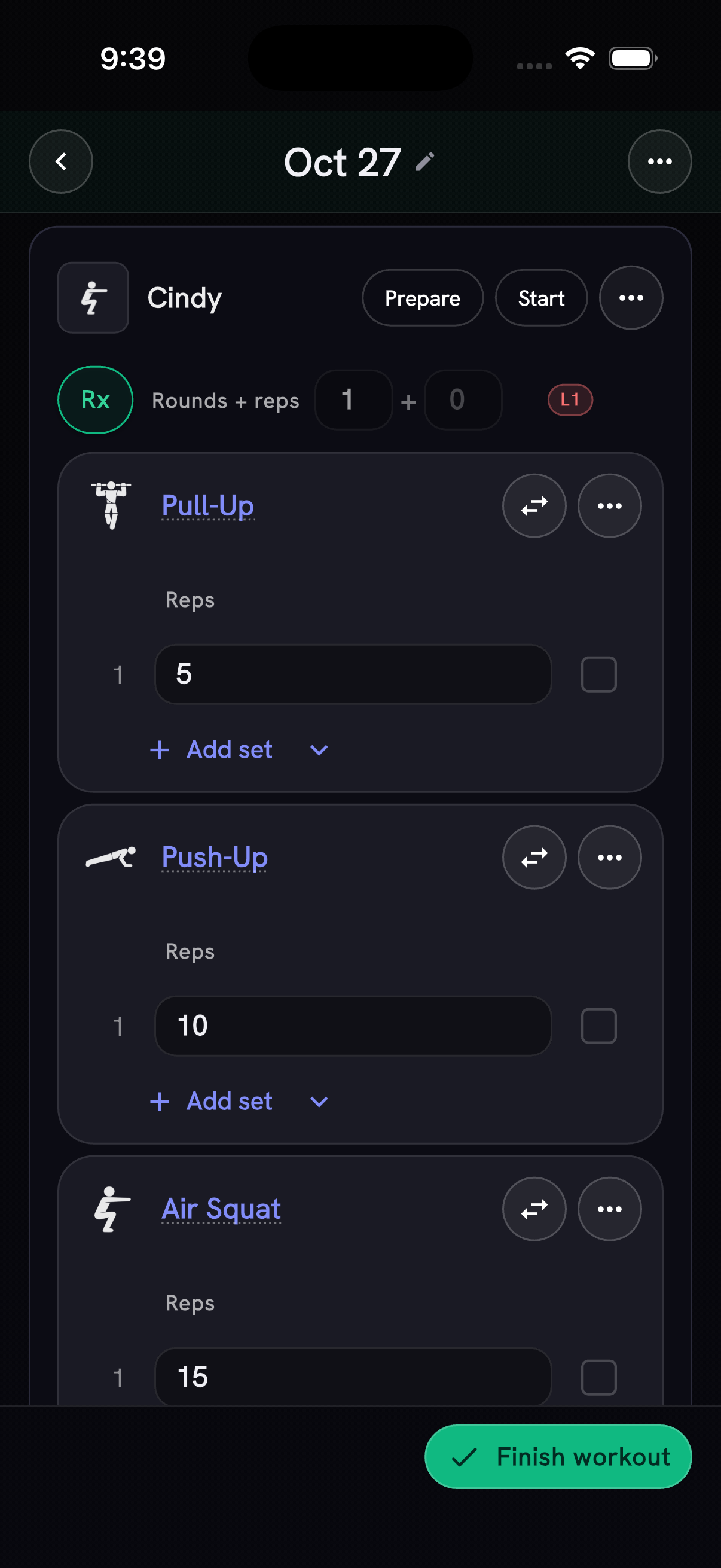
Today's unscored For Time, AMRAP and interval WOD cards show Start beside Prepare. When a For Time clock finishes, the elapsed time is filled in for you; after an AMRAP or interval clock, enter your result yourself. If you finish the workout while a timer is still running, PRzilla asks before stopping it.
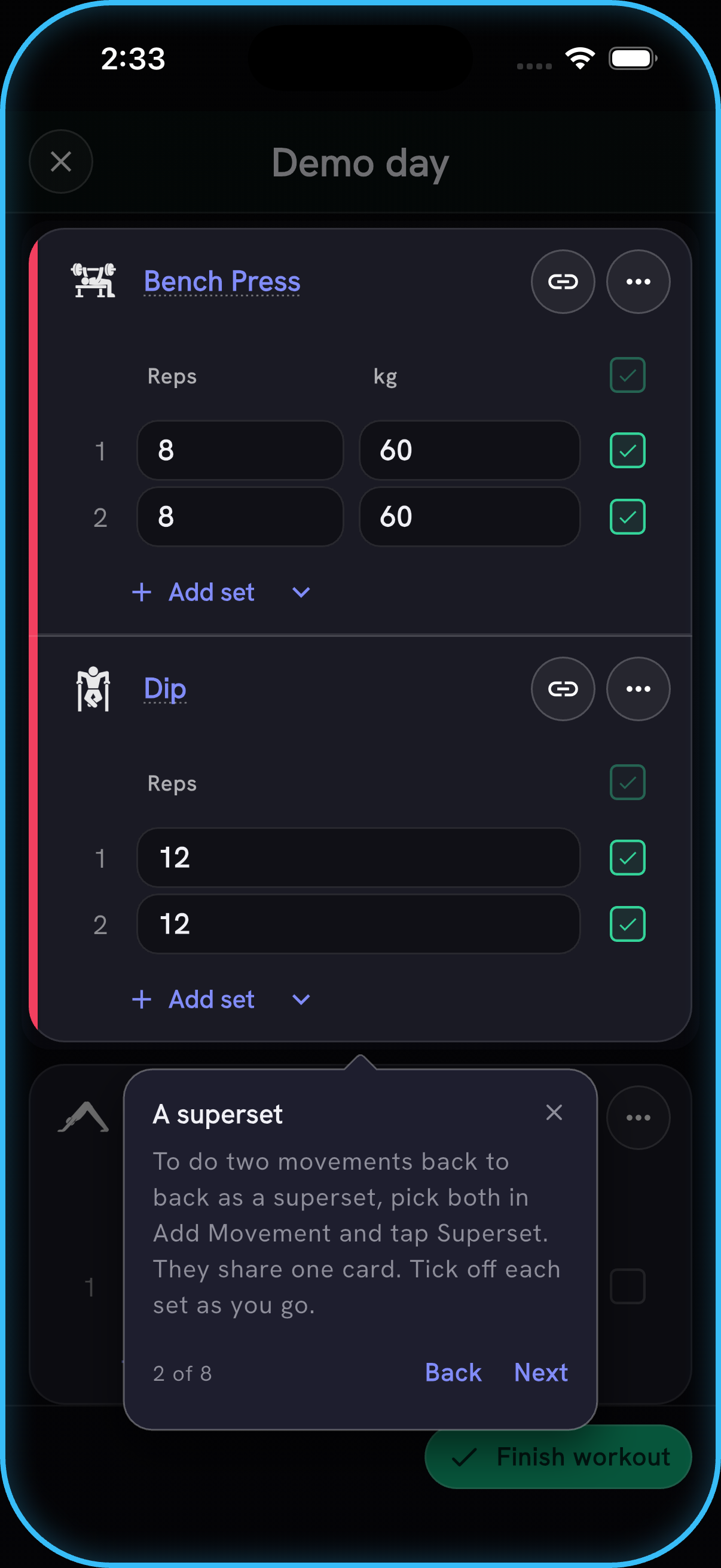
A short tour of the workout tracker walks through a demo day: Bench Press and Dip as a superset, Yoga Session as an activity and Fran as a WOD. It shows where a WOD's result, Prepare and Start live, how Add custom WOD turns your own workout into a WOD, and how Quick Add, part of Pro, splits a typed session into all of these. Open it any time from the tracker's three-dot menu → Tracker tour. Newer athletes also see a New to the tracker? banner that opens it.
Capped WODs count as finished
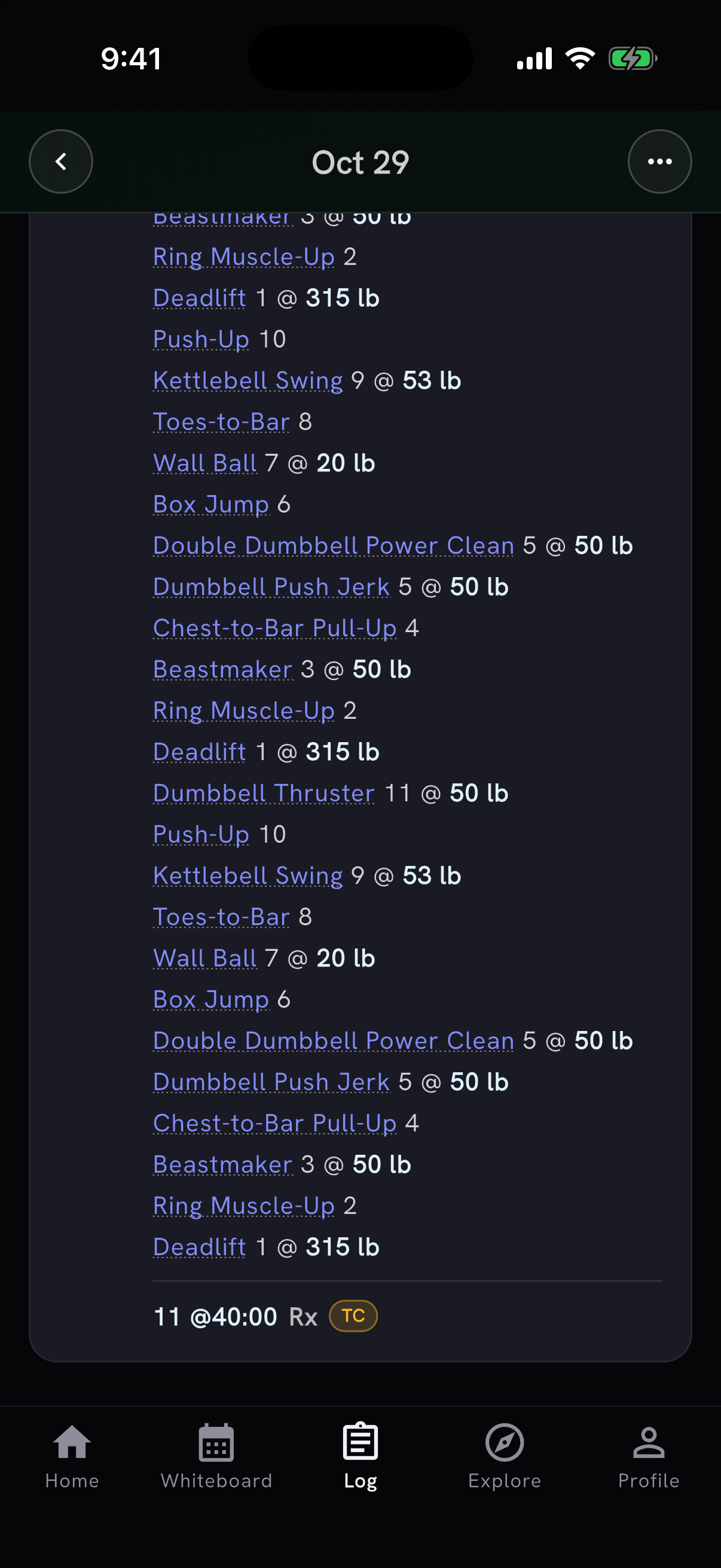
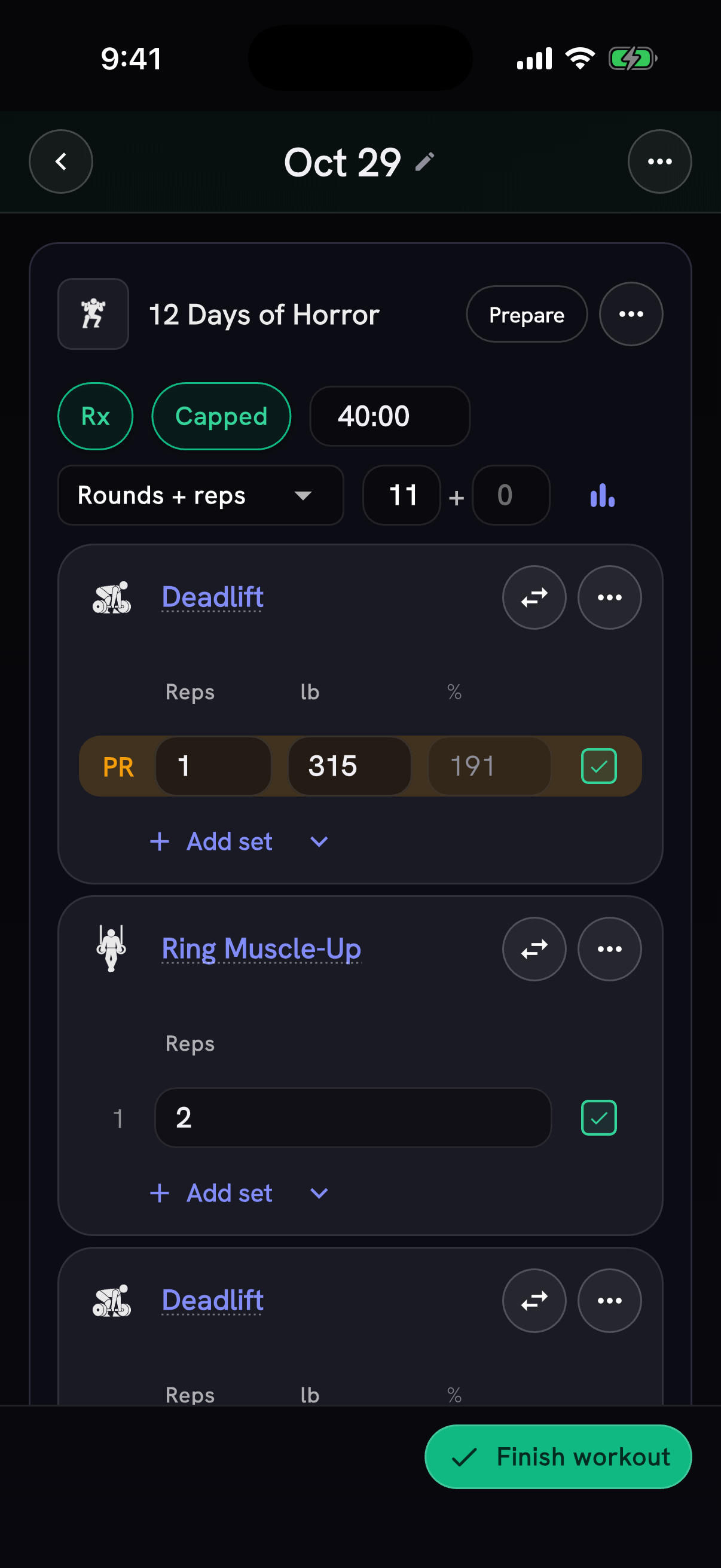
A WOD you stop at its time cap now counts as finished. The session recap drops its "Not started" or set-count label (such as "73/86 sets"), the Log tab stops showing the day as unfinished, and the card leaves out the movements the cap cut off. A capped result shows TC beside its score, and movement names on the recap's WOD card open the movement.
In the tracker, a benchmark icon takes the place of a level the result doesn't earn. On an Rx result, tap it to see the workout's benchmark curve. When the levels are finish times, a note says why a capped result isn't on the curve.
Workouts and activity from your health app
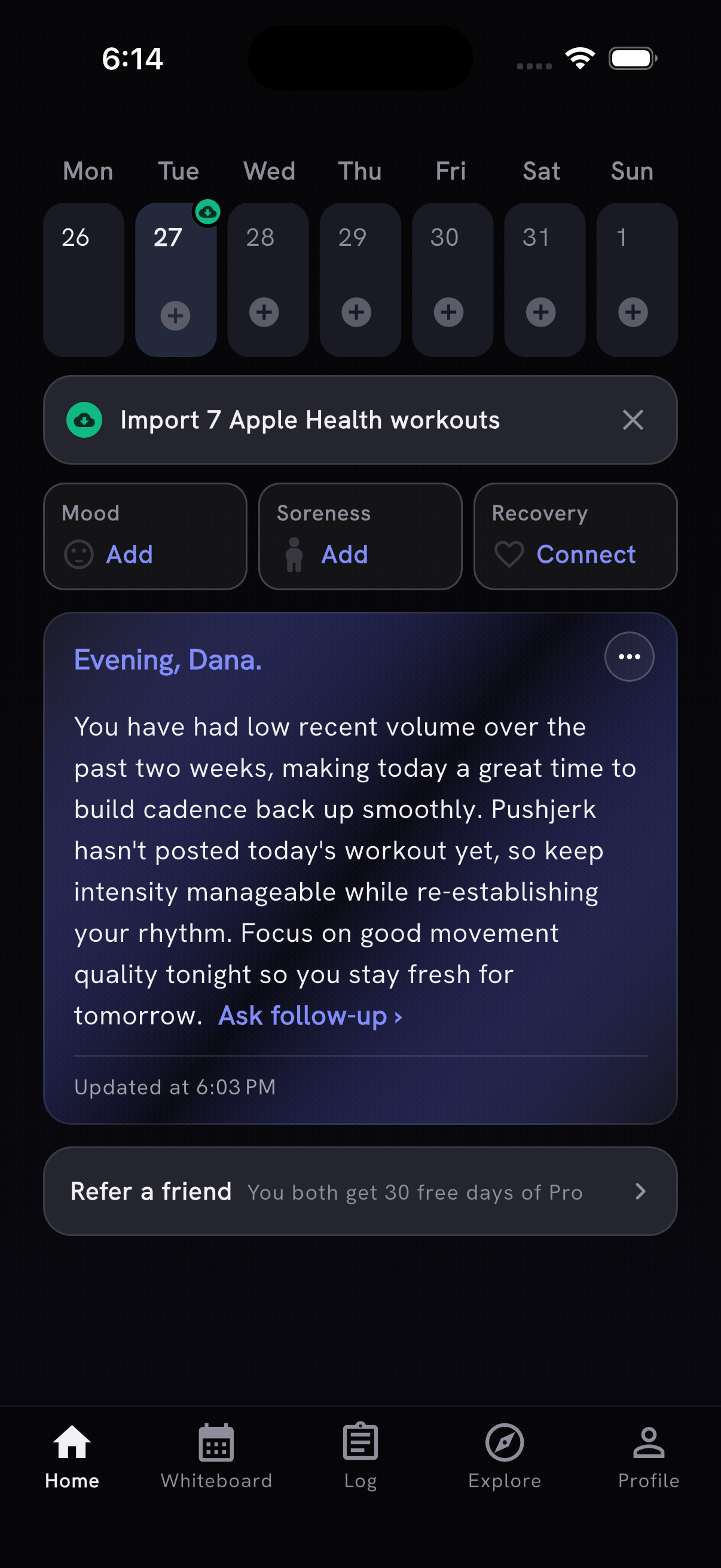
On iPhone, Home shows the Apple Health workouts that are ready to import. Dismiss the reminder with X and it comes back when new workouts arrive. Green import badges mark those days in the week strip and calendar, and each day's screen offers an import action next to your logged workouts.
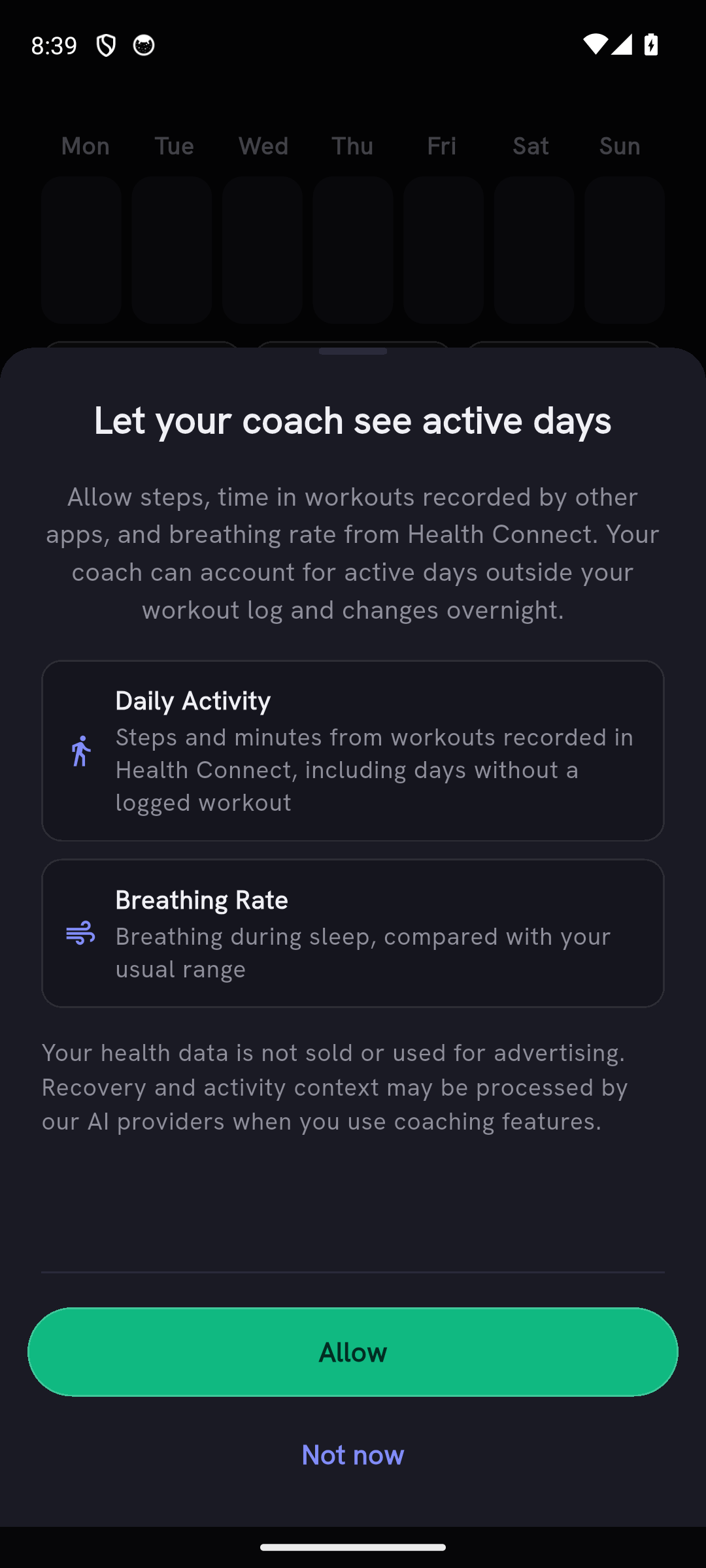
On Android, Health Connect can now give AI Coach your daily steps, the time you spent in workouts recorded by other apps, and your overnight breathing rate. If Health Connect is already connected, PRzilla asks you once before requesting the new access.
More on your finish screen
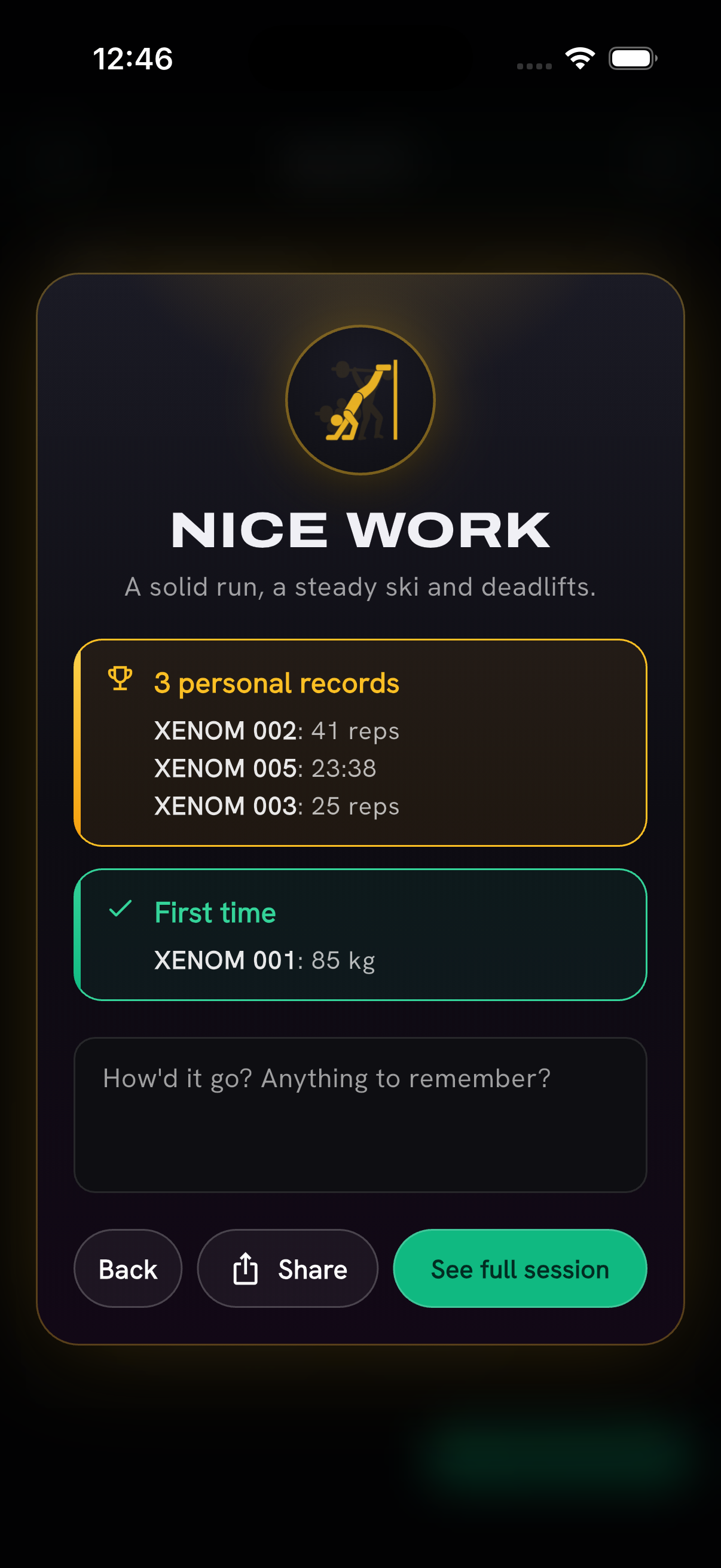
The finish screen now groups your lift and WOD personal records together, and the first time you log a catalog WOD gets its own First time card. It shows up to five achievements, with a count for any more.
20 new movements
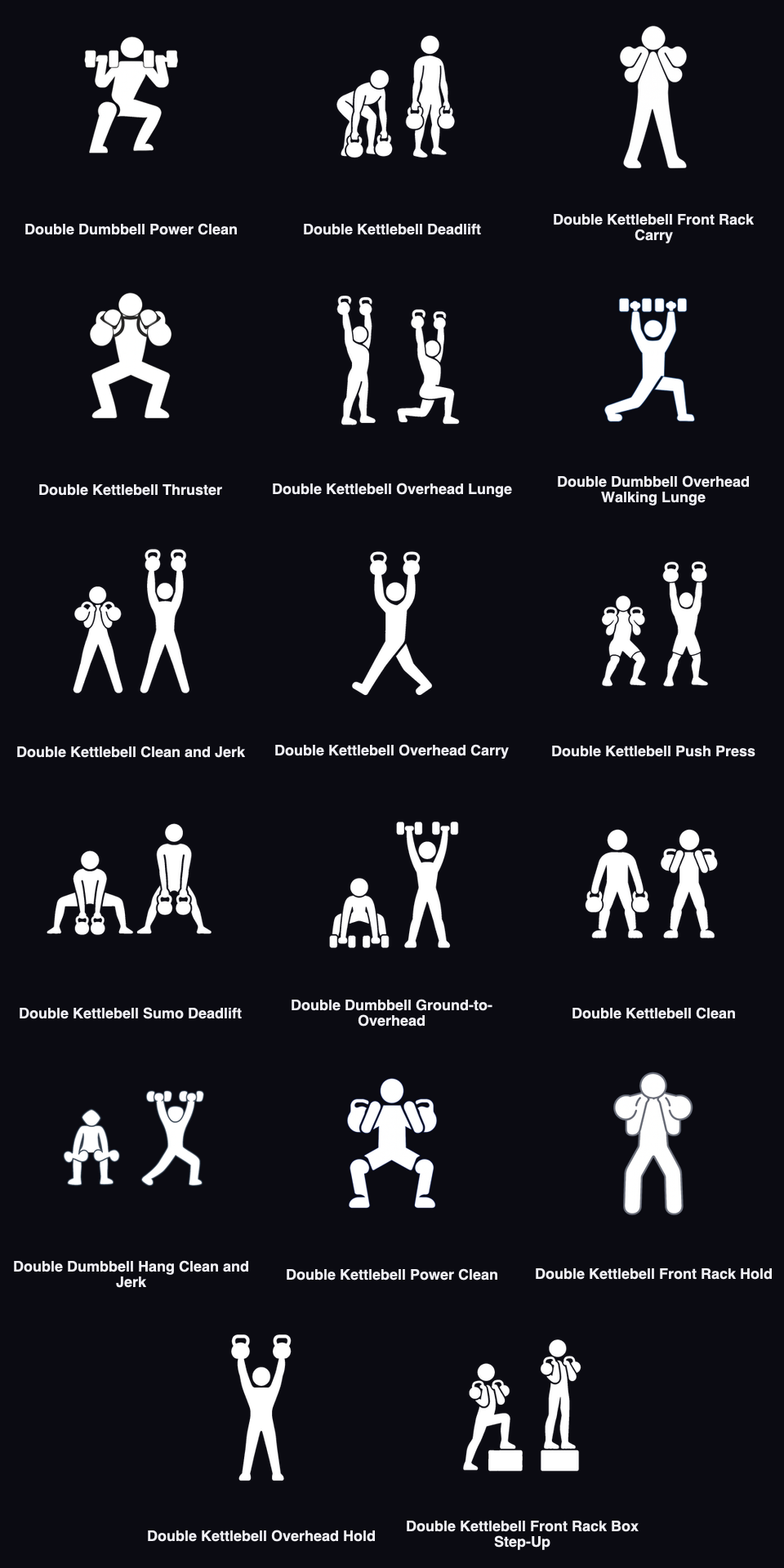
Seventeen double-dumbbell and double-kettlebell movements join the catalog, including power cleans, carries, holds and clean and jerks. Paired movements show the load per hand. PRzilla now tells them apart from single-arm movements when it reads a workout, and catalog WODs that call for two dumbbells or kettlebells use the paired movement and its per-hand load.
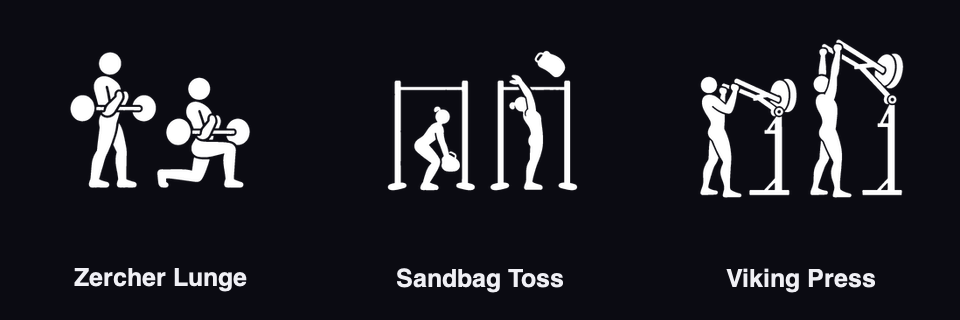
Zercher Lunge, Sandbag Toss and Viking Press join too. Log weight and reps for all three, or weight and distance for Zercher lunges. Search for "Bag Toss" to find Sandbag Toss.
Dressed for the season
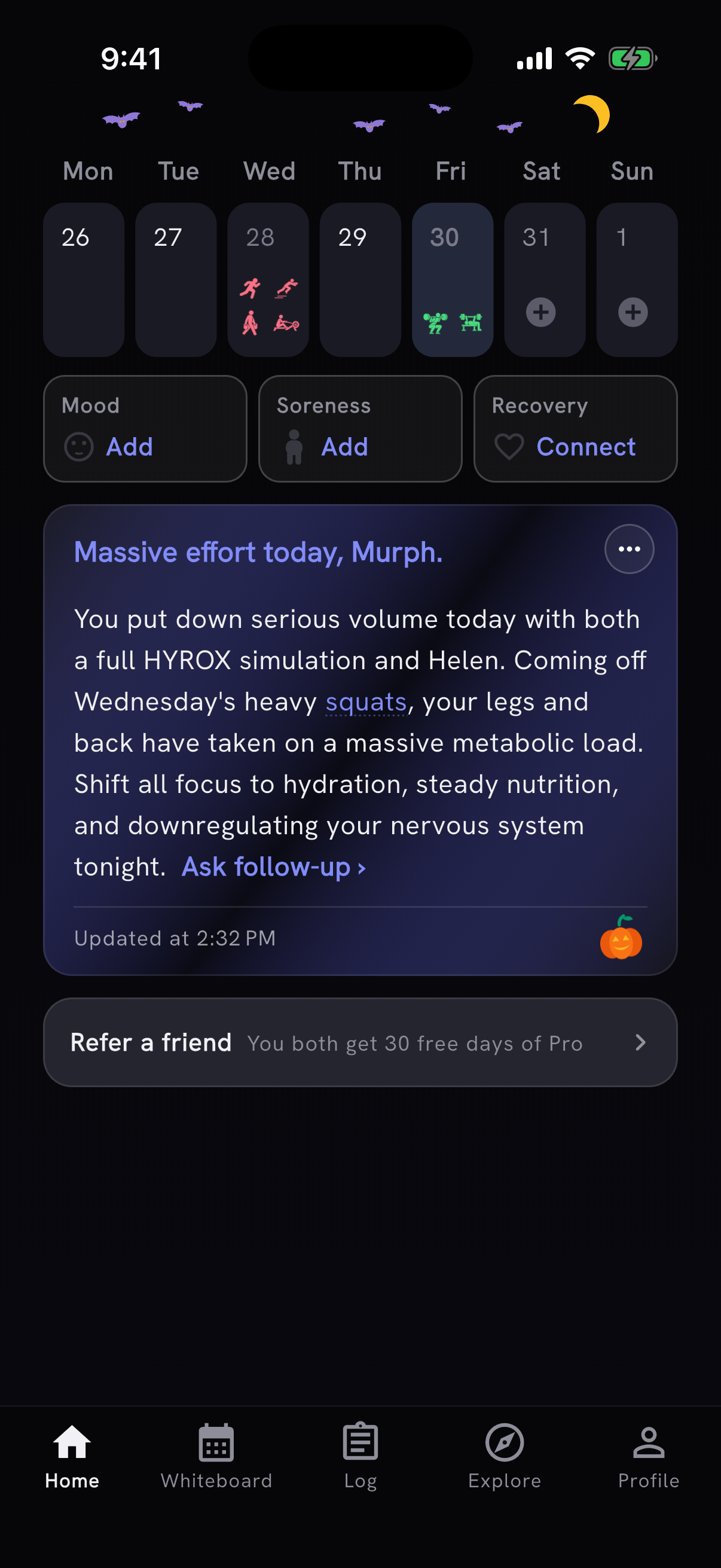
Home and your personal-record confetti now dress up for the season, starting with Halloween: bats and a moon above your week, a pumpkin on your Coach card, and bats, ghosts and pumpkins in the confetti. The Halloween look stays through November 8.
Also in this release
- WOD pages label the combined score and benchmark card, put your newest scores beside Log score, and compare results with ↑, ↓ or =. Coaching sits above Training Profile.
- A set you mark as failed now shows Missed on the session recap and the shared image, including sets inside a WOD, complexes, and distance or timed sets.
- Editing a WOD set's reps, weight, time or distance checks it off. Clear the checkbox to mark it unfinished.
- Moving a workout to another day no longer stops you from logging it again on the original day.
- A delayed automatic save no longer overwrites a WOD score you just changed by hand.
- For newly added WODs scored by their slowest, fastest or total round time, the advanced timer saves that time, without rest, once every round time is recorded. The round times go into your notes.
- AI Coach reads your round and station times from the follow-along timer when you ask about a workout or how to pace it, and the training log's CSV export has a Splits column.
- AI Coach looks at your usual training and current recovery before suggesting less work, so a short logging history no longer makes steady training look like a sudden jump. Programs ask more focused questions about your experience, what limits your goal and the equipment you can use.
- When a workout gives a range, like 8–12 reps, PRzilla fills in the lower number and keeps the range in that movement's notes.
- On the anniversary of the day you joined, you get a thank-you notification with the number of training days you've logged. The Milestones switch in Settings → Notifications turns it off.
- PRzilla's App Store and Google Play listings are now in 22 languages, including Chinese, Korean and Japanese. The app itself is still in English.
- On the website, the Roadmap has Requests and Changelog tabs, completed requests are grouped by release, and selected filters are easier to see.
Thanks to Julien Duvanel, Mirko Salaris and António Silva for their feedback and bug reports.