Mobile App v1.38 - Muscle maps
Muscles trained this week is now on by default. Home shows a front and back muscle map colored by the work your logged training gave each muscle this week, and it updates when you finish a workout. Tap the bodies to see the muscles and movements behind the colors.
Monthly training reports (Pro) show the same map for the whole month in place of the radar chart, with a note naming the movements that did most of the work.
The map is in public beta. The colors estimate training work. They don't measure soreness or recovery. Turn it off in Settings → Beta features if you'd rather not see it.
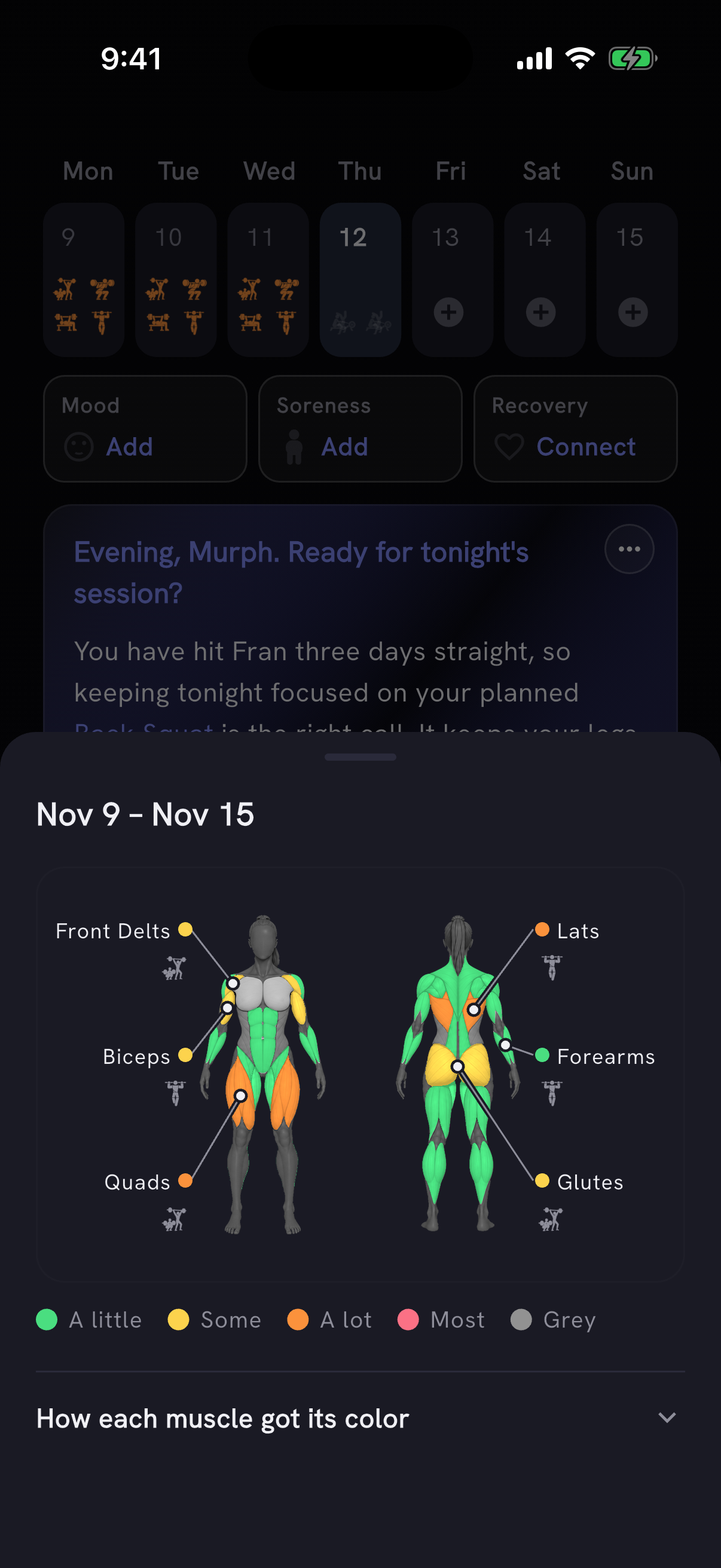
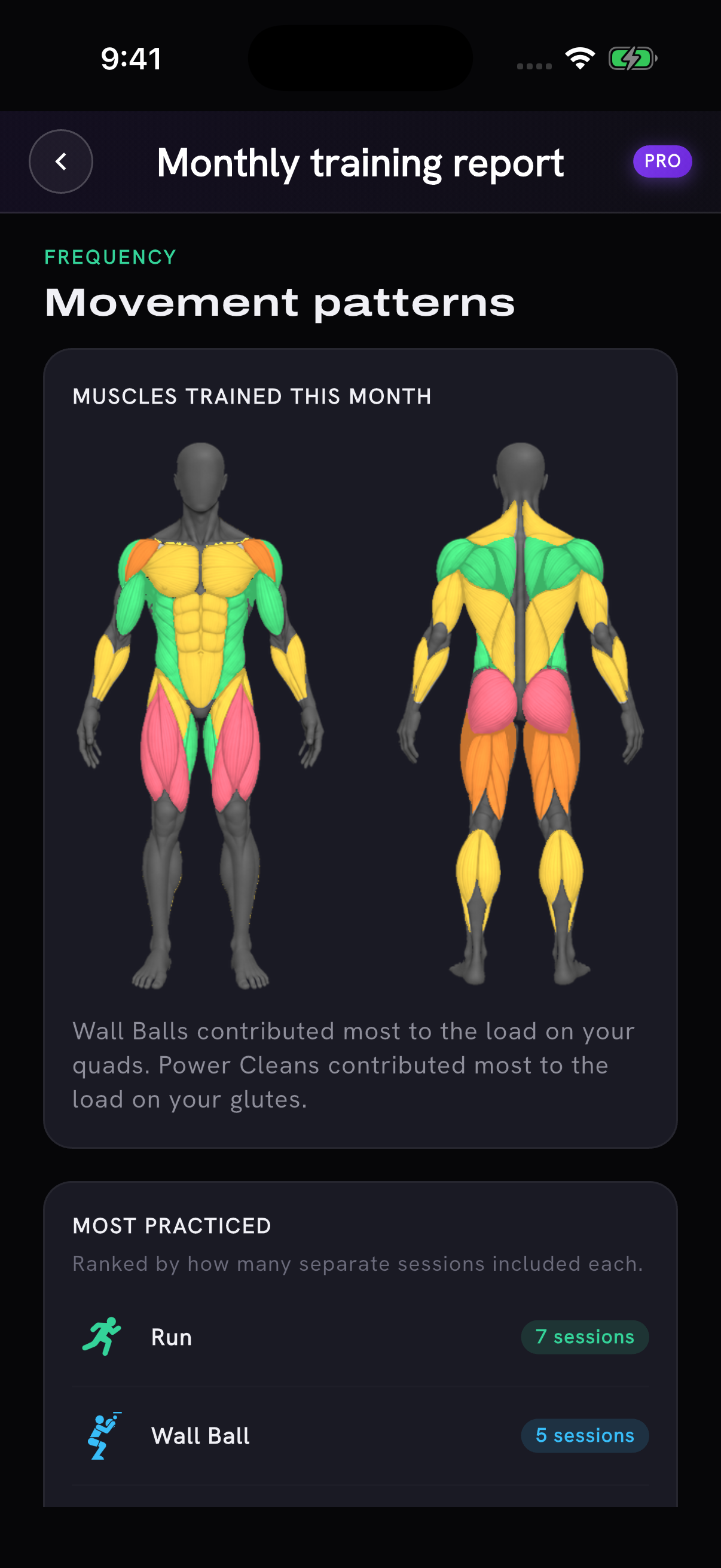
Example training history shown in the app.
See which muscles each workout trained
A workout's recap now opens with one bar: the session's intensity and a small muscle map on one side, how you felt that day on the other. Tap the workout side for the intensity scale, the reason behind it and the full map. Tap the other side to check in. This is part of the same beta as the weekly map.
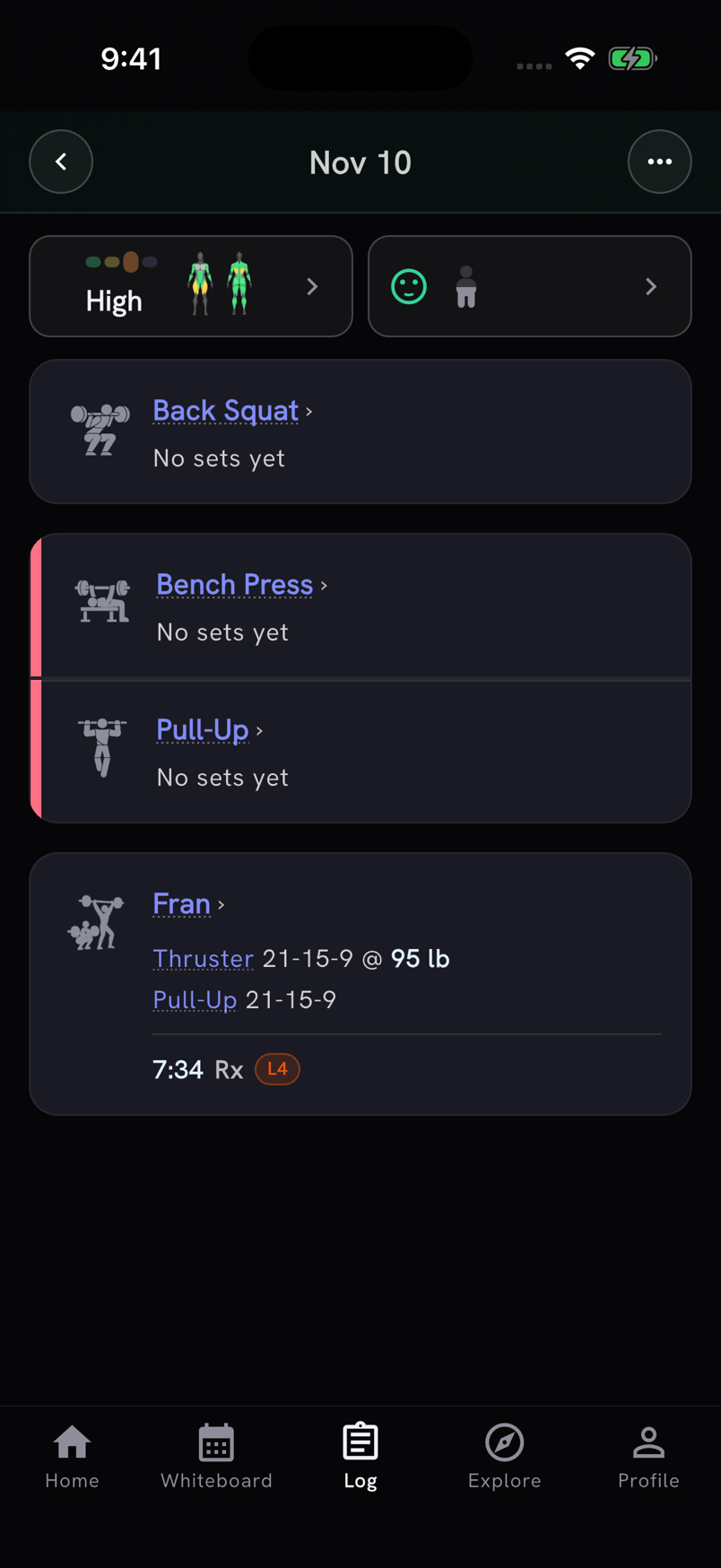
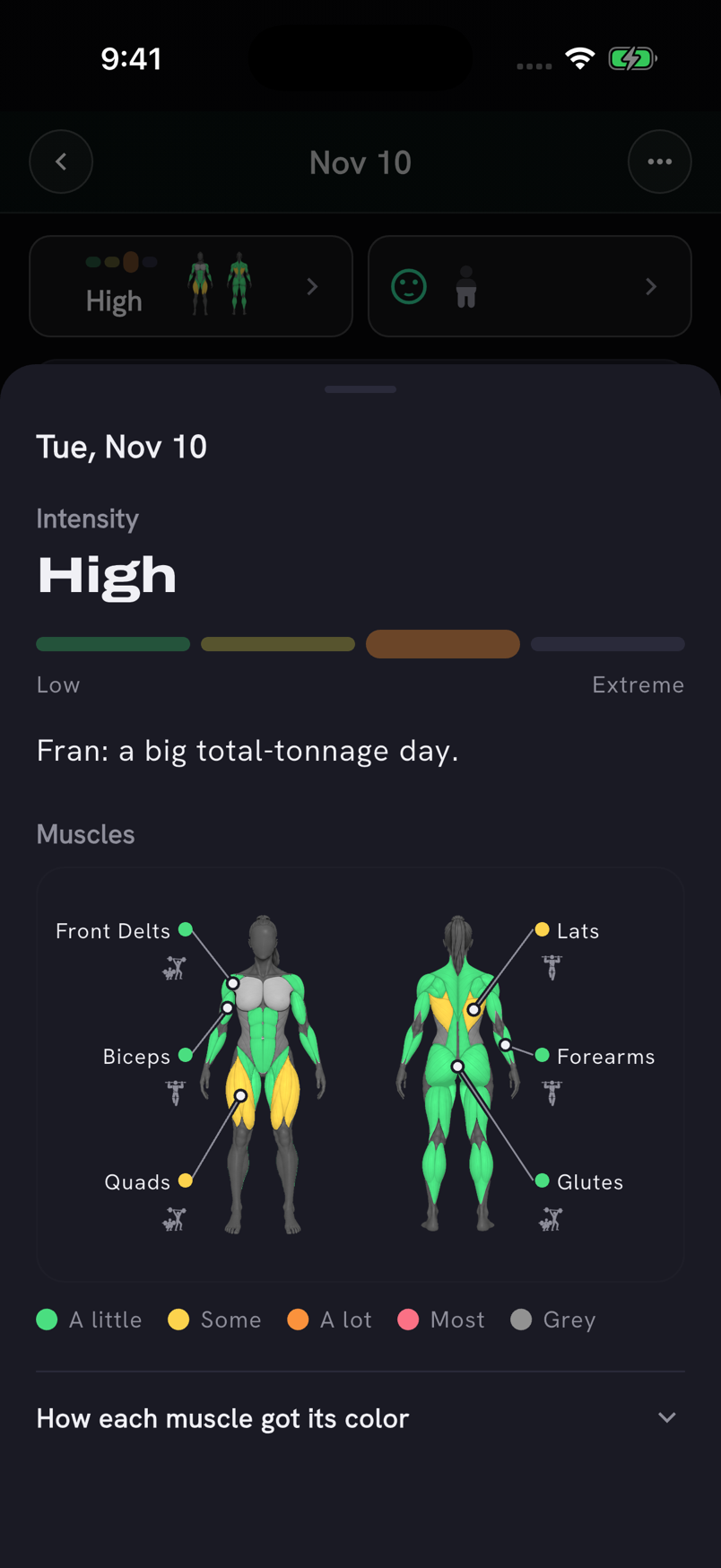
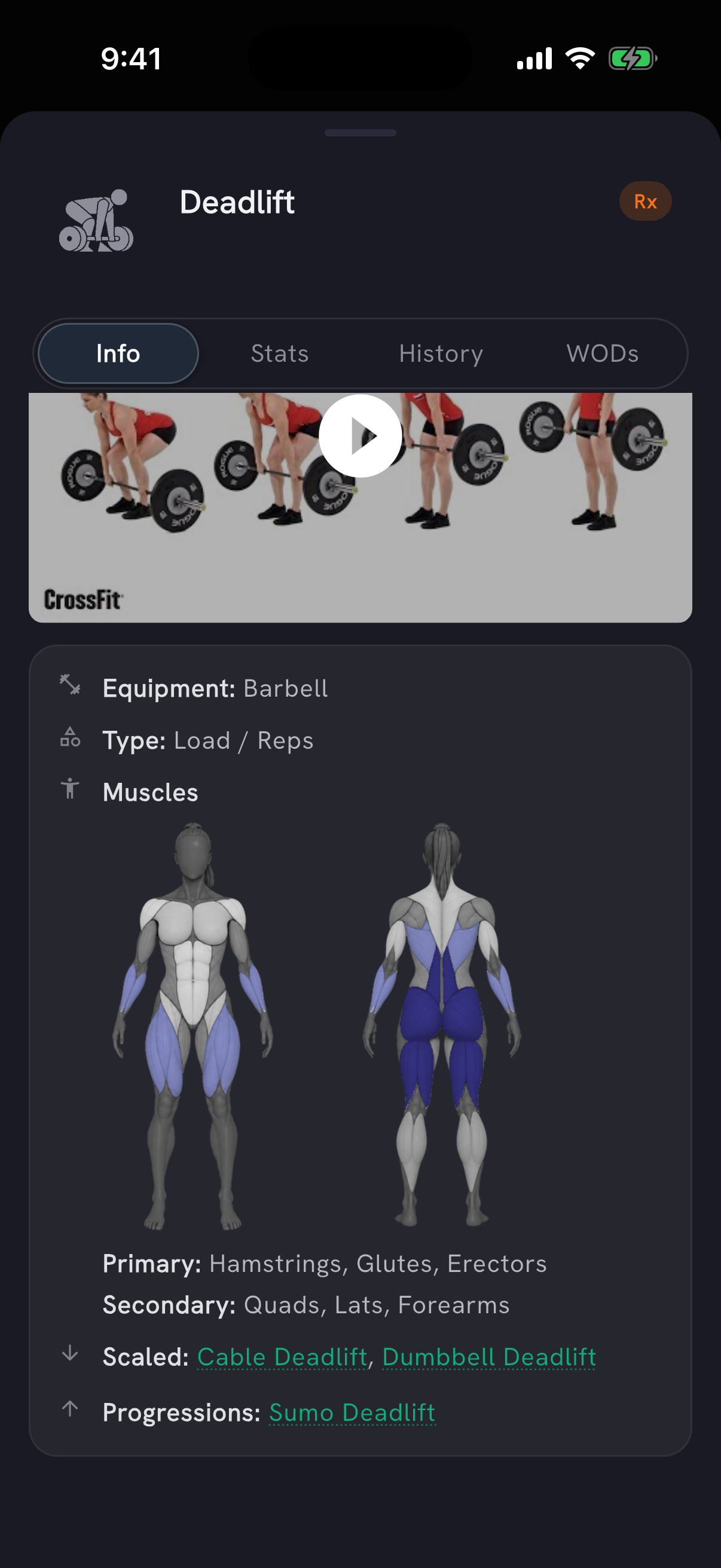
The summary after you finish a workout links to the same view. Movements get a map too: Info on any movement shows its primary and secondary muscles on front and back drawings. That map comes from the movement catalog, not from your training.
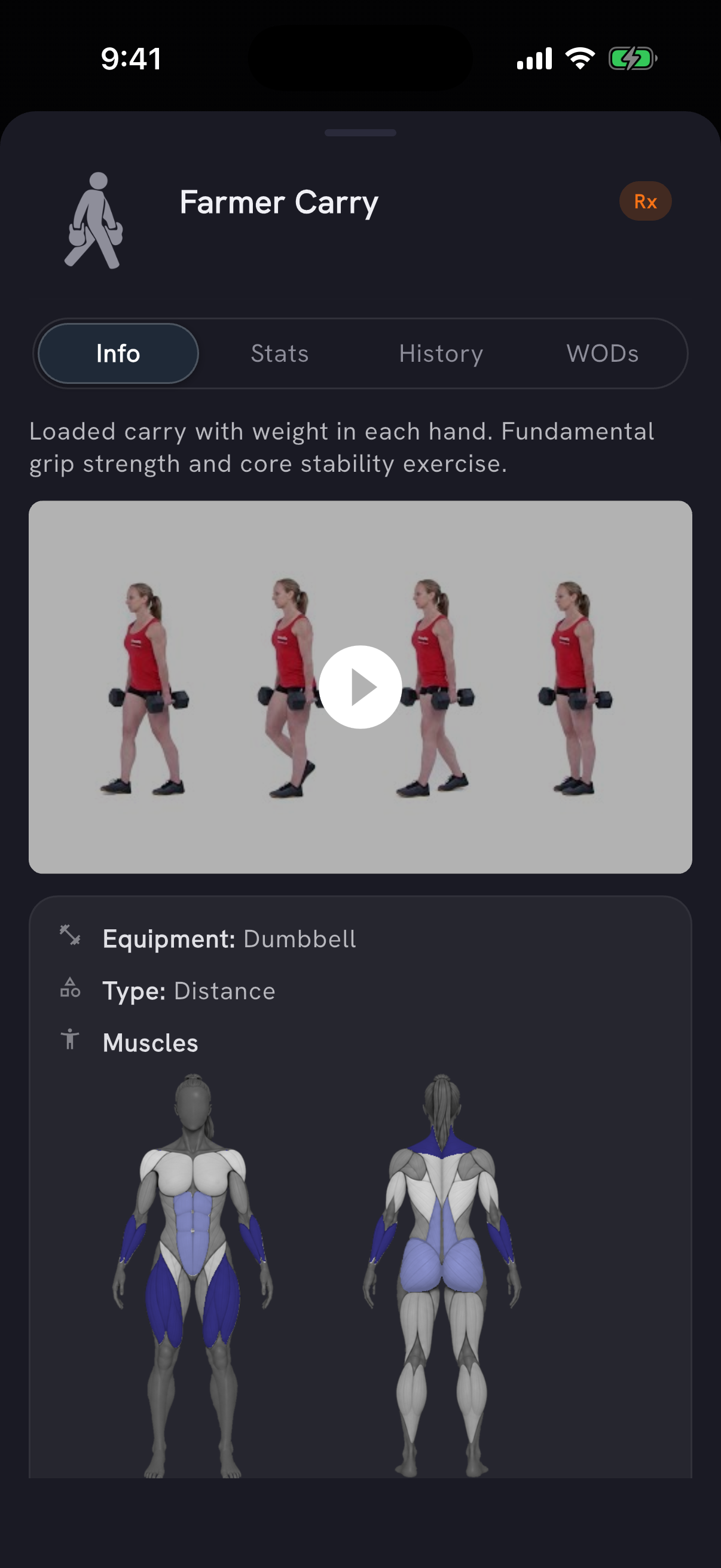
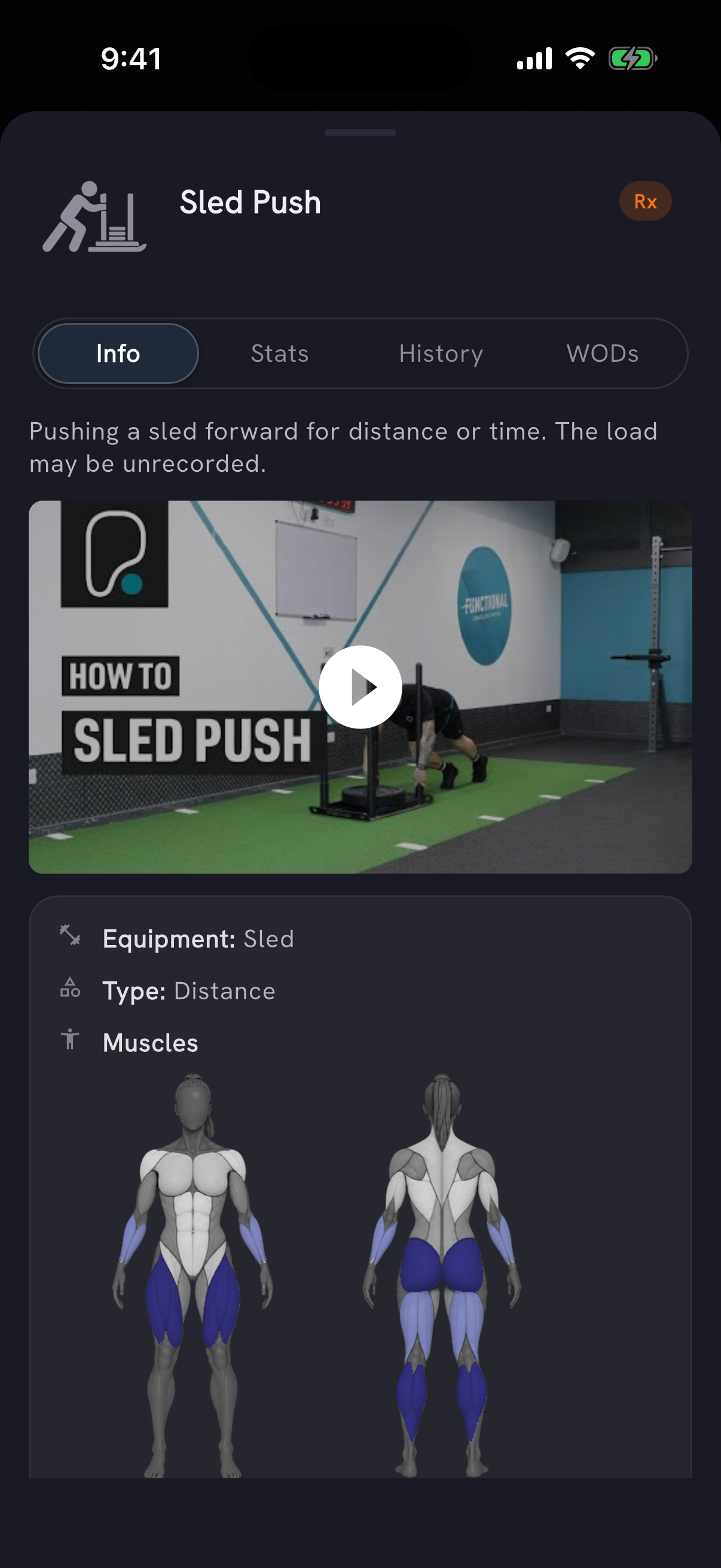
Demo videos for most movements
Most movements now have a demo video on their detail screen, including Ball Slam, Farmer Carry, Bulgarian Split Squat and Sled Push, plus kettlebell, sandbag, ruck and machine work. Thanks to Jaymie for flagging it.
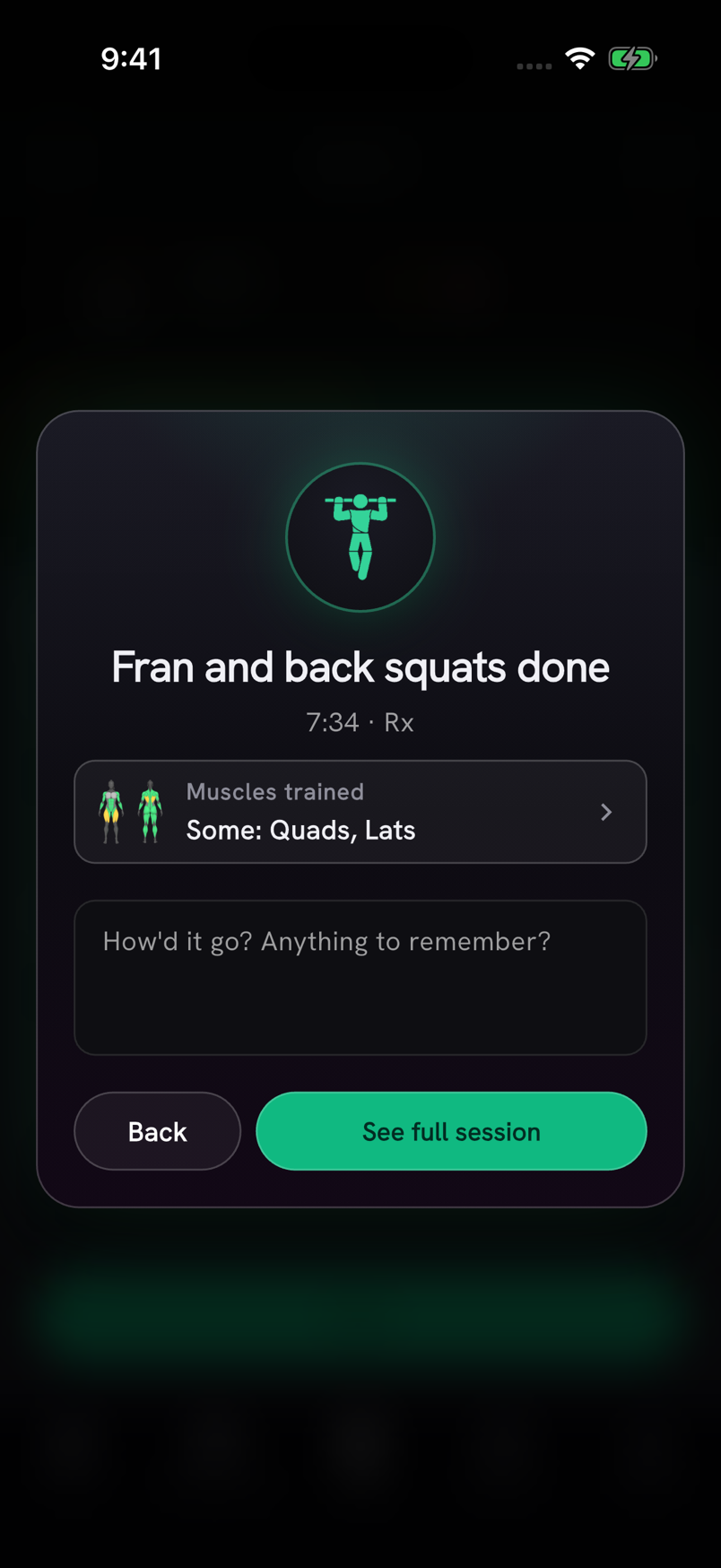
Finishing a workout
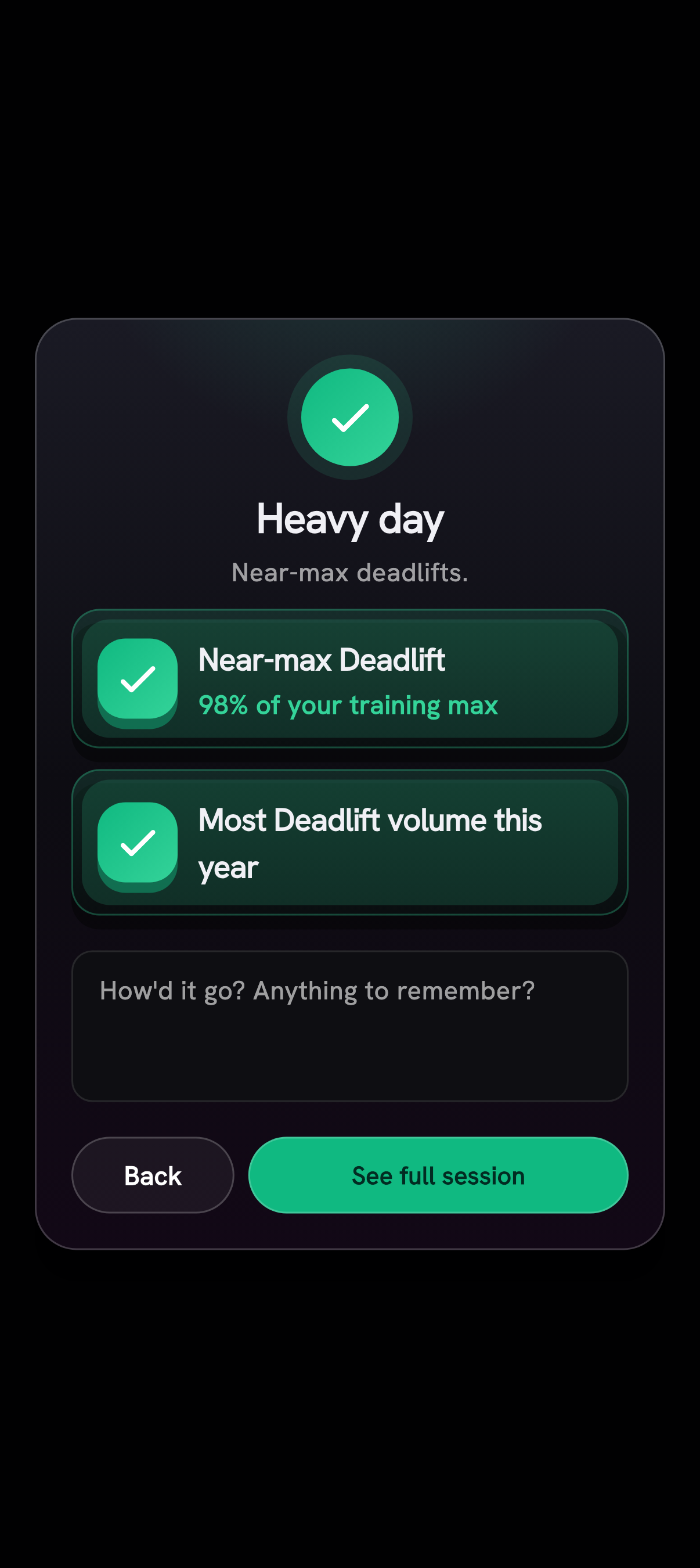
The finish screen notices more of what you did. It calls out a best in 3, 6 or 12 months on any movement ("Strongest Deadlift in 6 months", "Most Deadlift volume this year"), a WOD level above your own average, and showing up ("4th workout this week"). A workout with no new record shows up to two of these lines.
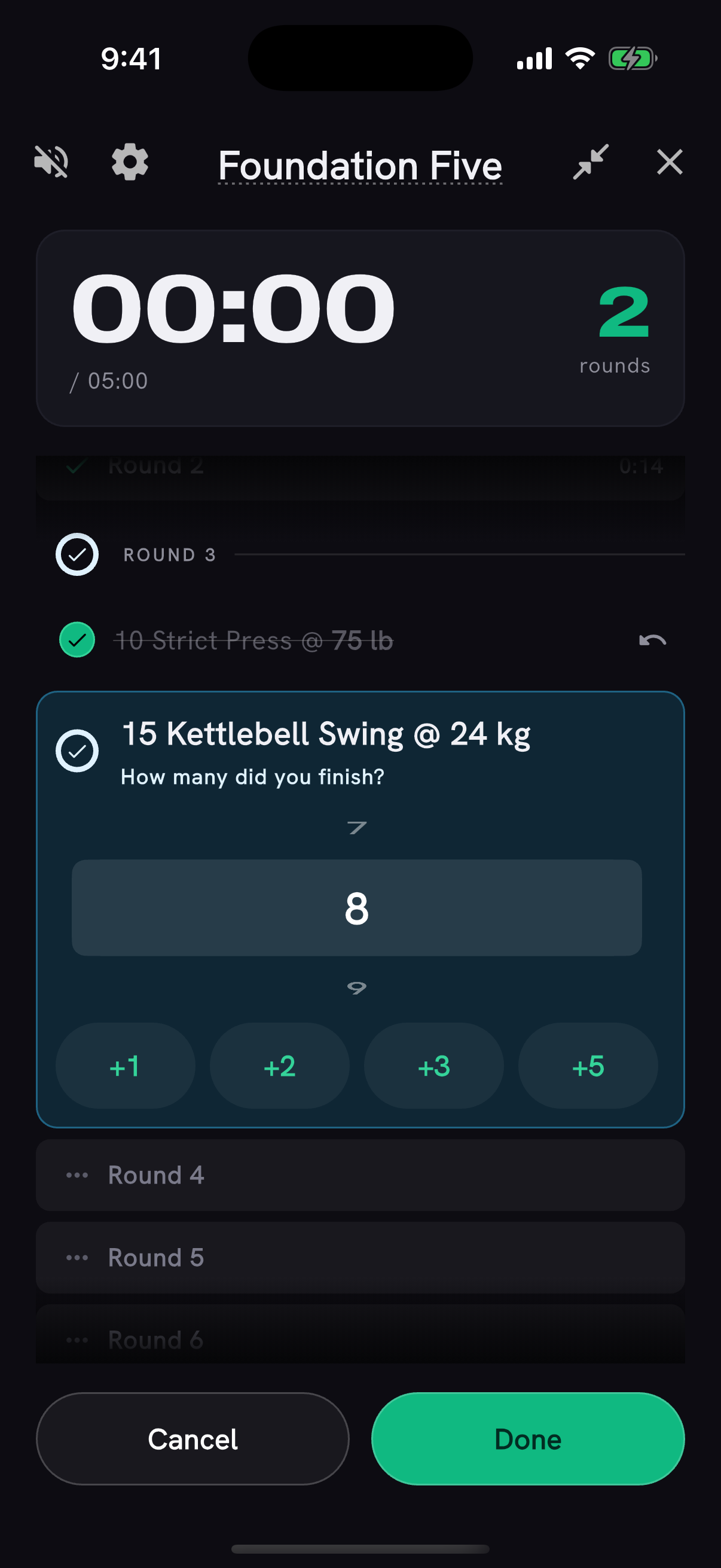
When an AMRAP's clock runs out part-way through a line, the timer asks how many reps of it you finished and adds them to your score: 5 rounds + 6 reps, not just 5 rounds. Start also fills in the rounds you tapped off for an AMRAP and the reps it counted for a reps-scored WOD, and saves an AMRAP's round splits to your score notes.
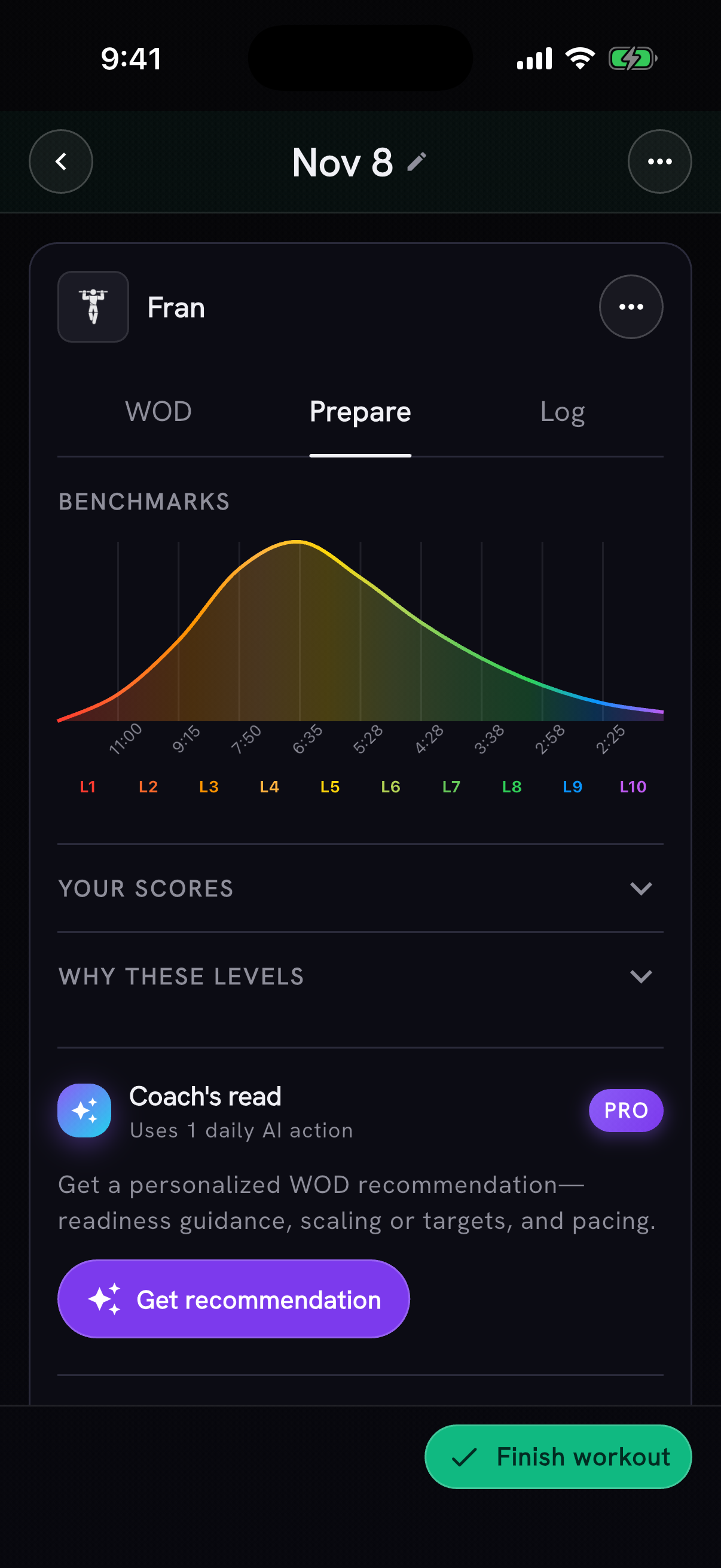
Beta: WOD, Prepare and Log tabs
Turn on Tracker WOD steps in Settings → Beta features to try a new workout card in the tracker. Read the original WOD, check your preparation, then log a score or edit individual movements. Under the switch, choose whether the tabs show words or icons.
Murder of Crows leaderboards
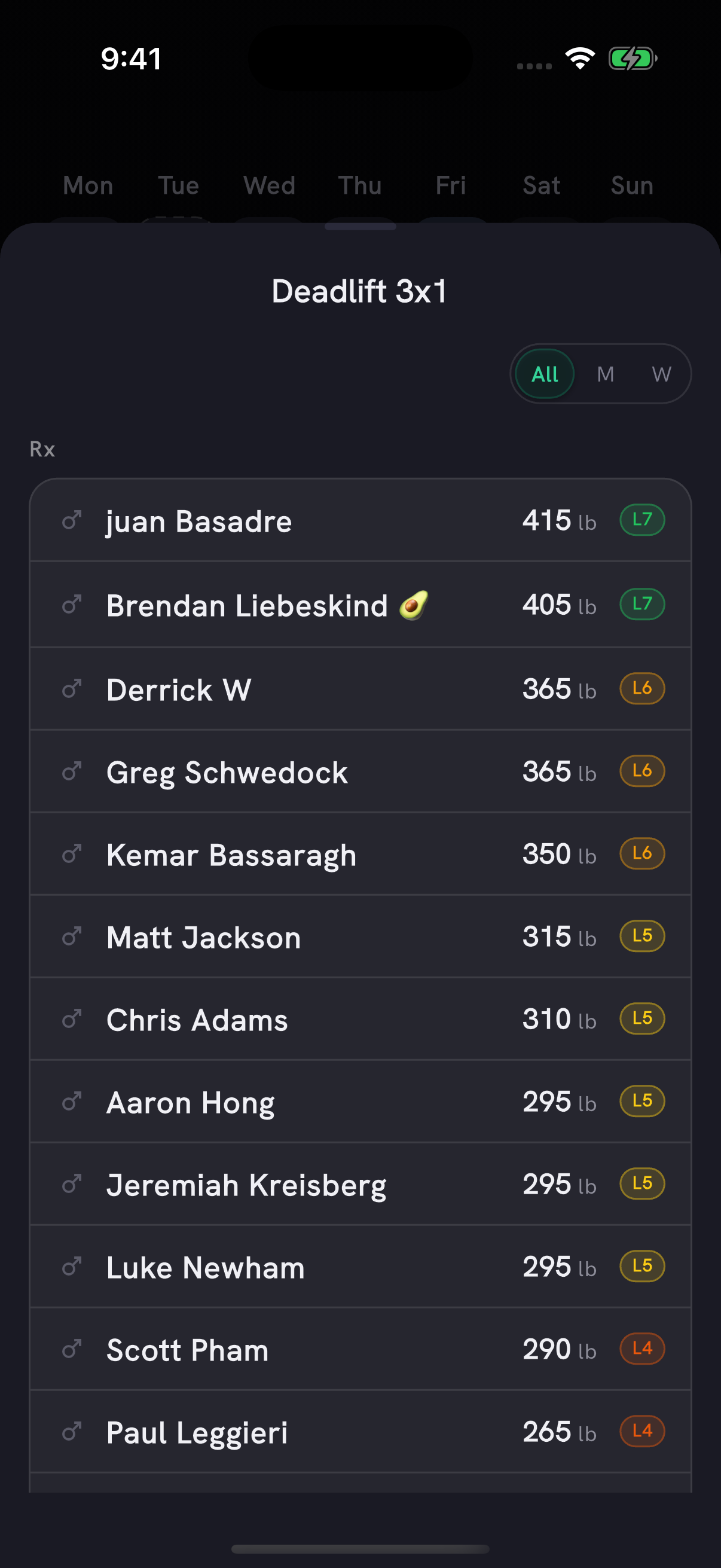
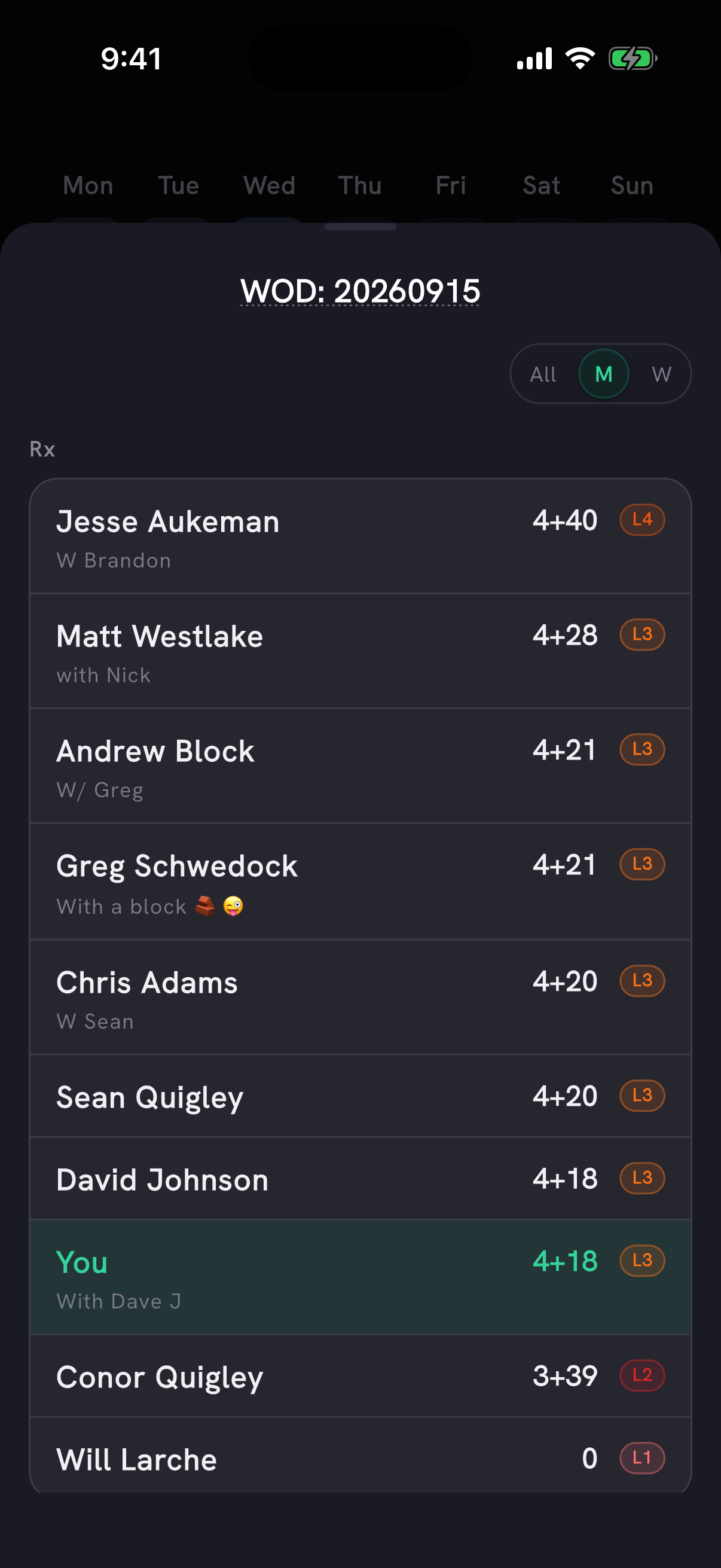
Murder of Crows members can open their gym's leaderboards from the Whiteboard. The daily board comes from the gym's SugarWOD programming, with separate Rx and Scaled sections and a PRzilla level on Rx scores. All-time boards list Rx bests for classic benchmark workouts and 1-rep-max lifts.
- The daily board opens on your own gender and remembers the filter you pick. All ranks everyone together.
- Rounds-and-reps scores rank by the full count, so 4+40 sits above 4+28.
- Capped times show as capped and rank after completed finishes.
- On all-time boards, choose one WOD from a searchable list or pick an athlete to see every board they are on.
Also in this release
- New accounts get a simpler start: the first screen after sign-up leads straight to adding today's workout.
- Tap Not today on your followed track's workout and Home confirms the skip with an Undo.
- A WOD you add from text or a photo is saved as soon as you tap Yes, add WOD, so you can log your score right away.
- In the tracker, WOD cards stand apart from lifts and supersets with a blue header, a gray rail down the side and a small WOD label.
- After answering a question, AI Coach can offer a one-tap next step, such as building a 20-minute workout for today.
- AI assistants you connect to PRzilla's workout and movement catalog now need your account's permission, and existing connections need to reconnect. Read how to connect PRzilla to your AI assistant.
- Tapping Recovery on Home opens your week's recovery readings. With Apple Health connected, the daily check-in shows that day's recovery above Mood.
- Pro members with Apple Health or Health Connect connected get an updated coach note on Home when last night's sleep or heart-rate readings sync after the day's note was written.
- Whiteboard workouts show community scores from every date they were logged, so you can compare with people who did the same workout earlier or later.
- A Whiteboard workout posted under a different name opens the WOD you already know: CrossFit.com's "CHAD1000X" opens Chad, with its history and community scores.
- Coach conversations, monthly reports, leaderboards, PRs and program previews you've already opened stay visible while they refresh.
Fixes
- A WOD score you save or edit stays on your own calendar day. Before, it could move to the day before in time zones far ahead of UTC, such as New Zealand, or to the next day late in the evening in the Americas.
- A lift you log on its own is no longer called a weight PR when you've lifted more of that movement inside a complex.
- Training Balance grades an Rx effort logged without the vest on a vest-prescribed WOD the same way Fitness Level does. Those scores may show a lower level than before.
- When you pause the timer during a rest, Skip rest stays in its place instead of being replaced by Done. The minimized timer shows a pause icon while paused.
- On a time-capped WOD that also reads as an AMRAP, turning on Capped keeps the field for your rounds or reps.
- Distance scores on WOD pages show in the workout's own unit: a 49.5 in box jump reads 49.5, not 4.125. Thanks to Alex Yovev for the report.
- Searching your Log for a decimal number, such as 135.5, finds matching lifts instead of failing.
- Making a superset from movements that aren't next to each other says so instead of showing an error.
- A new workout keeps its tags and category when PRzilla's reading includes a tag it doesn't recognize.
- Asking for Coach's read on a workout PRzilla is still reading says so instead of failing.
- Refer a friend asks you to sign in when you open it signed out, instead of loading forever.
- Tapping a notification while a sheet is open closes the sheet and opens what the notification points to.
- Deadlift Drama and Devil's Dozen have corrected performance levels that reflect the full Rx workouts.
- In light mode, the Apple logo shows on Sign up with Apple and the L1-L10 labels under the benchmark curve are easier to read.
- Feature hints wait until you've logged two workouts. The Log tab keeps its Log a workout prompt until you log one.