Mobile App v1.39 - Percentages and day notes
Percentages in the workout tracker now come from your lifts before that session, not from the sets you're logging. Before, the first sets of a lift you'd never logged were measured against a max estimated from those same sets. The header reads "% of 285 ▾". Tap it to open Base % on, where a check marks the current base: pick another lift, or type a custom number. Clear % removes a chosen base along with the percentages you typed.
If a lift has no max yet, tap + Add max to enter its weight and the date you lifted it. PRzilla saves it as a completed rep on that day and keeps you on your current workout.
Quick Add and the coach's Add workout keep prescriptions such as "70% of front squat", complexes included. When that lift has no max, the percentage stays visible and the weight stays blank.
Thanks to coach Derek Brinkmann for reporting the first-session percentage problem.
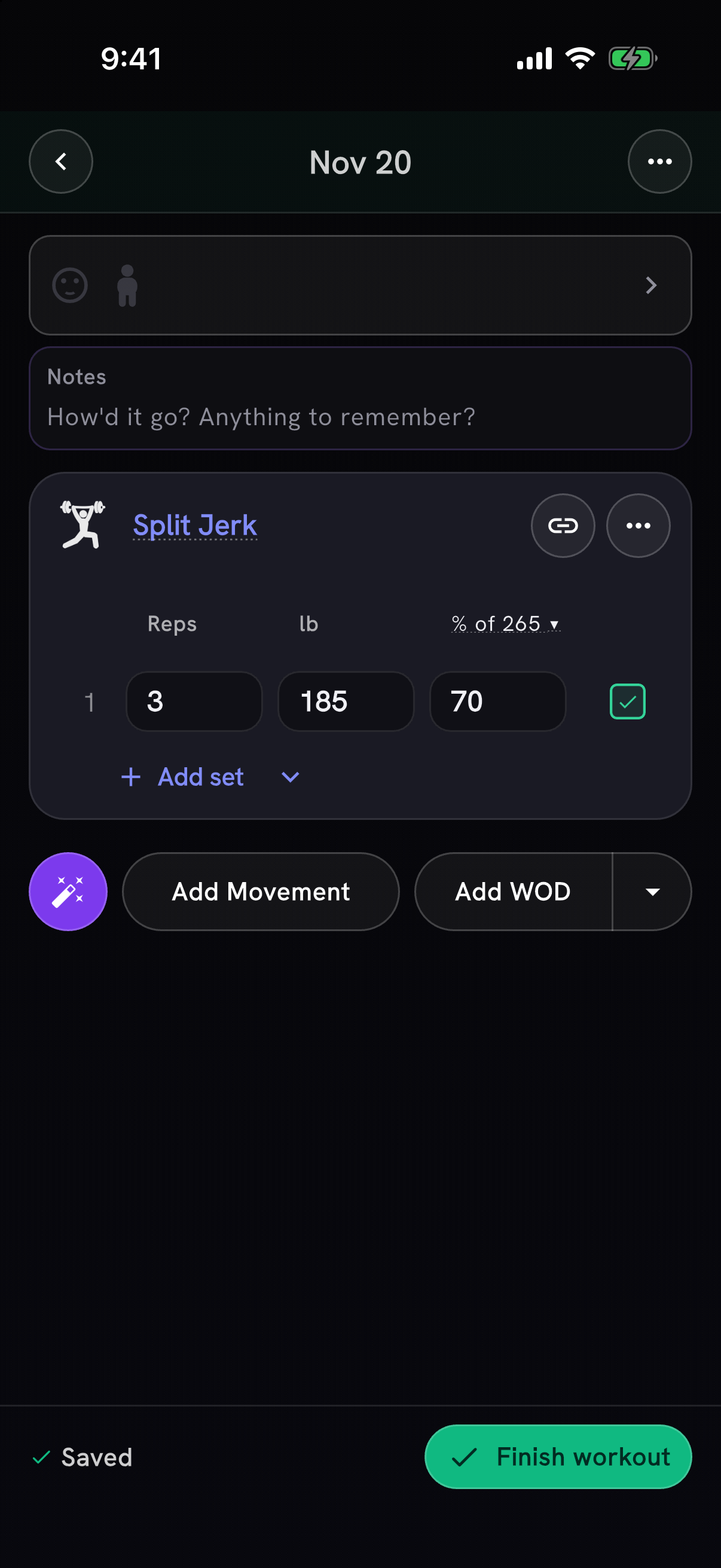
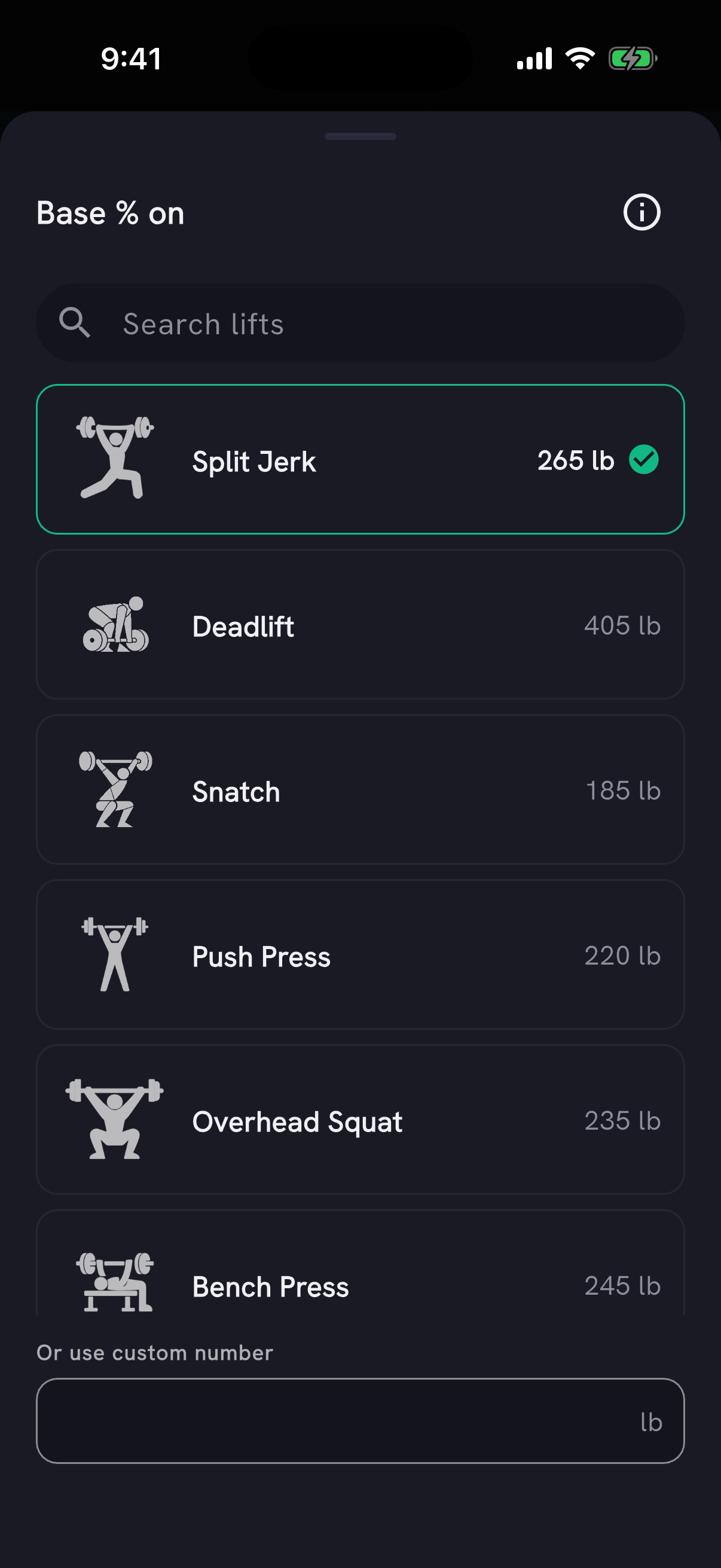
Example training history shown in the app.
Notes on days without a workout
A note you write on today or a past day now stays when you leave without logging a workout. Before, it was deleted. The day shows a note icon in Log and in Home's week strip: tap it to read or edit the note, check in, or log a workout. Thanks to Mirko for reporting it.
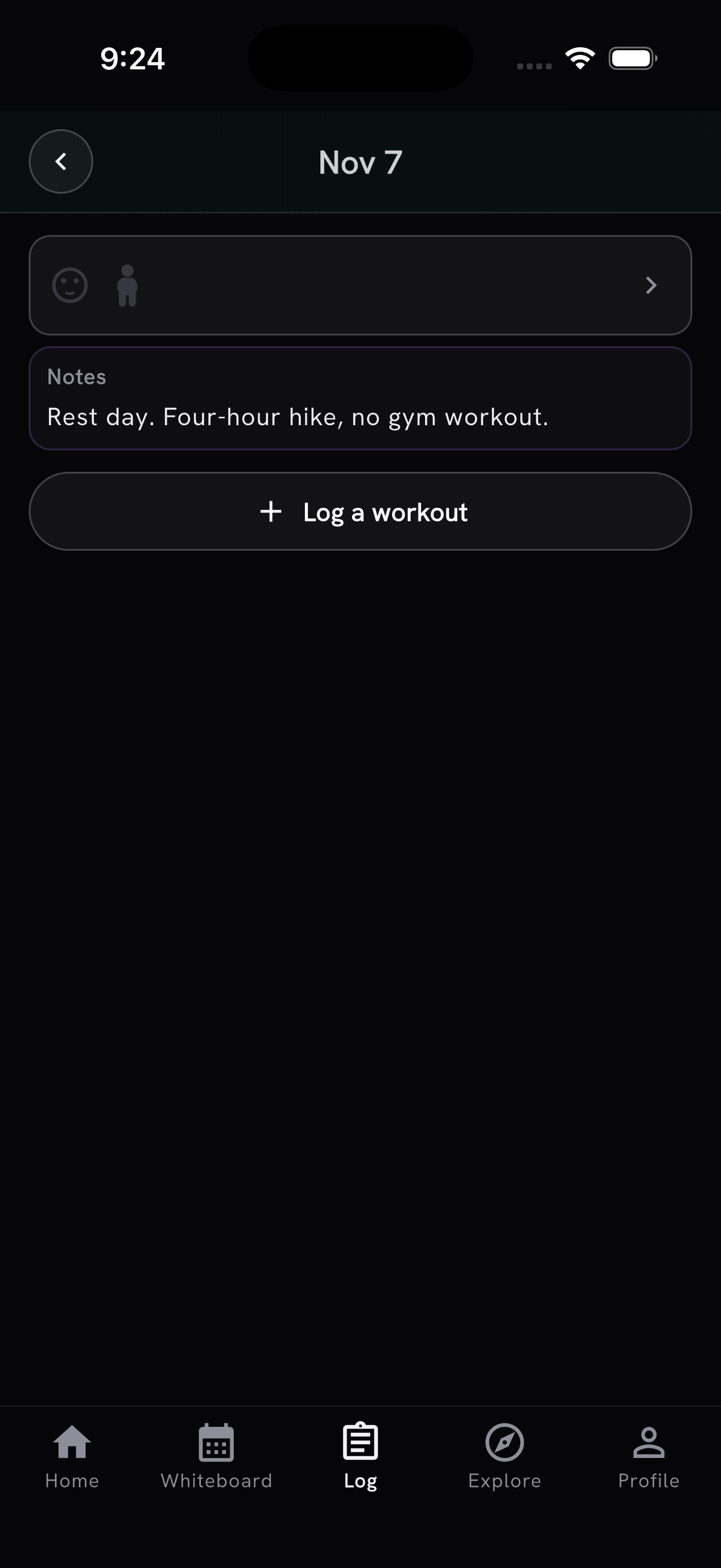
Opening a day changed too:
- Calendar days on Home and in Log no longer show a "+". Tap any day to open it. An empty day opens right away, and a session is saved once you add a workout, movement or note.
- When your program or followed track has a workout today, tapping today asks whether you're doing it: add it, skip it for the day, or Just open the day.
- The workout tracker uses the recap's date header and check-in bar, with Notes always visible above your workouts. Move a session to another date from Change date in the "⋯" menu.
Browse movements by muscle
Tap a muscle name in a movement's Info to find movements that primarily target it. Search or filter the results, remove the muscle filter, and tap Back to return to where you started.
Ask coach sits below a movement's information, with the movement already attached. Choose what to ask before sending, or go back to your current Coach chat with your draft intact. The movement's Workouts tab shows how many matching workouts there are.
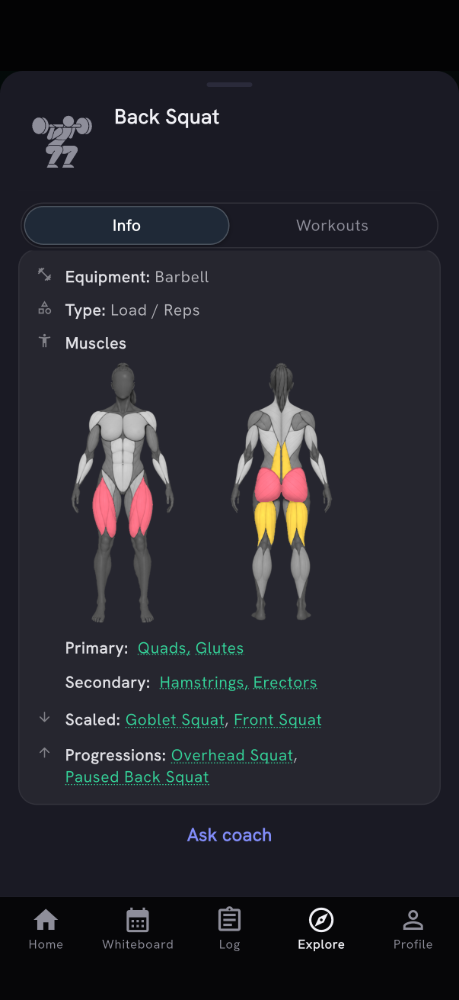
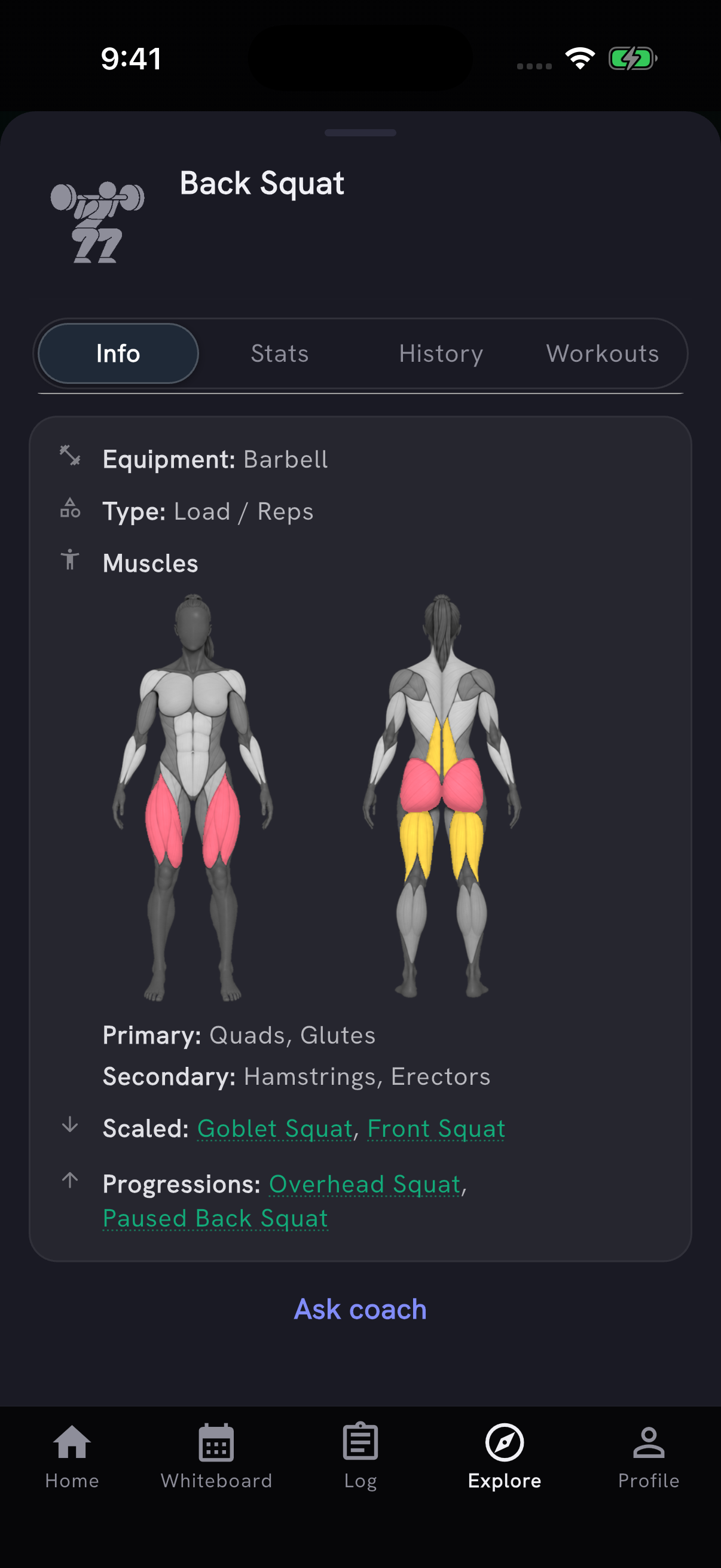
Movement details now use red for primary muscles and yellow for secondary muscles, matching the muscle map on Home. We corrected the worked muscles on 57 movements: pull-ups, toes-to-bar and muscle-ups count grip, broad jumps, box jumps and depth jumps count abs, and Row is led by quads, glutes and lats instead of biceps. Snatches and Clean and Jerk now credit quads, and Farmer Carry, Air Bike, Front Squat, Swim and Sled Drag are corrected too. Thanks to Mirko for flagging broad jumps.
Synced workouts and health data
On Android, supported Health Connect workouts can now be imported from Sync workouts in Settings and Import from Health in the Log menu. Heart rate, distance, calories and elevation gain come along when the source shares them. Strength and WOD-style sessions stay excluded, and route altitude graphs remain iPhone only.
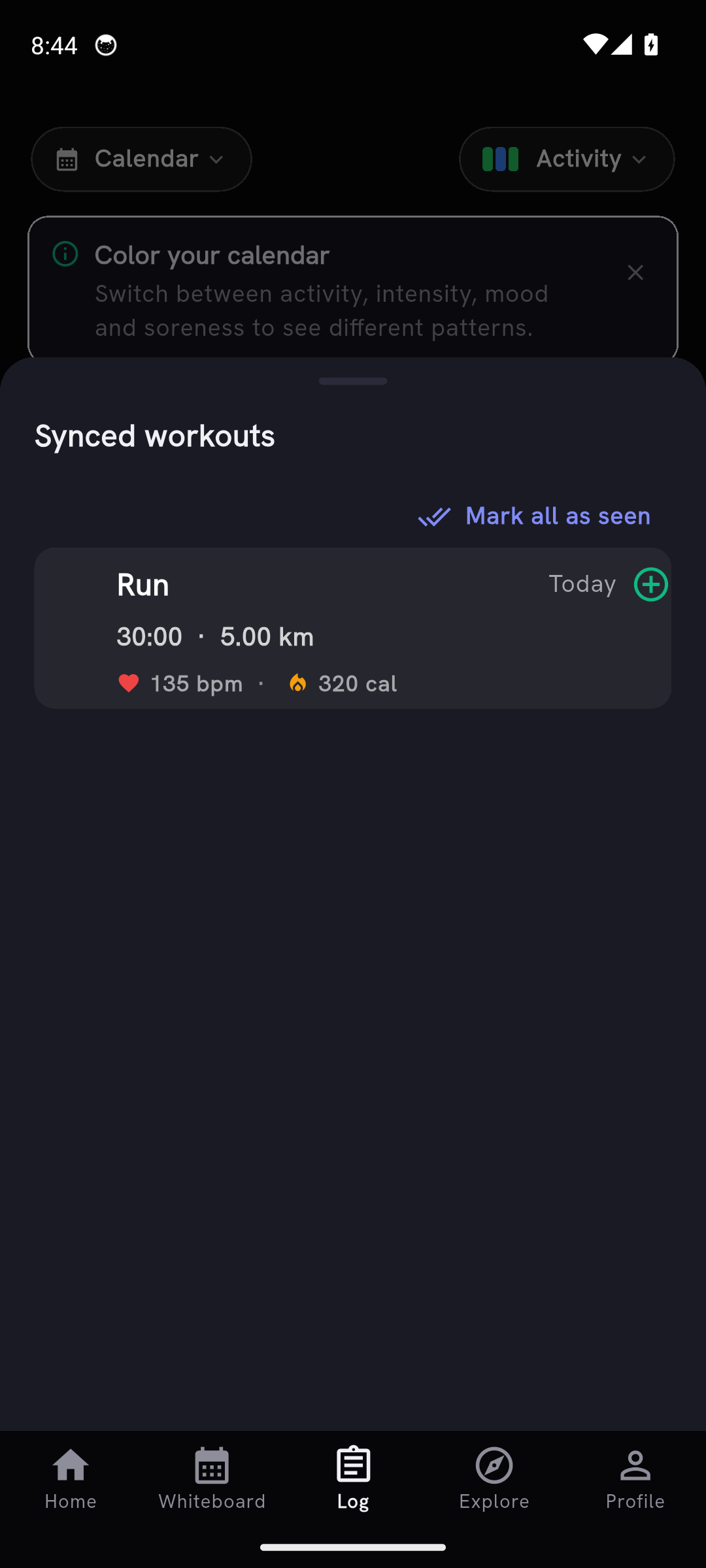
- A workout now shows up in Synced workouts as soon as it reaches Apple Health or Health Connect. On iPhone it used to stay hidden for five minutes after it ended.
- If you haven't connected Apple Health or Health Connect, Home offers a Connect your health data sheet once, and you can reopen it from the Recovery chip. It sets up recovery and workout sync; you still choose which workouts to import.
More apps to import from
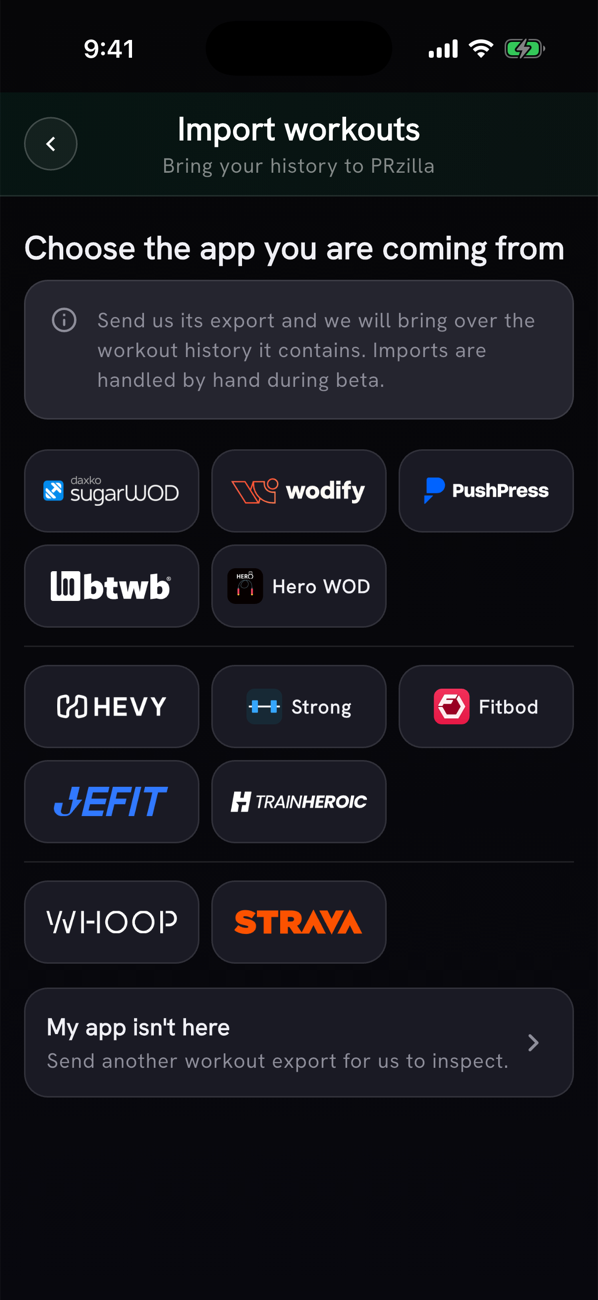
PushPress, JEFIT, TrainHeroic and WHOOP are now in the import list under Settings → Privacy & Data → Import from another app, each with steps for getting your export. Phones set to Italy, Brazil, Spain, France, the Netherlands or the UK also see the box app most used there: APP Palestre, Tecnofit Box, AimHarder, Strivee, SportBit or TeamUp Perform (formerly BoxMate). Each app appears with its own logo, grouped into box apps, lifting trackers, and WHOOP and Strava. During the beta, we import your file by hand.
New movements
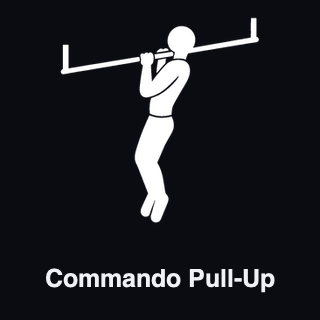
Commando Pull-Up has its own movement entry and icon, so your history stays separate from Plank Push-Up, which still matches "commandos". Thanks to Mirko for suggesting it.
Plate Floor Press is a new movement with its own history and demo video. Searching "seated dumbbell fly" now finds Rear Delt Fly (Dumbbell), the seated, bent-over version of the same lift. Thanks to Jan De Luyck for the request.

Trying PRzilla before signing up
Signed-out visitors see Add today's workout on Home. The screen opens as Add a workout, and on a phone that has never signed in, saving a workout or starting a log leads with Create an account.
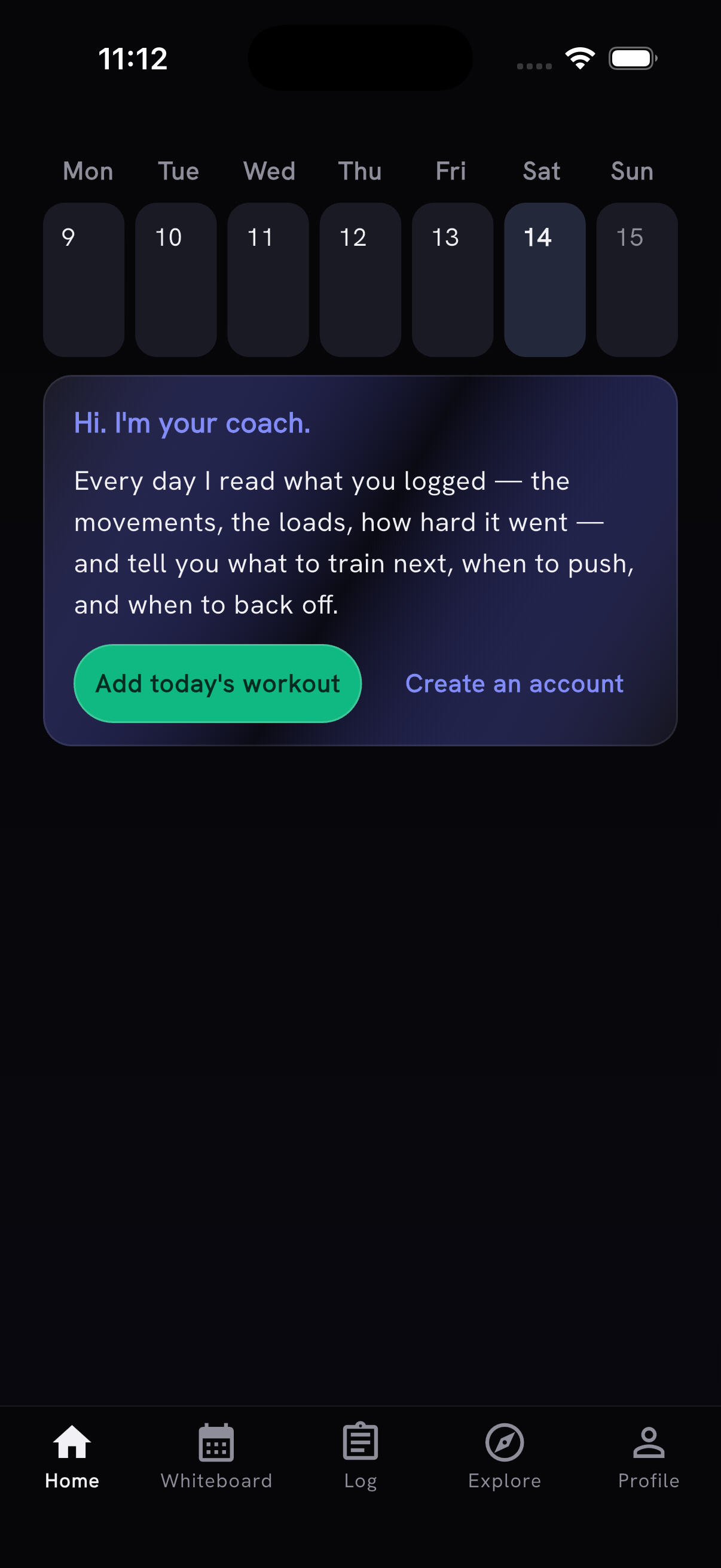
- Notification setup waits until you finish a workout and reach your coach note on Home, or until your second signed-in launch. Notification and newsletter prompts no longer follow each other in the same launch.
- The sign-up screen's email box reads "Send me emails from PRzilla. Unsubscribe anytime." and starts ticked. Untick it before creating the account if you'd rather not get them; every email has an unsubscribe link.
- Onboarding has an optional "How did you find PRzilla?" question.
- A referral code from a friend's link is no longer lost if the app closes before you create your account. On iPhone, a friend's referral page has an Open PRzilla button that brings the code into the app after you install it.
Also in this release
- When you've used the day's AI actions, Generate, Analyze and the coach say so in the same place on the screen and offer Pro there. Generate and Analyze used to show only an error.
- Whiteboard workouts keep the programmer's stimulus in Workout Intent when you add them to your log, and the AI Coach can compare that intent with your notes to spot a gap between the plan and how it felt. Thanks to coach Derek Brinkmann for the suggestion.
- Workout Intent, Insight, Scaling and the benchmark explanation on the WOD page and in the prepare sheet use larger text with more space between lines. The Tracker WOD steps beta card matches, and its content sits further from the card's rail.
- Loading placeholders on Friends, Programs, workout templates, Community Scores, the movement muscle diagram, the monthly report and the Pro example shimmer like the rest of the app.
- Form guidance sits next to its controls, report explanations open from info buttons, and onboarding and sign-in screens no longer repeat their instructions. Section labels and line spacing are consistent across screens.
- The feature tour videos show current workout logging, Training Max, custom workouts, AI Coach, supersets, Quick Add and movement complexes.
- Error and success notices use the app's font.
- Muscle-load and work-output numbers for reviewed imported workouts respect movement exclusions and known calorie totals.
- On the website, Learn the app collects PRzilla demos with written steps and Free or Pro availability. Shared przilla.app links preview with current screens, the blog and header are refreshed, Roadmap requests can show a target version, and My Fitness uses your preferred weight unit.
Fixes
- A quick double tap on an upgrade button opens the Pro screen once instead of twice.
- Fixed a crash on iPhone when the app shut down after you viewed a movement.
- Monthly report sharing no longer shows an image-size caption under Share report card.
- The Terms of Use no longer list Quick Add among the features that need no subscription. Quick Add in the Workout Tracker has been part of Pro since v1.34.